Watch Faces & Amazfit v8.9.0
Tools & Wearables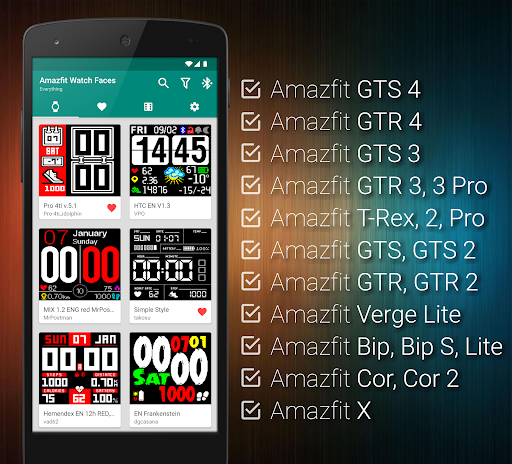


About this app
Developer Description
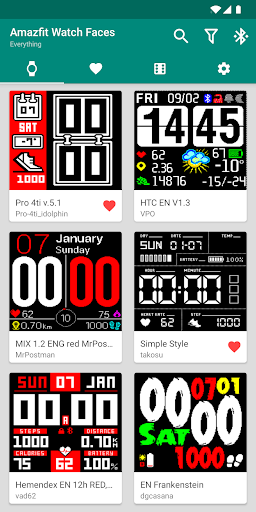
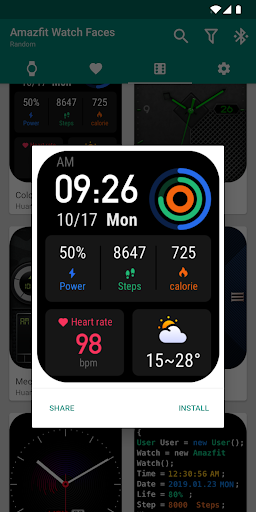
Browse and directly install watch faces for Amazfit by single press of a button.
Instructions:
1) Press Install
That's it! You don't need to open Zepp / Mi Fit / Amazfit application to install your new watch face. Just press install inside of our application and wait for the synchronization to finish.
Supported Devices: (if your device is not listed, it is not supported)
• Amazfit GTS 4
• Amazfit GTR 4
• Amazfit GTS 3
• Amazfit GTR 3 / GTR 3 Pro
• Amazfit T-Rex 2 / T-Rex Pro / T-Rex
• Amazfit GTS 2, GTS 2E, GTS 2 Mini
• Amazfit GTR 2, GTR 2E
• Amazfit GTS
• Amazfit GTR 42mm / 47mm / Lite
• Amazfit Verge Lite
• Amazfit Bip / Bip Lite / Bip S
• Amazfit Cor / Cor 2
• Amazfit X
Features:
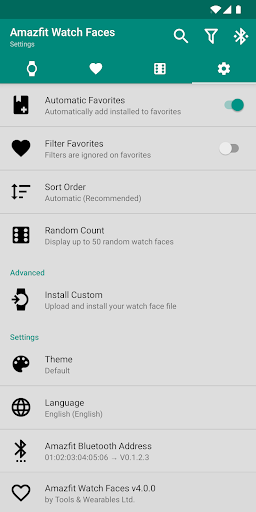
• Extremely fast watch faces browser
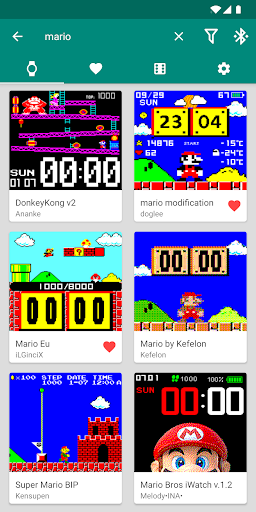
• Full-text search
• Filter by features & language
• Customizable sort order
• Add watch faces to favorites
• Random watch faces generator
• Install your own watch face binary files (Settings - Install Custom)
• & much more!
This application works very well with original Zepp / Mi Fit application (but is no way associated with Xiaomi).
What's New
Supported Devices: (all firmwares)
• Amazfit GTS 4
• Amazfit GTR 4
• Amazfit GTS 3
• Amazfit GTR 3, GTR 3 Pro
• Amazfit T-Rex 2
• Amazfit GTS 2, GTS 2E, GTS 2 Mini
• Amazfit GTR 2, GTR 2E
• Amazfit Band 7, 6, 5
• Amazfit T-Rex, T-Rex Pro
• Amazfit GTS
• Amazfit GTR 42mm / 47mm
• Amazfit Verge Lite
• Amazfit Bip / Bip Lite / Bip S
• Amazfit Cor / Cor 2
v8.9.0: Fixed support for all latest firmwares!
Version Information
- Version
- 8.9.0
- Downloads
- 5K+
- Updated on
- Oct 25, 2025
- Released
- Nov 2, 2019
- Requires
- Android 4.3
Statistics
Google Play Rating History
Rating Distribution
Downloads Over Time
Watch Faces & Amazfit has been downloaded times. Over the past 30 days, it averaged downloads per day.
Shaded area shows 30-day prediction based on historical trends
Historical data collection started recently. More data points will be available over time.
Watch Faces & Amazfit users say on Google Play
 L C (Leithal)
Great app, good selection... Only one improvement for 5 stars - my watch is set for imperial units, but a lot of faces don't recognize and display metric. It would help to filter on the units available. It would also be nice to be able to provide feedback to watchmakers...
 richard g
Your app is great. Is it possible to have the favorite faces downloaded and saved for offline install/selection.
 Sim Ah boy
Firstly i love all the watch faces. But when i press install it doesnt install to my watch and it doesnt work. Please guide and advice on the issue please. I bought both the app. This and the other from you guys the watch tools. I am using amazfit X.
 michael allen
Worked perfectly for all three amazfit watches until Aug 25th. Now won't sync to any of them.
 Grant Armstrong
I just received my AMAZFIT GTR 2e so I thought I would try this App. I use Zepp for my GTR 2e. I could not find any watchfaces for it, but the only watchfaces that came up was for my BIP which is connected via the MiFit App. Is there any way to display the watchfaces for my GTR 2e? I have emailed the developer 2 or 3 times. All I get is some autoresponder message. I don;t think he is reading his emails.
ApkTrusted Ratings & Reviews
More from Tools & Wearables
See more apps

Similar Apps









Scan this QR code to download

Forwarding you to the page at Google Play market in seconds...
Open Google Play market now