
Tools & Mi Band v8.9.0
Tools & Wearables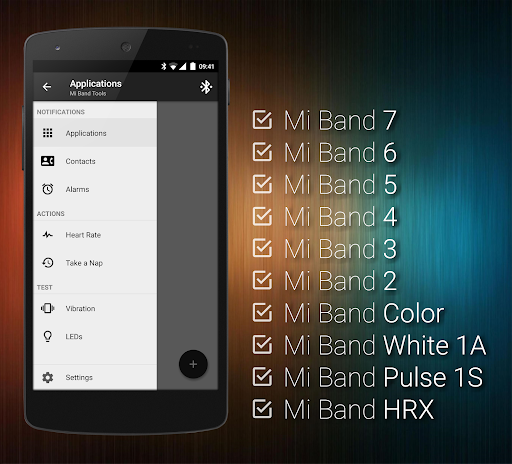
About this app
Developer Description
Fully customizable notifications for your Xiaomi Mi Band smart bracelet.
This application works very well with original Zepp Life / Mi Fit / Amazfit application (but is no way associated with Xiaomi). This means that you can always have the latest Zepp Life / Mi Fit / Amazfit version and the latest Mi Band firmware in addition to great and powerful notification features.
Features:
• Display Text Support (see caller contact names & contents of notifications on your Mi Band)
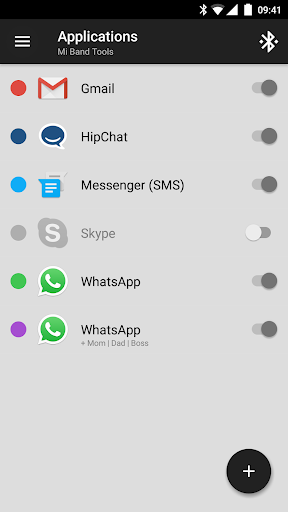
• Application notifications (configurable per application as well as globally)
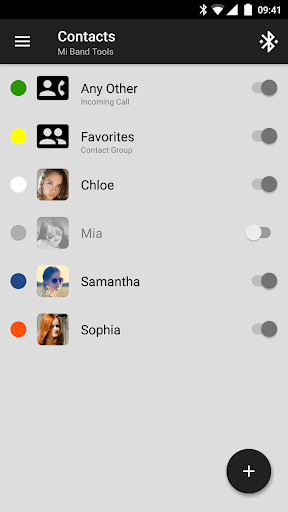
• Incoming call notifications (configurable per contact as well as globally)
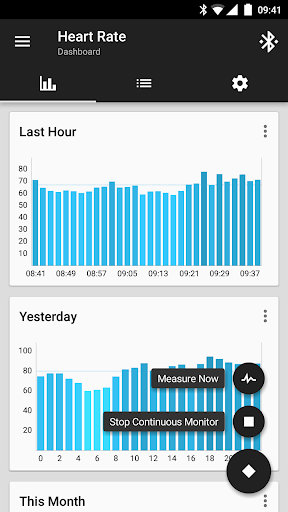
• Continuous heart rate monitoring & notifying, configurable heart rate dashboard charts (Mi Band 7, Mi Band 6, Mi Band 5, Mi Band 4, Mi Band 3, Mi Band 2, 1S)
• Sleep as Android Integration (Mi Band 7, Mi Band 6, Mi Band 5, Mi Band 4, Mi Band 3, Mi Band 2, 1.0, 1A)
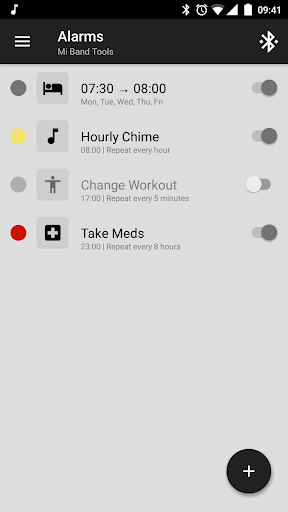
• Alarm notifications (including safety sound alarm - vibrations won't wake you up? safety sound alarm will trigger after few minutes)
• Custom repeating notifications (you can set anything you like, for example: hourly chimes, change workout reminder, take a pill reminders and more)
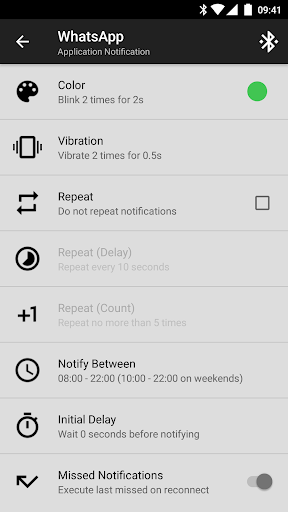
• Fully customizable notification patterns (including multi-color notifications, custom vibration patterns)
• Notification content filters (only interested in SMS notifications for certain people? not a problem for Mi Band Tools)
• Multiple notifications per application (thanks to this feature, you can set different patterns for single application, for example you can set WhatsApp messages from your boss in red and from your friends in blue)
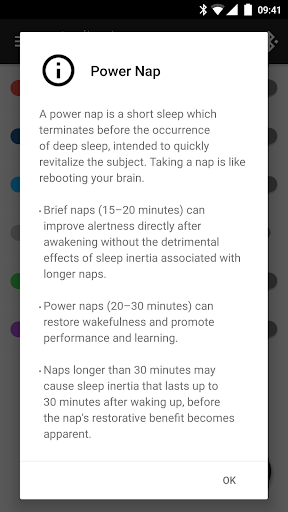
• Power Nap feature (need a short nap? Just activate this and Mi Band will wake you up by vibrations when you're done resting)
• Idle Alerts (you can set an alert so the band will buzz you if you've been inactive for some time). You can also control the interval, time frame and inactivity threshold
• Configurable notifications times (even separately for weekends) and conditions (globally and per notification)
• Advanced settings (disable non-interactive notifications, shake to dismiss power nap, disable in silence mode, disable while screen is on, ...)
• Missed notifications (notification is not lost when you are out of reach of your phone, you will get the last missed notification on reconnect)
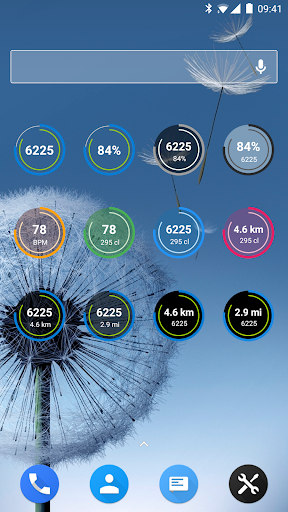
• Fully customizable widgets (daily fitness goal progress, bracelet battery, etc).
• Export/Import Settings (to your storage or to the cloud)
• Tasker, Automagic, Automate and Locale support (advanced and fully customizable action plugins)
• Designed completely according to Google's Material Design guidelines and best practices in mind
• Many of 'those little things', for example, application automatically detects the dominant color of an application icon / contact picture and preselects it for you
• Fully supports all original Mi Band bracelets (including the white-only 1A version for which Mi Band Tools automatically adjusts the user interface to match the features supported by this bracelet version)
• Works on all Android versions from 4.3 to 13+
• Many and many more yet to come!
Localization:
Please help us translate Mi Band Tools into your language by translating some phrases on http://i18n.mibandtools.com Thank you!
Twitter:
https://twitter.com/MiBandTools
FAQ:
http://help.mibandtools.com
Important:
If you have any problem with this application, please contact us on info@mibandtools.com before down rating and we will help you resolve your issue.
What's New
• Watch Faces Management, Gesture & Sensor Control (Mi Band 7, 6, 5, 4)
• Display Text Support (contact names & full notification contents)
• Sleep as Android Integration
• Text Parameters, Filters & Extractions (for SMS verification codes)
• Button Dismiss, Call Mute & Smart Alarms, Snooze
• Heart Rate Monitor
• Widgets & Tasker Plugins
& more http://goo.gl/RJM62r
Version Information
- Version
- 8.9.0
- Downloads
- 100K+
- Updated on
- Oct 25, 2025
- Released
- Jun 18, 2015
- Requires
- Android 4.3
Statistics
Google Play Rating History
Rating Distribution
Downloads Over Time
Tools & Mi Band has been downloaded times. Over the past 30 days, it averaged downloads per day.
Shaded area shows 30-day prediction based on historical trends
Historical data collection started recently. More data points will be available over time.
Tools & Mi Band users say on Google Play
 Fabio Xodo
The app worked very well till the last Mi band 6 firmware update 1.0.5.24. Now, even after executing everything in the Troubleshooting section, all "only vibration" notifications don't work anymore. Not even the Vibration test (Oled test and test of apps with both text and vibration works). Had to set up a fake icon/text for the ones I wanted only vibration. Very annoying. Edit: updating didn't help, but uninstalling and reinstalling it solved the problem.
 Imen Rahal
Working pretty good now with Mi Band 7, even custom vibrations that were not working with my Mi Band 6. The problem I'm having is when Bluetooth disconnects and reconnects, I need to reconnect the device for the app to work. It dould be good to have that automatic.
 Piotr Włodarczyk
I've used this app for a long time without any issues, but unfortunately since the app started asking for the auth key, it hasn't been working correctly. Whenever I entered the auth key, the official Zepp app would constantly lose connection to the band, which means I wasn't able to use the music player or "find the band" functionality. It struggled to reconnect. I hope the developers will figure out a way around this, but I'm uninstalling this for now.
 Ramon Yip
I got this app because I wanted to integrate my Mi Band 7 to Sleep as Android. The connection has been very spotty and I've had to disable/re-enable notification permissions multiple times to reestablish the connection. Only for this app to lose the connection again. And then I see all the replies from the dev team blaming the users instead. Overall, not a great experience, but I don't have a ton of other options either. ¯\_(ツ)_/¯
 Andrés Mazzocchi
Broken since v7.0.0 (including 7.9.0). Zepp works fine until I install this app, then everything breaks and neither can connect to the Mi Band 6. Unless you figure it out I see a grim future for this app, but it's not that you care. Clearly you don't, because you don't respond to support tickets (29-9-2022, still waiting for a SINGLE response). So where's the "completely revamped core" you mentioned in the changelog???. You say "you currently don't know of any issues". Really?, check your inbox!
ApkTrusted Ratings & Reviews
More from Tools & Wearables
See more apps


Similar Apps

Dokobit
Free

Mindtickle
Free
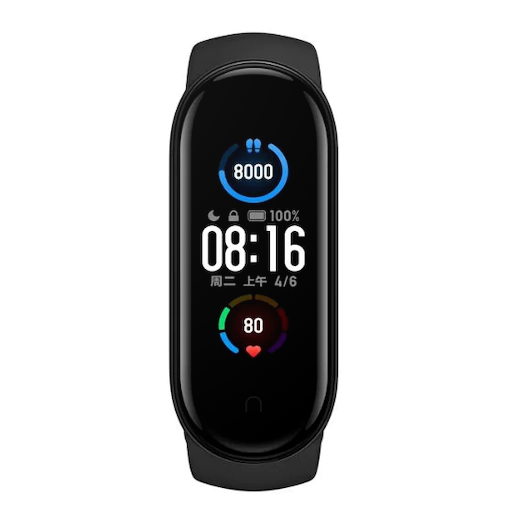
Mi Band 5 Watch Faces
Free

QWatch Pro
Free

G Band
Free

Stamp°D
Free

ATMOS : Online dive logbook
Free

HODINKEE
Free

Xiaomi Community
Free

Engross: ADHD Focus Timer
Free

Infinite Training Systems
Free

nzb360 - Media Server Manager
Free

Orangetheory
Free

OnePlus Community
Free

Recycle Right
Paid

xHP Flashtool
Free
Scan this QR code to download

Forwarding you to the page at Google Play market in seconds...
Open Google Play market now