
FRITZ!App Fon v2.13.2
FRITZ! GmbH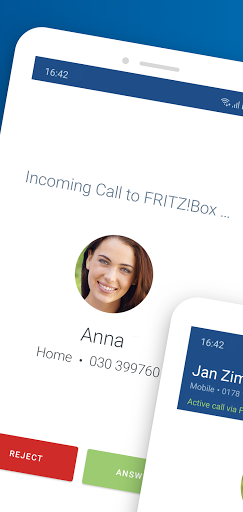
About this app
Developer Description
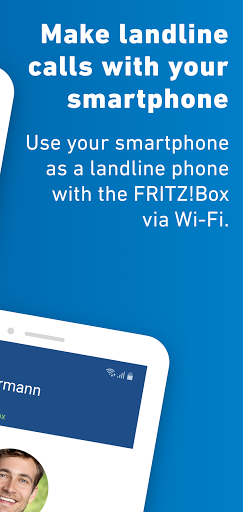
Telephone calls over the landline - with your smartphone and the FRITZ!App Fon
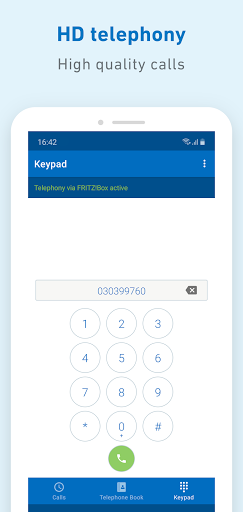
Make calls at home conveniently using your smartphone over your landline telephone numbers - anywhere in the Wi-Fi network of your FRITZ!Box. With the FRITZ!App Fon you benefit from the landline rates; for many providers even from flat rate telephony. HD telephony provides for crystal clear voice quality. Thanks to support for Bluetooth headsets you can enjoy complete flexibility for everyday calling and for working from home. The latest technologies mean that the FRITZ!App Fon works invisibly in the background no matter what the battery status.
The FRITZ!App Fon guides you through the easy Configuration. Simply log in by entering your FRITZ!Box password, selecting one of your landline telephone numbers, and them confirm: your smartphone is ready for landline telephony. Once it has been configured, the FRITZ!App Fon makes your smartphone ring immediately for incoming calls, just as if it were a FRITZ!Fon, the intelligent all-rounder for your home network with FRITZ!. Incoming calls ring simultaneously on your telephones and smartphones. You decide which device should pick up the call. If you would like your smartphone to ring only for certain landline telephone numbers, select only these numbers in the settings of FRITZ!App Fon.
The FRITZ!App Fon is the ideal telephony extension for your FRITZ!Box. Be it a handset for the new roommate in your shared apartment, an additional telephone for working from home, or the convenience of the smartphone that's always handy: with the FRITZ!App Fon you always have a practical solution in no time at all. It is easy to use the FRITZ!App Fon on multiple smartphones.
FRITZ!App Fon functions at a glance
Makes telephone calls over the landline with your smartphone
Top voice quality thanks to HD telephony
Supports Bluetooth headsets
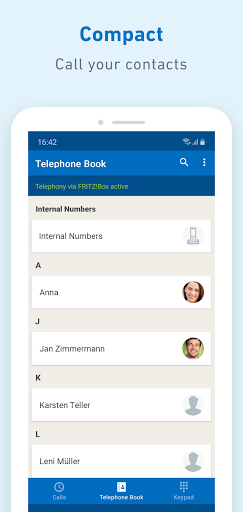
Accesses the telephone books on the FRITZ!Box and smartphone contacts
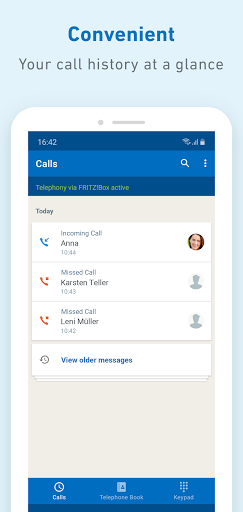
Displays the names of known contacts during calls
What's New
Version Information
- Version
- 2.13.2
- Downloads
- 1M+
- Updated on
- Sep 29, 2025
- Released
- Apr 23, 2010
- Requires
- Android 10
Statistics
Google Play Rating History
Rating Distribution
Downloads Over Time
FRITZ!App Fon has been downloaded times. Over the past 30 days, it averaged downloads per day.
Shaded area shows 30-day prediction based on historical trends
Historical data collection started recently. More data points will be available over time.
FRITZ!App Fon users say on Google Play
 Thomas Krueger
Very useful app. Connect to your home avm router via wireguard and use your home landline from anywhere provided you have internet. I still have some issues. The person I am calling is hearing some echo. My side it's clear. If I haven't started the app, in times, it does not ring. This maybe related to the Android OS. I use a Chinese phone. Anyway, good app.
 roon random
I can Connect to my Box via VPN to the Box, Log in, then the App can Not make or answer calls. Telephony Inactive. I should Connect to my WiFi. The Problem was you can not have the Option Always on VPN active. Disabeling this Option solved the Problem.
 Cliff S
I use WireGuard on my Samsung phone and my Fritz!Box, and noticed that even away from home I can use this app to make calls. The advantage is when I want to make local calls, I can use this app and save money, instead of using the mobile net. That's pretty cool. The only negative is using the VPN can make it buggy establishing a connection between Fritz!Fon to my Fritz!Box. Once it's established it's ok, but it can take awhile. Maybe the devs can work with WireGuard to fix this.
 Jorge Gil
My celular phone doesn't react when i receive a telephone call. In the past yes, now not anymore. Everything is ok in the system. What is wrong? In internet they write that this hsppens in the new version 2. X Thx 4 helping
 Dennis Schridde
Since a while, when the app rings and I pick up (green "answer" button), it shows the screen that it shows when in a call, but the app keeps ringing and I am not actually in a call with the caller. Tapping the red "hang up" button has no effect. There is no way to get out of the "call" or to make the ringing stop, apart from force-stopping the app via Android settings. FRITZ!App Fon is basically unusable like this.
ApkTrusted Ratings & Reviews
More from FRITZ! GmbH
See more apps



Similar Apps



Scan this QR code to download

Forwarding you to the page at Google Play market in seconds...
Open Google Play market now