SL Screen Off plugin v1.4
Smart Launcher Team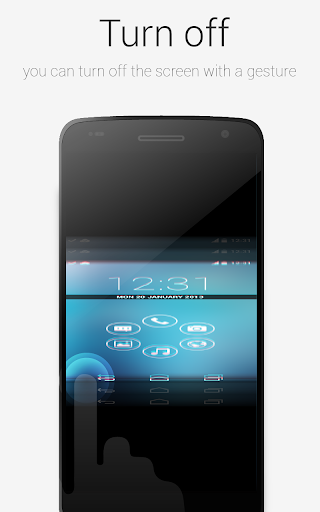
About this app
Developer Description
An optional plugin required by Smart Launcher to turn off the screen
This app uses the Device Administrator permission, in order to use a restricted API that allows to turn off your device screen
This plugin will enable Smart Launcher to use some extra features. Actually you need this plugin to turn off the screen with a double tap using Smart Launcher. The plugin is very lightweight (only few kb) and doesn't influence battery life and memory usage.
PLEASE NOTE: SL extra requires some advanced permission (just to turn off the screen indeed). So after enabling it, you won't be able to uninstall this app unless you disable it in the SL's preferences. Then you will be able to uninstall this app like every other app. Here is a video tutorial:
https://www.youtube.com/watch?v=lV7cjqdWXro
If you think this procedure is too hard for you, just don't install this app. You will still be able to use the most part of the Smart Launcher features.
What's New
- Included a new disclousure as required by the recent changes to the Google Play Store policies
Version Information
- Version
- 1.4
- Downloads
- 1M+
- Updated on
- Aug 20, 2017
- Released
- Apr 27, 2014
- Requires
- Android 2.3
Statistics
Google Play Rating History
Rating Distribution
Downloads Over Time
SL Screen Off plugin has been downloaded times. Over the past 30 days, it averaged downloads per day.
Shaded area shows 30-day prediction based on historical trends
Historical data collection started recently. More data points will be available over time.
SL Screen Off plugin users say on Google Play
 A Google user
Aos que não conseguem desinstalar isso ocorre pois vocês deram permissão ao app para desligar a tela, isso precisa ser desativado antes de ser desinstalado, menu do SL plugins depois desativa depois desinstala
A Google user
Works if you know how to use it and for what it is needed. Both ways, the double tap and the Smart Display Off function are working. But sometimes the displayed time freezes in the notification bar when the plugin is running. Besides, for those who think the plugin is not locking the display anymore: Go to SL Settings -> "Extra Functions" -> "Screen lock method" and choose "System Admin privileges". Maybe it will ask you, if you want to activate the plugin as an administrator.
 Tondho Hasmoko
Always show popup Action required to enable accessibility service. But it was on. After reboot get normal. After few days popup action required showing again. I buy SL launcher Because this feature. Please fix it.
 allegedly
WARNING! STAY AWAY FROM THIS DEVELOPER!!! My Smart Launcher app keeps opening up a page to Google Play asking me to install this plugin. There are no clear instructions from the developer on how to stop and/or disable this from happening. Absolutely disgusting behaviour from a formerly excellent developer. I`ve asked Google to investigate these clowns..
ApkTrusted Ratings & Reviews
More from Smart Launcher Team
See more apps
Similar Apps

Quikshort: Shortcut Creator
Free

KabirDNS
Free

Cloaked: Protect your privacy
Free

ADW Launcher 2
Free

Action Launcher: Pixel Edition
Free
Lena Icon Pack Shapeless Icons
Paid

dynamicSpot - Dynamic Island
Free

Ares Light: Pastel Icon Pack
Paid

Ares Dark Icon Pack
Paid

Good Lock: Premium Lock Screen
Free

Nova Launcher
Free

Retro Mode - Icon Pack (Light)
Paid

Nuki Smart Lock
Free

OxygenOS 16 Icon pack
Free

Vera Icon Pack: shapeless icon
Paid

Borealis - Icon Pack
Paid
Scan this QR code to download

Forwarding you to the page at Google Play market in seconds...
Open Google Play market now