
ADW Launcher 2 v2.0.1.70
AnderWeb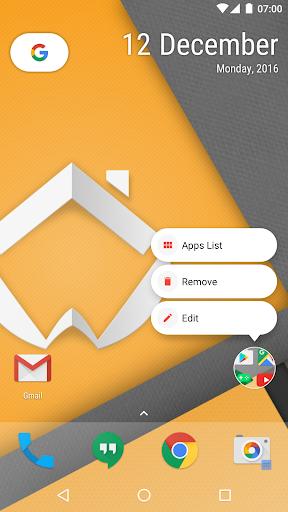





About this app
ADW Launcher 2 solves the problem of customization and personalization for Android users, offering a wide range of features to tweak and enhance their home screen experience. This app benefits users who value flexibility and control over their device's interface, particularly those who are dissatisfied with the default launcher. Compared to alternatives in the Personalization category, ADW Launcher 2 stands out with its extensive customization options and regular updates, but may fall short in terms of performance and battery efficiency. Overall, it is a solid choice for users seeking a high degree of customization.
Pros
- With over 10 million downloads and a 3.9/5 rating, ADW Launcher 2 has demonstrated its popularity and quality, indicating a well-designed and user-friendly interface.
- The app's extensive feature set, including theme support and icon pack compatibility, provides users with a wide range of options to personalize their home screen.
- The developer, AnderWeb, has a reputation for regularly updating the app, ensuring that users receive new features and bug fixes in a timely manner.
- The absence of ads and minimal in-app purchases ($3.49 per item) makes for a relatively non-intrusive and affordable user experience.
- The app's compatibility with Android 2.3 and later ensures that a wide range of devices can run the app, making it accessible to a large user base.
Cons
- Some users may find the app's customization options overwhelming, potentially leading to a steep learning curve and decreased performance on lower-end devices.
- The in-app purchase model, while relatively affordable, may still deter some users who prefer a one-time payment or ad-supported model.
- The lack of transparency regarding data collection and usage may raise concerns among privacy-conscious users, particularly given the app's access to device information.
- The app's performance and battery efficiency may be impacted by the extensive customization options and regular updates, potentially leading to decreased responsiveness and increased battery drain.
Best for: The ideal user for ADW Launcher 2 is a technically savvy individual, likely between the ages of 18 and 40, who values customization and control over their device's interface, and is willing to invest time in exploring the app's features and settings to create a personalized home screen experience.
Developer Description
ADW Launcher 2, beyond tweaking your android desktop
Having said this, we’ve been reading a lot about Google recommendations on abusing app options and settings, and we’ve talked a lot about it. But as the ability to speak does not make us intelligent we’ve made all the opposite. You know, without freedom of choice there is no creativity. The Launcher bores.
You may also think “I find your excess of settings disturbing” and we don’t blame you! It’s a totally normal reaction. I guess you guys aren’t ready for that yet. But your kids are gonna love it. In the end, the possibility of configuring it to your likeness is approximately 3720 to 1, what makes it the best launcher because maths never lie.
And yeah, we have screens, ¿and icons? for sure, ahh and we have widgets too, what more?, I mean what else?, in fact, you can make your own. And if you prefer getting everything pre-made, use themes! Or widget and template packs! ¿Is your device’s desktop boring? Change it again Sam. Your style, your rules, Do. Or do not, there’s a setting for it, tweak it, change it, shaken, not stirred.
And remember, “There’s no such thing as ‘the unknown,’ only options inside ADW Settings”
¿Are you gonna miss it?
*Endless Features*
Most of the application have been reprogrammed and redesigned from scratch. Also we have added a lot of new features. Here are some of them:
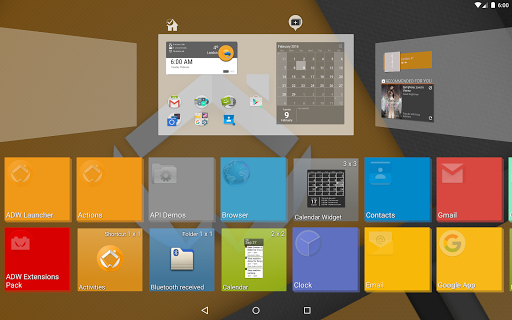
* Support for Android 7.1 launcher shortcuts (limited support on older versions down to 5.x)
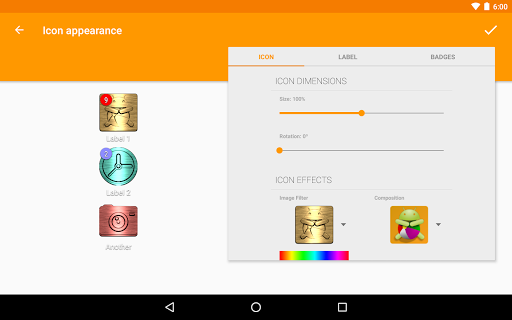
* Added new icons effects section. You can choose image filters and compositions. Awesome!!!
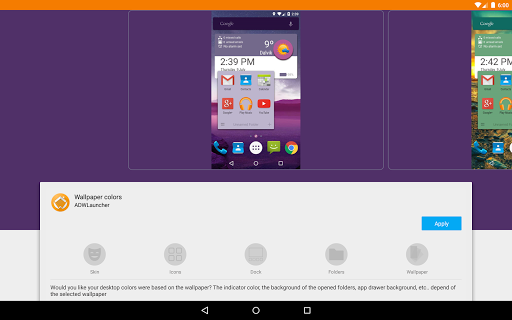
* Dynamic UI coloring using wallpaper colors.
* New way to manage screens. Hold down an empty area of the desktop.
* New way to add widgets and shortcuts.
* New way to change the wallpaper, lock/unlock the desktop or access settings. Hold down an empty area of the desktop and choose the option.
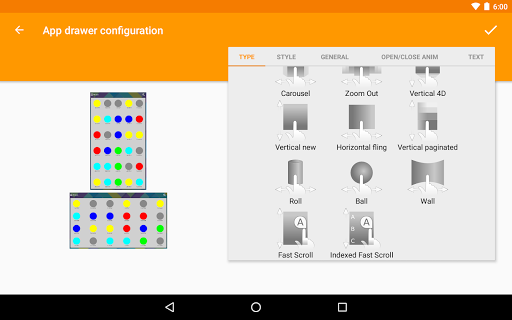
* Added fast scroll app drawer style.
* Added indexed fast scroll app drawer style.
* Added some desktop transitions.
* Added new section to configure icon badges.
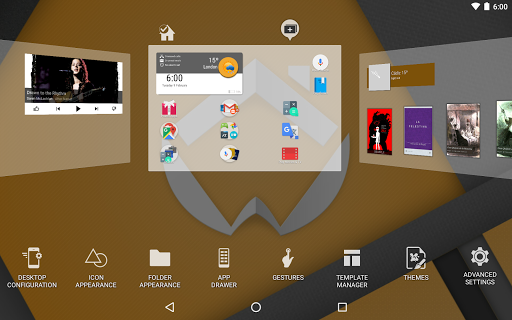
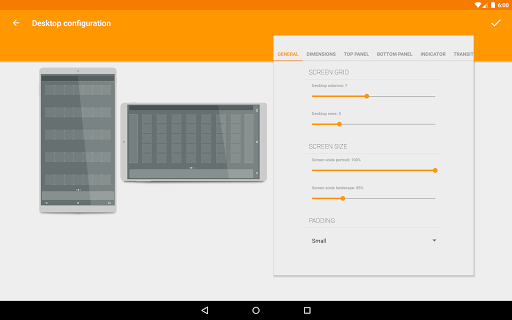
* Added a visual mode to configure desktop, icon appearance, folder appearance, and app drawer options.
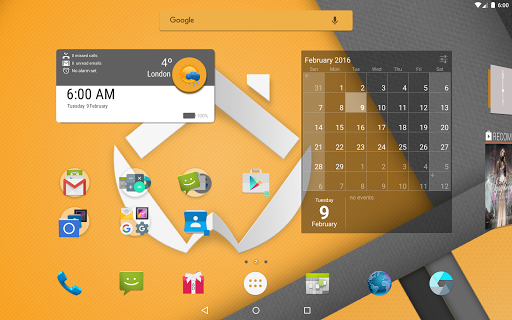
* Added option to change the top panel/widget.
* Added option to change the content type of bottom panel (dock/widget).
* Added new wrap folder mode to folders. This mode lets you launch the first app in the folder on tap, and show the folder contents on swipe up.
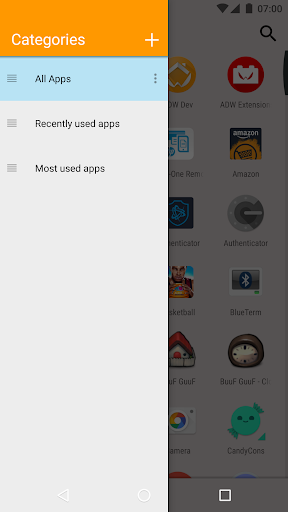
* Added new fast application search in app drawer.
* Improved app categories in app drawer.
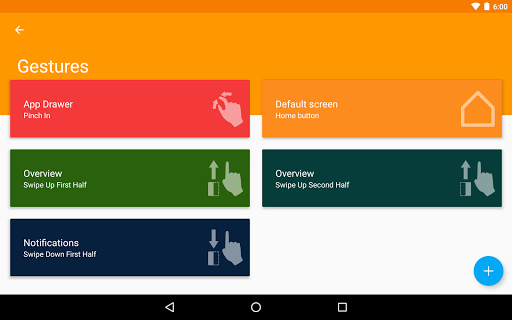
* Improved way to manage user gestures.
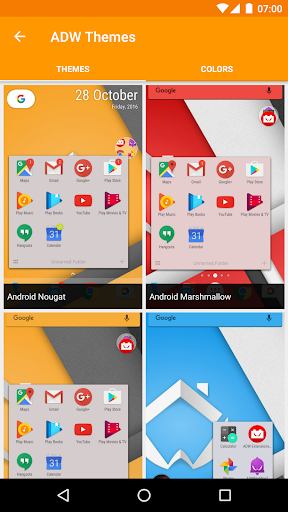
* Improved way to apply internal and external themes.
* Improved context menu for all desktop objects.
* Added new Custom Widget object. You can add new custom widgets from widget list, import them from friends and other developers, create, edit and share your own.
* Added some initial extensions for the custom widgets (time/battery)
* Check out ADWExtensions pack for more extensions (weather, gmail, etc).
* Added template manager. Remove, add and share templates easily.
* Improved icon properties dialog.
* Improved folder properties dialog.
* Added backup manager in advanced settings/system. Now you can import data from other famous launchers (if you miss one, report back to us so we can include it!)
* Added the possibility to set a secondary action on desktop shortcuts. Swipe up over the desktop shortcut to execute the secondary action.
* Probably 2 or 200 things I’m forgetting…
* A bunch of wibbly wobbly timey wimey stuff inside!
Privacy
Given that ADW Launcher 2 requires no permissions, users can be relatively confident in the app's privacy and security. However, it is essential to be aware of potential data collection and usage, and to regularly review the app's terms of service and privacy policy. To further enhance security, users should ensure that their device is running the latest version of Android and that the app is updated regularly.
Tips
To get the most out of ADW Launcher 2, users should take the time to explore the app's extensive customization options, including theme support and icon pack compatibility. Additionally, users can optimize performance by disabling unnecessary features and adjusting the app's settings to balance customization with battery efficiency. Finally, users can integrate ADW Launcher 2 with other apps, such as widget providers, to further enhance their home screen experience.
What's New
Sorry guys, get a new device ;)
Updated privacy information
In-app purchases
$3.49 per item
Version Information
- Version
- 2.0.1.70
- Downloads
- 10M+
- Updated on
- Sep 14, 2018
- Released
- May 27, 2010
- Requires
- Android 2.3
Statistics
Google Play Rating History
Rating Distribution
Downloads Over Time
ADW Launcher 2 has been downloaded times. Over the past 30 days, it averaged downloads per day.
Shaded area shows 30-day prediction based on historical trends
Historical data collection started recently. More data points will be available over time.
ADW Launcher 2 users say on Google Play
 Jeannette Sauyer
Android 9 phone, had this for years even when stop on updates. It is too bad that your os update affects your apps. Other than weather ( works only on 1) every else works. I still think this is the best and still love it. Thanks to the work on the launcher, your still the best. Definitely check it out, if will work with your phone is said in (about). Does not drain battery, you can diy icons, walls. My theme on my phone is wheel of the year.
 Andrew Y
ADW has been in the launcher game for a long time so I drawn to this app when looking for a launcher. Was generally satisfied until the 8th time swiping up from the middle of the screen and getting the damn ADW settings. Which is obnoxious given the fact that used mostly for a app drawer in Android devices. Who asked for this? Who changed the launcher settings so often and on a long term basis to need this?..
 Shane Bobane
really good launcher, but hasn't been updated since 2018. sometimes the homepage freezes, and many widgets don't work.
 Albert Woo
No widget for Samsung Notes. Is that being restricted by Samsung or the launcher? It used to have it and I have one left on it but I can't add more. Galaxy S24U.
ApkTrusted Ratings & Reviews
More from AnderWeb
See more apps
Similar Apps

Action Launcher: Pixel Edition
Free

AIO Launcher
Free
Square Home
Free

Nova Launcher
Free

Pie Launcher version 2026
Free

Newer Launcher 2026 launcher
Free

CMM Launcher 2.0
Free
POCO Launcher 2.0 - Customize,
Free

GO Launcher S – 3D Theme, Wall
Free

Ares Dark Icon Pack
Paid

DNA Launcher
Free
A Launcher : Galaxy A Launcher
Free

Color Launcher, cool themes
Free

P Launcher
Free
Super S9 Launcher for Galaxy S
Free

Smart Launcher 6 ‧ Home Screen
Free
Scan this QR code to download

Forwarding you to the page at Google Play market in seconds...
Open Google Play market now