ADWLauncher 1 EX v1.3.4.0
AnderWeb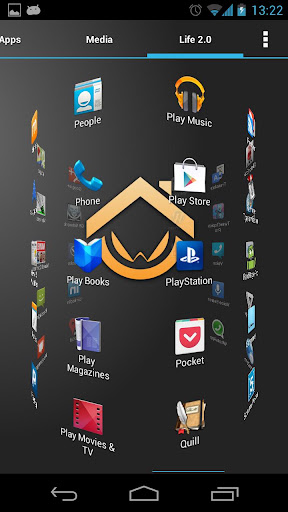





About this app
Developer Description
ADWLauncher 1 EX, beyond tweaking your android desktop
¿What's a home replacement application?
Is an normal android application that will run when you press your android device's HOME key. It's what usually people know as the "android desktop".
¿What makes ADW different?
-It's compatible with android versions from 1.6 to 4.1!
-It's highly customizable, almost in every aspect you can think of.
-Thousands of skins and themes with support for most popular launcher themes!
-Mix and match your skins, icons, docks, folders, etc
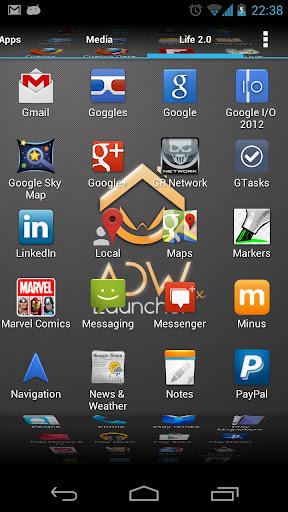
-Configure your applications in unlimited groups and hide unwanted apps.
-Fast setup screen with fast access to add items or configure everything.
-Gestures for fast operation (swipe up/down, 2-fingers swipe up/down, pinch in/out, etc)
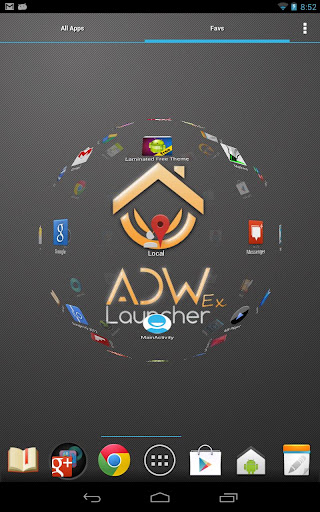
-Configurable Actionbar, similar to android 3.x+ tablet interface.
-Screens editor to add,remove, swap and resize your desktop screens.
-Configurable visual desktop indicators.
-Easy folder tweaking and management, content previews, arrangement, colors, etc.
-New AppWidget picker for devices running Android 4.1 and newer.
-Icons editor to create your own customized shortcuts or edit existing ones
-AppWidget resizing
-AppWidget backup/restore (only for android 4.1 and newer)
-Customizable applications dock with support for unlimited shortcuts with paginated scroll.
-Lots of settings to play with: texts, colours, animations, sizes... you should dig in!
What's New
Tweaked some things about Statusbar/navigationbar transparencies
Version Information
- Version
- 1.3.4.0
- Downloads
- 500K+
- Updated on
- May 28, 2019
- Released
- Dec 24, 2010
- Requires
- Android 1.6
Statistics
Google Play Rating History
Rating Distribution
Downloads Over Time
ADWLauncher 1 EX has been downloaded times. Over the past 30 days, it averaged downloads per day.
Shaded area shows 30-day prediction based on historical trends
Historical data collection started recently. More data points will be available over time.
ADWLauncher 1 EX users say on Google Play
 Kaleb Diaz
Great Launcher app, highly customizable from colors and fonts to themes and skins all the way to dock and status bar types and window transition animations to home screen and app drawer layouts and customizations. Highly recommended for anyone still running a phone using Android 4.1 or earlier. Really fun, satisfying, and efficient and most importantly reliable Launcher app. I've got mine running with an old school cynogen mod 9 ROM. I love it.
 Jesse T
I like so many have used this app for years. Hands down one of if not the best. However @developer. the last few days I have noticed an issue With widgets, Google calendar and weather clock are having random issues and failing or not loading. If you remove it and reapply it works but will fail again. Please fix. Something changed with Google or a Samsung update. Over all still an awesome app
 A Google user
I got a few days back without thinking that I run android pie. It has only done this once but most the short cuts I created just disappeared. And while trying to make a clock face bigger if I put the pull bars into of another the whole Launcher round just crash. Moving the thing that it has to colide with to make the watch face bigger solved the issue then making it smaller so I could put the so back no issues. Are those because the discription says "1.6 to 4.1!"? Is there anyother known glitch?
 Zach Avram
always had this, always loved it. paid for it. but using it with icons from flight lite opens the flight lite app info and options when i go to force stop apps the icon is set to overlay. already identified adw 1 as the problem with that app's author. don't see an update for this one that might fix the problem. also clicking and dragging icons from the app draw and dragging them to the top of the screen to uninstall doesn't work. just makes the icon dissappear.
 M8884
M8884
Uh, hello? Developers? Updates? Security issues, notification failures, issues moving icons across screens/not being able to Uninstall app by moving icon up to "uninstall", font issues, screen zoom issues, new found ad intrusion issues, among many other issues you'll find by testing devices such as Samsung Galaxy S5, Note 5 up to S9, S9+, S10, S10+, and Samsung Tab A series, as well as Cloud Mobile devices, and other tested devices. This promts security, coding/GUI updates, don't you think?
ApkTrusted Ratings & Reviews
More from AnderWeb
See more apps

Similar Apps

PurpleLine Icon Pack : LineX
Paid

AIO Launcher
Free

Borealis - Icon Pack
Paid
Lena Icon Pack Shapeless Icons
Paid

Vera Icon Pack: shapeless icon
Paid

Ares Dark Icon Pack
Paid

Ares Light: Pastel Icon Pack
Paid

Action Launcher: Pixel Edition
Free
Square Home
Free

Nova Launcher
Free

Sesame Search & Shortcuts
Free
Retro Mode - Icon Pack (Neon)
Paid

BOLT Icon Pack
Paid

Retro Mode - Icon Pack (Light)
Paid
GranPlayer
Free
Pie Launcher version 2026
Free
Scan this QR code to download

Forwarding you to the page at Google Play market in seconds...
Open Google Play market now