Resume - Intelligent CV maker v8.4
Intelligent CV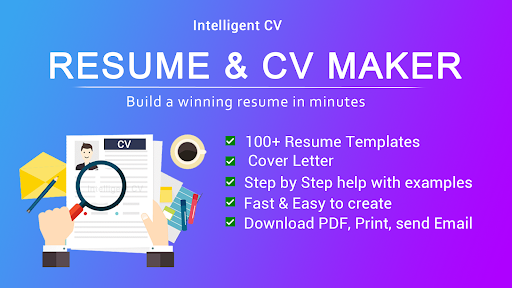



About this app
The Resume - Intelligent CV maker app solves the problem of creating professional resumes quickly and efficiently, benefiting job seekers and professionals looking to update their CVs. With over 50 million downloads and a 4.6-star rating, it stands out in the Business category for its ease of use and comprehensive features. Compared to alternatives, this app's ability to generate resumes in PDF format within minutes is a significant advantage. However, the presence of ads might detract from the user experience for some.
Pros
- The app's high download numbers and excellent user rating are a testament to its effectiveness and user satisfaction, indicating a well-designed and useful tool for resume creation.
- The developer's reputation, as evidenced by the app's quality and regular updates, suggests a commitment to maintaining and improving the app over time.
- The app's offline capability, inferred from its lack of required permissions, makes it accessible and usable even without an internet connection, a significant advantage for users in areas with poor connectivity.
- The simple and intuitive interface, as implied by the app's ability to create resumes in just a few minutes, makes it accessible to users of all technical skill levels.
- The absence of in-app purchases means that users can access all features without additional cost, enhancing the overall value proposition of the app.
Cons
- The presence of ads in a free app might be intrusive or distracting for some users, potentially detracting from the overall user experience and professionalism of the app.
- Despite its high rating, some users might find the app's features or templates limited compared to paid alternatives or more specialized resume-building services.
- The lack of information about data collection and usage, given the absence of a detailed privacy policy in the provided data, could raise concerns about user data privacy and security.
- The app's requirement for Android 6.0 or higher might exclude users with older devices, limiting its accessibility to a broader range of potential users.
Best for: The ideal user for the Resume - Intelligent CV maker app is likely a professional or student looking to create or update their resume quickly and efficiently, with a focus on ease of use and a professional outcome, and who values accessibility and simplicity in a resume-building tool.
Developer Description
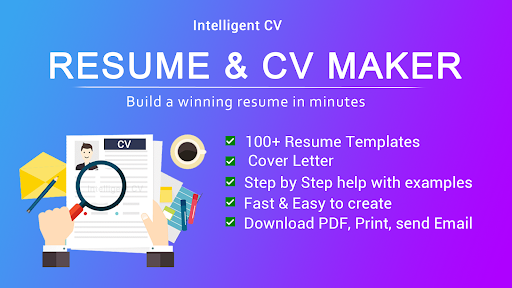
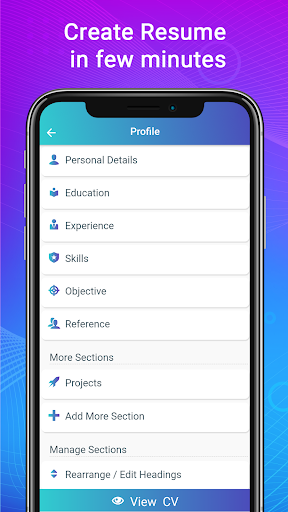
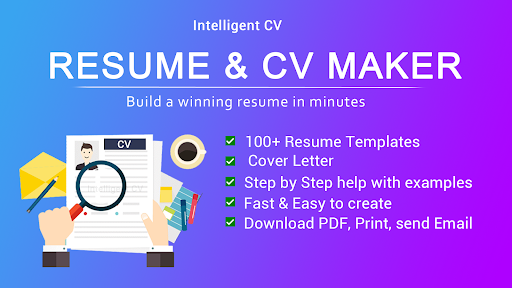
Resume, CV Maker in PDF format. Make resume in 2 min for job CV builder template
Create a modern & professional resume and cover letter with this CV maker app. Our resume expert's tips will help you how to write a good resume trend. Resume writing tips will help you get more job offers. Prepare yourself ready for full time and part time work from home jobs.
Intelligent CV builder app Features:
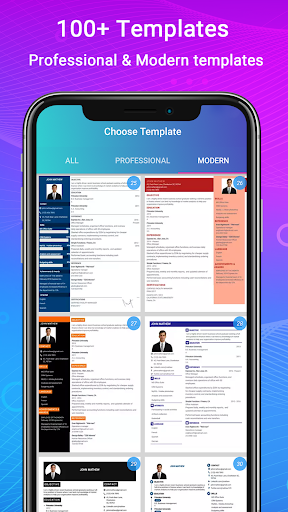
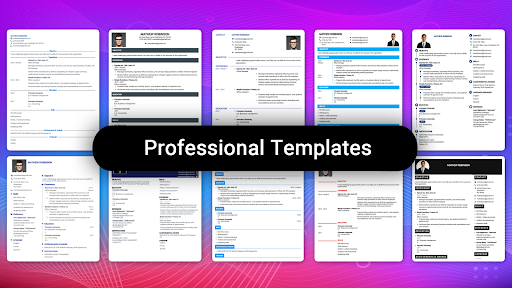
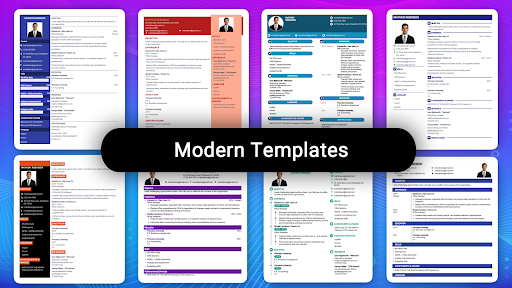
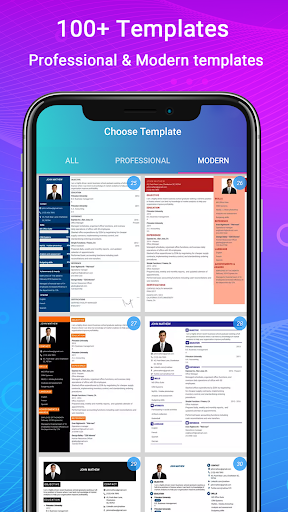
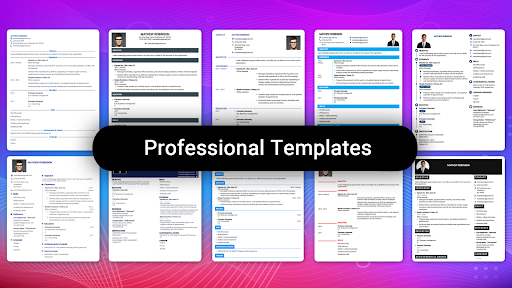
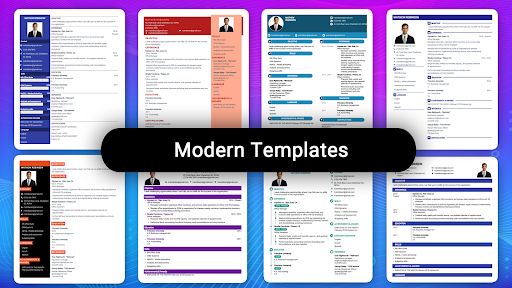
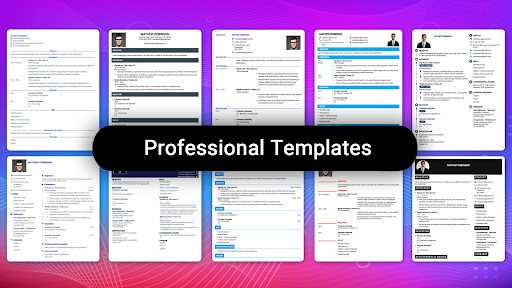
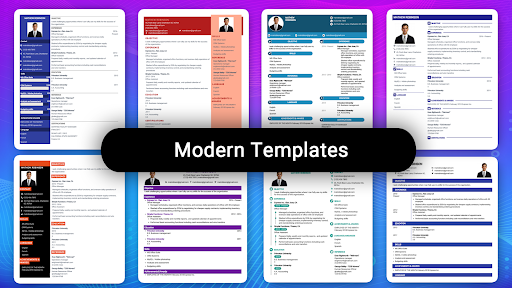
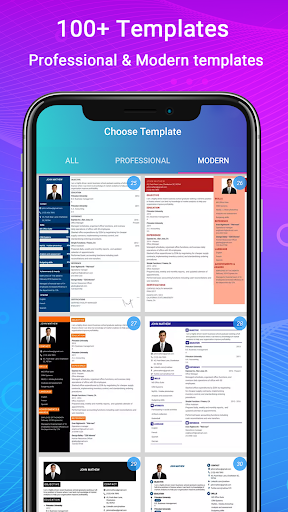
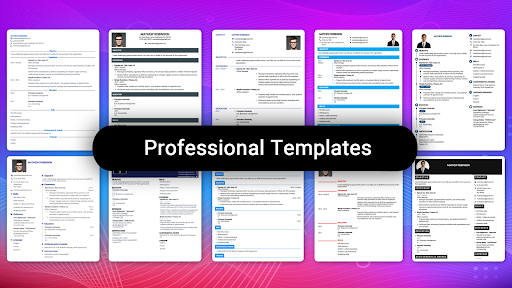
1. 500+ professional resume templates & 42 perfect resume formats.
2. Step by step guidance with resume examples.
3. Resume with cover letter template.
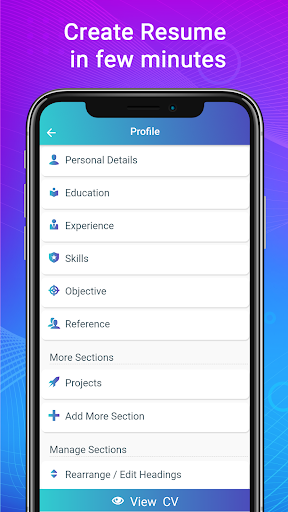
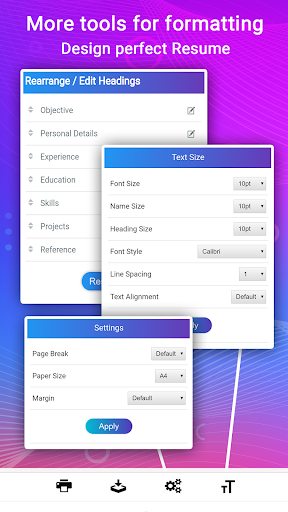
4. Advanced Resume editor - Special CV writing tools to customize paragraph & lists.
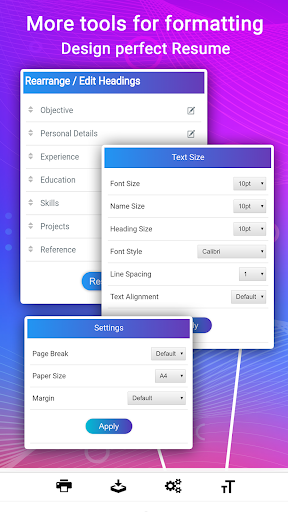
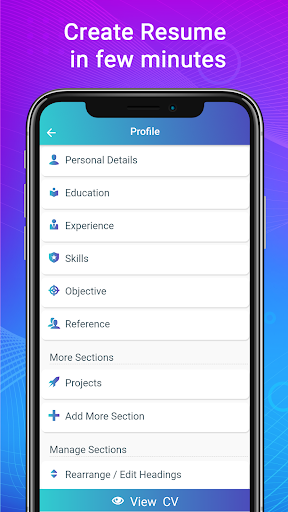
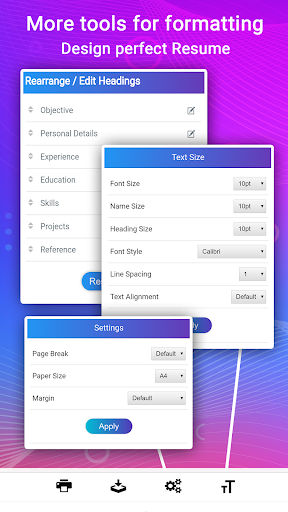
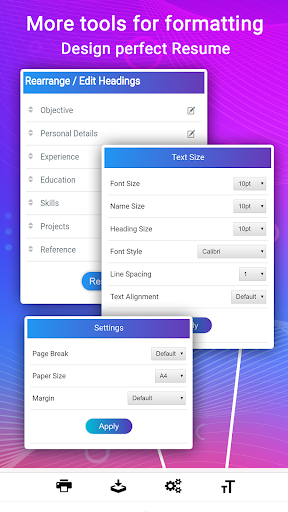
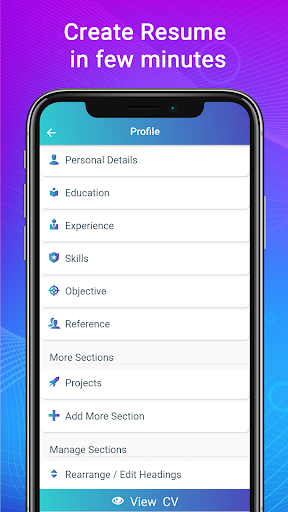
5. Smart resume Manager - Change CV section order, Edit CV section title names, create new sections, modify at any time.
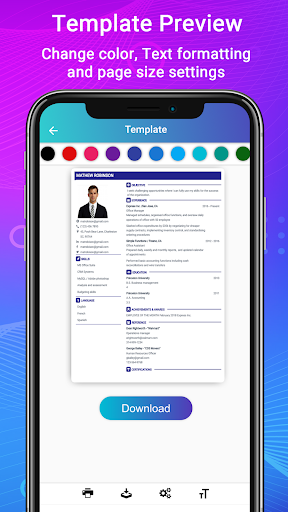
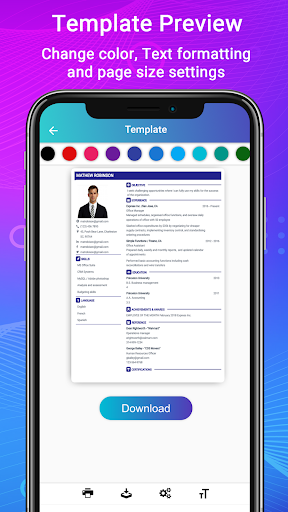
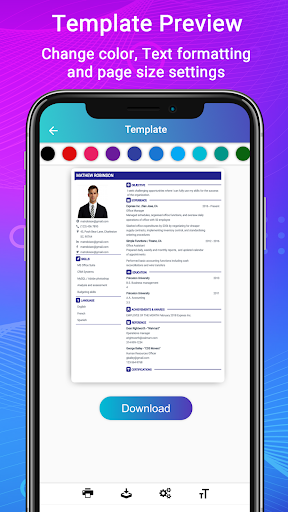
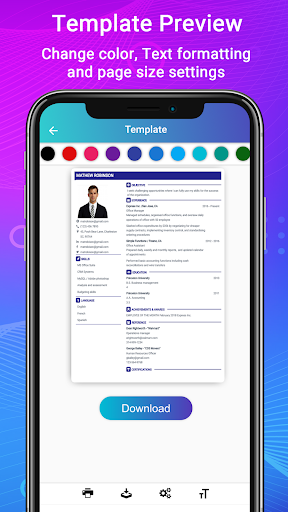
6. Resume formatting options - Font size, colors and margin settings.
7. Live resume format preview.
8. Download resume in PDF format.
9. Print or share the resume from the cv builder app.
10. Full resume writing service and support in English.
Resume and CV builder app can easily adapt the CV or resume designs to any resume format you choose such as functional, reverse-chronological, or combination Curriculum vitae, one page / single page or two page resume formats, United states resume format, biodata format, CV portfolio and job application CV format. ATS Resume templates optimized for applicant tracking systems and automated processing.
Write a cover letter for resume using the same templates as your resume template and revamp cv.
Intelligent CV had designed the cv builder with all type of professional resume templates based on research and latest trends in various industries in United states, Europe, Canada and other part of Americas. This will help ensure your resume focuses on what international hiring managers expecting.
CV builder app with step by step resume guide.
1. Easy to use:
Anyone who know to use android mobile phone can create curriculum vitae in PDF format. Fill the biodata information, education, experience, skills and photo for creating curriculum vitae.
2. Curriculum vitae helper: Resume examples and Samples for each resume Sections are very useful for Students, fresh graduate, first time job seekers or entry level jobs, High school / college student internship and also experienced.
3. Resume cover letter templates: Add cover letter to resume or download resume cover letter separately in PDF. Resume creator app has many cover letter templates & formats for various fields such as engineering student internship, IT Software developer, business management job, nurse, teachers, assistant sales associative, medical doctor, graphic designer, Customer service, executives, accountant, bank job, etc.
4. Resume with photo:
CV builder with image which is optional. All resume templates has option to add profile photo.
5. Biodata builder & portfolio maker:
Apart from resume & CV, job application builder app helps to create biodata and portfolio for job with available few biodata formats.
6. Download CV in PDF format in offline, Print Resume, Email the resume and Share the resume.
7. Successful career builder:
Stress free resume making process and Resume writing service with smart and quick CV maker app. For job application form generate high quality CV in PDF which gives better support than docx format so you can generate resume in PDF format.
8. View my resume: See all created resume in "Saved resume / Downloads".
If you have any queries with this cv builder app, contact us.
Privacy
Given that the app requires no permissions, it appears to be very privacy-friendly, minimizing the risk of data collection beyond what is necessary for its core functionality. However, users should still be cautious when sharing their resumes, ensuring they are sending them to trusted recipients. Regularly reviewing the app's terms of service and privacy policy, if available, can also help users stay informed about their data.
Tips
For first-time users, starting with the app's built-in templates can help streamline the resume creation process. To optimize performance and minimize distractions, consider using the app in airplane mode to avoid ads, if they become intrusive. Additionally, saving resumes in cloud storage services can help keep them accessible and up-to-date across devices.
What's New
Fixed all bugs
Added few advanced features
Performance improvements
Version Information
- Version
- 8.4
- Downloads
- 50M+
- Updated on
- Oct 8, 2025
- Released
- Feb 21, 2019
- Requires
- Android 6.0
Statistics
Google Play Rating History
Rating Distribution
Downloads Over Time
Resume - Intelligent CV maker has been downloaded times. Over the past 30 days, it averaged downloads per day.
Shaded area shows 30-day prediction based on historical trends
Historical data collection started recently. More data points will be available over time.
Resume - Intelligent CV maker - Google Play Rankings
Top Rankings
| Rank | Country | Category | List | Change |
|---|---|---|---|---|
| — |
Ranking History in
No ranking data available yet. Rankings are updated daily.
#12 in Top Free Business in Argentina

#12 in Top Free Business in Philippines


#17 in Top Free Business in Brazil

#33 in Top Free Business in Pakistan

Resume - Intelligent CV maker users say on Google Play
 Mpho Ndandani
Very user friendly even for a beginner.
 Swazi Mhlanga
easy to use
 Mansi Sachdev
the app is easy to use but after the personal details there is a lot of space left and after trying so many times the space problem isn't resolving
 Kajal Singh
most of the time, it doesn't work, says, got some error after filling all the information.
 Precious
excellent, helpful, its out of this world I'm amazed . It guides you all the way. it enables you to make mistakes and correct them . it gives you time to proof read. I'm so happy. I've never met an excellent application like this one.
ApkTrusted Ratings & Reviews
Similar Apps

Resume Builder - CV Engineer
Free
AI Resume Builder CV Maker PDF
Free

Kickresume: AI Resume Builder
Free

Glassdoor | Jobs & Careers
Free

LinkedIn Recruiter
Free
pdfFiller Edit, fill, sign PDF
Free
PDF Editor – Edit Everything!
Free

PDF Reader(KDAN PDF): Edit PDF
Free

Indeed Job Search
Free

Falcon PDF Viewer Lite Editor
Free

Canvas
Free

Microsoft Word: Edit Documents
Free

iLovePDF: PDF Editor & Scanner
Free

Upwork
Free

Docusign - Upload & Sign Docs
Free

Jobstreet: Smart job matching
Free
Scan this QR code to download

Forwarding you to the page at Google Play market in seconds...
Open Google Play market now