
PDF Scanner app - TapScanner v3.0.92
Tap AI





About this app
The PDF Scanner app - TapScanner solves the problem of efficiently scanning and digitizing documents, benefiting professionals and individuals who need to manage paperwork on the go. With its excellent user rating of 4.6/5 and over 100 million downloads, it stands out as a top-tier app in the Business category, offering a reliable and user-friendly document scanning experience. Compared to alternatives, TapScanner's AI-powered auto-enhance feature and lack of permission requests make it a compelling choice. However, its monetization model, which includes ads and in-app purchases, may be a drawback for some users.
Pros
- With over 100 million downloads and a 4.6/5 user rating, TapScanner has demonstrated its reliability and effectiveness in scanning and managing documents.
- The app's AI-powered auto-enhance feature ensures that scanned documents are of high quality, making it a valuable tool for professionals and individuals alike.
- TapScanner's offline capability and lack of permission requests make it a secure and private option for users who need to scan sensitive documents.
- The developer, Tap AI, has a reputation for providing regular updates and responsive support, which is evident in the app's excellent user rating and reviews.
Cons
- The app's monetization model, which includes ads and in-app purchases, may be a drawback for some users who prefer an ad-free experience or are hesitant to make in-app purchases.
- Some users may find the in-app purchase prices, which range from $1.49 to $99.99 per item, to be steep, especially if they only need to scan documents occasionally.
- The app's compatibility with certain devices or Android versions may be limited, which could result in performance issues or crashes for some users.
Best for: The ideal user for TapScanner is a busy professional or individual who needs to scan and manage documents regularly, such as entrepreneurs, freelancers, or students, and values a reliable, user-friendly, and secure document scanning experience.
Developer Description
AI-powered document scanner with auto enhance for perfect PDFs.
Turn your device into a high‑quality document scanner and PDF toolkit trusted by millions worldwide. TapScanner lets you capture, organize, and share paperwork quickly, securely, and professionally.
Why Choose TapScanner?
High‑Quality Scans
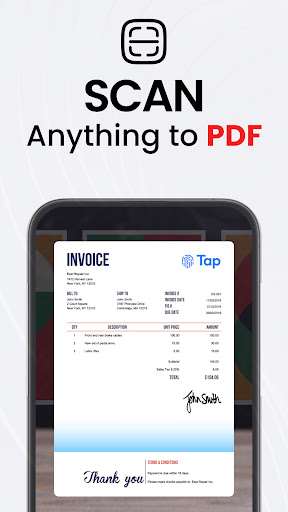
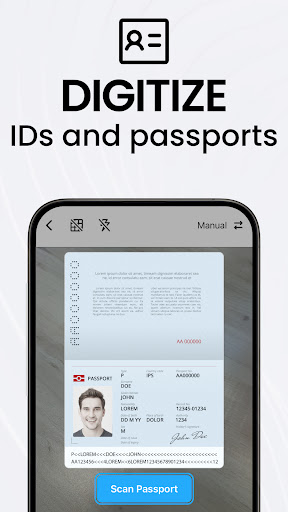
Automatic edge detection and smart image correction create clear, professional scans of receipts, business cards, contracts, and multi‑page documents.
Complete PDF Workspace
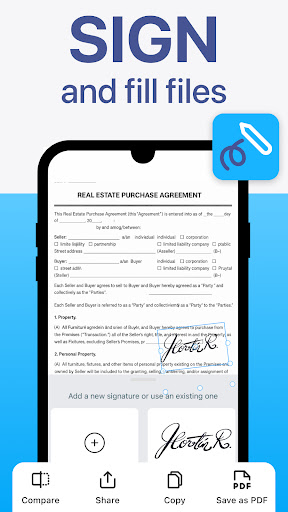
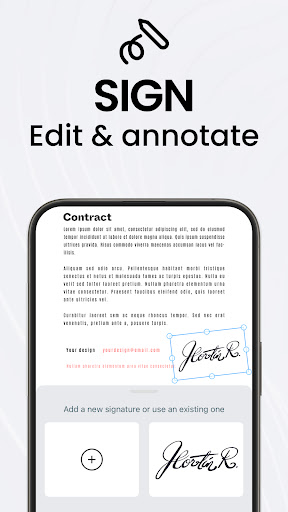
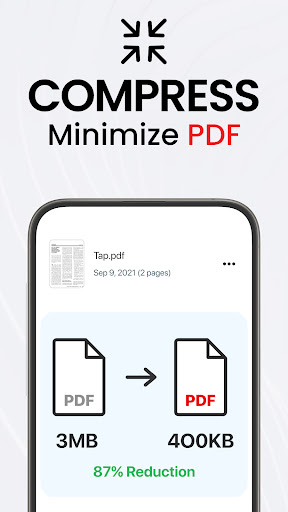
Merge, split, reorder, sign, and annotate PDFs directly in the app. Export to standard PDF formats with no quality loss.
OCR Text Recognition
Convert images into searchable, editable text in over 110 languages.
Productivity Boosters
Save time with batch scanning, one‑tap renaming, and automated file organization.
Secure Cloud Backup
Sync scans to Google Drive, Dropbox, OneDrive, and more. Add password protection for sensitive documents.
Multi‑Page Support
Scan dozens of pages and compile them into a single, neatly ordered PDF.
Image Enhancements
Adjust brightness and contrast, remove shadows, and apply filters for optimal results.
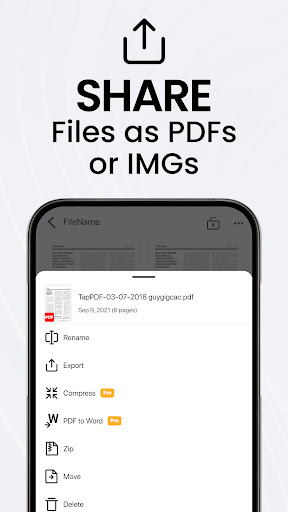
Instant Sharing & Printing
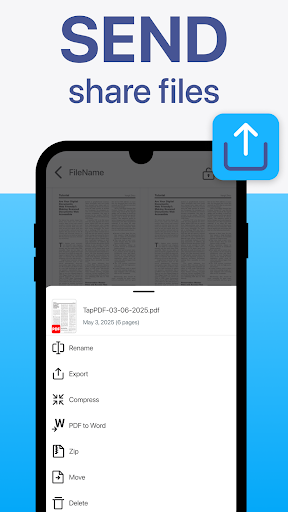
Send scans via email, messaging apps, or print directly to any Wi‑Fi printer.
User‑Friendly Interface
Clean design makes advanced tools easy for professionals, students, and everyday users alike.
Download TapScanner and streamline your paperwork today!
Free Trial & Subscription Details
After the free trial period, if the user does not cancel, the subscription will automatically convert to the paid version and be billed at the selected package price.
You can cancel the subscription at any time via the Google Play app by tapping the profile icon > Payments & subscriptions > Subscriptions.
Privacy Policy - https://tap.pm/privacy-policy-v5/
Service Terms - https://tap.pm/terms-of-service/
Privacy
Since TapScanner does not request any permissions, users can be assured that their data and device are secure. However, users should still be cautious when scanning sensitive documents and ensure that they are using the app in a secure and private environment. To minimize potential risks, users should also review the app's terms of service and privacy policy.
Tips
To get the most out of TapScanner, users should first familiarize themselves with the app's features and settings, including the AI-powered auto-enhance feature and offline capability. Users can also optimize the app's performance by regularly updating the app and clearing cache. Additionally, users can integrate TapScanner with other productivity apps to streamline their workflow and increase efficiency.
What's New
In-app purchases
$1.49 - $99.99 per item
Version Information
- Version
- 3.0.92
- Downloads
- 100M+
- Updated on
- Dec 30, 2025
- Released
- Oct 13, 2017
- Requires
- Android 9
Statistics
Google Play Rating History
Rating Distribution
Downloads Over Time
PDF Scanner app - TapScanner has been downloaded times. Over the past 30 days, it averaged downloads per day.
Shaded area shows 30-day prediction based on historical trends
Historical data collection started recently. More data points will be available over time.
PDF Scanner app - TapScanner - Google Play Rankings
Top Rankings
| Rank | Country | Category | List | Change |
|---|---|---|---|---|
| — |
Ranking History in
No ranking data available yet. Rankings are updated daily.
#5 in Top Grossing Business in United States


#24 in Top Free Business in United States
 Intuit QuickBooks for Business
PDF Scanner app - TapScanner
Intuit QuickBooks for Business
PDF Scanner app - TapScanner
 All Document Reader:PDF Viewer
#2 in Top Grossing Business in Italy

#2 in Top Grossing Business in Argentina
PDF Scanner app - TapScanner users say on Google Play
 Tabitha Meeks BLANTON
If the price wasn't so high this would be a 10 on scanner apps. It has a variety of things it helps a person do, take your 3 day free trial and check it out. I love it, just cost to must right now.
 Hachani َAicha beya
perfect
 T Pasio
Confusing
 Konijarla Srinivas
too much of a cost for subscription
 ע. ה.
ע. ה.
only 3 days of trial, I couldn't have enough time to try it after first use. why to pay if tried only once?
ApkTrusted Ratings & Reviews
More from Tap AI
See more apps





Similar Apps

Mobile Scanner App - Scan PDF
Free

Adobe Scan AI PDF Scanner, OCR
Free

iScanner - PDF Scanner App
Free

PDF Scanner Plus - Doc Scanner
Free

PDF Scanner - Document Scanner
Free
Photo to PDF Maker & Converter
Free

iLovePDF: PDF Editor & Scanner
Free

Genius Scan - PDF Scanner
Free
Image to PDF - PDF Maker
Free

Epson iPrint
Free

Mobi PDF・Editor・Scanner・Reader
Free

Tiny Scanner - PDF Scanner App
Free

vFlat Scan - PDF Scanner, OCR
Free
Microsoft Lens - PDF Scanner
Free

CamScanner- scanner, PDF maker
Free

CS PDF Reader - PDF Editor
Free
Scan this QR code to download

Forwarding you to the page at Google Play market in seconds...
Open Google Play market now