Jota Text Editor v0.2.39
Aquamarine Networks.
About this app
Developer Description
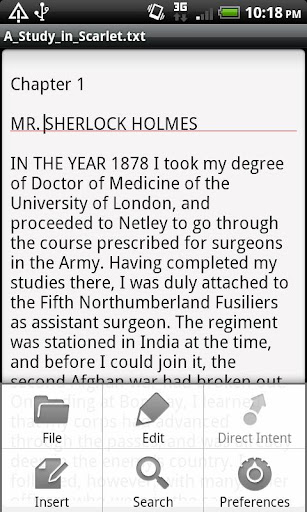
Jota is a text editor designed for a long text file.
It's pronouced as "i-o-ta".
Functions
- Support until 1 million characters.
- Auto-Detect multiple character codes.
- Change character codes.
- Auto-Detect linebreak code.
- Change linebreak code.
- Keep linebreak code until saving a file.
- Save position of the cursor with file.
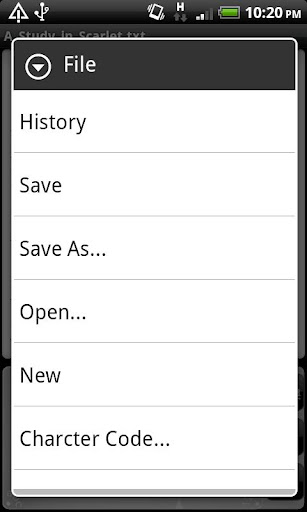
- Save history of recened files.
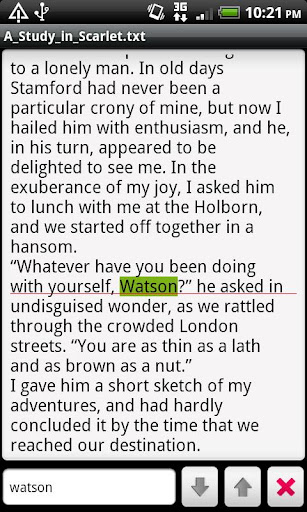
- Search/Replace (Support Regular Expression)
- Text sharing with external application.
Mushroom
Share (ACTION_SEND)
Search (ACTION_SEARCH)
Open (ACTION_VIEW)
★Direct Intent : You can launch any one application on menu item.
- Scroll with Thumb-drag.
- Scroll with Flick.
- Undo/Redo
- Support a Shortcut key with ALT/CTRL Key.
- Customize colors.
- Create a shortcut icon on HOME app.
- Customizable shortcut key bind.
- Text selector like Gingerbread.
(Double tap to select the word , then touch selected area to show marker.)
- Word wrap ON/OFF and set word wrap width.
- Set tab width.
- Viewer Mode.
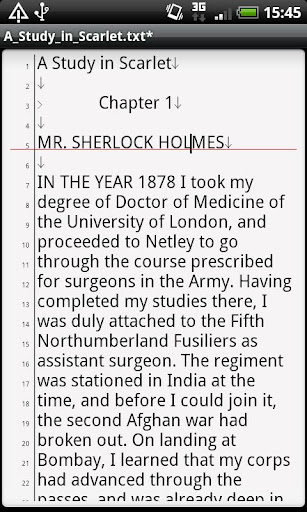
- Show Line numbers.
- Word Counter.
- Support Landscape Mode correctly.
- Auto save.
- Auto Indent.
- Show Tab/Linebreak.
- Auto capitalize.
- you can used as SL4A editor.
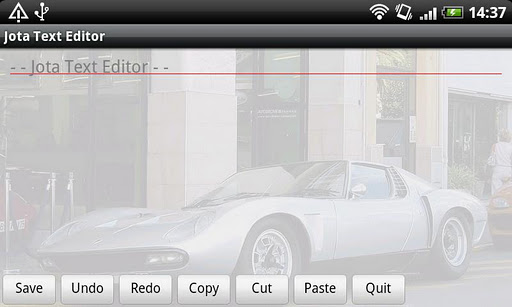
- Customizable Toolbar.
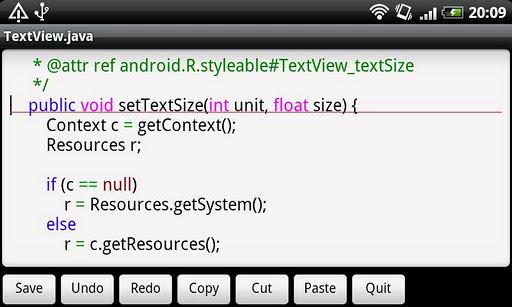
- Customizable Syntax highlght.
- Capture Screen shot.
- Wallpaper customize.
- Support Android OS 1.6 or later.
- Support both touch-screen device and qwerty-keyboard device.
- Forever FREE and NO-AD.
- This software is an Open Source Software under the Apache License.
CAUTION
RTL-Language and bi-directional text is not supported.
★If you need a reply from me , DON'T put it in Market's Review .
Instead please let me know by E-mail or Twiter(@jiro_aqua)
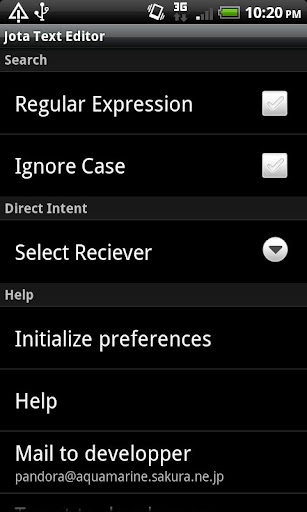
You can send a message to me from Jota's Preferences Screen.
★If you need grep (search from multiple text files), try my app "aGrep".
★If you want to localize Jota Text Editor, see this page.
https://sites.google.com/site/aquamarinepandora/home/jota-text-editor/howtotranslate
What's New
Support Android P.
Version Information
- Version
- 0.2.39
- Downloads
- 1M+
- Updated on
- Jul 29, 2018
- Released
- Jan 15, 2011
- Requires
- Android 1.6
Statistics
Google Play Rating History
Rating Distribution
Downloads Over Time
Jota Text Editor has been downloaded times. Over the past 30 days, it averaged downloads per day.
Shaded area shows 30-day prediction based on historical trends
Historical data collection started recently. More data points will be available over time.
Jota Text Editor users say on Google Play
 William Reid
This is the best free text edit for Android! Dark mode, line numbering, custom action bar, file write, backup and auto save, ad free, regex, stable, supports old Android versions, small size. I tried a bunch of other editors, and nothing else came close. Not to detract, but I want it to have access to external and system storage. My file manager can view system files without root, but Jota won't open them. Also I want to set char-code for new files without changing the save option. Thank you!
 Roarke's carnivorous plants and retro pc games
In a text how many lines can we make ? In the last version of this program, the icon dissapears every time when i restart or enter my android phone. I have a android 4.2.2 system.
 Peter H.
I used the Pro version for years and thought it was great. Recently there was one problem after the other: Jota would close my file for no reason, the tool bar would disappear, etc. I got no response from the developers, so I finally gave up and switched to another less capable but more dependable app.
 Dano for I.T.
I used to love this app but when I upgraded my phone it doesn't work anymore on the newer Android. I had a ZTE zMAX pro running 6.0.1 and this app works great. And I upgraded my phone to a Moto g play 2021 running 10 and the app is pretty much unusable now. The cursor and touch editing in select cut and paste functions is all messed up. When you try to drag the selection it just goes all over the place and not where your trying to drag it.
 Eperception Metamorphosis
It's good but creates too many text files for the same one, meaning if you create a text file already and save it once saved and if you reopen it and add more notes to it and here it won't save the changes on the same tex but creates another new text file instead with a bar after .txt (.txt-) and obviously you can open the new created text file except if you rename it and take the bar (-) off. Just don't waste your time.
ApkTrusted Ratings & Reviews
More from Aquamarine Networks.
See more apps
Jota+ β (Text Editor)
Free
Jota+★PRO-KEY
Paid

aGrep
Free
Jota+ (Text Editor)
Free

Tweaked Keyboard Layout
Free
Jota+Connector for Dropbox V2
Free

Voice Input for Jota
Free

aDice
Free

かんたん路線検索
Free
Jota+ One Connector
Free
校正支援 for Jota Text Editor
Free
Jota+ WebDAV Connector
Free

AquaMozc for Titan
Paid
Similar Apps

OfficeSuite Pro + PDF
Paid
Polaris Office: Edit&View, PDF
Free

Foxit PDF Editor
Free

PDFEsign.com PDF E-Sign
Free

UPDF - AI-Powered PDF Editor
Free
PDF Editor & Reader | Xodo
Free

PDFelement-PDF Editor & Reader
Free

UpNote - notes, diary, journal
Free

Writer Journal - Text,Note
Free

Square Invoices: Invoice Maker
Free
Inkpad Notepad & To do list
Free
pdfFiller Edit, fill, sign PDF
Free

Quotation Maker
Free

Weekly Planner Journal
Paid

Invoice Maker & Estimate App
Free

Mindbook Pro
Paid
Scan this QR code to download

Forwarding you to the page at Google Play market in seconds...
Open Google Play market now