
WordPress – Website Builder vVARY
Automattic, Inc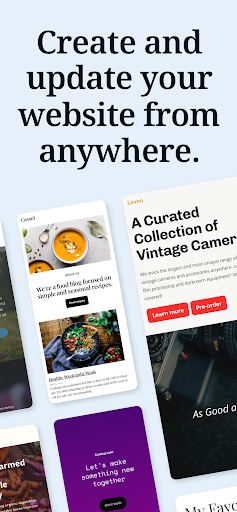

About this app
The WordPress – Website Builder app solves the problem of creating and managing a website or blog on-the-go, benefiting bloggers, small business owners, and content creators who need to track analytics and publish posts from anywhere. Compared to alternatives in the Productivity category, WordPress stands out with its seamless integration with the popular website builder platform, offering a comprehensive set of features that cater to both beginners and experienced users. However, it falls short in terms of customization options and may not be the best choice for those seeking a high degree of flexibility. With a strong reputation and regular updates, Automattic, Inc. has established trust with its users.
Pros
- With over 10 million downloads and a 4.2/5 rating, WordPress – Website Builder has demonstrated its reliability and effectiveness in meeting the needs of its users, making it a trustworthy choice for those seeking a mobile website management solution.
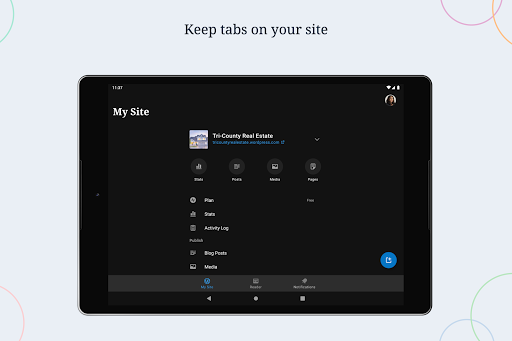
- The app's feature set is robust, allowing users to create and edit posts, track analytics, and manage their website's settings from a single interface, making it an excellent choice for those who need to stay on top of their online presence.
- As a free app with no in-app purchases or ads, WordPress – Website Builder offers a clean and uninterrupted user experience, allowing users to focus on creating and managing their content without distractions.
- The app's offline capability enables users to work on their website or blog even without an internet connection, making it ideal for those who need to work remotely or in areas with limited connectivity.
- Automattic, Inc.'s reputation as a developer and the app's regular updates ensure that users receive timely support and new features, giving them confidence in the app's long-term viability.
Cons
- One concern is that the app may not offer the same level of customization as its desktop counterpart, which could limit the creative freedom of some users, particularly those with more complex website designs.
- Some users may experience difficulties with the app's interface, particularly if they are not familiar with the WordPress platform, which could lead to a steeper learning curve.
- The app's requirement for varying Android versions may cause compatibility issues with older devices, potentially limiting its accessibility to users with newer devices.
- While the app has a strong reputation, some users have reported issues with synchronization and data loss, which could be a concern for those with critical website data.
Best for: The ideal user for the WordPress – Website Builder app is a tech-savvy individual, likely between the ages of 25 and 50, who is familiar with the WordPress platform and needs to manage their website or blog on-the-go, such as bloggers, small business owners, and content creators who require a user-friendly and feature-rich mobile solution to stay on top of their online presence.
Developer Description
Easily build your website & blog. Create posts & track analytics from anywhere!
CREATE
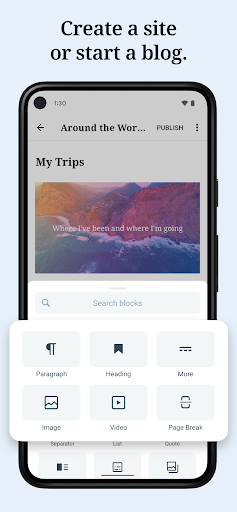
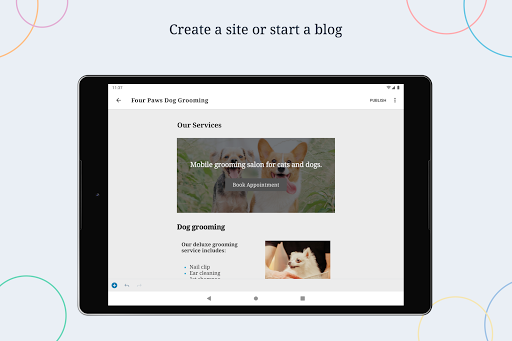
- Give your big ideas a home on the web. WordPress for Android is a website builder and a blog maker.
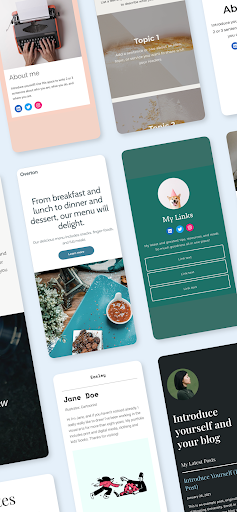
- Pick the right look and feel from a wide selection of WordPress themes, then customize with photos, colors, and fonts so it’s uniquely you.
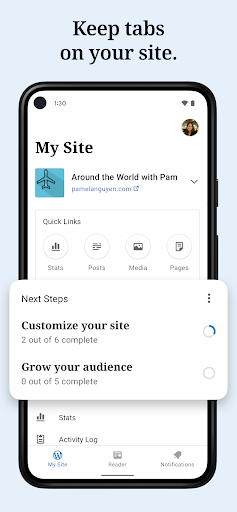
- Built-in Quick Start tips guide you through the setup basics to set your new website up for success.
PUBLISH
- Create updates, stories, photo essays announcements -- anything! -- with the editor.
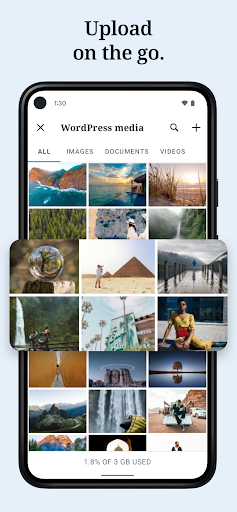
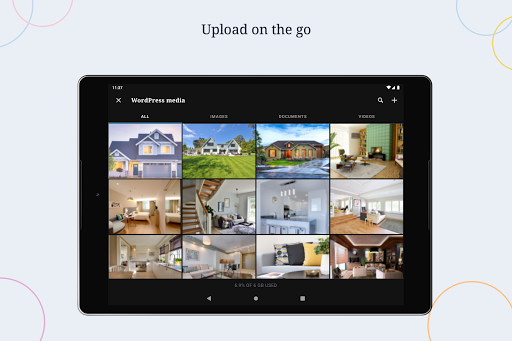
- Bring your posts and pages to life with photos and video from your camera and albums, or find the perfect image with the in-app collection of free-to-use pro photography.
- Save ideas as drafts and come back to them when your muse returns, or schedule new posts for the future so your site is always fresh and engaging.
- Add tags and categories to help new readers discover your posts, and watch your audience grow.
STATS
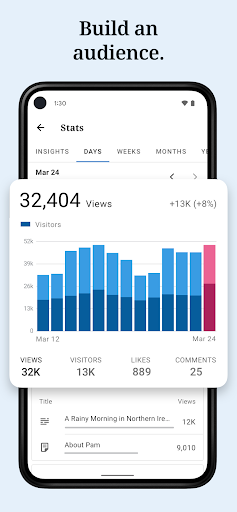
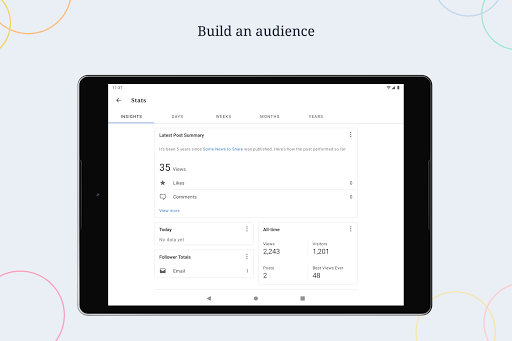
- Check your website’s stats in real time to keep track of the activity on your site.
- Track which posts and pages get the most traffic over time by exploring daily, weekly, monthly, and yearly insights.
NOTIFICATIONS
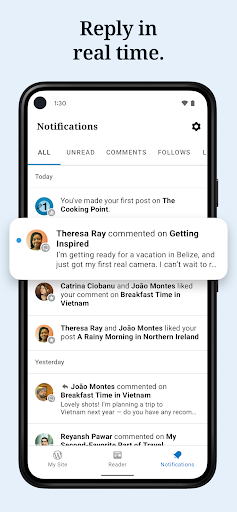
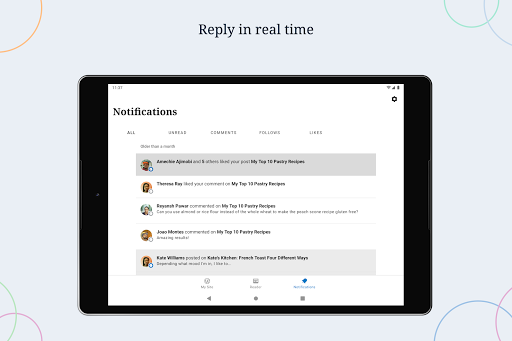
- Get notifications about comments, likes, and new followers so you can see people reacting to your website as it happens.
- Reply to new comments as they show up to keep the conversation flowing and acknowledge your readers.
READER
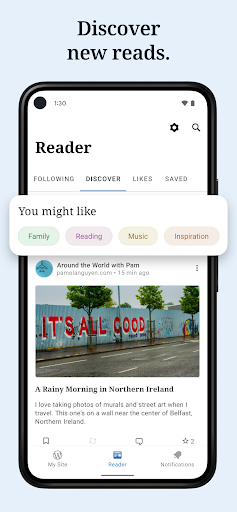
- Explore thousands of topics by tag, discover new authors and organizations, and follow the ones who pique your interest.
- Hang on to the posts that fascinate you with the Save for later feature.
SHARE
- Set up automated sharing to tell your followers on social media when you publish a new post.
- Add social sharing buttons to your posts so your visitors can share them with their network, and let your fans become your ambassadors.
Why WordPress?
There are a lot of blogging services, website builders, and social networks out there. Why create your website with WordPress?
WordPress powers over a third of the web. It’s used by hobby blogs, businesses of all sizes, online stores, even the biggest news sites on the internet. Odds are that many of your favorite websites are running on WordPress.
With WordPress, you own your own content. Other social networks treat you as a commodity, and assume ownership of the content you post. But with WordPress anything you publish is yours, and you can take it with you wherever you’d like.
Whether you need a website builder to create your website, or a simple blog maker, WordPress can help. It gives you beautiful designs, powerful features, and the freedom to build anything you want.
California users privacy notice: https://wp.me/Pe4R-d/#california-consumer-privacy-act-ccpa.
Privacy
Given that the WordPress – Website Builder app requests no permissions, users can be confident that their data is not being collected or shared without their knowledge, and they should still be cautious when entering sensitive information such as login credentials. To ensure maximum security, users should keep their app and Android version up-to-date, and use strong passwords for their WordPress account.
Tips
To get the most out of the WordPress – Website Builder app, users should start by exploring the app's interface and familiarizing themselves with its features, taking advantage of the offline capability to work on posts and pages even without an internet connection. Additionally, users can optimize their app's performance by regularly clearing cache and ensuring their device has sufficient storage space, and they can also integrate their WordPress account with other apps and services to enhance their website's functionality.
What's New
- Large, high-resolution images are more likely to load (but might take a few seconds).
Version Information
- Version
- -
- Downloads
- 10M+
- Updated on
- Dec 7, 2025
- Released
- Feb 2, 2010
- Requires
- Android Varies with device
Statistics
Google Play Rating History
Rating Distribution
Downloads Over Time
WordPress – Website Builder has been downloaded times. Over the past 30 days, it averaged downloads per day.
Shaded area shows 30-day prediction based on historical trends
Historical data collection started recently. More data points will be available over time.
WordPress – Website Builder users say on Google Play
 Joshua Peralta
One of the best experiences with a Website Building Application, and it works! Pretty easy to use, and also cost effective if you are trying to build a Business Online. Make sure to read everything and double check for any errors on your end. You also have the option to include Financial Transactions.
 Kevin Siford
Fantastic app for someone who isn't familiar with HTML coding. Does it have its limitations, yes. However, it's great for the person just trying to get a site up and running.
 Grace God
EDITED- Thanks for Listening. A Lot of the issues I've Raised in the Past have being attended to. But I Have a Few more Request &Suggestions. 1. Please make the App Editor More functional like the website version e.g more block & widget options 2. Ability to have personal Note (Note to Self) within the App, to store links & notes, without having to leave the App. 3. Ability to Change Font Size seamlessly and add object. 4. More Color Customisation. New- Please Return the Stats to this
 Paul Walsh
Redundant feature. Can't view blog through app, as unable to get past Privacy pop up. First link at top of app, blog name link, when opening has a "Privacy and Cookies" pop-up that asks you to select "I Agree!" below, however, on my phone screen, the "I agree!" button is beyond the frame of the page and there's no scroll so can't click.
 Linda Saul
Why has profile editing been taken over by a completely separate AI digital ID company under the guise of "convenience"? I'm absolutely not signing on with this company so if my updated profile doesn't appear without, take a wild guess what happens next! You can fool most people most of the time but not we OLD people..
ApkTrusted Ratings & Reviews
More from Automattic, Inc
See more apps





Similar Apps

Instant Website Builder App
Free

Wix - Website Builder
Free

Fig - Grow your business
Free

Behance - Creative Portfolios
Free

Milkshake — Website Builder
Free

Linktree: Link in bio creator
Free

TrebEdit - Mobile HTML Editor
Free

Learn Web Development
Free

VistaCreate: Graphic Design
Free

Microsoft Designer
Free

Buffer: Social Media Scheduler
Free

HubSpot
Free

Writecream - AI Content Writer
Free

Medium
Free

Spck Editor / Git Client
Free

Mailchimp Email Marketing
Free
Scan this QR code to download

Forwarding you to the page at Google Play market in seconds...
Open Google Play market now