
Simplenote v2.37
Automattic, Inc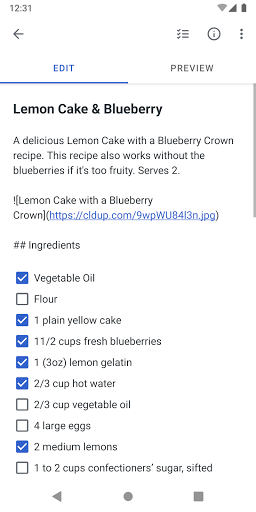



About this app
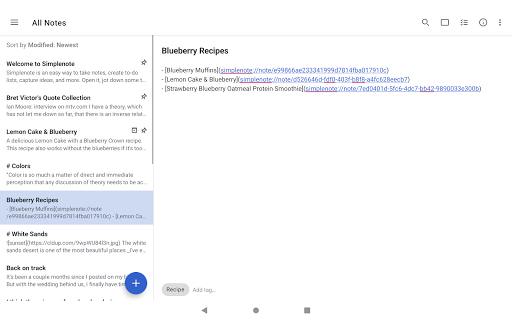
Simplenote solves the problem of cluttered note-taking by providing a minimalistic and distraction-free interface, making it ideal for individuals who value simplicity and ease of use. It benefits most those who need to jot down quick ideas, create to-do lists, or capture inspiration on the go. Compared to other productivity apps, Simplenote stands out with its zero-permission requirement, ensuring user data privacy. However, it may fall short in terms of feature richness for power users who rely on advanced note organization and collaboration tools.
Pros
- With over 1 million downloads and a 3.6-star rating, Simplenote has demonstrated its reliability and user satisfaction, making it a trustworthy choice for note-taking needs.
- The app's zero-permission policy is a significant advantage, as it ensures that user data remains private and secure, aligning with the growing concern for digital privacy.
- Simplenote's minimalistic design and distraction-free interface make it an excellent choice for users who value simplicity and focus, allowing them to quickly capture ideas without unnecessary clutter.
- The app's offline capability and lack of ads or in-app purchases contribute to a seamless and uninterrupted user experience, enhancing overall productivity.
- As a product from Automattic, Inc., Simplenote benefits from the developer's reputation for creating user-centric and privacy-focused applications, further reinforcing trust in the app.
Cons
- One concern is that Simplenote's simplicity might not cater to the needs of power users who require advanced features such as note tagging, prioritization, or collaboration tools, potentially limiting its appeal to a broader audience.
- Some users might find the lack of customization options or themes limiting, as the app's minimalistic approach may not align with everyone's aesthetic preferences or accessibility needs.
- Although Simplenote has a good rating, some users have reported issues with sync reliability and note organization, which could be areas for improvement to enhance user satisfaction.
- The app's limited feature set compared to other note-taking apps might make it less appealing to users who are accustomed to more comprehensive productivity tools.
Best for: The ideal user for Simplenote is likely an individual who values simplicity, privacy, and ease of use, such as students, writers, or professionals who need a clutter-free note-taking experience to jot down ideas, create to-do lists, or capture inspiration on the go, and are comfortable with a minimalistic interface that prioritizes functionality over feature richness.
Developer Description
Take notes, create to-do lists, capture ideas, and more.
- A simple, note taking experience
- Sync everything across all your devices
- Collaborate and share
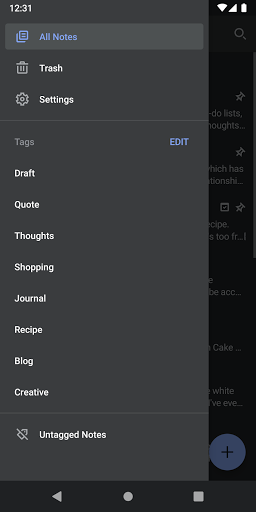
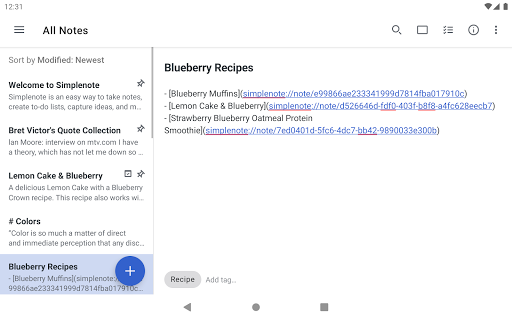
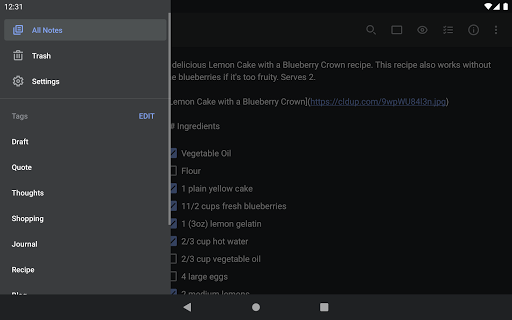
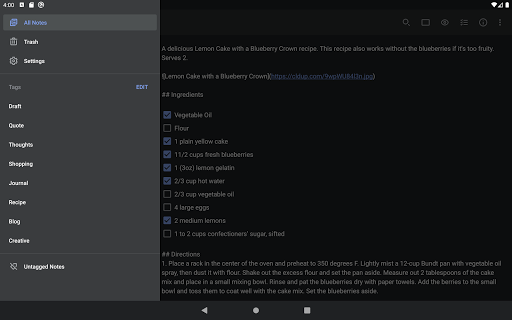
- Stay organized with tags
- Log in with your email or WordPress.com account
SYNC WITH CONFIDENCE
- Automatically sync seamlessly across any computer, phone or tablet.
- Back up and sync everything as you take notes, so you never lose your content.
COLLABORATE AND SHARE
- Collaborate and work together -- share ideas with a colleague, or write a grocery list with your roommate.
- Choose whether to publish your content to the web, and share a link with whoever you want.
- Publish directly to a WordPress site by connecting your WordPress.com account.
- Quickly and easily share with third-party apps.
ORGANIZE AND SEARCH
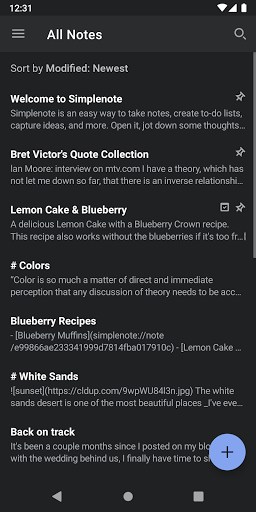
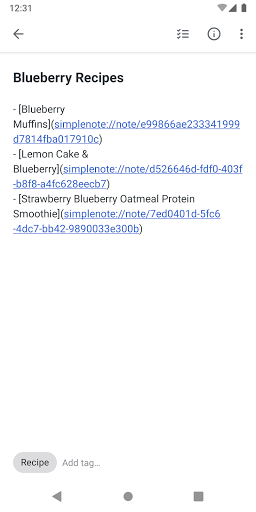
- Stay organized with tags, and use them for quick searching and sorting.
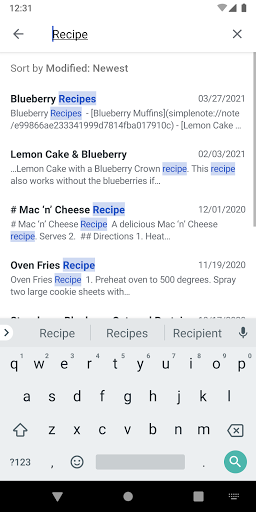
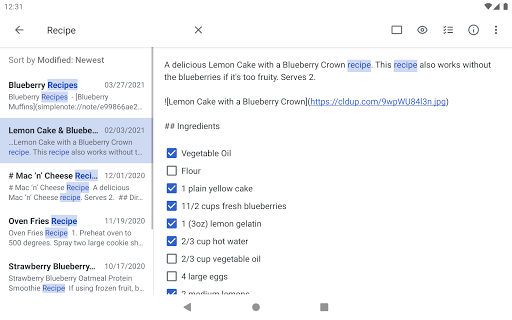
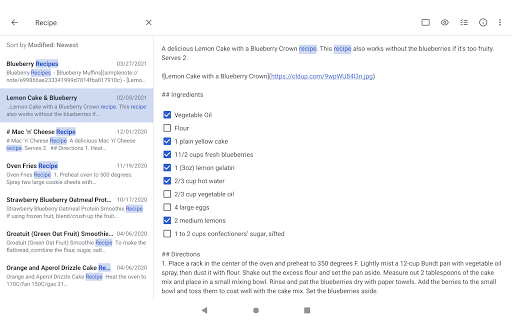
- Instantly find what you’re looking for with keyword highlighting.
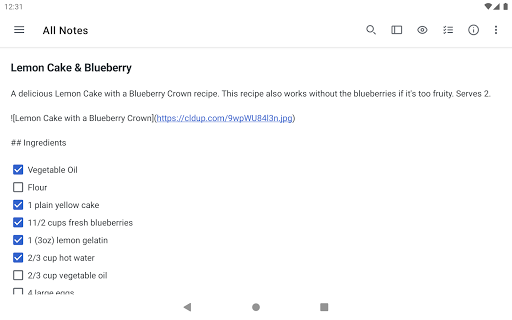
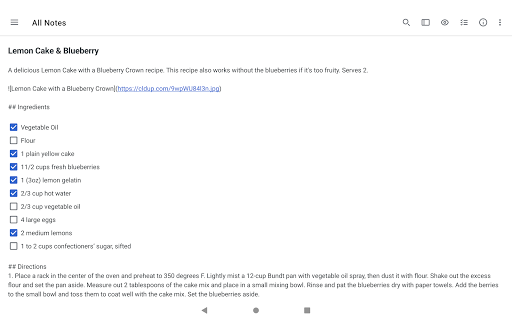
- Use markdown to add formatting.
- Create to-do lists.
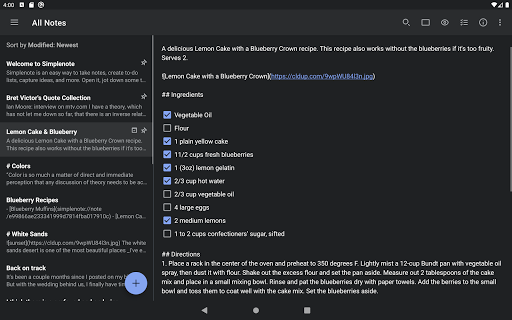
- Choose the sorting order of your notes and tags.
- Pin the notes that you use the most.
- Edit tags directly by renaming and reordering.
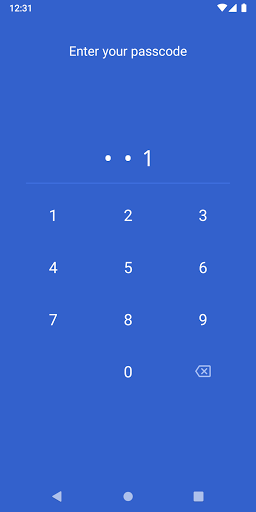
- Protect your content with a passcode lock.
--
Privacy Policy: https://automattic.com/privacy/
Terms of Service: https://simplenote.com/terms/
--
Visit simplenote.com to download Simplenote for your other devices.
Privacy
Given that Simplenote requires zero permissions, the risk of data collection or privacy breaches is significantly minimized. However, users should still be cautious when syncing their notes across devices, ensuring they are using secure internet connections. It's also advisable to regularly review and update the app to ensure the latest security patches are applied.
Tips
To get the most out of Simplenote, users should start by organizing their notes using the pinning feature for important notes and utilizing the search function for quick access to specific notes. Additionally, enabling the app's auto-save feature can prevent data loss in case of unexpected closures. For enhanced productivity, users can also explore integrating Simplenote with other productivity apps that support plain text notes.
What's New
Version Information
- Version
- 2.37
- Downloads
- 1M+
- Updated on
- Oct 20, 2025
- Released
- Sep 6, 2013
- Requires
- Android 6.0
Statistics
Google Play Rating History
Rating Distribution
Downloads Over Time
Simplenote has been downloaded times. Over the past 30 days, it averaged downloads per day.
Shaded area shows 30-day prediction based on historical trends
Historical data collection started recently. More data points will be available over time.
Simplenote users say on Google Play
 sarah lane
5🌟 FIXED. Menu on PC, >< on Android. Search all 1st, then in note. The one thing that stops me over and over is the search function. ALL the notes can be searched. But I can not search inside a note. This app works on Android and PC. It would be great to use it all the time, but... Whenever I try it "one more time" I try to use the search function, then I say "Oh yeah, that's why I don't use it." Otherwise, it would be great! But trying to find a single word in a large note is not fun at all.
 rema ralte
Giving 4☆ because there's plenty of room for improvements. From my side, add these features for better user experience. 1. Able to add images in the note workspace 2. Proper topic section in the note workspace 3. Need bullet point. 4. Themes doesn't look appealing. Dark theme makes my eyes strain. 5. Bold, italic, underline, strikethrough, highlights, text fonts are also needed. Other than these, its superb. Very simple and minimal(istics), easy to use and sync good with my pc.
 Steven Mitchell
Simplenote has been up and down over the years. When working, it's great and the UI is nice! But sometimes it doesn't work. Recently the UI seems to glitch and not show text in some places. Worse, sometimes the app silently stops syncing notes. Edits made to notes on my phone are not synced and edits made on my PC overwrite the phone, causing me to lose work. The app seems to run into this bug periodically, sometimes requiring a reinstall to fix.
 lorenzo toselli
it has a bug. Can't enter settings.
 Matthew Ferguson
app crashes when I try to open it, uninstalled and reinstalled hope it gets fixed soon. happened right after the android os update
ApkTrusted Ratings & Reviews
More from Automattic, Inc
See more apps




Similar Apps

UpNote - notes, diary, journal
Free
Inkpad Notepad & To do list
Free

Evernote - Note Organizer
Free

touchnotes
Free
Notepad - Notes、Todo、Memo
Free
Diarium: Journal, Diary
Free

Mind Notes: Note-Taking Apps
Free

Huion Note : Easy note-taking
Free
Notes : Color Folders & Lists
Free

Notes, Journal, Diary: PenCake
Free

Daybook - Diary, Journal, Note
Free

Noteshelf - Notes, Annotations
Paid
Flexcil Notes & PDF Reader
Free

ColorNote Notepad Notes
Free

YesWriter - Writing, Notes
Free

Life Organizer - Journal it!
Free
Scan this QR code to download

Forwarding you to the page at Google Play market in seconds...
Open Google Play market now