
Clock Widget (Material You) v1.2
Rushikesh Kamewar


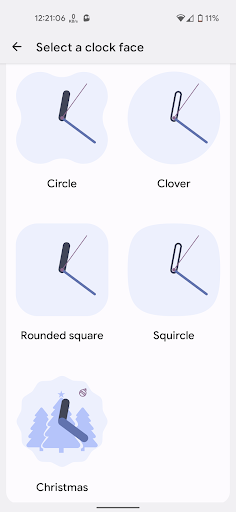


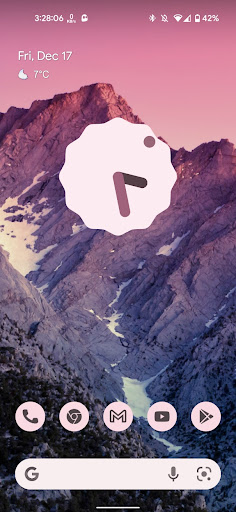

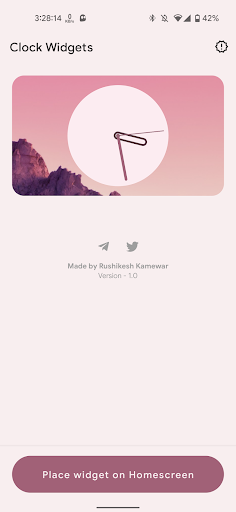

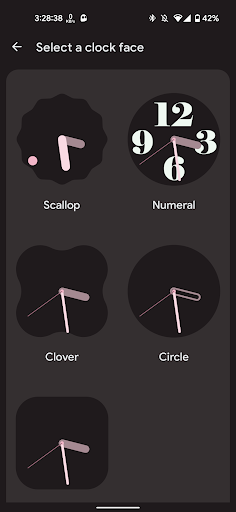
About this app
Developer Description
Standalone clock widget in Material You style for Android 8.0+
- Standalone app
- Create your own custom clock faces
- Colors adapt to wallpaper
- Mimics Clock widgets from android 12
- Supports all launchers
- Android 8.0 and above
Disclaimer:
- App only contains analog clock widgets.
- Second hand and dynamic color tint on clock hands is only available on android 12. This is due to lower android version not supporting the standard analog clock APIs.
- You get the app on as is basis.
What's New
Version Information
- Version
- 1.2
- Downloads
- 1K+
- Updated on
- Oct 30, 2023
- Released
- Dec 16, 2021
- Requires
- Android 8.1
Statistics
Google Play Rating History
Rating Distribution
Downloads Over Time
Clock Widget (Material You) has been downloaded times. Over the past 30 days, it averaged downloads per day.
Shaded area shows 30-day prediction based on historical trends
Historical data collection started recently. More data points will be available over time.
Clock Widget (Material You) users say on Google Play
 rohith pv
This is one of the amazing and a new concept which is awesome you can use tons of different clock faces very cool concept
 Sahil k. Shinoda
The only bug I found was the widgets stop Changing colors in sync with the wallpaper after a restart or changing from power saving modes. If that could be fixed it would be superb, currently I have to delete and set a new widget every time that happens.
 Jack
Jack
The dark mode in the widgets are relatively saturated in colors compared to the light theme which would be the closest to Material Design and options such as scaling the image on the clock background are welcome.
 Piyush Gawade
The colourof the widget is not matching correctly with the wallpaper, and the dark mode makes the clock too dark.
 Marcelo Muniz
Bad app. Doesn't have the seconds indicator like the thumbnail shows, and adjusts very poorly to wallpaper colors. Refunding immediately.
ApkTrusted Ratings & Reviews
More from Rushikesh Kamewar
See more apps






Scan this QR code to download

Forwarding you to the page at Google Play market in seconds...
Open Google Play market now