One Click Lock Screen v1.3
Rushikesh Kamewar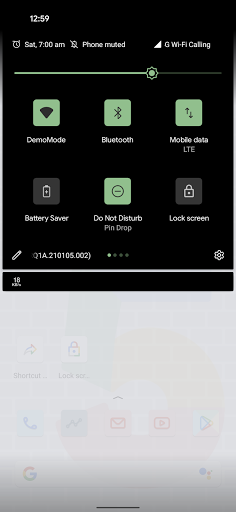
About this app
Developer Description
Simple app to lock the screen, it also supports unlocking with fingerprint.
- Lock the screen by just tapping on the app icon.
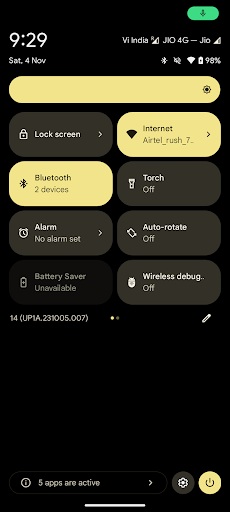
- Lock the screen from the quick settings panel.
- Lock the screen by Long press home button or gesture.
- No unwanted UI and permissions.
Permissions used:
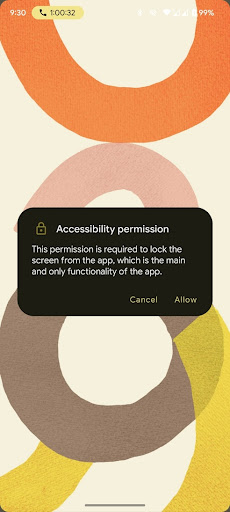
Accessibility Permission:
This permission is required for the app in order to lock the screen from the app, which is main and only functionality of the app.
You can check documentation on how this permission is used to lock the screen here:
https://developer.android.com/reference/android/accessibilityservice/AccessibilityService#GLOBAL_ACTION_LOCK_SCREEN
Here's a small video of app in action while using the permission:
https://youtube.com/shorts/H6sGauaa8SI?feature=share
What's New
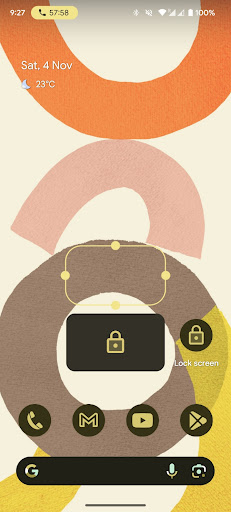
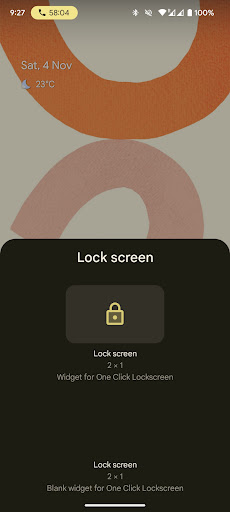
- Normal lockscreen widget
- Blank locksreen widget
Version Information
- Version
- 1.3
- Downloads
- 1M+
- Updated on
- Nov 4, 2023
- Released
- Jan 22, 2021
- Requires
- Android 9
Statistics
Google Play Rating History
Rating Distribution
Downloads Over Time
One Click Lock Screen has been downloaded times. Over the past 30 days, it averaged downloads per day.
Shaded area shows 30-day prediction based on historical trends
Historical data collection started recently. More data points will be available over time.
One Click Lock Screen users say on Google Play
 hengrui
app is tiny in storage data. app icon, widgets, control panel button all work. note that to make sure the app keeps working you must let it run in background without restrictions so your phone doesn't treat it as idle and shut down the service
 Canada
I like this app BUT a very critical concern of mine for this app is why does it need FULL ACCESSIBILITY privileges? If it is for app's functionality, etc. legit stuff, then I would kindly request the developer to make the app open source or if I could audit the app, it would be good as Full Privileged Accessibility Permissions would raise questions and concerns like mine. Like I said if you provide the source code to me, I could audit it.
 Muhammad Furqan
all us food except it is asking for assessbility permission again and again. @developer plz sort this out
 Long Aman
always pop up accessibility permission
 graphics blaster
i will change to 5 star if reply so please let me know why it has one micro second glitch when I attach to lock my screen and when I press my lock button to wake up my screen then it has one micro second glitch as well. how could I can fix it? help me
ApkTrusted Ratings & Reviews
More from Rushikesh Kamewar
See more apps





Scan this QR code to download

Forwarding you to the page at Google Play market in seconds...
Open Google Play market now