Notification Shortcuts v1.7.1
Rushikesh Kamewar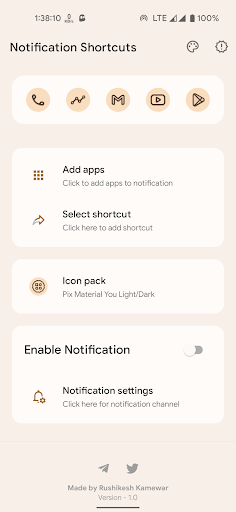


About this app
Developer Description
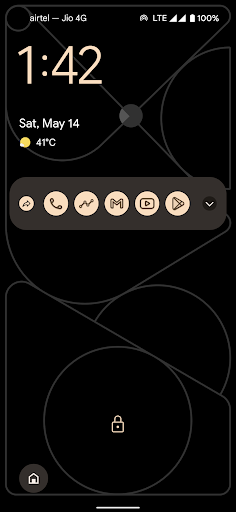
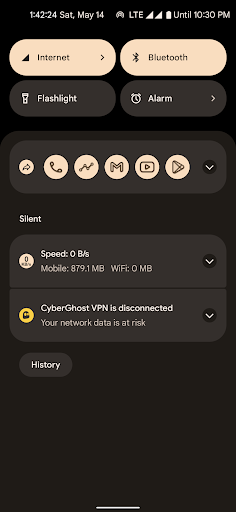
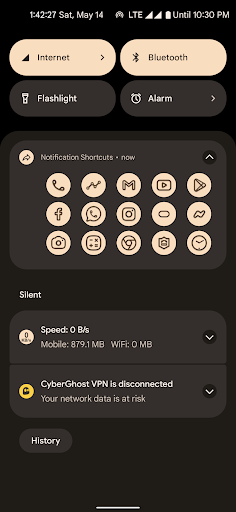
Add your favorite shortcuts in your notification for easier access
You can customize the icons using icon pack and also edit icons in shortcut maker.
-- Light/Dark and Material You theme
-- Icon pack support
-- Shortcuts* as well as apps in notifications
You'll need shortcut maker (free app) to use the app to it's full potential in terms of customization.
What's New
2. Fixed padding for notification background
3. UI improvements and bug fixes
Version Information
- Version
- 1.7.1
- Downloads
- 5K+
- Updated on
- Mar 11, 2023
- Released
- May 14, 2022
- Requires
- Android 8.0
Statistics
Google Play Rating History
Rating Distribution
Downloads Over Time
Notification Shortcuts has been downloaded times. Over the past 30 days, it averaged downloads per day.
Shaded area shows 30-day prediction based on historical trends
Historical data collection started recently. More data points will be available over time.
Notification Shortcuts users say on Google Play
 Frederick Peters
10 stars. Very versatile. I tried a free app. It didn't work smoothly & required Rushikesh Kamewar's Shortcut Maker. These apps work smoothly and does all that it is supposed to do. Bought him a coffee (organic fair trade). Also, not sure what kole is referring to. On my Samsung Galaxy, the icon are only visible when I pull down the notifications. Icons are not visible at all when DoNotDistribute is activated. The Shortcut Maker allows me to make shortcuts that I can group with app shortcuts.
 Beekitu
I really like the app. As always, your apps look very aesthetically pleasing and are very convinent and creative. Two things that could in my opinion be better are: 1. If there are more than 5 apps in the notification, you cant see all of them right away and the gap between the upper is too small (in my opinion). Second thing that is pretty annoying but not sure if it has anything to do with the app, is that the notification has a grey background unlike all my other notifies with a black one.
 Kevin
Kevin
For Android 14 (ONE UI 6), I wish I could make the icons in the notification bigger than their current max size. I also wish they would remove the left most app icon; I know they said it was a limitation, but there are apps that have bypassed it legally using a different notification thing. And the top of the app icon from the 2nd row is visible when the notification is in collapsed mode... And the app icon a "forward email" symbol instead of the bell... But it gets the job done...
 Nenad Milenkovic
Good concept, sone advanced features like custom icons support. However it disappears after some time, no option to make it permanent which makes it useless except for immediate use. Also, it doesn't cover the entire with of the screen, it looks like regular notification, not part of the system.
 Joseph Vickers
Sucks this app is no longer being supported. Works great on Android 14 or below, but on Android 15 and 16,it constantly closes itself after every 3 days and you have to open it back up to get it to run again in notifications.
ApkTrusted Ratings & Reviews
More from Rushikesh Kamewar
See more apps





Similar Apps






Scan this QR code to download

Forwarding you to the page at Google Play market in seconds...
Open Google Play market now