
Remote for Android TV vVARY
Simha Software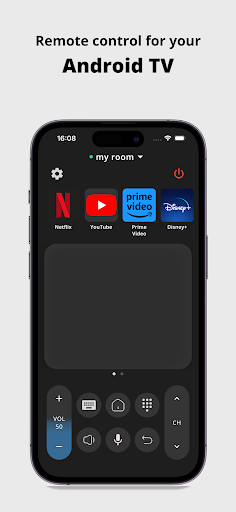









About this app
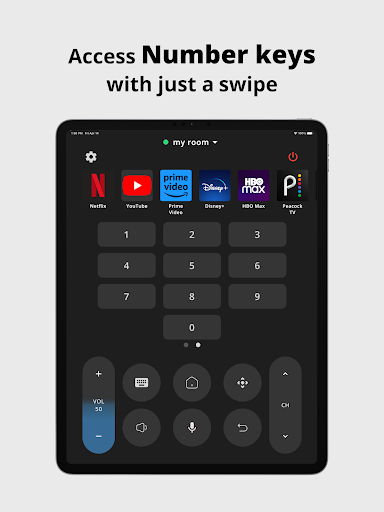
The Remote for Android TV app solves the problem of cumbersome TV remote controls by providing a convenient and intuitive way to control smart televisions using an Android device. This app benefits most users who own Android TVs and are looking for a seamless viewing experience. Compared to other tools in the category, Remote for Android TV stands out due to its high user rating and large download base, indicating a well-designed and reliable product. However, its lack of unique features beyond basic remote control functionality may make it less appealing to users seeking advanced capabilities.
Pros
- With over 10 million downloads and a 4.6/5 user rating, Remote for Android TV has demonstrated its reliability and effectiveness in providing a smooth user experience, making it a top choice among similar tools.
- The app's simple and intuitive interface allows for easy navigation and control of Android TVs, making it accessible to a wide range of users, including those who are not tech-savvy.
- The developer, Simha Software, has a professional website and provides a support email, indicating a commitment to customer support and feedback, which is a significant advantage for users who may encounter issues.
- The app's ability to function without requiring any permissions is a notable pro, as it ensures user data privacy and security, a critical consideration in today's digital landscape.
- The option for in-app purchases to remove ads or unlock additional features provides users with flexibility and customization options, enhancing the overall user experience.
Cons
- One concern is the presence of ads in the free version, which may disrupt the user experience and could be considered intrusive by some users, potentially leading to a negative impact on overall satisfaction.
- The app's lack of unique or advanced features beyond basic remote control functionality may make it less appealing to users who are looking for more sophisticated control options or smart home integration capabilities.
- Although the app has a high rating, some users may still experience compatibility issues with certain TV models or Android versions, which could lead to frustration and a negative review.
- The variability in the app's size and Android requirement may indicate inconsistent optimization across different devices, potentially affecting performance and user experience.
Best for: The ideal user for the Remote for Android TV app is likely an individual who owns an Android TV and an Android device, values convenience and simplicity in their viewing experience, and may not require advanced smart home integration or complex remote control features, making it suitable for a wide range of users including families, individuals, and seniors.
Developer Description
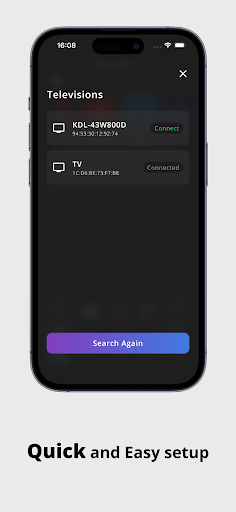
Control your Smart Television
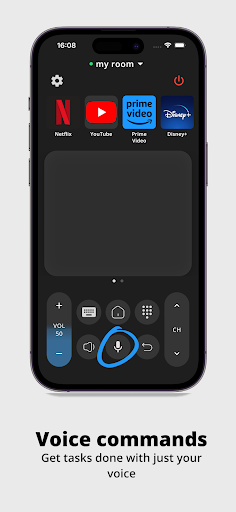
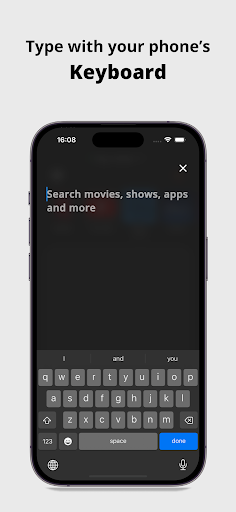
◆ VOICE and KEYBOARD SUPPORTED ◆
Supported Brands are :-
Xiaomi, TCL, Changhong, Sony, Skyworth, Google-Chromecast, Haier, SWTV, Any brands TV running on Android or Google TV OS.
Features:
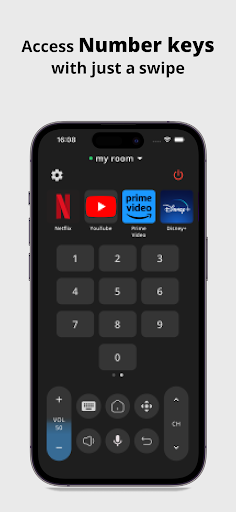
◆ Voice commands
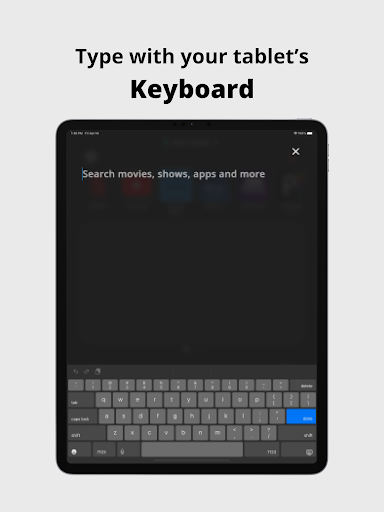
◆ Built-in keyboard for search
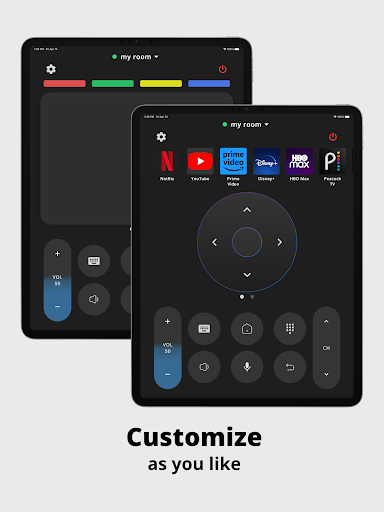
◆ Touchpad
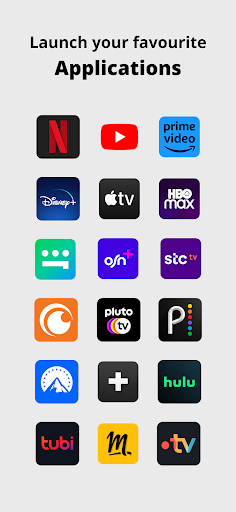
◆ Quick launch applications
◆ Volume information directly visible on the application
◆ Control your TV as you normally would with a physical remote
◆ Your last remote is saved for quick and easy access
◆ More exiting features coming soon..
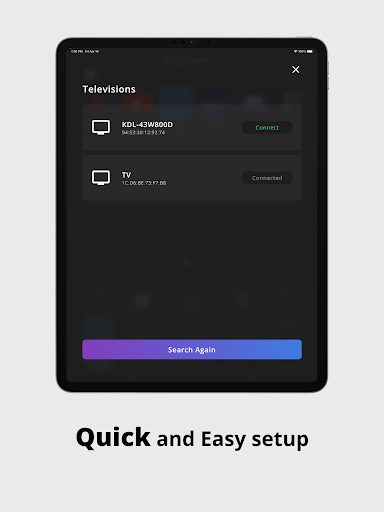
Connect your phone/tablet to the same WiFi network as your TV device for the application to work.
Have questions or feedback?
Drop us an email to support@simha.tech
DISCLAIMER - This is not an official app by Google.
Privacy
Given that the Remote for Android TV app requires no permissions, it poses minimal risk to user data privacy and security. However, users should still be cautious when making in-app purchases and ensure they are using a secure payment method. It is also advisable to monitor the app's updates and feedback to ensure that its permission-less status does not change in the future.
Tips
For the best experience, users should ensure their Android device and TV are connected to the same Wi-Fi network before attempting to use the app. Additionally, exploring the app's settings can help users customize the remote control layout and functionality to their preferences. Regularly checking for updates can also ensure that users have access to the latest features and compatibility fixes.
What's New
In-app purchases
$3.99 - $19.99 per item
Version Information
- Version
- -
- Downloads
- 10M+
- Updated on
- Nov 13, 2025
- Released
- Feb 13, 2023
- Requires
- Android Varies with device
Statistics
Google Play Rating History
Rating Distribution
Downloads Over Time
Remote for Android TV has been downloaded times. Over the past 30 days, it averaged downloads per day.
Shaded area shows 30-day prediction based on historical trends
Historical data collection started recently. More data points will be available over time.
Remote for Android TV - Google Play Rankings
Top Rankings
| Rank | Country | Category | List | Change |
|---|---|---|---|---|
| — |
Ranking History in
No ranking data available yet. Rankings are updated daily.
#64 in Top Free Tools in Argentina

#97 in Top Free Tools in Russia


Remote for Android TV users say on Google Play
 Shaik Akbar
mashallah
 Shona
Shona
This app works great for less known brand TVs like Kogan. Sometimes it doesn't work I have to delete the device off the app and reinstall but I've used it for a long time when losing the original remote and it does the job. It has ads occasionally though seems a fair trade.
 Andrey
Central button long press doesn't work for some reason.
 Sherif Aliti
useless
ApkTrusted Ratings & Reviews
Similar Apps

VIDAA Smart TV
Free

Universal Remote for Smart TV
Free

The Roku App (Official)
Free

LG ThinQ
Free

Cast for Chromecast & TV Cast
Free

Amazon Fire TV
Free

TeamViewer Remote Control
Free

SmartThings
Free
ConnectLife
Free

Oral-B
Free
Samsung TV Plus - TV & Movies
Free

Yatse: Kodi remote and cast
Free
SmartLife - Smart Living
Free
Home + Control
Free

Link to Windows
Free
Xiaomi Home
Free
Scan this QR code to download

Forwarding you to the page at Google Play market in seconds...
Open Google Play market now