
App Lock - Fingerprint Lock v50
AppLock Inc.








About this app
Developer Description
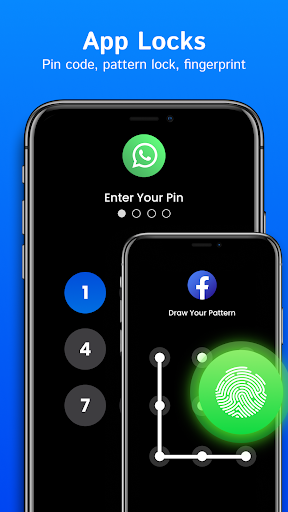
App Lock Fingerprint Lock app to securely lock any app with your fingerprint.
Whether you're worried about someone else accessing your social media accounts, banking apps, or private photos, App Lock Fingerprint Lock gives you the peace of mind you need.
It's incredibly easy to use, and you can set it up in just a few seconds.
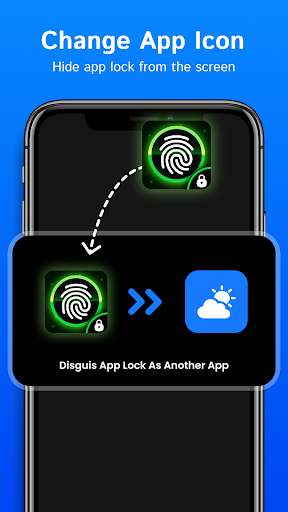
App Lock Fingerprint Lock offers a variety of security features that allow you to fine-tune your security settings. You can choose to enable or disable the fingerprint lock for individual apps, set a different password for each app, or even hide the app icon from your device's home screen.
With its advanced security features and ease of use, Applock - Fingerprint App Lock is the perfect app for anyone who wants to protect their personal data and maintain their privacy.
Download it today and start enjoying the peace of mind that comes with knowing your device is secure.
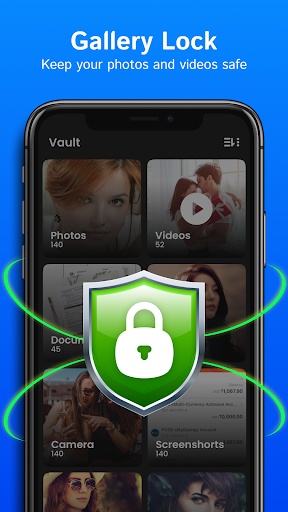
Encrypt almost all multimedia files on your phone: images, GIF animation files, documents, video & audio and other files.
☀ Photo vault
☀ Video vault
☀ File vault
☀ Audio vault
☀ Hide Photos
Applock Theme
☀ Love Theme for Pattern lock screen
☀ Multiple Numeric Theme for PIN Lock Screen
☀ Lock incoming and outgoing calls
Features Of Our App Lock - Fingerprint lock App:
☀ Securely lock any app on your Android device with your fingerprint.
☀ Easy to set up and use, with a user-friendly interface.
☀ Works seamlessly with all popular apps and supports a wide range of Android devices.
☀ Customizable lock screen with your own photos or wallpapers.
☀ Fine-tune your security settings, including enabling or disabling fingerprint lock for individual apps, setting different passwords for each app, and hiding the app icon from your device's home screen.
☀ Protects your personal data and maintains your privacy.
☀ Provides advanced security features to keep your device and apps safe and secure.
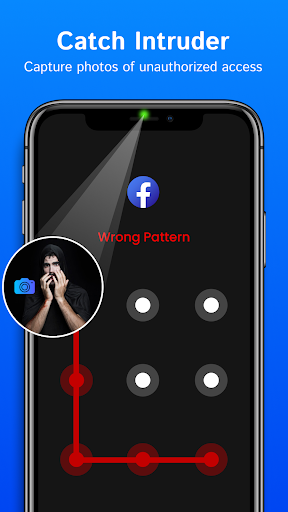
☀ Gives you the peace of mind that comes with knowing your device is protected from unauthorized access.
How Does Our App Lock Work?
When you first install and open the Applock - Fingerprint App Lock, you'll be asked to set up a passcode or use your fingerprint to unlock the app. Once you've set up your security preferences, you'll be able to select which apps you want to lock.
You can select individual apps or lock all of your apps at once. Once you've chosen the apps you want to lock, the next time you or someone else tries to open the Applock Fingerprint App Lock privacy, they'll be prompted to enter their passcode or scan their fingerprint.
App lock app uses advanced encryption algorithms to keep your personal data secure. When you lock an app, the app's data is encrypted and can only be accessed with the correct passcode or fingerprint.
Additionally, App Lock Lock Apps Pattern provides several customization options, such as the ability to change the lock screen wallpaper or use a different passcode or fingerprint for each app.
DISCLAIMER:
The information provided in the app description is for general informational purposes only. Any reliance you place on such information is therefore strictly at your own risk.
We reserve the right to modify, update, or remove any information from the app without prior notice. The use of this app is subject to the app's terms of service, which may be updated from time to time.
Version Information
- Version
- 50
- Downloads
- 5M+
- Updated on
- Nov 4, 2025
- Released
- Oct 17, 2015
- Requires
- Android 7.0
Statistics
Google Play Rating History
Rating Distribution
Downloads Over Time
App Lock - Fingerprint Lock has been downloaded times. Over the past 30 days, it averaged downloads per day.
Shaded area shows 30-day prediction based on historical trends
Historical data collection started recently. More data points will be available over time.
App Lock - Fingerprint Lock users say on Google Play
 Chayenne Tilka
many ads,but,fun
 Ronewa Mphaphuli
This app I like because it protects your privacy but I don't like because they are too many apps popping up
 Nkosenhle makhanya
It just good for me
 Utasv U padhyay
Not good
 Sasha Hill
It started off great but now I noticed that it randomly unlocked apps by itself. Some important and private information is open and I am really upset. I'm glad I didn't pay for this app, straight rubbish.
ApkTrusted Ratings & Reviews
More from AppLock Inc.
See more apps
Keyboard Themes - Fonts, Emoji
Free

Calendar
Free

Langify - AI Language Tutor
Free

To Do List & Reminder
Free

Magic Voice - Voice Recorder
Free

FitMe
Free

Alarm Clock
Free

Quick Notes - Secure Notebook
Free

Diary Book - Secure Notebook
Free

File Manager
Free

Nuvio Launcher – Themes & Icon
Free

Messages
Free
Similar Apps
Calculator Lock - Hide Photo
Free
Photo Lock App - Hide Pictures
Free

Love Photo Keyboard Theme 2023
Free
AppLock Master
Free
App Locker - Lock App
Free

My Photo Keyboard
Free
LOCKit: App Lock, Photos Vault
Free
Photo Lock: Hide Videos, Pics
Free
App Lock: Fingerprint, Pattern
Free
AppLock
Free
Applock - lock apps - pin lock
Free

Touch Lock Screen Touch Photo
Free

Color Phone: Caller Screen App
Free
AppLock
Free
Love Launcher: lovely launcher
Free
My Folder : Safe Secure Hidden
Free
Scan this QR code to download

Forwarding you to the page at Google Play market in seconds...
Open Google Play market now