
Authenticator: 2FA & Password v1.0.63
Isaaclight AI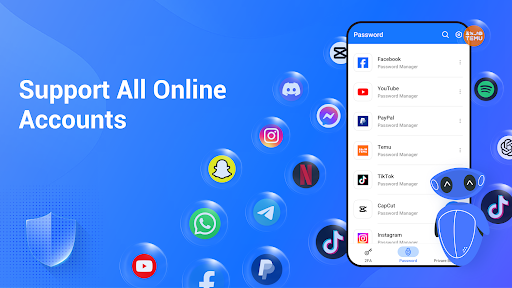

About this app
The Authenticator: 2FA & Password app effectively solves the problem of account security by providing a robust 2-factor authentication system, benefiting individuals who manage multiple online accounts and require an additional layer of protection. This app stands out in the Tools category due to its high user rating and significant download numbers, indicating a trustworthy and reliable solution. However, its comparison to alternatives reveals that while it excels in user satisfaction, it may fall short in terms of feature diversity. The app's simplicity and ease of use make it an attractive option for those seeking a straightforward 2FA and password management experience.
Pros
- With over 1 million downloads and a 4.7-star rating, this app boasts significant social proof, indicating a well-designed and functional product that meets user needs.
- The developer, Isaaclight AI, offers a professional website and contact email, suggesting a commitment to customer support and transparency, which is reassuring for users.
- The app's minimal permission requirement of zero permissions is a significant advantage, alleviating concerns about data privacy and security breaches.
- The presence of in-app purchases provides users with the option to enhance their experience, although the range of prices from $3.49 to $49.99 per item may deter some users.
- The app's compatibility with Android 8.0 and above ensures that a wide range of devices can utilize the app, making it accessible to a broad audience.
Cons
- The inclusion of ads may detract from the user experience, potentially leading to frustration and decreased satisfaction, especially for those who prefer ad-free environments.
- The monetization model, which combines ads with in-app purchases, might be seen as aggressive, potentially pushing users towards paid options to avoid advertisements.
- Despite the app's strong focus on security, the lack of detailed information about encryption methods and data storage practices may raise concerns among privacy-conscious users.
- Some users might find the feature set limited compared to more comprehensive password managers, which could be a drawback for those seeking an all-in-one solution.
Best for: The ideal user for the Authenticator: 2FA & Password app is a tech-savvy individual or small business owner who manages multiple online accounts, values simplicity and ease of use, and is willing to pay for additional features to enhance their security experience, but may not require the full suite of features offered by more comprehensive password management solutions.
Developer Description
Authenticator to enable 2FA to protect all accounts with OTP, Password Manager
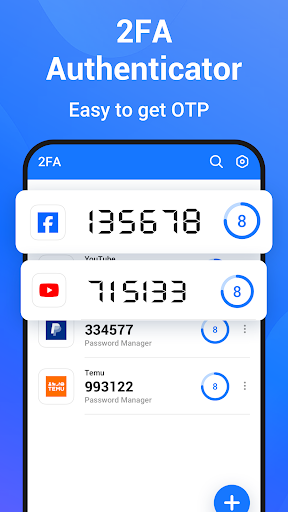
2FA authentication is recommended by security experts as the most efficient way to add an extra layer of protection for your personal and work accounts by verifying one-time passwords (OTP), which are 6-digit codes for 2-step verification (2SV).
2FA codes generated by Authenticator: 2FA & Password are widely supported and accepted by all online services such as Google, Instagram, Facebook, Discord, Microsoft, Twitter, Twitch, TikTok, LinkedIn, Dropbox, Snapchat, GitHub, Tesla, Coinbase, Binance, Amazon, Crypto.com, Steam, Epic, and more. These services span across all industries: finance, crypto, bitcoin, insurance, banking, eCommerce, business, securities, social media, gaming, cloud computing, IT, and business.
Authenticator: 2FA & Password secures all your accounts with two-factor authentication (2FA or MFA), no matter where you are or what devices you are using. It generates a unique time-based or count-based one-time password (OTP) for each login every 30 seconds, ensuring that only you can access your account after a 2-step verification (2SV).
More than an authenticator, Authenticator: 2FA & Password is also a multi-functional security application, designed to secure all your accounts and protect your sensitive information with integrated 2FA Authenticator, Password Manager, Private Browser, and other rich security features.
WHY CHOOSE Authenticator: 2FA & Password
🛠️ Easy Setup
Adding an account has never been easier for both 2FA and MFA. Just scan a 2FA QR code, and it will generate OTP (TOTP or HOTP) every 30 seconds automatically. No internet is required to get the 2FA or MFA code. It also supports manual setup for advanced 2FA users.
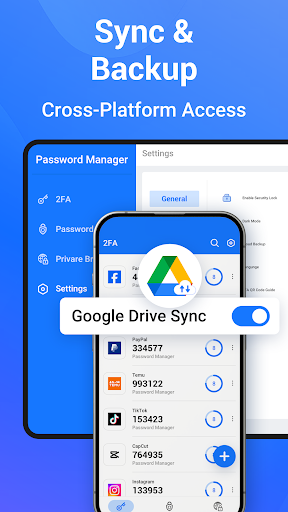
☁️ Cloud Backup and Recovery
Automatically backup and sync all account data to your personal Google Cloud, so you never lose your 2FA code or account data when you change or upgrade devices. Recover all your account data with one tap.
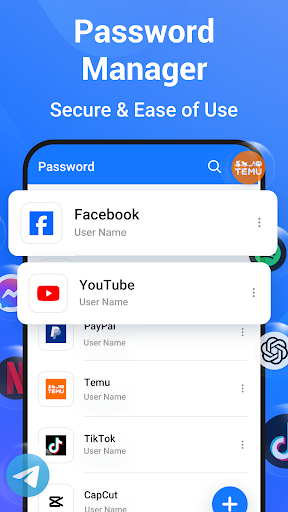
🔐 Password Manager
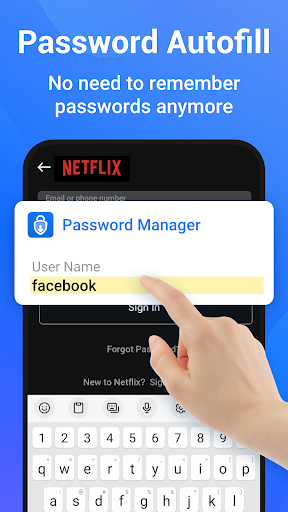
As your trusted password keeper/vault, it can generate and save strong passwords for all your accounts securely and efficiently. The password manager can even autofill login and password fields within any app or website on your phone, saving time and reducing input errors without the need to remember lengthy passwords.
🌐 Private Browser
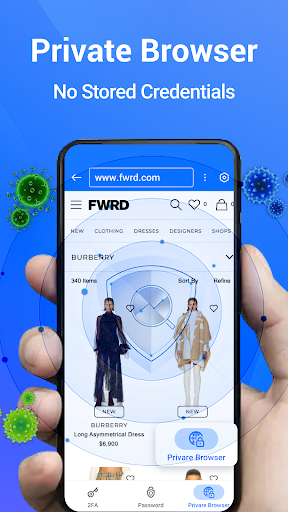
The embedded private browser protects your online privacy, ensuring you can navigate websites without being tracked or exposing any personal information.
🌙 Dark Mode
You can use our app comfortably in dark or low-light environments to protect your eyes.
🔒 Security Lock
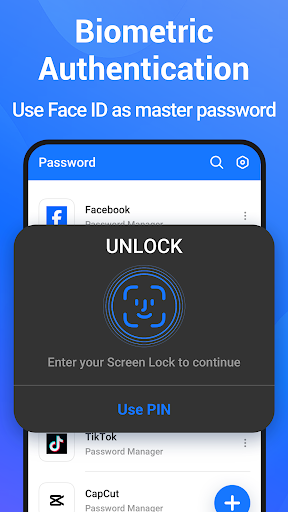
Unlock Authenticator: 2FA & Password instantly with your device password, Touch ID, or Face ID to prevent unauthorized access to your app. No more hacking, phishing attacks, or other security threats. Your 2FA codes, MFA codes, logins, and passwords are securely stored in our app.
🌍 Support for All Accounts
Supports Google, Instagram, Facebook, Discord, Microsoft, Twitter, Twitch, TikTok, LinkedIn, Dropbox, Snapchat, GitHub, Tesla, Coinbase, Binance, Amazon, Crypto.com, Steam, Epic, and more, across all industries: finance, crypto, bitcoin, insurance, banking, eCommerce, business, securities, social media, gaming, cloud computing, IT, and business.
Download Authenticator: 2FA & Password now and enjoy the all-in-one security solution for your digital life with two-factor authentication (2FA or MFA).
Privacy
Given that the app requires zero permissions, the risk of data collection for malicious purposes appears to be minimal. However, users should still be cautious when using any authentication app, ensuring they understand what data is stored and how it is protected. To enhance security, users should regularly review the app's terms of service and privacy policy for any updates or changes.
Tips
For optimal use, users should initially set up the app by carefully following the setup instructions to ensure all accounts are properly linked and secured. To enhance performance, closing unnecessary background apps can help, and for advanced users, exploring the app's settings can reveal additional features or customization options. Furthermore, integrating this app with other security-focused apps can create a robust security ecosystem.
What's New
In-app purchases
$3.49 - $49.99 per item
Version Information
- Version
- 1.0.63
- Downloads
- 1M+
- Updated on
- Nov 6, 2025
- Released
- Nov 30, 2023
- Requires
- Android 8.0
Statistics
Google Play Rating History
Rating Distribution
Downloads Over Time
Authenticator: 2FA & Password has been downloaded times. Over the past 30 days, it averaged downloads per day.
Shaded area shows 30-day prediction based on historical trends
Historical data collection started recently. More data points will be available over time.
Authenticator: 2FA & Password users say on Google Play
 Calvin Jordan
Good app and easy use
 wayne tomma
Seemed to work well, wen I needed it at 1st? Now? Iv tried it a cuppl times in a month, it dint work, not sure why
 Samrat Alam
wow
 Ira Nanneman
Doesn't accommodate the specific functions I wanted authenticated. I ended up using the Google authentication app that worked perfectly first time. And Google doesn't charge a fee to have it.
 Boot
Boot
The ads are very annoying! they throw them into your face whenever they possibly can.
ApkTrusted Ratings & Reviews
More from Isaaclight AI
See more apps




Similar Apps
Authenticator App
Free
2FA Authenticator (2FAS)
Free
AppLock - Fingerprint
Free

LastPass Password Manager
Free

Enpass Password Manager
Free

Bitwarden Password Manager
Free
Applock - lock apps - pin lock
Free

TTLock
Free

Aegis Authenticator - 2FA App
Free

Passwords & passkeys-Safe
Free
1Password: Password Manager
Free

Twilio Authy Authenticator
Free
LockMyPix Photo Vault PREMIUM
Paid

RoboForm Password Manager
Free

SafeInCloud 1
Paid
App Lock: Fingerprint, Pattern
Free
Scan this QR code to download

Forwarding you to the page at Google Play market in seconds...
Open Google Play market now