Electronics Tools: ElectroCalc v38
Calculation World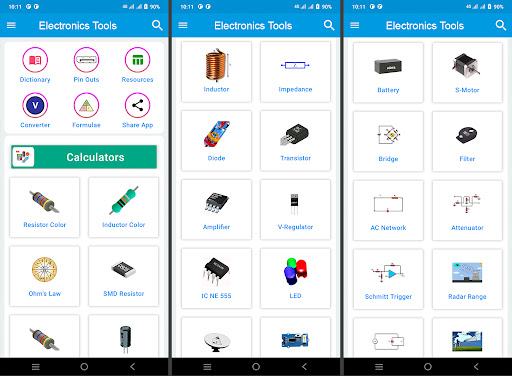

About this app
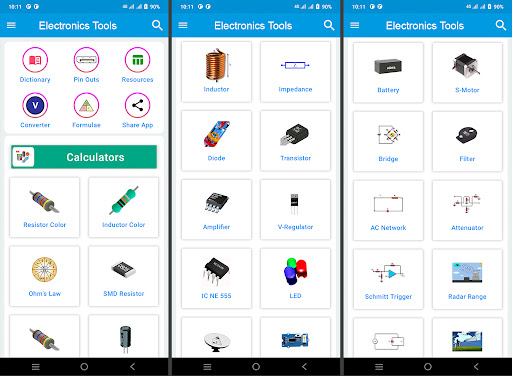
Electronics Tools: ElectroCalc solves the problem of needing quick access to various electronics-related calculators, resources, and converters for professionals and hobbyists alike, benefiting most those in the electronics engineering and DIY communities. Compared to alternatives in the Tools category, ElectroCalc stands out with its comprehensive set of calculators and resources, but falls short in terms of a cluttered user interface. With a moderate download count and generally positive user rating, it's a solid choice, but not without its drawbacks. The app's free with ads model may deter some users, but the lack of in-app purchases is a plus.
Pros
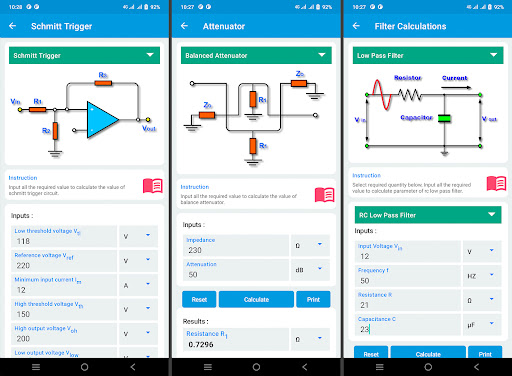
- The app's extensive collection of calculators and resources, including circuit images and pinouts, makes it a valuable tool for electronics enthusiasts and professionals, providing a one-stop solution for various calculation needs.
- With over 500,000 downloads and a 3.8/5 user rating, ElectroCalc has demonstrated its usefulness and reliability, earning a moderate level of social proof and trust among its user base.
- The developer, Calculation World, has a dedicated website and email for support, indicating a commitment to user feedback and updates, which is reassuring for users who may encounter issues or have feature requests.
- The app's offline capability, given its lack of permissions, means that users can access its tools and resources without an internet connection, making it a handy companion for fieldwork or areas with poor connectivity.
- The app's small size and minimal system requirements make it accessible to a wide range of Android devices, including older models, which is a significant advantage for users with budget constraints or older hardware.
Cons
- The app's user interface, while functional, can appear cluttered and overwhelming, especially for new users, which may lead to a steep learning curve and potential frustration.
- The presence of ads, while understandable given the free model, may detract from the user experience, particularly if they are intrusive or poorly placed, which could negatively impact the app's overall usability.
- Some users may find the lack of advanced features or more specialized tools a limitation, particularly compared to more comprehensive electronics engineering software, which could limit the app's appeal to power users.
- The app's ratings and reviews suggest some users experience occasional bugs or crashes, which, while not universal, indicates a need for ongoing development and stability improvements to ensure a smooth user experience.
Best for: The ideal user for Electronics Tools: ElectroCalc is likely an electronics engineering student, hobbyist, or professional who requires quick and easy access to a variety of calculators, resources, and converters, and values a comprehensive, offline-capable tool that can aid in design, troubleshooting, or educational pursuits, with a moderate to advanced level of technical skill and familiarity with electronics concepts.
Developer Description
Electronics tools: calculators, circuit images, pinouts, resources, converters.
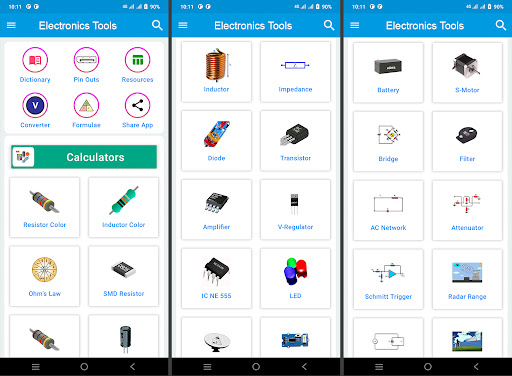
The application contains 7 sections:
1. Calculators 🧮
2. Circuit images 💡
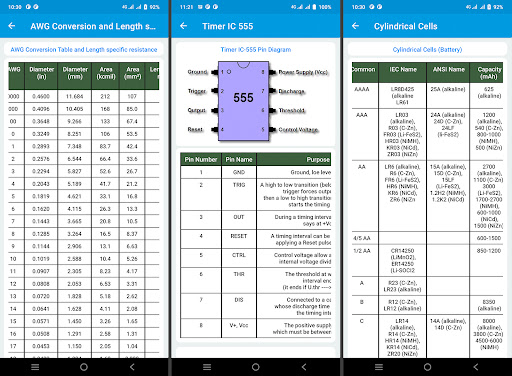
3. Pinouts 📌
4. Resources 📙
5. Convertes 📐
6. Formulas 📋
7. Dictionary 📘
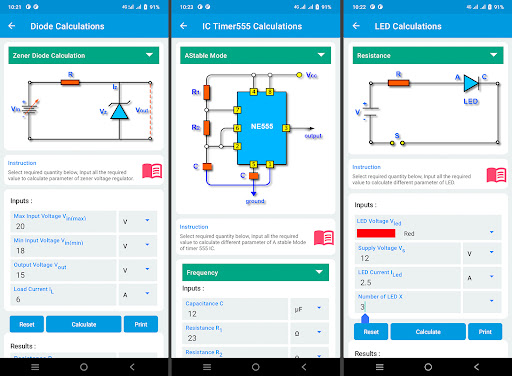
🧮 Electronics Calculators:
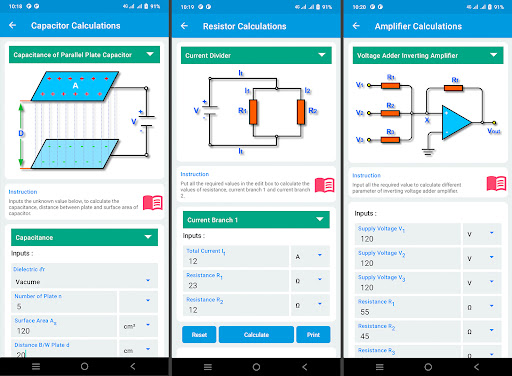
These electronics calculator app will help the students, electronics professionals and DIYers in solving simple and complex electronics circuits.
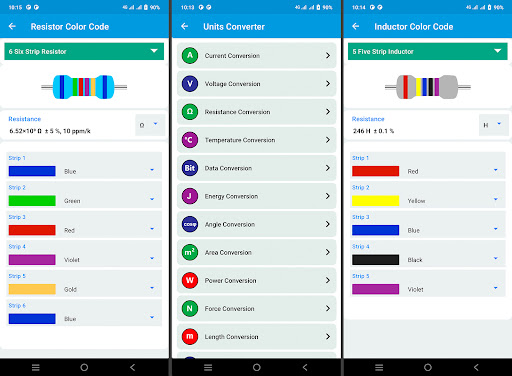
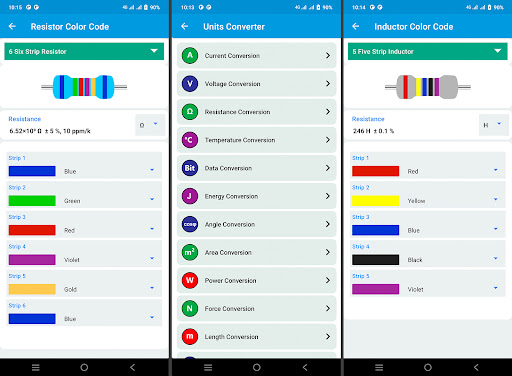
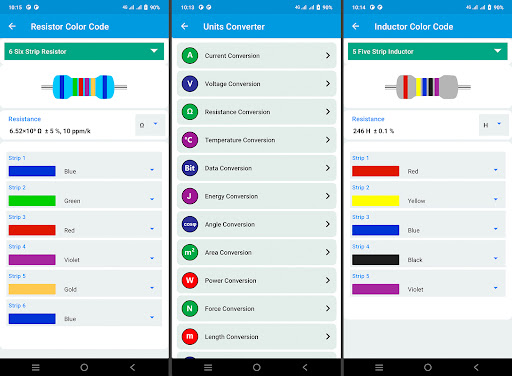
• Resistor color code (3, 4, 5 and 6 bands).
• Inductor color code (4 and 5 bands).
• SMD resistor code.
• Ohm's law calculator.
• Series and parallel resistor.
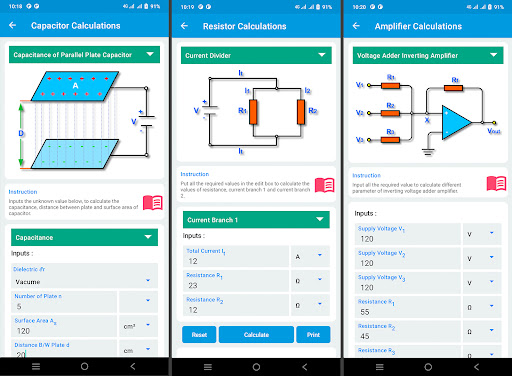
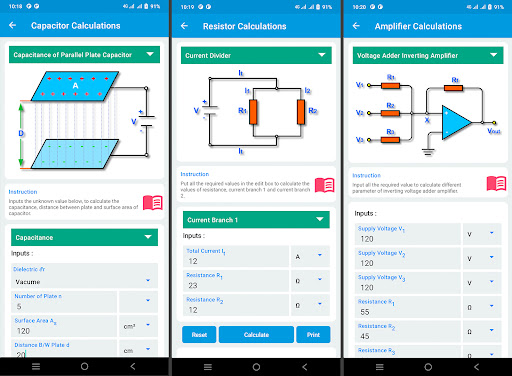
• Series and parallel capacitor.
• Series and parallel inductor.
• Voltage divider calculator.
• Current divider calculator.
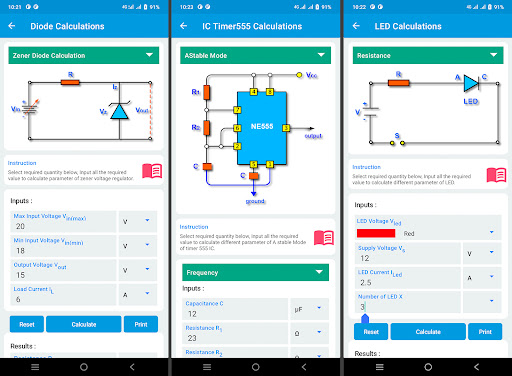
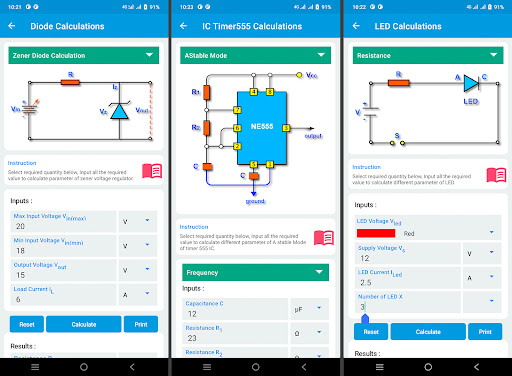
• LED resistor calculator.
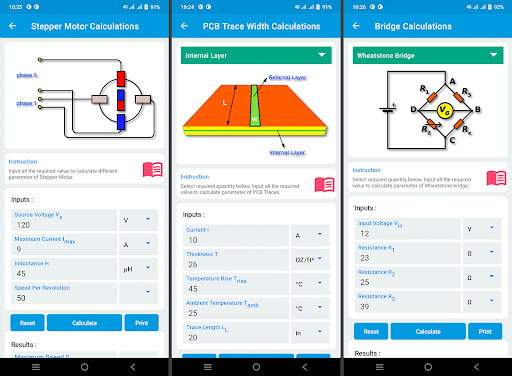
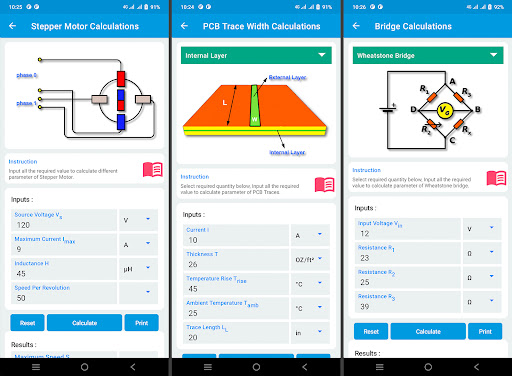
• Stepper motor calculator.
• Capacitor marking.
• Voltage across a capacitor.
• Capacitor to reduce voltage.
• Discharge time of capacitor.
• Charging and discharging of a capacitor.
• Serie and parallel impedance of a circuit.
• Air core inductance calculator.
• Coax cable inductance calculator.
• Zener diode calculator.
• Tunnel diode oscillator.
• BJT as a differential amplifier.
• BJT as a switch.
• Collector feedback bias.
• BJT transistor bias.
• Inverting operational amplifier.
• Non inverting operational amplifier.
• Differentiator amplifier.
• Voltage adder amplifier.
• Instrumentation amplifier.
• Integrator amplifier.
• Differential amplifier.
• LM 317 voltage regulator.
• LM 7805 voltage regulator.
• NE 555 Timer astable and monostable.
• PCB trace width calculator.
• Conical horn antenna Gain.
• Parabolic antenna Gain.
• Antenna down tilt angle.
• Battery life calculator.
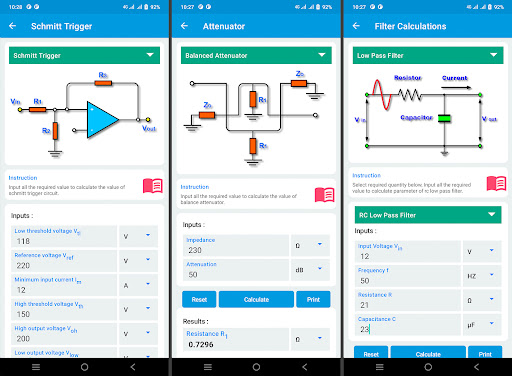
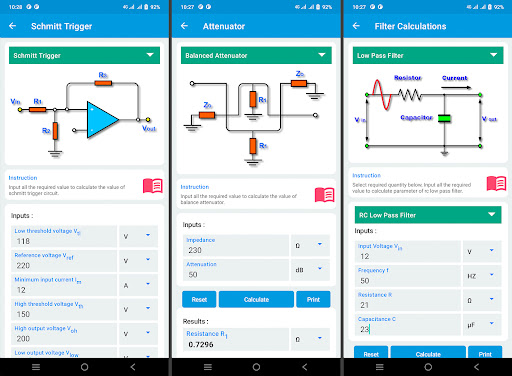
• Low pass filter.
• High pass filter.
• Band pass filter.
• Band stop filter.
• Wheatstone bridge.
• Anderson bridge.
• Wien bridge oscillator.
• Maxwell bridge.
• Hay bridge.
💡 Circuit images:
A circuit diagram is a simplified conventional graphical representation of an electronic circuit. A pictorial circuit diagram uses simple images of components, electronic circuit calculations while a schematic diagram shows the components of the circuit as simplified standard symbols.
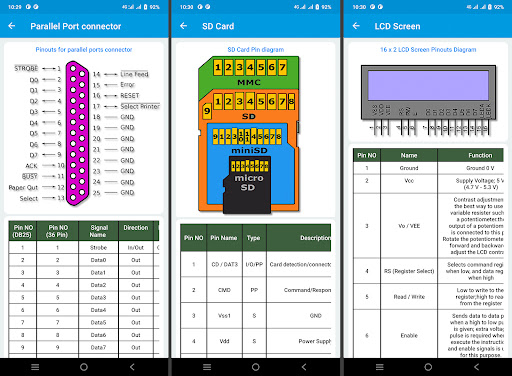
📌 Pinouts:
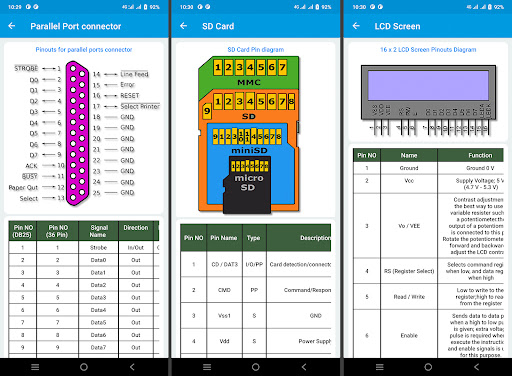
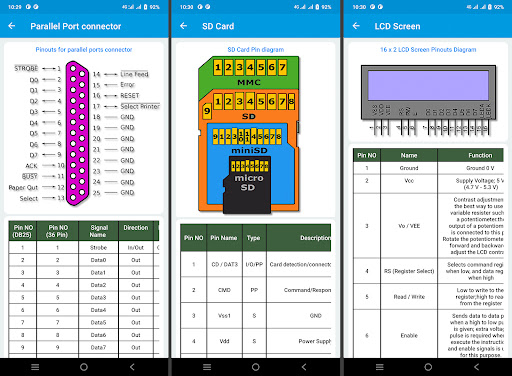
You can find different electronics pinouts with helpful circuit images.
• Parallel port connector.
• Serial port connector.
• DVI connector.
• SCART connector.
• Display port.
• Type A HDMI connector.
• Type B, D HDMI connector.
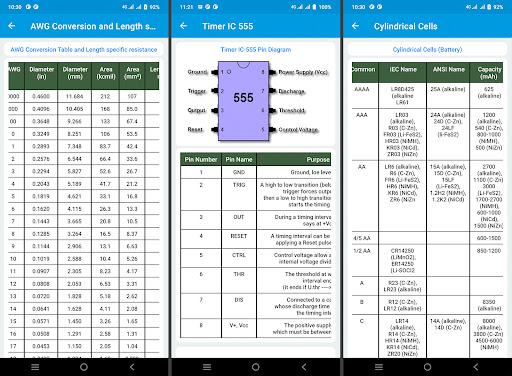
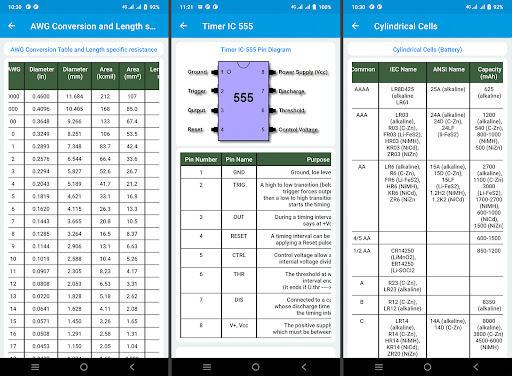
• Timer IC NE 555.
• LCD screen display.
• VGA connector.
• SD card.
• SIM card.
• Color code for fiber EIA 598 A.
• Swisscom color.
• PDMI.
• SATA power connector.
📙 Resources:
You will learn different electronics calculator resources and tables. You can use these tables in circuit calculation as a quick reference.
• AWG conversion table.
• AWG conversion table.
• Capacitor marking code.
• dBm to dB and watt.
• Radio frequency table.
• Resistivity of materials.
• SI derived units.
• SI prefixes.
• SMD resistor code.
• Symbols and abbreviations.
• USB power standard.
📐 Converters:
You will learn the conversion between different units. This will make your task of conversion between the units easy and simple.
• Current conversion.
• Voltage conversion.
• Resistance conversion.
• Temperature conversion.
• Data conversion.
• Energy conversion.
• Angle conversion.
• Power conversion.
• Pressure conversion.
• Volume conversion.
• Work conversion.
• Capacitance conversion.
• Resistivity conversion.
📘 Dictionary:
The electronics tools app also contains a helpful electronics dictionary. In this dictionary, you will be able to learn hundreds of electronics engineering terms, Electronic calculator app easy to understand.
If you have any suggestion about the application then feel free to contact us by email calculation.worldapps@gmail.com.
Privacy
Given that Electronics Tools: ElectroCalc requests no permissions, the risk of data collection or privacy breaches appears minimal, but users should still be cautious when clicking on ads or visiting external links from within the app, as these may pose security risks. To stay safe, users should ensure their device's operating system and browser are up to date, and consider using a reputable ad blocker or security suite to mitigate potential threats.
Tips
To get the most out of ElectroCalc, users should start by exploring the various calculator and resource sections to familiarize themselves with the app's capabilities, and consider bookmarking frequently used tools for quick access. Additionally, users can optimize performance by closing unnecessary apps and ensuring their device has sufficient storage space, which can help prevent crashes and improve overall responsiveness. For advanced users, experimenting with different calculators and resources can help uncover hidden features or novel applications.
What's New
Heat Sink Calculation
Pinouts:
Firewire connector, RCA connector, Register jack, ATX power connector, 25 pair cable color code, OBD II car connector, Arduino board, PCI bus, PCI express bus, JTAG pinout, Apple 30 pin connector and VESA Connector.
Resources:
Standard resistor, Boolean logic gates, ASCII table, Ampacity table, Switch information, Thermocouple color, DIN47100 color code, SMD package sizes, IEC6320 and CCTV resolution.
Version Information
- Version
- 38
- Downloads
- 500K+
- Updated on
- Aug 15, 2025
- Released
- Nov 20, 2021
- Requires
- Android 6.0
Statistics
Google Play Rating History
Rating Distribution
Downloads Over Time
Electronics Tools: ElectroCalc has been downloaded times. Over the past 30 days, it averaged downloads per day.
Shaded area shows 30-day prediction based on historical trends
Historical data collection started recently. More data points will be available over time.
Electronics Tools: ElectroCalc users say on Google Play
 Peter Edin
I purchased the pro. Great app though there hasn't been any update for ages therefore I'm wondering if this is still being maintained.
 Hamza Shahid
very good app
 Vincent Y
not very easy to use, only stack functions but not built from the people actually use it
 Mark Rote
Ads overlay app, how do you convert watts to amps? It is not easy to navigate during the ads and whether it is worth buying. Previous reviews state there has been very little update activity. You should probably avoid purchasing.
 Shadow Black
ads don't have any thing to close them. had tamu on my screen for 10 mins before I closed the app. the ads have no way to remove them to access the app. am now going to uninstall and find one with less ads
ApkTrusted Ratings & Reviews
More from Calculation World
See more apps
Electricians' Handbook
Free

Civil Calculation PRO
Paid
Electrical handbook PRO
Paid
Electrical Engineering
Free

Chemistry Solver Periodic Tabl
Free

Concrete Calculator
Free

Age Calculator: Date of Birth
Free
Electricians' Handbook PRO
Paid
PRO Electronics Tools
Paid

Civil Calculation App
Free

Electrical Calculation App
Free
Home Electricity Calculator
Free
Electricity Calculator PRO
Paid
Electrical Calculation PRO
Free

Concrete Calculator PRO
Paid

Chemistry PRO: Periodic Table
Paid
Similar Apps
PROTO - circuit simulator
Free

Logic Circuit Simulator Pro
Free

OBD2: Torque Car Scanner FixD
Free

Ref Tools
Free

AR Plan 3D Tape Measure, Ruler
Free

phyphox
Free

GeoGebra Geometry
Free
Unit Converter
Free

Tooly All Tools In One Toolbox
Free

All-In-One Calculator
Free

Periodic Table 2026: Chemistry
Free

Building Tools
Free

Solar System Scope
Free
DWG FastView-CAD Viewer&Editor
Free

OBDocker - OBD2 Car Scanner
Free
Computer File Explorer
Free
Scan this QR code to download

Forwarding you to the page at Google Play market in seconds...
Open Google Play market now