OBDocker - OBD2 Car Scanner v3.2.6
Motorsure INC.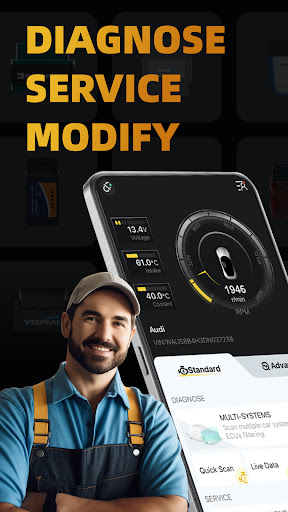

About this app
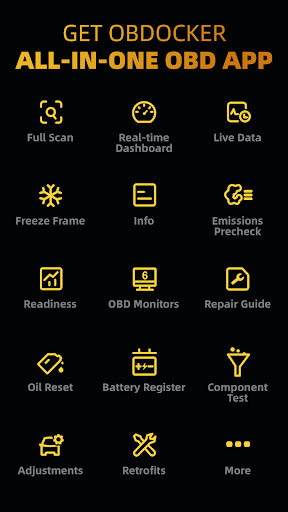
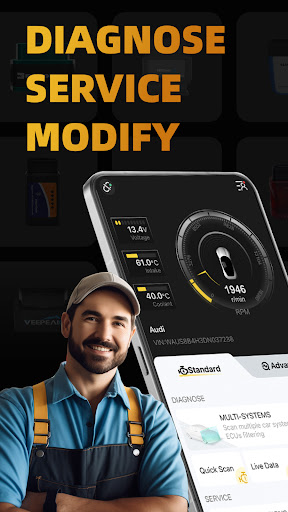
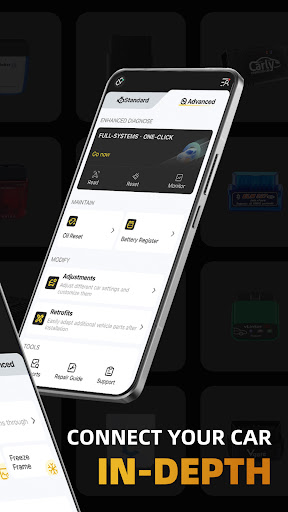
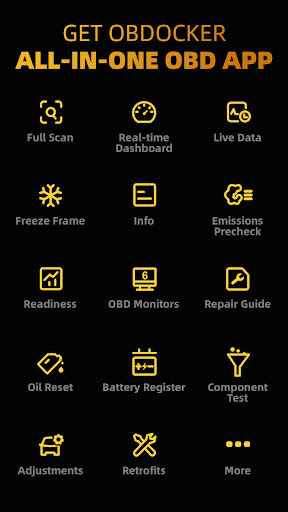
OBDocker - OBD2 Car Scanner solves the problem of car diagnostics and maintenance for vehicle owners, providing a comprehensive tool for diagnostics, service, and modification. This app benefits car enthusiasts and professionals alike, offering a wide range of features that set it apart from alternatives in the Auto And Vehicles category. Compared to other OBD2 scanners, OBDocker stands out with its user-friendly interface and extensive feature set, although its high-end features require in-app purchases. Overall, OBDocker is a solid choice for those seeking a reliable and feature-rich OBD2 scanner.
Pros
- With over 1 million downloads and a 4.3/5 user rating, OBDocker has established a strong reputation for reliability and effectiveness, making it a trustworthy choice for car owners.
- The app's extensive feature set, including diagnostics, service, and modification tools, makes it a comprehensive solution for car maintenance and repair, catering to both beginners and experienced car enthusiasts.
- The developer, Motorsure INC., has a professional website and provides a dedicated email address for support, indicating a commitment to customer service and transparency.
- OBDocker's offline capability allows users to access its features without an internet connection, making it convenient for use in areas with limited connectivity.
- The app's regular updates, with the latest version being 3.2.6, demonstrate the developer's ongoing effort to improve and expand its functionality.
Cons
- While OBDocker's in-app purchases can unlock valuable features, the price range of $0.99 to $119.99 per item may be steep for some users, potentially limiting access to advanced functionality for budget-conscious users.
- The lack of permissions requested by the app may raise questions about its ability to access and utilize the device's hardware, such as the OBD2 adapter, which is essential for its primary function.
- Some users may find the app's interface and feature set overwhelming, particularly those without prior experience with OBD2 scanners or car maintenance, which could lead to a steeper learning curve.
- The app's compatibility with various OBD2 adapters and vehicle models may vary, potentially leading to issues with connectivity or data accuracy.
Best for: The ideal user for OBDocker is a car enthusiast or professional mechanic with a moderate to advanced level of technical skill, who owns a vehicle compatible with the OBD2 standard and is seeking a comprehensive, user-friendly tool for diagnostics, maintenance, and modification, with a willingness to invest in in-app purchases to unlock advanced features.
Developer Description
Ultimate OBD2 Car Scanner: Diagnostics, Service and Modification Tool
*************************
KEY FEATURES
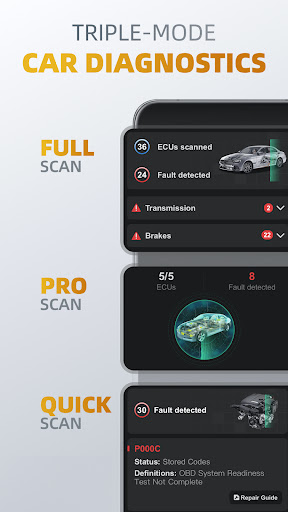
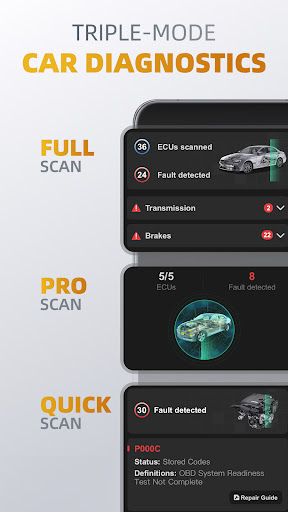
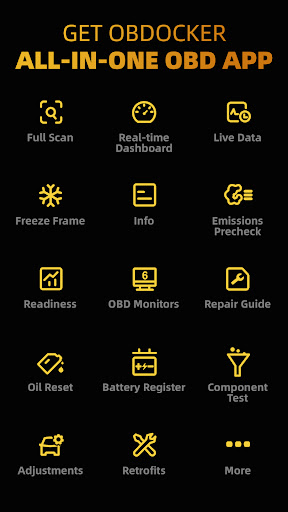
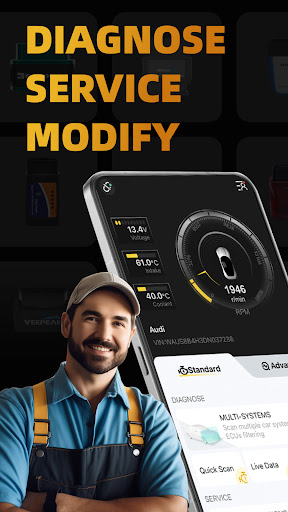
1️⃣Triple-Mode Diagnostics
○ Full-Systems Diagnose: One-Click OE-Level full-systems diagnostics.
○ Multi-Systems Diagnose: Scan multiple systems through ECUs filtering such as TMS, SRS, ABS, TCM, BCM and many more.
○ Quick Scan: Swiftly read and clear engine fault codes to maintain a smooth drive.
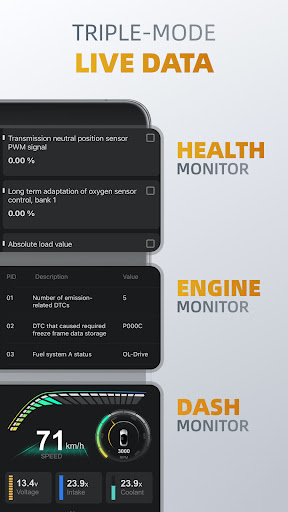
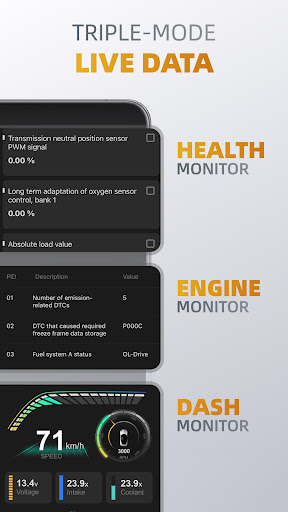
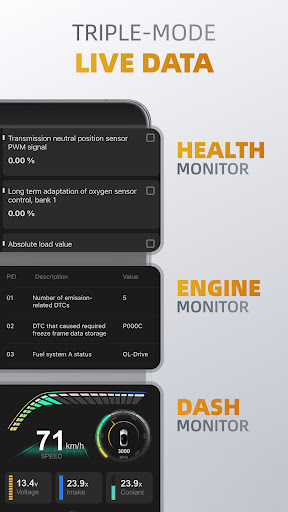
2️⃣Triple-Mode Live Data
○ Health Monitor: Track every systems performance by diving into real-time parameters.
○ Engine Monitor: Monitor your engine's performance.
○ Dash Monitor: Visualize your vehicle's metrics in real-time.
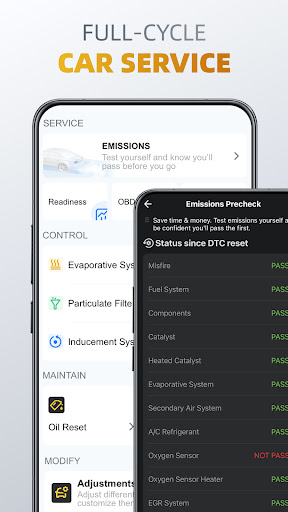
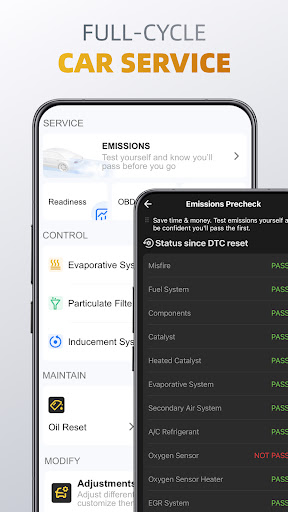
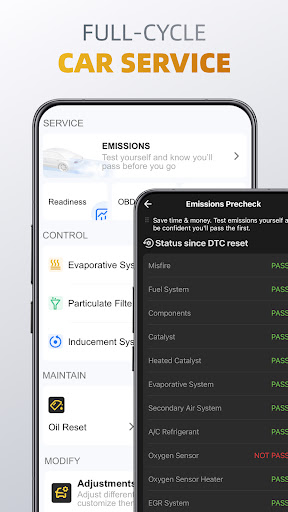
3️⃣Full-Cycle Service
○ Emissions Pre-check: Test your emissions and pass with confidence before your official check.
○ Control Tests: Perform EVAP Leak Test, DPF and Inducement System Reinitialization.
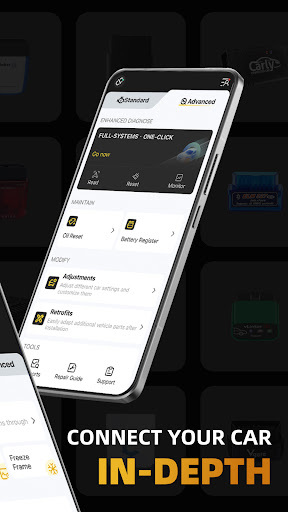
○ Oil Reset: Easily reset oil change reminders and maintenance lights to keep your car's records up to date.
○ Battery Registration: Register the battery replacement to notify the battery management.
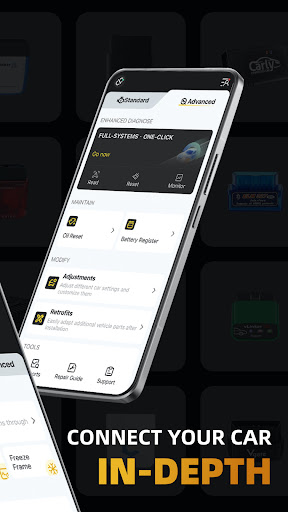
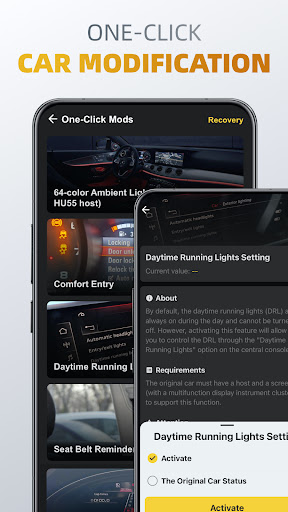
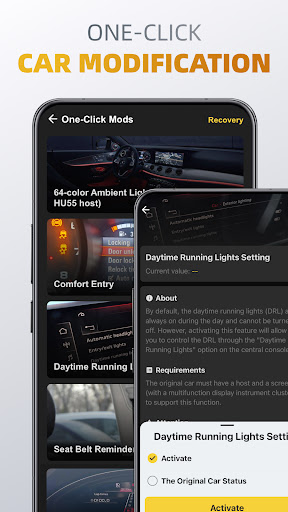
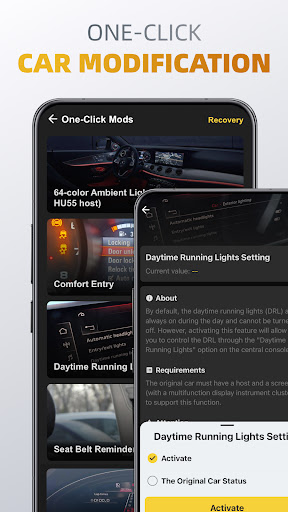
4️⃣On-Click Modification
○ Adjustments: Adjust different car settings and customize them by one-click.
○ Retrofits: Easily adapt additional vehicle parts after installation.
*************************
OBD ADAPTERS
OBDocker requires a compatible OBD adapter to work. We recommend the following for the best experience:
- High Performance: Vlinker Series, OBDLink Series, MotorSure OBD Tool, Carista EVO.
- Middle Performance: All genuine adapters compatible with ELM327 / ELM329, including Veepeak Series, Vgate iCar Series, UniCarScan, NEXAS, Carista, Rodoil ScanX, and more.
- Low Performance (Not Recommended): Cheep Chinese clones ELM.
*************************
SUPPORTED CARS
OBDocker is compatible with a wide range of vehicles, covering both standard and advanced modes:
- Standard Mode: Universal compatibility with OBD2 / OBD-II or EOBD vehicles worldwide.
- Advanced Mode: Toyota, Lexus, Nissan, infiniti, Honda, Acura, Hyundai, Kia, Volkswagen, Audi, Skoda, SEAT, Mercedes-Benz, BMW, Mini, Porsche, Ford, Lincoln, Chevrolet, Cadillac, GMC, Buick. And still working really hard to add more…
*************************
PLANS:
OBDocker offers a free trial for full feature access. To unlock unlimited potential, choose from our Pro or Pro Max subscriptions.
NOTE:
Vehicle ECUs vary in the amount of sensors supported. This app can’t show you something, that is not provided by your car.
Privacy
Given that OBDocker requests no permissions, it is likely that the app does not collect sensitive user data, but users should still be cautious when connecting their device to their vehicle's OBD2 port, as this may potentially expose their vehicle's systems to security risks. To ensure safe use, users should only download the app from trusted sources and keep their device and app up to date.
Tips
To get the most out of OBDocker, users should start by familiarizing themselves with the app's interface and features, then proceed to connect their OBD2 adapter and vehicle to begin scanning and diagnosing issues. For optimal performance, users should ensure their device is connected to a stable power source and has a strong, stable internet connection, if required. Additionally, users can explore the app's settings to customize its behavior and optimize its performance for their specific needs.
What's New
In-app purchases
$0.99 - $119.99 per item
Version Information
- Version
- 3.2.6
- Downloads
- 1M+
- Updated on
- Aug 26, 2025
- Released
- Dec 1, 2023
- Requires
- Android 7.0
Statistics
Google Play Rating History
Rating Distribution
Downloads Over Time
OBDocker - OBD2 Car Scanner has been downloaded times. Over the past 30 days, it averaged downloads per day.
Shaded area shows 30-day prediction based on historical trends
Historical data collection started recently. More data points will be available over time.
OBDocker - OBD2 Car Scanner - Google Play Rankings
Top Rankings
| Rank | Country | Category | List | Change |
|---|---|---|---|---|
| — |
Ranking History in
No ranking data available yet. Rankings are updated daily.
#15 in Top Grossing Auto And Vehicles in United States
 GigU - Drive Smart, Earn More
OBDocker - OBD2 Car Scanner
GigU - Drive Smart, Earn More
OBDocker - OBD2 Car Scanner
 CDL Prep & Practice Test Genie
#1 in Top Grossing Auto And Vehicles in Argentina
#2 in Top Grossing Auto And Vehicles in Mexico
#3 in Top Grossing Auto And Vehicles in Turkey
OBDocker - OBD2 Car Scanner users say on Google Play
 Daniel Truitt
Finally an ODB app that actually lets you try it without constant intrusive ads. I subscribed simply because you can actually use the app before you decide to subscribe to it. (I am subscribed now)
 Joe - Jrocker23
I like the app a lot but is there a way to customize the live dashboard and change what you see
 Spencer C
works not free. be prepared to spend
 Alonso Ortega
Instant uninstall. I don't want to connect my Google account just to use the app.
 András
This app is utterly malicious and deceptive. It claims to offer a trial period, but that is a complete lie. The smaller packages advertised are unavailable, making it impossible to use legitimately. Every element of this app is misleading, sneaky, and designed to cheat users out of their money. This is not a minor mistake, this is deliberate, predatory behavior. I feel outraged and defrauded. If I could, I would take legal action for false advertising and consumer fraud. Do NOT download this!
ApkTrusted Ratings & Reviews
Similar Apps

Car Scanner ELM OBD2
Free
EOBD Facile: OBD 2 Car Scanner
Free
ScanMaster for ELM327 OBD-2
Free
FIXD OBD2 Scanner
Free

Carista OBD2
Free

OBD2: Torque Car Scanner FixD
Free
Infocar - OBD2 ELM Scanner
Free
OBD Fusion (Car Diagnostics)
Paid
AUTOsist Fleet Maintenance App
Free
BimmerCode for BMW and MINI
Free
myChevrolet
Free
RepairSolutions2
Free
Drivvo - Vehicle management
Free
Ford™
Free
xHP Flashtool
Free
Fuelio: gas log & gas prices
Free
Scan this QR code to download

Forwarding you to the page at Google Play market in seconds...
Open Google Play market now