
LetsView- Wireless Screen Cast v1.5.20
WangxuTech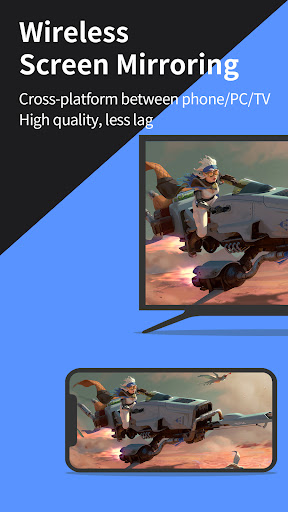

About this app
The LetsView- Wireless Screen Cast app solves the problem of screen sharing across Android and iOS devices wirelessly, benefiting individuals who need to share their screen for presentations, demonstrations, or other collaborative purposes. Compared to other tools in the category, LetsView stands out with its wireless capability, but falls short with its below-average user rating and significant issues reported. Despite having a large user base with over 5 million downloads, the app's reputation is marred by its low rating, indicating room for improvement. The app's developer, WangxuTech, has a presence online, which is a positive indicator of support availability.
Pros
- With over 5 million downloads, LetsView has a significant user base, which can be an indicator of its effectiveness and reliability in wireless screen casting.
- The app's wireless screen casting capability is a major advantage, allowing users to share their screen without the hassle of cables or complicated setup processes.
- LetsView is free to download and use, with in-app purchases available for additional features, making it accessible to a wide range of users.
- The developer provides a website and email support, which can be beneficial for users seeking help or having questions about the app's functionality.
- The app requires Android 6.0 or later, which ensures that it can leverage newer operating system features for better performance and security.
Cons
- The app's below-average user rating of 2.5 out of 5 stars raises concerns about its overall quality, stability, and user satisfaction, which might deter potential users.
- Despite having no permissions listed, the app's functionality and data handling practices are not transparent, which could be a concern for privacy-conscious users.
- The presence of in-app purchases ranging from $0.99 to $59.99 per item might lead to a fragmented user experience, where some features are only available to paying users, potentially limiting the app's usefulness for free users.
- The significant issues reported by users, combined with the low rating, suggest that the app may have bugs, performance issues, or other problems that negatively impact the user experience.
Best for: The ideal user for LetsView is likely a professional or student who frequently needs to share their screen for presentations, demonstrations, or collaborative work, and values the convenience of wireless connectivity, has a basic understanding of how to troubleshoot common connectivity issues, and is willing to navigate through an app that, despite its useful features, has a reputation for needing improvement in terms of user satisfaction and overall quality.
Developer Description
Screen Share Android and iOS Screen Wirelessly
★★Key Features★★
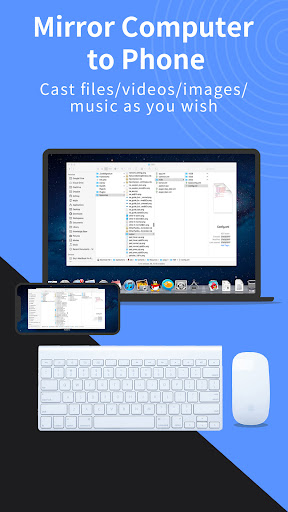
⭐️Screen mirroring between mobile phones and PCs
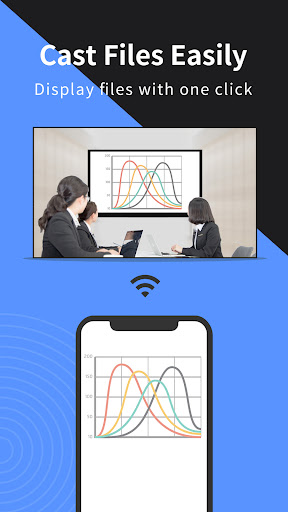
Mirror your phone screen to your Mac or Windows computer, enhance your favorite live stream viewing experience, or present content on a bigger screen without any limitations of your phone's screen size. You can even cast your phone screen to multiple devices.
⭐️Control PC from a phone
Once your computer and smartphone are connected, the smartphone can act as a makeshift keyboard or mouse, allowing you full control over your computer screen with just your fingertips. Moreover, it is also possible to control the mobile phone with a Windows computer.
⭐️Screen mirroring between mobile phone and TV
Whether you're watching a movie, watching a sporting event with the family, or giving a business presentation on TV, mirroring your phone's screen to a larger display has never been easier with LetsView. LetsView perfectly fit most of the TVs on the market.
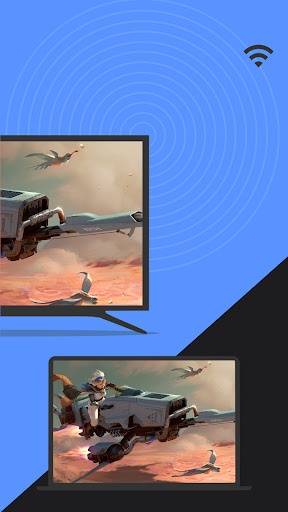
⭐️Screen mirroring between PC/tablet and TV
In addition to the mobile version, LetsView covers various platforms. The desktop version also enables mirroring between PC to PC, and PC to TV.
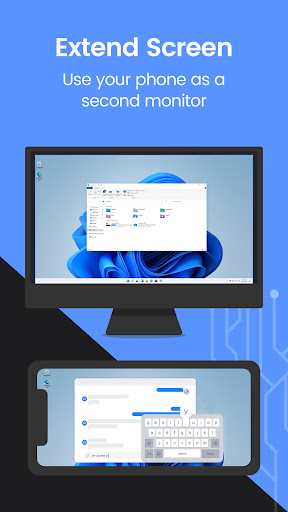
⭐️Extend screen
Turn your phone into a secondary monitor for your computer, allowing you to focus on main tasks on the primary screen while simultaneously handling auxiliary activities on your phone's screen, thus significantly boosting your productivity.
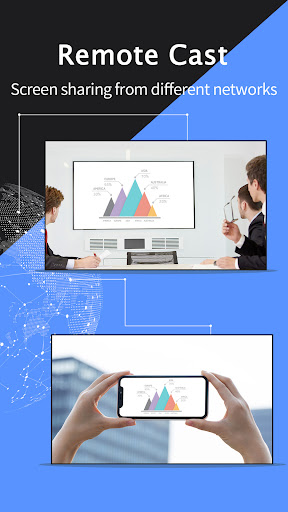
⭐️Remote screen mirroring
Screen mirroring is also possible when you are on a different network. The remote screen mirroring feature will help you cross the network, just enter the remote cast code, and the two devices will share the screen over a distance.
⭐️Additional features
Drawing, whiteboard, document presentation, screen capture, and screen recording of a mobile phone screen are also available.
👍🏻Why LetsView?
● Ad-free.
● Uninterrupted and unlimited usage.
● HD screen mirroring.
● HD screen recording.
🌸Primary use cases:
1. Family Entertainment
Mirroring movies, games, photos, and more onto a larger screen for a better visual experience.
2. Business Presentations
Share your PC or mobile phone screen content onto a large screen for presentations or meetings, demonstrate your product to potential customers remotely.
3. Online teaching
Share the teacher's device screen and combine it with the whiteboard, enhancing the visual experience of your online classes.
4. Live stream gameplay
Broadcast gaming content on a big screen, share gameplay with followers, and keep wonderful moments.
🌸Easy to Connect:
Connecting your devices is easy with 3 available methods: direct connection, QR code connection, or passkey connection.
Ensure that all your devices are connected to the same Wi-Fi network, and your device will be automatically detected for easy connection. If your device isn't detected, simply scan the QR code or enter the passkey to establish the connection.
📢Contact:
We appreciate all your feedback! Contact us at support@letsview.com or send feedback from Me > Feedback on the LetsView app for suggestions, comments, questions, or concerns.
LetsView supports Windows PC & Mac and Android 5.0 and above.
Privacy
Given that LetsView has no listed permissions, it is crucial for users to be cautious about the data it might collect, such as device information or usage patterns, even though the app does not explicitly request permissions. Users should monitor their device's performance and data usage while using the app and report any suspicious activity to the developer. Regularly reviewing the app's terms of service and privacy policy can also provide insights into how user data is handled.
Tips
For the best experience with LetsView, users should ensure their devices are connected to the same network before attempting to cast their screen. Additionally, closing unnecessary apps can help optimize performance and prevent potential lags or crashes during the screen casting process. Users should also explore the app's settings to customize their experience, such as adjusting the cast quality to balance between performance and network usage.
What's New
In-app purchases
$0.99 - $59.99 per item
Version Information
- Version
- 1.5.20
- Downloads
- 5M+
- Updated on
- Oct 23, 2025
- Released
- Oct 13, 2019
- Requires
- Android 6.0
Statistics
Google Play Rating History
Rating Distribution
Downloads Over Time
LetsView- Wireless Screen Cast has been downloaded times. Over the past 30 days, it averaged downloads per day.
Shaded area shows 30-day prediction based on historical trends
Historical data collection started recently. More data points will be available over time.
LetsView- Wireless Screen Cast users say on Google Play
 Mikhail Duong
LetsView has completely exceeded my expectations! I was looking for a simple and effective screen mirroring solution, and this app delivered flawlessly. It works perfectly between my phone and laptop, with minimal lag and crystal-clear resolution. I love how it supports different platforms and offers useful features like whiteboard and screen recording. The setup is quick, and the connection remains stable even during long sessions. It’s amazing that such a powerful tool is available for free.
 AG莫同春
AG莫同春
Limitada para transición en HD
 Joseph C
needs to be set up to be better by not requiring the download of other apps. one app should be enough. Because they ask for no money for this service two additional stars are given.
 A McDonald (Randy)
I'm trying to mirror my Samsung phone to my Samsung tablet. after a lot of trial and error I finally figured it out because it's not very straightforward on what you have to do to make it work. now when I get it to work it works great in portrait mode when I turn the phone to landscape the tablet goes blank hence totally useless for my purpose. I'm mostly upset because in order to make it work I had to pay the subscription, so now I don't want it but I'm going to have a recurring monthly charge.
 Nunya Business
it was good till y'all got greedy used this religiously, and then the paid subscription bs came out, you mashed pc functions into an app and paywall people who don't understand tech so they forcefully degrade the bitrate and unloading of your mirroring EVEN IF you have top of the line internet, lags, glitches, etc. you had an SD version and an HD version before, now with an FD mode. Let me tell you, if you're here t use the SD, they have literally made it unusable. look up scrcpy, avoid this.
ApkTrusted Ratings & Reviews
More from WangxuTech
See more apps
LightPDF: PDF AI&Convert&Scan
Free
GitMind: AI Mind Mapping App
Free
LightPDF Scanner: Scan & OCR
Free

Apowersoft PDF Converter
Free

PicWish: AI Photo Editor
Free
RecCloud - AI Speech to Text
Free

Apowersoft Background Eraser
Free
ApowerMirror- Screen Mirroring
Free
LetsView TV: Screen Mirroring
Free

AI Calorie Counter: PixCalo
Free
Similar Apps

VIDAA Smart TV
Free

TeamViewer Remote Control
Free

Link to Windows
Free

spacedesk - USB Display for PC
Free

Universal Remote for Smart TV
Free
TeamViewer QuickSupport
Free

AnyDesk Remote Desktop
Free

Send Anywhere (File Transfer)
Free

RealVNC Viewer: Remote Desktop
Free

Elgato Stream Deck Mobile
Free

Home V
Free

RICOH Smart Device Connector
Free

Lorex Classic
Free
UserLAnd - Linux on Android
Free

AirDroid: File & Remote Access
Free

LG ThinQ
Free
Scan this QR code to download

Forwarding you to the page at Google Play market in seconds...
Open Google Play market now