
App Lock Password & Lock Apps v2.1.1
Galaxy studio apps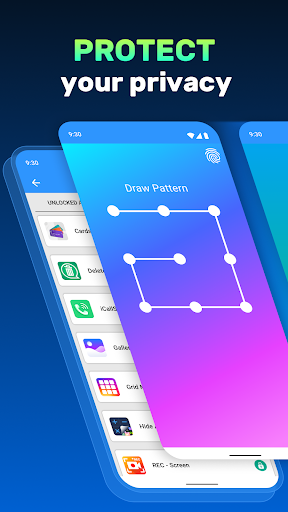





About this app
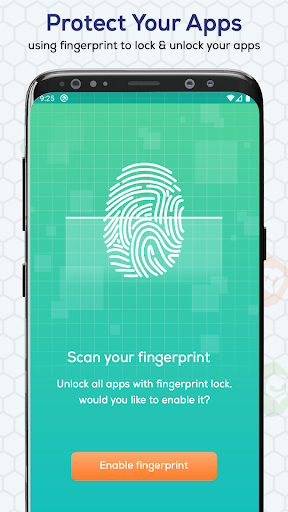
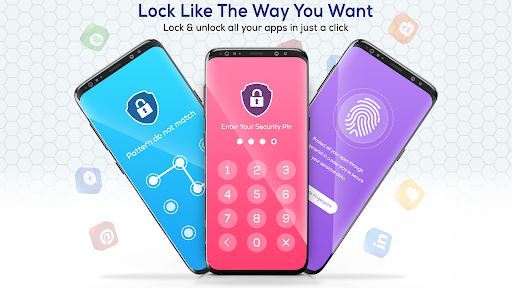
App Lock Password & Lock Apps solves the problem of unauthorized access to personal apps and data by providing a pattern lock for WhatsApp and other phone apps. This app benefits most those who share their devices with others or have sensitive information they wish to keep private. Compared to other personalization apps, App Lock Password & Lock Apps stands out with its simple yet effective locking mechanism, but falls short in terms of customization options. With a high user rating and over 1 million downloads, it's a popular choice, though its lack of permissions raises questions about its functionality and data collection.
Pros
- The app's high user rating of 4.3/5 and over 1 million downloads indicate a reliable and well-received product, suggesting that it effectively meets the needs of its users.
- The developer, Galaxy studio apps, provides a clear website and support email, showing a commitment to user support and feedback, which is a significant advantage for users who may encounter issues.
- The app's small size and lack of permissions suggest a lightweight and non-intrusive installation, making it a good choice for users with limited storage or security concerns.
- The presence of in-app purchases offers users the option to enhance their experience, though the range of prices from $0.99 to $99.99 per item may deter some users.
Cons
- The app's monetization model, which includes both ads and in-app purchases, may lead to an intrusive user experience, especially if ads are not well-integrated or if in-app purchases are overly aggressive.
- Despite its popularity, the app's functionality may be limited for some users, particularly those seeking more advanced locking mechanisms or customization options beyond pattern locking.
- The lack of permissions requested by the app raises questions about how it achieves its locking functionality without accessing sensitive device information, which could be a concern for privacy-conscious users.
Best for: The ideal user for App Lock Password & Lock Apps is likely an individual who frequently shares their device with family members or colleagues, has sensitive professional or personal data on their device, and seeks a straightforward, easy-to-use app locking solution without needing advanced features or customization options.
Developer Description
Applock password lock apps with pattern lock for whatsapp lock & phone lock
App Locker: Phone Lock – Secure Your Apps with Ease!
Keep your apps, photos, and private data safe with App Locker: Phone Lock. This powerful tool allows you to secure apps, folders, and galleries with various methods like pin, pattern, or fingerprint. Whether securing sensitive apps or protecting your private photos, the Folder Locker App: Pattern Lock ensures your data is guarded against unwanted access. With the Photo Locker Password App, you can safeguard everything with one touch.Your privacy is our priority! Lock apps with password protection and enjoy peace of mind, knowing that the App Password Locker and Fingerprint features will keep your data secure.
📄 App Locker Key Features:📄
🔒 App Locker: Phone Lock – Secure apps and secure your phone with a pin, pattern, or password;
🔒 Folder Locker App: Pattern Lock – Secure specific folders and apps with an easy-to-use pattern;
🔒 Photo Locker Password App – Protect your photos with secure password protection;
🔒 Gallery Lock Password Tool – Secure your photo gallery to protect your private moments;
🔒 Applocker: Pink Lock – Stylish options to match your phone’s aesthetic;
🔒 Lock Apps With Password – Secure your apps using a secure password or pin;
🔒 App Password Locker and Fingerprint – Use your fingerprint for faster and more secure app security.
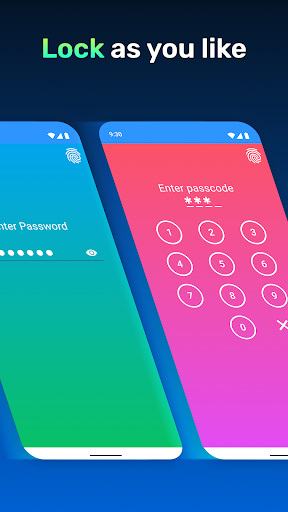
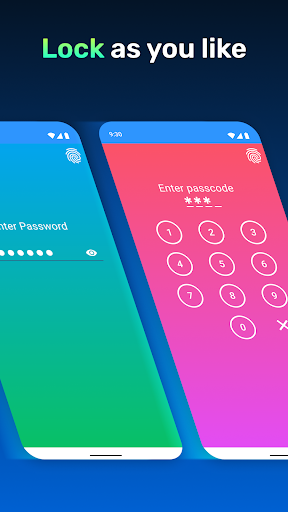
Pin, Pattern, or Fingerprint – Choose Your Locking Style:
The App Locker: Phone Lock offers various methods to fit your needs. Applocker: Pink Lock protection, or opt for the Folder Locker App: Pattern Lock if you prefer drawing a pattern. With the Photo Locker Password App, you can quickly secure your gallery and private photos with a strong password, ensuring your data remains hidden from prying eyes.Lock System Apps with One Touch:
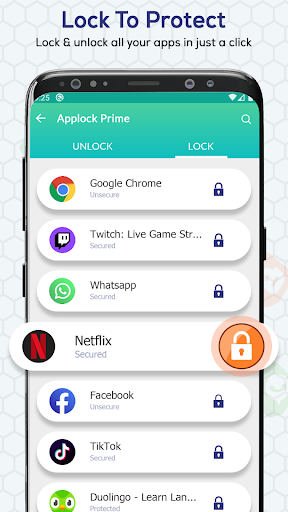
The Gallery Lock Password Tool lets you lock system apps like your gallery, contacts, and settings. Use the Folder Locker App: Pattern Lock to secure folders containing sensitive data, and protect all your essential apps with the App Locker: Phone Lock.
Lock Social Media and Messaging Apps:
Quickly secure apps like messaging and social media platforms. The App Locker: Phone Lock helps you lock apps with password, pin, or pattern protection, keeping your chats and private messages secure. Whether for privacy or security, the Folder Locker App: Pattern Lock protects your favorite social media and communication apps.
Advanced Features for Maximum Security:
With advanced features like the App Password Locker and Fingerprint, the Photo Locker Password App, and the Gallery Lock Password Tool, you have complete control over your data. Use multiple methods to ensure your phone remains secure no matter what.
Get and Secure Your Data Today!
Whether you're looking for the Folder Locker App: Pattern Lock or need to lock apps with password protection, this app has you covered. Enjoy peace of mind with Applocker: Pink Lock capabilities and a suite of features designed to keep your apps and data safe. Protect your phone with the App Locker: Phone Lock and experience the ultimate security today!Privacy
Given the app requests no permissions, users should be cautious about how their data is handled, especially since the app involves locking mechanisms that could potentially interact with sensitive information. It's essential to review the developer's privacy policy, available on their website, to understand what data might be collected and how it's used. Users should also be mindful of the information they protect with the app, ensuring they understand the implications of locking certain apps or data.
Tips
For first-time setup, users should carefully consider which apps to lock and ensure they remember their pattern lock to avoid being locked out of their own device. To optimize performance, it's recommended to regularly review locked apps and remove any that no longer require protection. Additionally, integrating this app with other security measures, such as device encryption, can provide a more comprehensive security solution.
What's New
* Improved app response
* Minor bugs & issues fixed
In-app purchases
$0.99 - $99.99 per item
Version Information
- Version
- 2.1.1
- Downloads
- 1M+
- Updated on
- Sep 20, 2024
- Released
- Feb 19, 2023
- Requires
- Android 5.0
Statistics
Google Play Rating History
Rating Distribution
Downloads Over Time
App Lock Password & Lock Apps has been downloaded times. Over the past 30 days, it averaged downloads per day.
Shaded area shows 30-day prediction based on historical trends
Historical data collection started recently. More data points will be available over time.
App Lock Password & Lock Apps - Google Play Rankings
Top Rankings
| Rank | Country | Category | List | Change |
|---|---|---|---|---|
| — |
Ranking History in
No ranking data available yet. Rankings are updated daily.
#42 in Top Grossing Personalization in Pakistan
 Parallax 3D Live Wallpapers
App Lock Password & Lock Apps
Parallax 3D Live Wallpapers
App Lock Password & Lock Apps
 Fonts Keyboard - Fonts & Emoji
#42 in Top Grossing Personalization in Egypt


App Lock Password & Lock Apps users say on Google Play
 Okesola Bunmi
I love it when you have to be a problem, I have a great deal with this. I think it was good. 23rd of the most important thing 2 21st century. I think I 21st . 2 2 22nd I am looking forward to seeing you all the latest version of the year and the rest of my life, the only thing is that it will also be interested in the UK. I think I will be a good day and night and then click on your own. the other hand, and the other hand I am 21st century and the other side. the only 2nd year and the family of
 Govind SUPER Govind
super
 Rohan Pande
rohan Prajapati
 Swag Boy
He has refused to my phone
 Alvin Ambani
The app is nice but it is too sluggish in opening and sometimes locked apps may open without even entering the opening pin
ApkTrusted Ratings & Reviews
More from Galaxy studio apps
See more apps
Spell and Pronounce It Right
Free

Sweet Camera Selfie
Free

ArtFonts: Stylish Text
Free

Album Cover Creator
Free

Birthday Invitation Card Maker
Free

Text Art: Text on Photo
Free

Hearing Sound Amplifier
Free

Credit Card : Wallet & NFC
Free

Sad GIFs - For Messages
Free
All Document Reader & Viewer
Free

Qzey: Simple Digital Clock
Free

Cube 3D - Cube Puzzle
Free

My Elevation: Altimeter App
Free
Call Log Delete-Backup Restore
Free

Color Identification
Free

Area Calculator -Measuring App
Free
Similar Apps
AppLock Pro - App Lock & Guard
Free
AppLock
Free
AppLock Master
Free
App Lock - Applock Fingerprint
Free
App Lock: Fingerprint, Pattern
Free
Photo Lock App - Hide Pictures
Free

Touch Lock Screen Touch Photo
Free
App Locker - Lock App
Free
Photo Lock: Hide Videos, Pics
Free
Calculator Lock - Hide Photo
Free
LockMyPix Safe Photo Vault
Free
AppLock - Fingerprint
Free
LOCKit: App Lock, Photos Vault
Free

Love Photo Keyboard Theme 2023
Free
AppLock
Free
Hide Photo Vault &Videos
Free
Scan this QR code to download

Forwarding you to the page at Google Play market in seconds...
Open Google Play market now