AR Drawing Sketch Paint v1.5.0
Amazic Fun Hub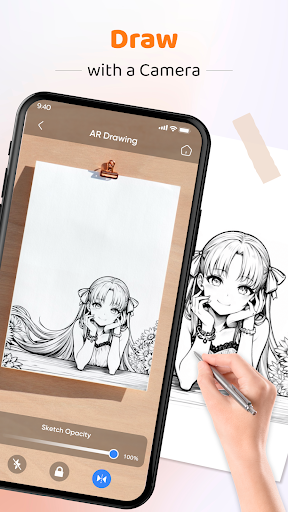
About this app
The AR Drawing Sketch Paint app effectively addresses the need for a user-friendly and feature-rich drawing tool, particularly for those interested in tracing and sketching. With its high download numbers and excellent user rating, it stands out as a top-tier app in the Art And Design category, offering a great alternative to more complex drawing software. However, its simplicity may also be a limitation for advanced users seeking more complex features. Overall, it is a well-rounded app that meets the needs of its target audience.
Pros
- The app's high user rating of 4.5/5 and large download base of over 10 million users attest to its quality and popularity, making it a reliable choice for those seeking a drawing app.
- The app's lack of required permissions is a significant advantage, as it ensures that users' data and device security are not compromised, which is often a concern with art and design apps.
- The developer's commitment to updating the app, as evidenced by its version history, suggests that the app will continue to improve and add new features over time.
- The app's compatibility with Android 8.0 and later ensures that a wide range of devices can run the app smoothly, making it accessible to a broad audience.
- The app's free with ads model makes it accessible to users who may not be willing to pay for a drawing app, while also providing a revenue stream for the developer to continue supporting the app.
Cons
- The presence of ads may be distracting or annoying for some users, potentially disrupting their creative workflow and impacting their overall experience with the app.
- The app's simplicity, while a benefit for beginners, may not be sufficient for advanced users who require more complex features and tools, which could limit its appeal to a broader audience.
- The developer's website and email support may not be as comprehensive or responsive as those of larger companies, which could be a concern for users who require technical support or have questions about the app.
- The app's offline capability is not explicitly stated, which may be a concern for users who plan to use the app in areas with limited internet connectivity.
Best for: The ideal user for the AR Drawing Sketch Paint app is a casual artist or hobbyist, likely in the age range of 13-35, who is looking for a user-friendly and feature-rich drawing tool to express their creativity, and has a basic understanding of drawing and sketching principles, but may not require advanced features or complex tools.
Developer Description
Easily draw trace and sketch with AR Drawing Apps - Perfect for trace drawing!
Embark on a journey where art meets cutting-edge augmented reality technology. AR Drawing Sketch Paint offers an immersive platform for artists of all levels to explore and express their creativity.
Key Features of the Drawing Apps:
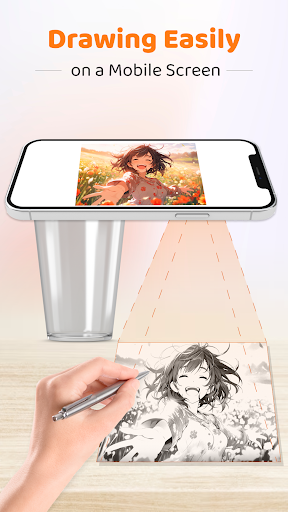
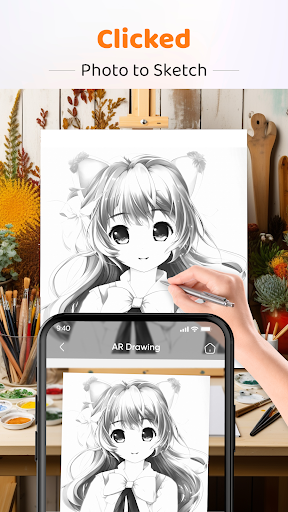
📸 Draw with Camera: Blend your sketches with the real world using our innovative 'Draw with Camera' feature. Position your phone on a stable surface and watch as your art and reality merge.
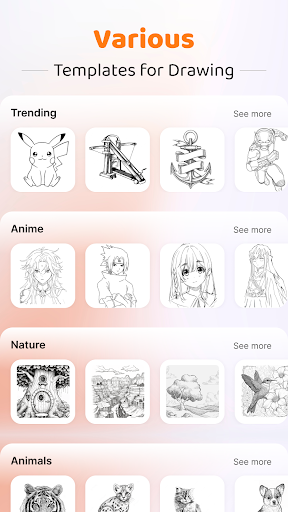
🖼️ Diverse Templates Library: Browse through a rich collection of templates in various categories, providing endless inspiration for all artistic preferences.
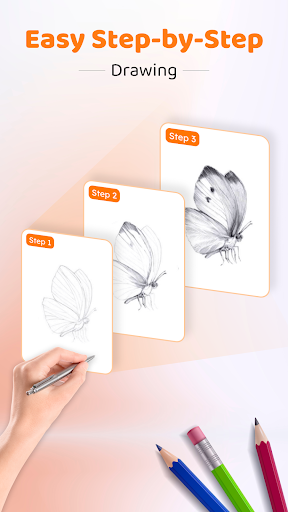
👨🏫 Step-by-Step Drawing Guidance: Follow our user-friendly guide to simplify complex drawings, making the process enjoyable for beginners and enriching for experienced artists.
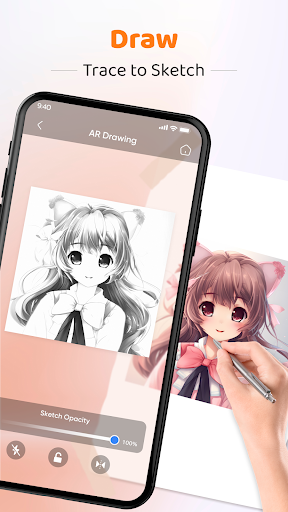
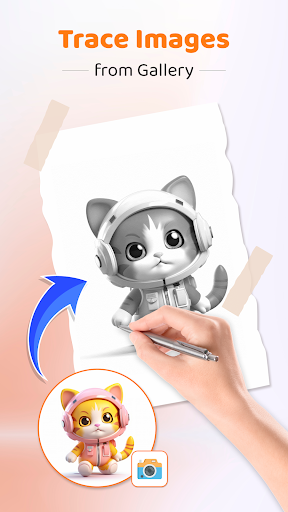
📷 Draw from Gallery Photos: Convert your beloved gallery photos into unique sketch templates, personalizing your artistic journey.
🌟 Drawing Sketch Opacity Adjustment: Fine-tune the transparency of your sketches for a perfect blend with the background, enhancing the overall aesthetic.
💡 Flash for Drawing: Illuminate your sketches even in low-light conditions, ensuring your artistic vision is always clear and detailed.
🔒 Image Lock and Flip: Secure your artwork against accidental movements and experiment with new perspectives through the image lock and flip features.
AR Drawing Sketch and Paint reimagines the drawing experience by combining traditional artistry with modern technological advancements. Whether you're just starting out or are a seasoned artist, this sketching and drawing app offers features to spark your creativity.
With AR Drawing Sketch Paint, enter a world where you can draw and trace anything, harnessing the power of augmented reality. From overlaying sketches on real-world scenes to bringing your imagination to life on a digital canvas, this drawing app is your portal to a new realm of artistic possibilities.
We invite you to explore the infinite possibilities of AR Drawing Sketch and Trace anything with AR Drawing Apps. Open the door to new artistic horizons and witness your creative visions come to life in extraordinary ways.
Privacy
Given the app's lack of required permissions, it appears to be a relatively safe choice for users. However, as with any app, it is essential to be cautious when clicking on ads or following links to external websites. Users should also review the app's terms of service and privacy policy to understand what data may be collected and how it will be used.
Tips
To get the most out of the AR Drawing Sketch Paint app, users should start by exploring the app's various tools and features, such as the tracing and sketching functions. Additionally, users can optimize the app's performance by closing other resource-intensive apps and ensuring their device has sufficient storage space. Finally, users can integrate the app with other art and design apps to expand their creative possibilities.
Version Information
- Version
- 1.5.0
- Downloads
- 10M+
- Updated on
- Oct 19, 2025
- Released
- Jan 10, 2024
- Requires
- Android 8.0
Statistics
Google Play Rating History
Rating Distribution
Downloads Over Time
AR Drawing Sketch Paint has been downloaded times. Over the past 30 days, it averaged downloads per day.
Shaded area shows 30-day prediction based on historical trends
Historical data collection started recently. More data points will be available over time.
AR Drawing Sketch Paint users say on Google Play
 Gaytri Sankhla
best ar app i have ever used i prefer to use this app and avoid mistake and do your art be little beat slowly so it make perfect overall this 10/10 for me
 Priya Sreeni
this app is pretty good i used it a lot and there was not any disturbance cuz usually some apps does not let u use it after a few times unless u pay the given amount
 Madhumita Rajbongshi
its really good.. help for beginners
 Firdoshi Biswas
toooooo boring 😴 😑 😒 😪
 d r
d r
scam adware wastage of time , i dont recommend it , uselees . sexualised advertisements .
ApkTrusted Ratings & Reviews
More from Amazic Fun Hub
See more apps
LED Running Text: Led Scroller
Free
Live Wallpaper - 4K Wallpapers
Free
Edge Lighting - Border light
Free
Battery Charging Animation AZ
Free

GPS Tracker: GPS Phone Locator
Free

MatchLive: Football Live Score
Free

EMF Scanner - Metal Detector
Free

Auto Clicker - Fast Auto Click
Free
KeyStyle: Keyboard Theme, Font
Free

Poster Maker: Art Flyer Maker
Free
Don't Touch My Phone
Free

BMI Tracker: Ideal Body Weight
Free

Newborn Baby Photo Editor
Free

Call Screen Theme Color Dialer
Free

Screen Recorder A To Z
Free
Rolling Icon - Icon Changer
Free
Similar Apps
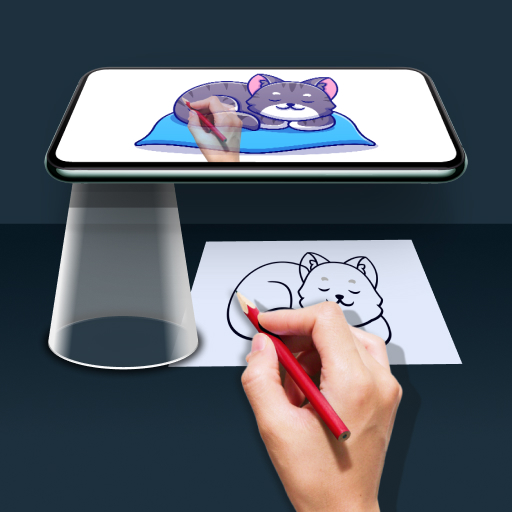
Draw Easy AI: AR Trace Sketch
Free
Drawify - Photo to Sketch
Free

AR Drawing: Sketch & Paint
Free

Sketchar AR Drawing Sketchpad
Free

PaperColor
Free

AR Drawing - Paint and Sketch
Free
Learn Drawing
Free

ArtFlow: Paint Draw Sketchbook
Free

AR Drawing – Trace & Sketch
Paid

Tayasui Sketches
Free
Drawing Desk: Learn to Draw
Free

Sketch Pro: Draw & Create Art
Free

MediBang Paint:Draw Art, Comic
Free

Artlette
Free
Sketchbook
Free

HiPaint: Sketch & Draw art
Free
Scan this QR code to download

Forwarding you to the page at Google Play market in seconds...
Open Google Play market now