ChromaMagic v3.0.1
Michele Clamp


About this app
Developer Description
See Color, Paint Color
Have you ever been painting and said 'but what *is* that color?' Me too!
ChromaMagic exists for one reason only. My paintings looked wrong. I just couldn't get the colors in my paintings to look convincing. Try as I might there was always something off. Too bright, too light, too gray, not gray enough. Too blue, too brown, too pink. Why oh why could I not make things work?
Well it turned out it wasn't in the paint. It wasn't in the mixing. Special brushes didn't do the trick. Making those daft color charts didn't help either. And it wasn't even in the way I put the paint on the paper.
The problem was in my brain.
The problem was that I had no chance of mixing the right color. I was missing an essential part of the painting process. Something that would take years if not decades to figure out.
And the reason was that I wasn't *seeing* the right color.
Now I don't mean there was something wrong with my eyesight. What I mean that I was 'seeing' color but I wasn't really seeing *COLOR*. I didn't have the words or the means to really understand what I was looking at.
And if we don't really know what we're looking at how on earth can we translate it into paint? Even if we don't want to represent what we see how do we know what to change to enhance the effect? Flip a coin? Trust chance and experimentation? Repeat for years and years until we stumble on something that works....?
No.
So what changed?
Everything changed. I learned to forget about primaries, secondaries and tertiaries. I learned to ditch the traditional artists wheel. I learned to stop talking about 'warm' and 'cool'.
I learned to see color the way it is and not the way I expect it to be. I had to forget everything I had been told.
I learned about hue, value, and chroma. Munsell.
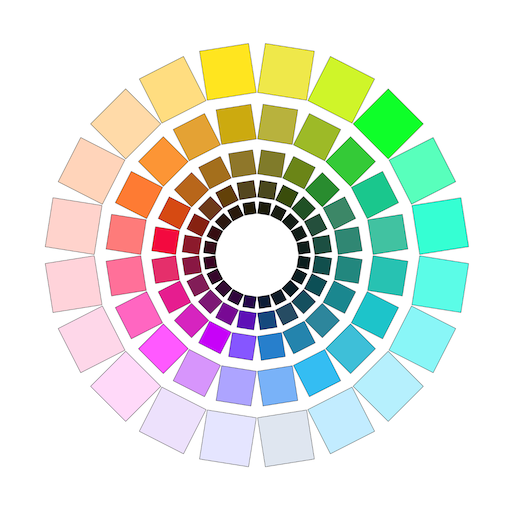
With ChromaMagic you can load up any photo or reference and see at a glance what any color is. And the colors are described in a way that is most natural for artists. What is the hue (red, yellow, green etc)? Yes! And what is the value (very important)? Yes! And what is the chroma (how gray or saturated it is)? Yes!!!
Color makes so much more sense now.
But there's more! As well as the Munsell color mode (which is fabulous by itself!) there are 4 extra modes to help you really see what is before us.
- Want to organize your reference into the major value shapes? Value mode will do that and you can change the number of value steps with a click of the mouse.
- Want to reduce your reference to just grayscale to really see those fine-grained values? Yes!
- Want to see how saturated or gray your colors are (this is always surprising!). Yes!
- Want to see how your colors are distributed around the color wheel? Yes
And yet there's still more:
- No more clicking around - ChromaMagic has a fantastic new interface with buttery smooth zoomable, pannable images.
- No more need to be tethered to wifi. Take ChromaMagic anywhere - even up a mountain!
- Too many colors in your reference? Average your colors over multiple pixels - 2500 of them if you want to.
- Want to know which paints are available for a certain color? ChromaMagic now has links to hundreds of top quality oil paints.
- Want to use ChromaMagic at home? On the bus? On a tablet? Now you can run it on your android phone or tablet. All for one price!
- No more silly loading buttons. Drag and drop your files in one swish on the desktop (Bliss!!)
- Use ChromaMagic next to the easel for mixing. Now with mixing swatches and calibration values (no need for $1500 Munsell chips)
What's New
New features
Now ChromaMagic can simplify colors in your references even further.
- Use auto generated palettes and customize to your own needs.
- Use the magical mixing button to generate mixing suggestions
- All new softening mode to remove details and reveal the 'big shapes'
- All new layout - landscape and portrait mode.
- Enhanced value and chroma modes with clickable chips.
- New, faster interface.
Version Information
- Version
- 3.0.1
- Downloads
- 500+
- Updated on
- Sep 26, 2025
- Released
- Apr 10, 2024
- Requires
- Android 7.0
Statistics
Google Play Rating History
Rating Distribution
Downloads Over Time
ChromaMagic has been downloaded times. Over the past 30 days, it averaged downloads per day.
Shaded area shows 30-day prediction based on historical trends
Historical data collection started recently. More data points will be available over time.
ChromaMagic - Google Play Rankings
Top Rankings
| Rank | Country | Category | List | Change |
|---|---|---|---|---|
| — |
Ranking History in
No ranking data available yet. Rankings are updated daily.
#36 in Top Paid Art And Design in Mexico


#36 in Top Paid Art And Design in Thailand
#36 in Top Paid Art And Design in Pakistan
#37 in Top Paid Art And Design in Turkey
ChromaMagic users say on Google Play
 Darryl Downie
This is a really useful app for understanding your image for painting. thank you for developing it. As a pastel artists it would be amazing if you could generate a simplified palette in the app, this would be helpful in our selecting colours before painting. 👍🙂
 Jennifer Barrow
I'm very excited about this app. I only gave 4 stars because I just started using it- will update to 5 stars after a little more use- as long as everything remains stable. So far though, it's incredibly helpful. Hue-value-chroma, what it's all about for oil painters like me. I like how quickly I can breakdown an image by value steps. The way this app is organized just works with my brain for some reason. Maybe because it was built by an artist? Regardless, A+ so far. Definitely worth the money.
ApkTrusted Ratings & Reviews
Similar Apps

AR Drawing – Trace & Sketch
Paid

Likcut
Free

Photo Editor by BeFunky
Free

Noteshelf - Notes, Annotations
Paid

Tattoo AI: Ink Design Try-On
Paid

Bamboo Paper
Free

ArtFlow: Paint Draw Sketchbook
Free

Artlette
Free

Sketch Pro: Draw & Create Art
Free

PENUP – Drawing-sharing SNS
Free

HiPaint: Sketch & Draw art
Free

CLG Color
Paid

ClayLab
Free

Goodnotes: AI Notes, Docs, PDF
Free

MediBang Paint:Draw Art, Comic
Free

Sketchar AR Drawing Sketchpad
Free
Scan this QR code to download

Forwarding you to the page at Google Play market in seconds...
Open Google Play market now