AngleCam Lite - Angular Camera v5.24b
Derekr Corp.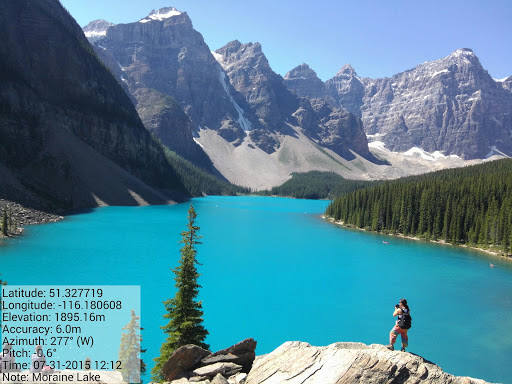
About this app
Developer Description
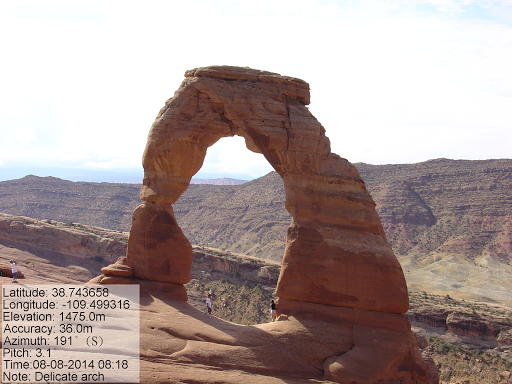
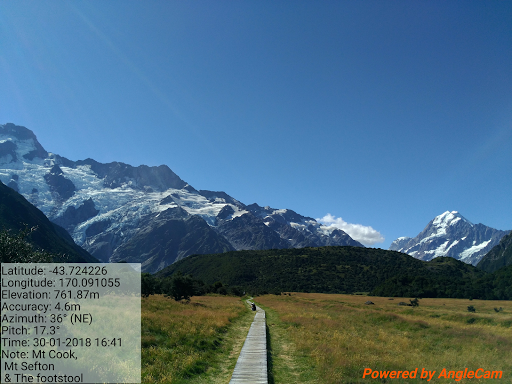
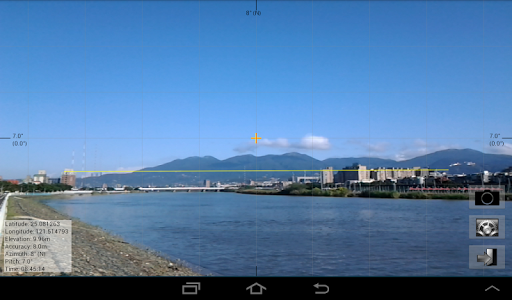
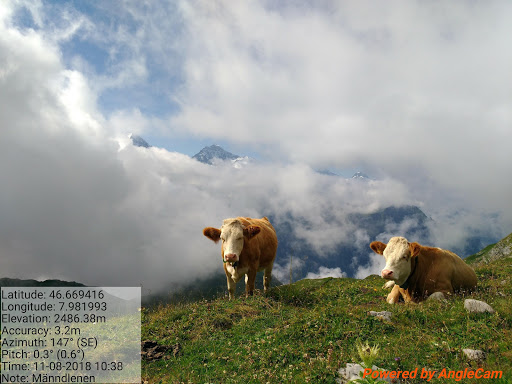
A scientific camera combined with user note, GPS, pitch angle and azimuth angle.
■ The difference between "AngleCam Lite" and "AngleCam Pro."
(1) AngleCam Lite is a free App. AngleCam Pro is a paid App.
(2) AngleCam Lite has a "Powered by AngleCam" text (watermark) in photographs' bottom right corner.
(3) AngleCam Lite cannot store original photos. (No text photos; 2x storage time)
(4) AngleCam Lite can use 3 columns of comments. AngleCam Pro can use 10 columns of comments.
(5) AngleCam Lite keeps the last 10 comments. AngleCam Pro version keeps the last 30 comments.
(6) AngleCam Pro can use the text watermark, the graphic watermark, and the graphic central point.
(7) AngleCam Pro is ad-free.
Attention: If you cannot install this application, it means your mobile device doesn't have an accelerometer sensor or a magnetometer sensor. You may be interested in another application which is called "NoteCam." However, NoteCam doesn't include pitch angle information, azimuth angle information, and a horizontal line.
https://play.google.com/store/apps/details?id=com.derekr.NoteCam
■ If you have a problem with the coordinates (GPS), please read https://anglecam.derekr.com/gps/en.pdf for details.
What's New
[Add] GeoAddress checkbox [⊕ → "Settings" → "Format (GPS coordinates)" → "Use geocoding to capture geographic addresses. (Some areas may not be able to capture geographic addresses, which may cause a pause of several seconds when taking photos.)"]
■ Version 5.23
[Update] Android API 36.
■ Version 5.22
[Add] Keep Alive checkbox (⊕ → "Settings" → "Others")
[Update] Adjust the number of decimal places of accuracy.
Version Information
- Version
- 5.24b
- Downloads
- 1M+
- Updated on
- Dec 4, 2025
- Released
- May 19, 2014
- Requires
- Android 6.0
Statistics
Google Play Rating History
Rating Distribution
Downloads Over Time
AngleCam Lite - Angular Camera has been downloaded times. Over the past 30 days, it averaged downloads per day.
Shaded area shows 30-day prediction based on historical trends
Historical data collection started recently. More data points will be available over time.
AngleCam Lite - Angular Camera users say on Google Play
 Darko
Darko
Works great, good settings with calibration, but I miss horizontal line that moves up/down on phone tilt, and grid color setting (it's barely visible, and didn't notice it at first).
 Nikhil M
this app is not working on iQOO 10R. please can I fix the bug? I have been using this app for the last 2 years.
 Balu Nighot
This app not show location name like GPS app
 Kissed The Canvas
Nothing much in features, will give it another try but not entirely impressed
 Vinayak Ware
Can't work without internet App is not working when my phone (Oppo K10) is not connected with internet or WiFi.. please help me resolving my issue ASAP
ApkTrusted Ratings & Reviews
More from Derekr Corp.
See more apps
Similar Apps
GPS Map Camera
Free

Timestamp Camera Pro
Paid

CompanyCam
Free

Earth Map App - Live Cam View
Paid

Arenti
Free

SuperCam Plus
Free

IAM Yoga Nidra 4 Deep Rest
Paid

eZy Watermark Photos Pro
Paid

LiveMic: Bluetooth Mic Speaker
Paid

PicMaster - AI Photo Editor
Paid

Framelapse 2 Time Lapse Camera
Free

IPC360 Home
Free

MiX Camera for Mi Camera
Free
My Emotional Compass
Paid

5Wheels
Paid

mcpro24fps manual video camera
Paid
Scan this QR code to download

Forwarding you to the page at Google Play market in seconds...
Open Google Play market now