
Notification Center vVARY
EdgePro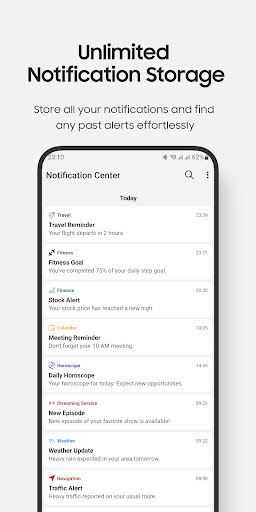
About this app
Developer Description
Manage notifications effortlessly, enjoy seamless integration with Edge Panels.
Enjoy seamless integration with Samsung Edge Panels for quick access and control.
**Key Features:
• Long-term Notification Storage: save your notifications for an extended period, ensuring you never miss important information.
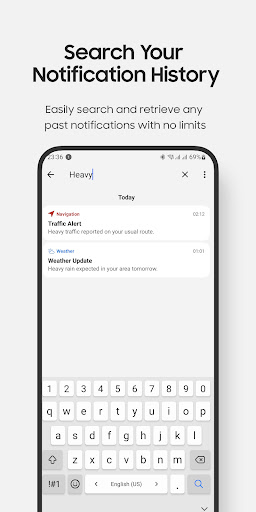
• Review and Search: easily review old notifications and search through them to find exactly what you need.
• Copy and Share: copy the content of specific notifications and share it with others effortlessly.
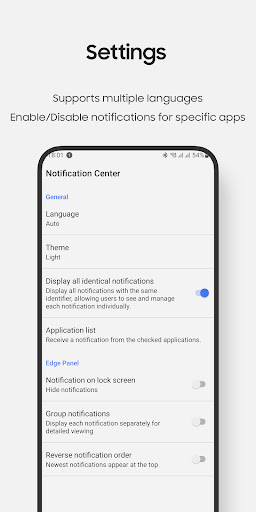
• Filtered Notifications: choose to receive notifications only from a selected list of apps, keeping your notification bar clean and relevant.
• Customizable Settings: tailor the app to your preferences with options for language and theme (dark, light, auto).
**Exclusive Edge Panel Integration for Samsung Devices:
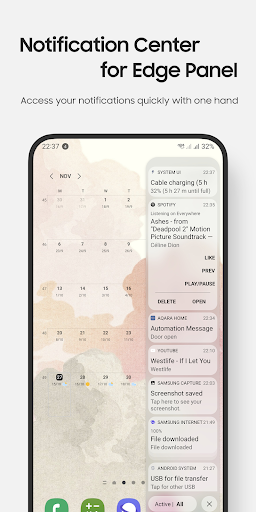
Experience the convenience of our app directly from the Edge Panel on Samsung devices. Quickly check your notifications without opening the app.
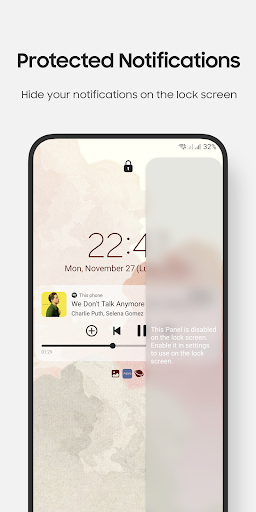
Review notifications from your lock screen, with an option in the settings to disable this feature for added security if desired.
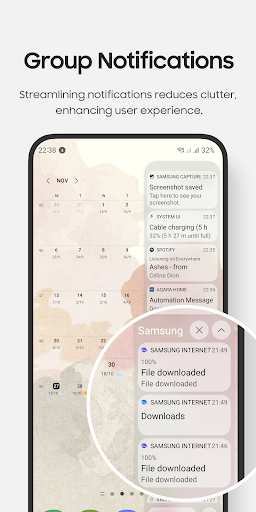
• Access your active/history notifications quickly with one hand:
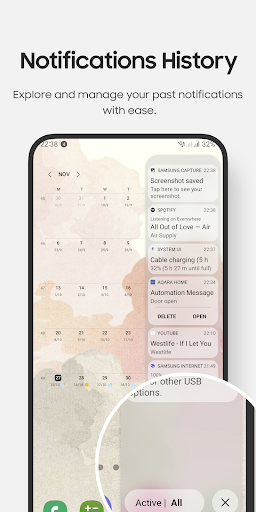
• Explore and manage your past notifications with ease
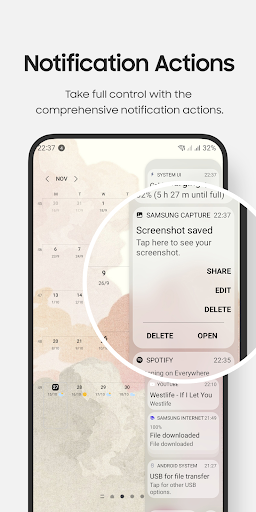
• Take full control with the comprehensive notification actions: open, delete, and interact with notifications just like in the system notification bar.
• Allow to show/hide your notifications on the lock screen
** Notes for Edge Panel features
• Only compatible with Samsung devices featuring Edge Panels, including the Galaxy Note, Galaxy S series, Galaxy A series, and Galaxy Z Flip series...
• Do not function on tablets and foldable devices (except for the Z Flip series) due to Samsung's policy, which prohibits third-party apps from running on these devices.
** How to use Edge Panel features:
• Setting app > Display > Edge panels > check Notification Center panel
• When update a new version: Setting app > Display > Edge panels > uncheck Notification Center panel, then check again.
• In case of any problems, please do 2nd step again (uncheck and check again).
** Permission
• Notification Access permission: to display your notifications within the app and the Edge Panel
** Contact us:
• Let us know your thoughts here: edge.pro.team@gmail.com
Version Information
- Version
- -
- Downloads
- 500+
- Updated on
- -
- Released
- Jan 1, 2024
- Requires
- Android Varies with device
Statistics
Google Play Rating History
Rating Distribution
Downloads Over Time
Notification Center has been downloaded times. Over the past 30 days, it averaged downloads per day.
Shaded area shows 30-day prediction based on historical trends
Historical data collection started recently. More data points will be available over time.
Notification Center - Google Play Rankings
Top Rankings
| Rank | Country | Category | List | Change |
|---|---|---|---|---|
| — |
Ranking History in
No ranking data available yet. Rankings are updated daily.
#31 in Top Paid Tools in South Korea
 Auto Clicker - Fast Pro Tap
Notification Center
Auto Clicker - Fast Pro Tap
Notification Center
Notification Center users say on Google Play
 Tom C
Tom C
works
 Aditya Mandal
It is nice, I'm using it in my galaxy phone, it is thumb friendly and I use it for quick view of Notifications and for Notification history, good work 👍🏻
 B. M. (Fynken)
Great that you added the option to hide duplicate messages, however this still doesnt work. Both my email client (Bluemail) and whatsapp duplicates messages. For Bluemail, all notifications are shown twice, in Whatsapp, group notifications are shown twice (once with the header of the individual user, once with the group header) . You may want to fix by removing all notifications where notification body matches.
ApkTrusted Ratings & Reviews
More from EdgePro
See more apps




Similar Apps


Scan this QR code to download

Forwarding you to the page at Google Play market in seconds...
Open Google Play market now