Flip Calendar Widget & Panel vVARY
EdgePro




About this app
Developer Description
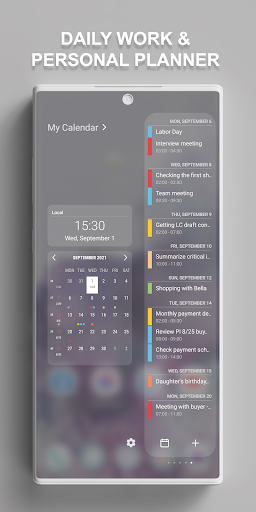
Manage your events anywhere — on the Cover Screen, Edge Panels and Home Screen.
Specially optimized for Samsung Galaxy Z Flip devices, this app brings your schedule right to the Cover Screen, so you can check and manage events without even unfolding your phone.
On Galaxy devices with Edge Panels, the app seamlessly integrates with the Calendar Panel, delivering unmatched convenience and accessibility for event management.
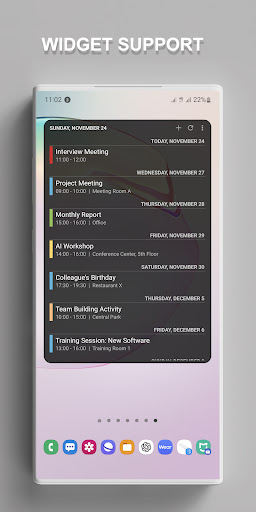
This versatile app also works across all Android devices, offering a powerful calendar widget that keeps your agenda at your fingertips.
** Features:
• Quickly manage events with a fully customizable widget on the Cover Screen, Edge Panels and Home Screen.
• Easily view and create new events on the Cover Screen without unfolding your phone.
• Synchronize all your calendar events effortlessly with the Edge Panel for quick access.
• Supports multiple languages.
• Lunar calendar and week number support for precise planning in the Edge Panels.
• Intuitive event management: add, edit, delete, and set reminders with ease.
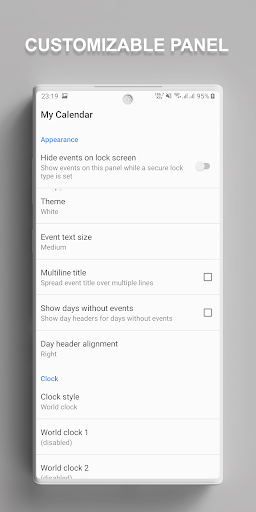
• Worldwide clock support to stay in sync with global time zones.
• Customize UI and features to match your preferences.
** Supported Devices:
• Widget feature works on all devices running Android 8.0 or later.
• Calendar widget in Cover Screen is available on Galaxy Z Flip devices.
• Calendar panel in Edge Panels is available on Galaxy devices equipped with Edge Panels (Note series, S series, A series, Z Flip series, etc.).
** How to use on Galaxy Z Flip:
• Go to Settings > Cover Screen > Widgets and enable Calendar Panel.
** How to use on Galaxy Devices with Edge Panels:
• Go to Settings > Display > Edge panels and enable Calendar Panel.
• After updates, toggle the Calendar panel off and back on if needed.
** Permissions:
• Calendar – Required to manage events in the Cover Screen, Edge Panels and Home Screen.
** Contact Us:
• Email: edge.pro.team@gmail.com
** App Originality:
• The features for Cover Screen and Edge Panels are independently developed for use on Galaxy devices and are not affiliated with or endorsed by other platforms or brands.
EdgePro Team.
Version Information
- Version
- -
- Downloads
- 500+
- Updated on
- -
- Released
- Jul 6, 2019
- Requires
- Android Varies with device
Statistics
Google Play Rating History
Rating Distribution
Downloads Over Time
Flip Calendar Widget & Panel has been downloaded times. Over the past 30 days, it averaged downloads per day.
Shaded area shows 30-day prediction based on historical trends
Historical data collection started recently. More data points will be available over time.
Flip Calendar Widget & Panel users say on Google Play
 M R
M R
keep updating and add floating calandee option :)
 Ram
Ram
Please support the Galaxy tab s7
 Maksym Marchenko
Doesn't work on galaxy s7
ApkTrusted Ratings & Reviews
More from EdgePro
See more apps





Similar Apps

Nothing Pomodoro Timer
Paid

Progressive Pomo: Focus Timer
Paid

Engross: ADHD Focus Timer
Free
Calendar Widget: Month/Agenda
Free
DigiCal Calendar Agenda
Free

PurpleLine Icon Pack : LineX
Paid

Setmore Appointment Scheduling
Free

Business Calendar 2 Planner
Free

Retro Mode - Icon Pack (Light)
Paid

MeisterTask - Task Management
Free
SupaTask - Daily Planner, Todo
Free

Vera Icon Pack: shapeless icon
Paid
Scan this QR code to download

Forwarding you to the page at Google Play market in seconds...
Open Google Play market now