
Map Marker v3.13.0-774
theandroidseb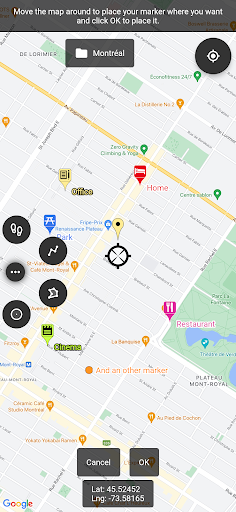







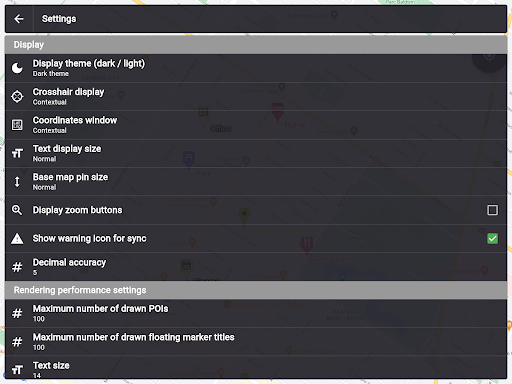
About this app
Developer Description
My maps, organized and practical everywhere
If you have any issues with the app, please contact me by email, I will most likely be able to help.
Features:
• Offline maps: acquire offline map files elsewhere and use them to see the map even when offline!
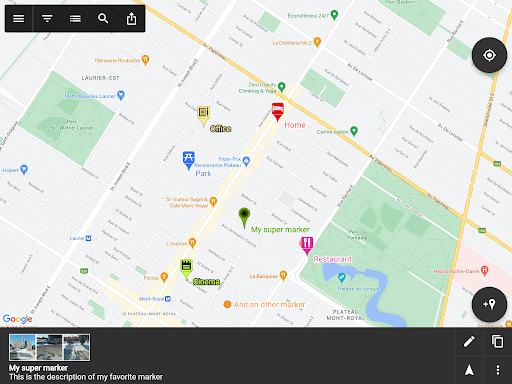
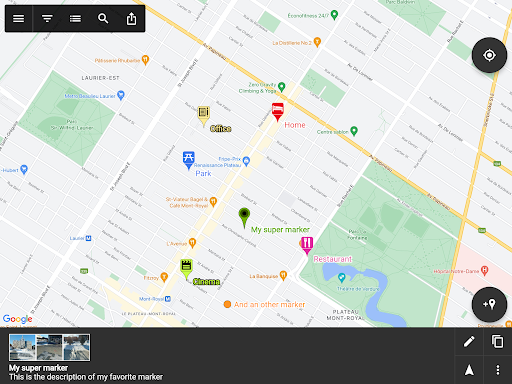
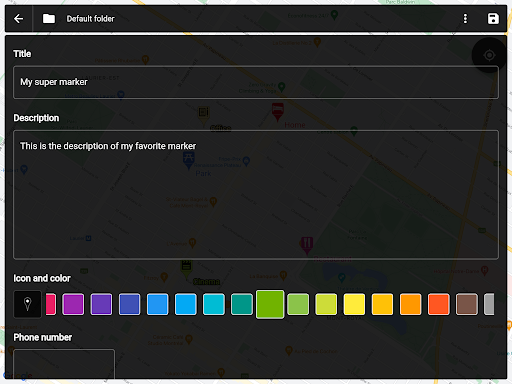
• Set a title, a description, a date, a color, an icon and pictures for each marker, and move them freely on the map
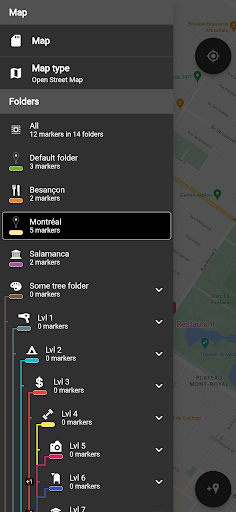
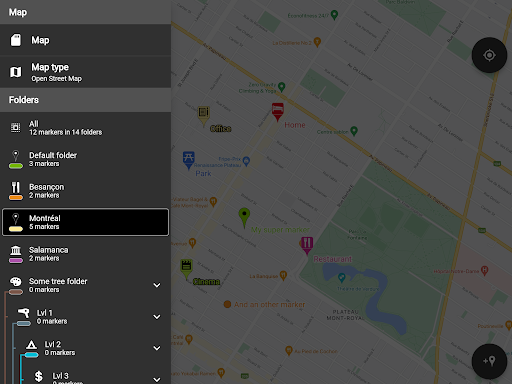
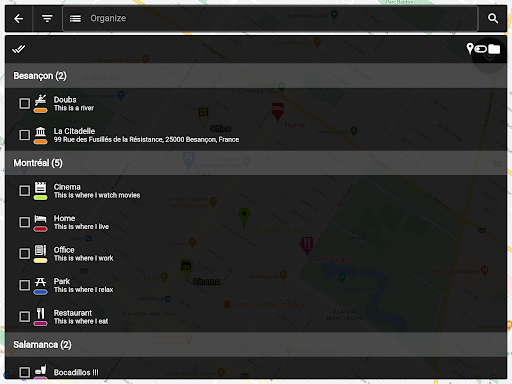
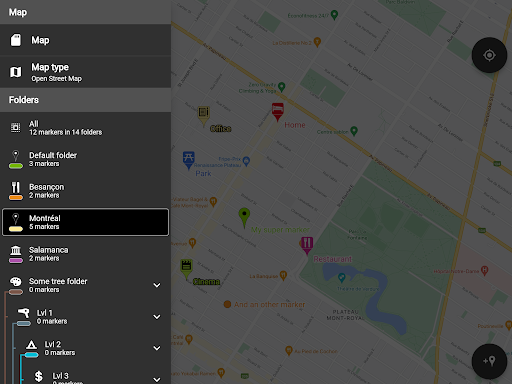
• Organise your markers into different folders
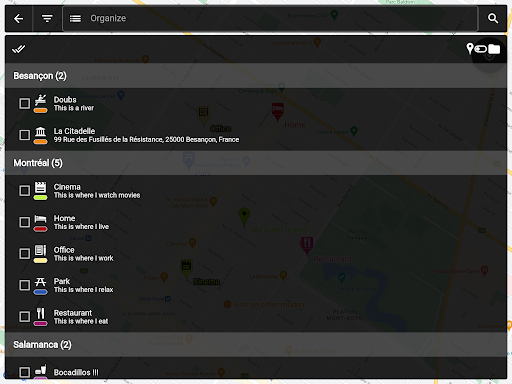
• Browse and organize your markers easily from the text-searchable markers list
• Search places from various sources and create a new marker from the result
• Open a marker's location in any other map application already installed
• Navigate to a marker's location with the integrated compass
• Display and copy marker GPS coordinates to clipboard with one click
• Display a marker's address if available
• Create path-markers and measure their distance easily
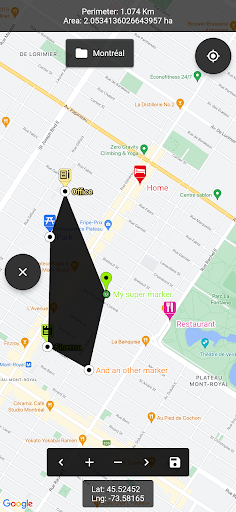
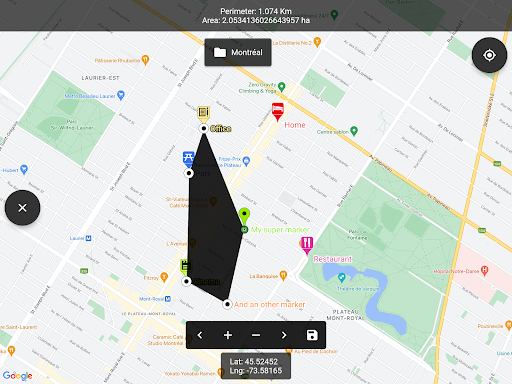
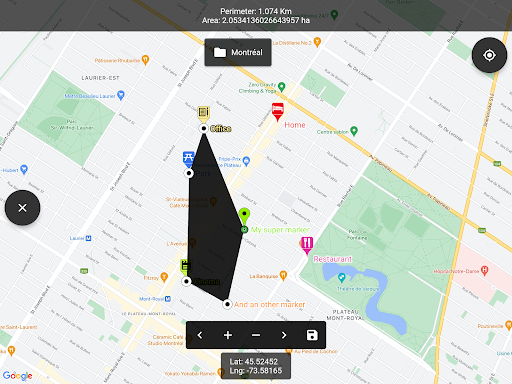
• Create polygon-surface-markers and measure their perimeter and area easily
• Create circle-surface-markers and measure perimeter and area easily
• Create GPS tracks recorded from your device location
• Share a captured image of the current map
• Share markers as KML files
• Import markers from a QR code
• Import/export markers from/to KML or KMZ files
• Import your Google Maps favorite locations (those marked with a star)
• Exported KML files are compatible with most other map softwares such as Google Earth
• Custom fields for markers: Checkbox, Date, Email, Text, Multi-choice, Phone, Web link
• Create templates for custom fields per folder: the child markers will inherit their parent folder's custom fields
Premium features:
• Save your markers on the cloud with WebDAV, Google Drive or Dropbox
• Collaborate with your friends by sharing your map cloud folder with them: anyone with access to the map folder can modify it and changes will be synced to everyone using the folder
• Restore previous versions of your cloud map folder
• One time purchase for a lifetime upgrade on your Google account with an unlimited number of Android devices
• No ads
Used permissions:
• Get your location ⇒ to locate you on the map
• Access to external storage ⇒ to export, save and import to/from files
• Read Google services configuration ⇒ to use Google Maps
• Call phone ⇒ for being able to one-click-call a phone number entered in a marker details
• Internet access ⇒ for Google Maps to display the map
• In-app purchase ⇒ for being able to purchase the premium upgrade
What's New
* Added support for Geoapify places search
* Upgraded flutter_map to 8.2.1 with performance improvements
* Fixed local markers being visible in search when switching from local markers
* Fixed cloud sync check happening excessively (e.g. screen rotation)
* Removed Bing places search (API service no longer supported by Microsoft)
In-app purchases
$8.49 - $9.99 per item
Version Information
- Version
- 3.13.0-774
- Downloads
- 1M+
- Updated on
- Dec 24, 2025
- Released
- Mar 3, 2014
- Requires
- Android 5.0
Statistics
Google Play Rating History
Rating Distribution
Downloads Over Time
Map Marker has been downloaded times. Over the past 30 days, it averaged downloads per day.
Shaded area shows 30-day prediction based on historical trends
Historical data collection started recently. More data points will be available over time.
Map Marker - Google Play Rankings
Top Rankings
| Rank | Country | Category | List | Change |
|---|---|---|---|---|
| — |
Ranking History in
No ranking data available yet. Rankings are updated daily.
#43 in Top Free Maps And Navigation in Indonesia

#44 in Top Grossing Maps And Navigation in Thailand


#50 in Top Free Maps And Navigation in Thailand


Map Marker users say on Google Play
 Kate Hoffman
Great app. However, please provide the option of leaving GPS coordinates, creation date & time blank (plus decimal accuracy to be zero). That info clutters up the POI list & is useless info for me. You're still getting 5-stars bc I love this app. As a tour guide, I use it whenever I create new tours as well as the POI list is great for my guests. Thank you!
 Joe Crawford
Excellent app! Just hoping they will add the ability to auto populate the title field with an address and disabling the prompt about changing colors, icons, etc when changing folders. With these 2 features added it would be 5 stars for me.
 Pushpendra Jangir
location accuracy is very poor
 Subhransu kumar Pati
very bad process bad
ApkTrusted Ratings & Reviews
More from theandroidseb
See more apps
Similar Apps

Avenza Maps: Offline Mapping
Free

Multi-Stop Route Planner
Free

GPS Navigation Route Planner
Paid

Magic Earth Navigation & Maps
Free

OsmAnd — Maps & GPS Offline
Free

Mapway: Maps & Transit Planner
Free

MAPS.ME: Offline maps GPS Nav
Free

Karta GPS Offline Maps Nav
Free

HERE WeGo: Maps & Navigation
Free

Guru Maps Pro & GPS Tracker
Paid
Save Location GPS
Free

Gaia GPS: Offline Trail Maps
Free

Pin Traveler: Travel Tracker
Free

Footpath Route Planner
Free

GPS Essentials
Free

Mergin Maps: QGIS in pocket
Free
Scan this QR code to download

Forwarding you to the page at Google Play market in seconds...
Open Google Play market now