Moon+ Reader Pro v10.3
Moon+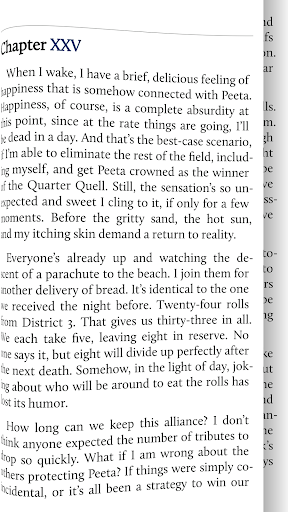

About this app
Developer Description
Your ultimate ebook reader and ebook documents management with rich features.
1,000,000+ downloads, The #1 Paid EBook Reader in Google Play, 30-Day Money Back Guarantee!
****************
All-in-one ebook documents management and better designed book reader with powerful controls & full functions, supports EPUB, PDF, DJVU, AZW3, MOBI, FB2, PRC, CHM, CBZ, CBR, UMD, DOCX, ODT, RTF, TXT, HTML, MHT/MHTML, MD(MarkDown), WEBP, RAR, ZIP or OPDS formats.
☀Unleash the Power of Pro:
✔ Ad-free, faster & smoother
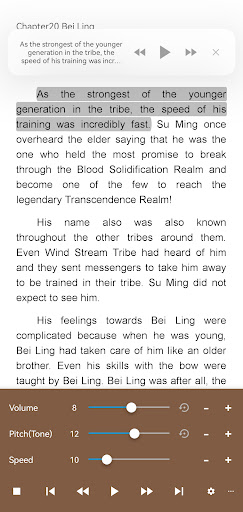
✔ Shake the phone to speak (Text-to-speech, TTS engine support)
✔ PDF multiple annotations support, fast & speech compatible
✔ More beautiful themes, background images and fonts
✔ Headset & Bluetooth keys control
✔ Name replacement | Role reversal
✔ Multi-point touch support
✔ Option for password protection at startup (support fingerprint recognition)
✔ Book to home screen shortcut
✔ Widget shelf support, group your favorite books, put them to desktop as widget
✔ Tilt to turn page with customized actions
✔ Customer email support
☀PDF features in Pro version:
✔ Fill out PDF Form
✔ Highlight, annotation, handwriting
✔ Smart scroll lock, smooth reading experience
✔ Night mode support, 6 additional pdf themes available
✔ Dual-page mode for landscape screen
✔ Speech, auto-scroll compatible
✔ Read statistics, sync, flip animation available
☆The key features:
• Support online ebook libraries and personal calibre ebook server.
• Read local books with smooth scroll and tons of innovation.
☆Standard functions:
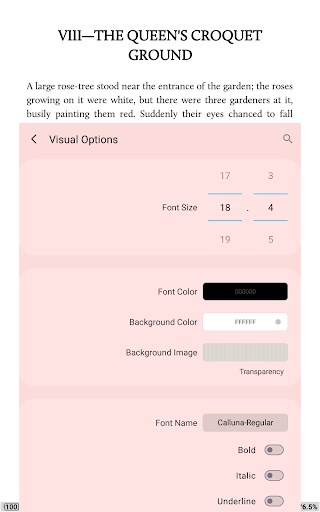
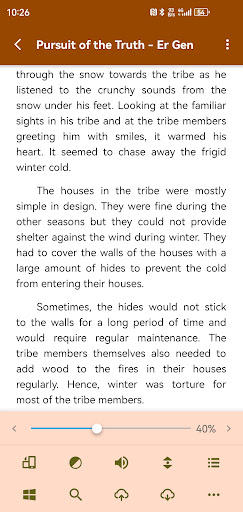
• Full visual options: line space, font scale, bold, italic, shadow, alpha colors, fading edge etc.
• 10+ themes embedded, includes Day & Night mode switcher.
• Various types of paging: touch screen, volume keys or even camera, search or back keys.
• 24 customized operations (screen click, swipe gesture, hardware keys), apply to 15 customized events: search, bookmark, themes, navigation, font size and more.
• 5 auto-scroll modes: rolling blind mode; by pixel, by line or by page. Real-time speed control.
• Adjust the brightness by sliding your finger along the left edge of the screen, gesture commands supported.
• Intelligent paragraph; indent paragraph; trim unwanted blank spaces and lines options.
• Keep your eyes health options for long-time reading.
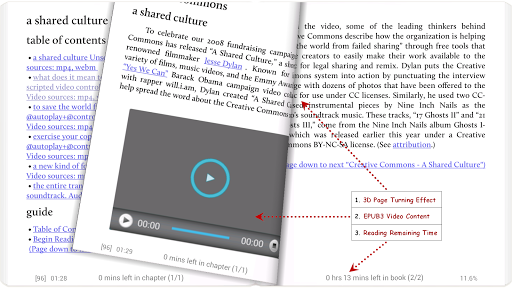
• Real page turning effect with customized speed/color/transparent; 5 page flip animations.
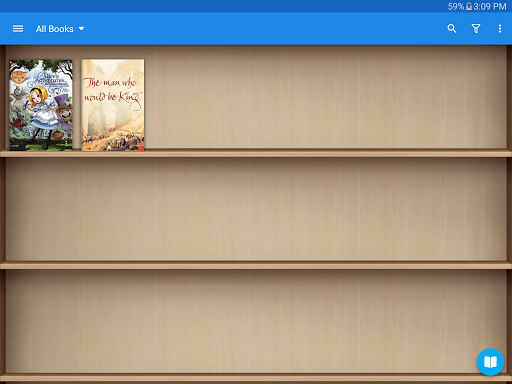
• My Bookshelf design: Favorites, Downloads, Authors, Tags; self bookcover, search, import supported.
• Justified text alignment, hyphenation mode supported.
• Dual page mode for landscape screen.
• Support all four screen orientations.
• EPUB3 multimedia content support (video and audio), popup footnote support
• Backup/Restore options to cloud via DropBox/WebDav, sync reading positions between phones and tablets.
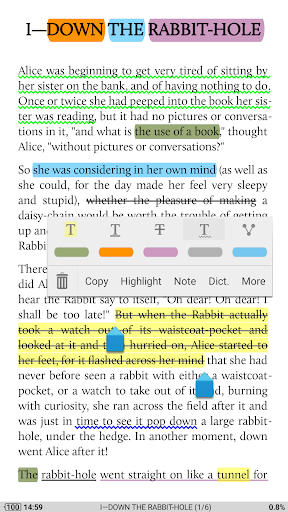
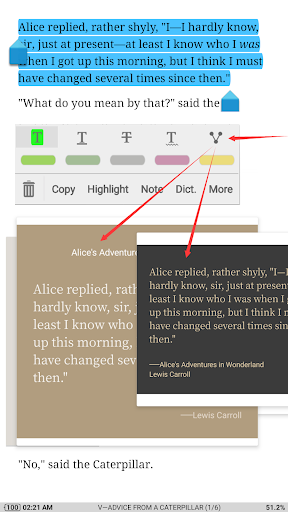
• Highlight, Annotation, Dictionary (Offline or Online, support ColorDict, GoldenDict, ABBYY Lingvo, etc.), Translation, Share functions all in moon+ ebook reader.
• Bluelight Filter up to 95% for eye care.
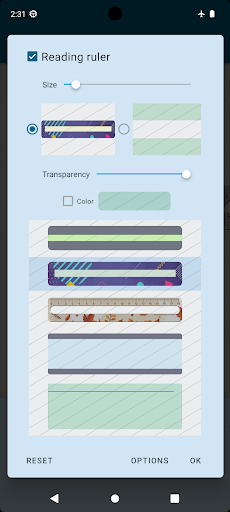
• Reading Ruler for focus reading (6 styles)
-FAQ: http://www.moondownload.com/faq.html
-About "All Files Access" permission: This permission allows the app to read and manage all ebook documents saved in any folder on your device, save PDF annotations back to PDF files, save book files from multiple network libraries, cloud services and websites to your local storage. The app also includes a powerful "My Files" tool to easily manage book files and all other files in a full-featured file management way, many users like to use this way to manage their book files, this feature also requires "All Files Access" permission.
Whether you're searching for a powerful EPUB reader, a versatile PDF annotator, or a comprehensive digital library manager, Moon+ Reader Pro has you covered. Download today and experience the difference!
What's New
● 3 New focused style reading tools:
① Highlight first word of sentence
② Highlight first char of word
③ Highlight initial part of word
● Allow auto-pause instead of auto-stop for TTS
● Support PDF move up/down quick events
● Ignore dual page mode on flip phone
● Fix PDF scroll lock button invisible bug
Version Information
- Version
- 10.3
- Downloads
- 1M+
- Updated on
- Dec 18, 2025
- Released
- Dec 31, 2010
- Requires
- Android 5.0
Statistics
Google Play Rating History
Rating Distribution
Downloads Over Time
Moon+ Reader Pro has been downloaded times. Over the past 30 days, it averaged downloads per day.
Shaded area shows 30-day prediction based on historical trends
Historical data collection started recently. More data points will be available over time.
Moon+ Reader Pro - Google Play Rankings
Top Rankings
| Rank | Country | Category | List | Change |
|---|---|---|---|---|
| — |
Ranking History in
No ranking data available yet. Rankings are updated daily.
#3 in Top Paid Books And Reference in United States

#144 in Top Grossing Books And Reference in United States

#1 in Top Paid Books And Reference in South Korea


#1 in Top Paid Books And Reference in Italy

Moon+ Reader Pro users say on Google Play
 Deepshikha Chatterjee
Love the app. Please add functionality to sync bookmarks and adding individual books to home screen. Thanks for the tips. I can now add books to home screen. I already sync reading position via g drive. I didn't find any option for syncing bookmarks under miscellaneous. Thank you so much for your reply. Edit: for quite a while now, whenever I try to read a pdf, the app keeps crashing. On two different phones of different brands and android versions. Please do something
 Olga Simpson
I'm experiencing an issue with using Moon reader pro while on zoom. It will not open my book at all!
 Joel Duncan
This is an amazing app that I've been using for years. It has most of what you could ever ask for. Three things could take it from very good to perfect though - the ability to easily copy and paste a whole chapter (or as much as possible in a chapter). The ability to add or AI generate pictures/descriptions about the characters. EDIT: there's a glitch with the widget where it mixes the book covers up, when you read them it doesn't change the title order with the book covers.
 Enreco
After the latest update, there's often times a long pause before the Text to speech continues reading.
 Jacqueline Goguen (Jacqui)
I so wanted to use this app because I could choose where my books are stored on my devices and I could sync across all of my devices using Google Drive. I bought Pro and the very first thing I wanted to setup was connecting Google Drive and promptly got a popup stating 'This app is blocked'. Will this be resolved or is there a work around to use my Google Drive? I am not interested in FTP or Webdev, and do not use Dropbox. I dont feel I can, or will, use Moon+ otherwise. I am so disappointed.
ApkTrusted Ratings & Reviews
More from Moon+
See more apps
Similar Apps

ReadEra Premium – ebook reader
Paid

FBReader: Favorite Book Reader
Free

eReader Prestigio: Book Reader
Free

YesWriter - Writing, Notes
Free

eBoox: ePub PDF e-book Reader
Free

Podcast Republic - Podcast app
Free

Flexcil Notes & PDF Reader
Free

touchnotes
Free

ReadEra – book reader pdf epub
Free
Readwise Reader
Free
Bookmory - reading tracker
Free
PocketBook reader - any books
Free

Bookshelf
Free

JotterPad - Writer, Screenplay
Free

Squid: Take Notes, Markup PDFs
Free

Bookshelf-Your virtual library
Free
Scan this QR code to download

Forwarding you to the page at Google Play market in seconds...
Open Google Play market now