ReadEra Premium – ebook reader v25.12.16+2240
READERA LLC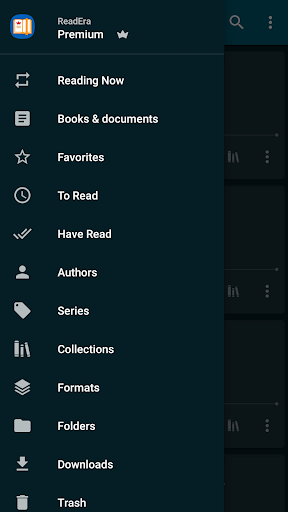




About this app
ReadEra Premium – ebook reader solves the problem of managing and reading various ebook formats in one place, benefiting book enthusiasts and students who need to access multiple files for research or leisure. It stands out in the Books And Reference category with its excellent user rating and moderate download numbers, indicating a loyal user base. Compared to alternatives, ReadEra Premium's lack of permissions and absence of ads or in-app purchases make it a compelling choice for those valuing privacy and an uninterrupted reading experience. However, its premium price may deter some potential users who are accustomed to free or lower-cost ebook readers.
Pros
- With over 100,000 downloads and an excellent user rating of 4.8/5, ReadEra Premium has established a reputation for reliability and user satisfaction, making it a trustworthy choice for ebook enthusiasts.
- The app's ability to manage and read multiple ebook formats, including PDF, EPUB, and MOBI, without requiring any permissions, demonstrates its commitment to user privacy and security.
- The absence of ads and in-app purchases ensures an uninterrupted reading experience, allowing users to focus on their content without distractions.
- The developer's transparent communication channels, including a dedicated website and email support, suggest a commitment to user feedback and continuous improvement.
- ReadEra Premium's offline capability and performance optimization make it suitable for users who need to access their ebooks in areas with limited internet connectivity.
Cons
- The premium price of $14.99 may be a deterrent for some users, especially those who are accustomed to free or lower-cost ebook readers, potentially limiting the app's adoption rate.
- The lack of free features or a trial version may make it difficult for potential users to assess the app's value before committing to a purchase, which could impact user acquisition.
- Some users may find the app's feature set to be limited compared to more comprehensive ebook management solutions, potentially making it less appealing to power users.
- The app's compatibility with older Android versions (starting from 4.1) may not be sufficient for users with very outdated devices, potentially excluding a small segment of the market.
Best for: The ideal user for ReadEra Premium is a book enthusiast or student who values privacy, security, and an uninterrupted reading experience, and is willing to invest in a premium ebook reader that can manage multiple formats and provide a seamless reading experience across various devices and situations.
Developer Description
Read books PDF, EPUB, MOBI, manage book files in the reading app in your library
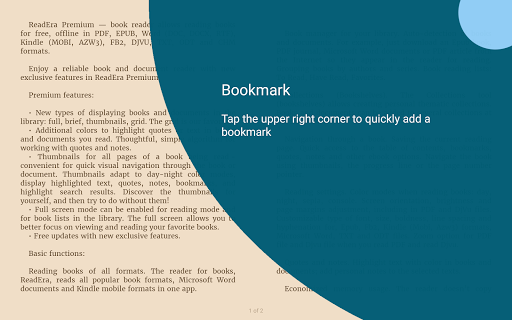
The app allows you to automatically locate all supported books and documents on your device, search for books by title and author, read and listen to books, make bookmarks, notes and quotes, manage book and document files, sort and group books and documents by authors, series, and formats, add them to collections, find duplicate book files, view, rename, and move files across external folders, manage folders — create your own unique library of books and documents.
*************
30-day money-back guarantee!
*************
You can search for books across your device, read books for free and manage files in PDF, EPUB, Microsoft Word (DOC, DOCX, RTF), Kindle (MOBI, AZW3), Comic (CBZ, CBR), DJVU, FB2, TXT, ODT, and CHM formats.
Premium features:
Synchronization. Synchronize books, documents, reading progress, bookmarks, and quotes with Google Drive on all your devices.
Read aloud in the background TTS. You can listen to books and documents in the background and even with the screen locked.
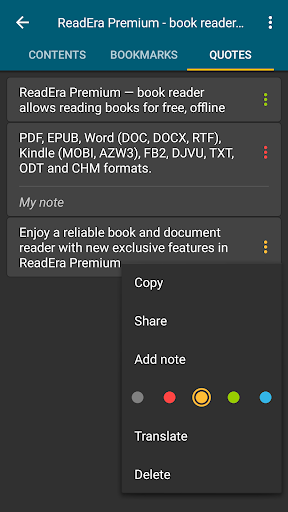
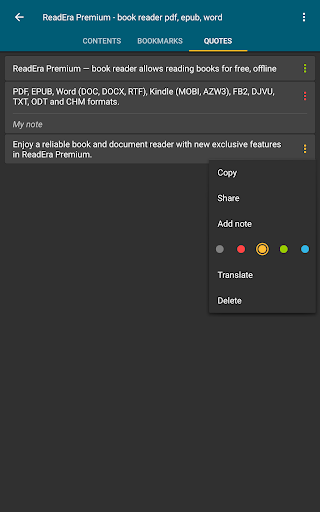
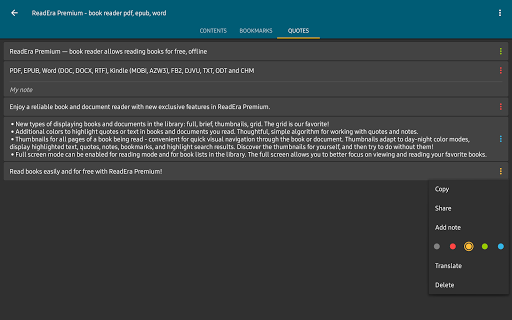
Section: Quotes, Notes ... All quotes, notes, bookmarks and reviews from all books and documents are collected in one place.
Section: Dictionary. One section for all your words from all books and documents.
My fonts. You can upload your fonts and use them for reading books and documents.
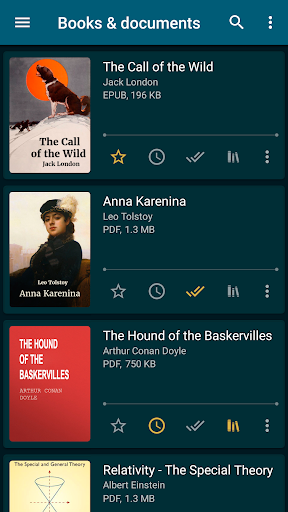
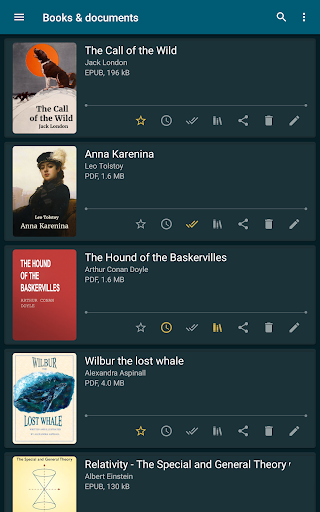
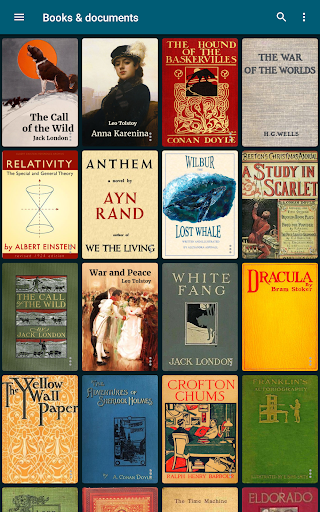
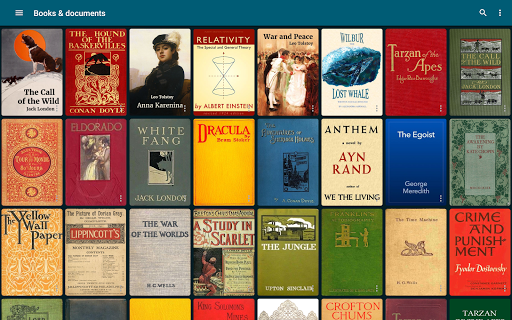
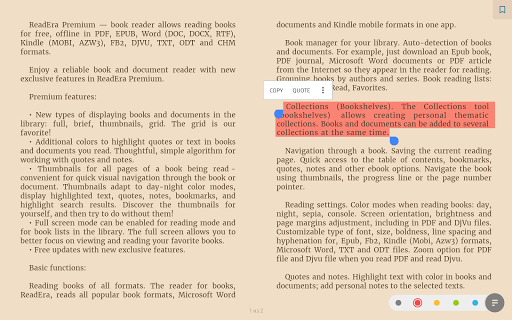
Library view. Customize the view of displaying books and documents in the library: full, brief, thumbnails, grid.
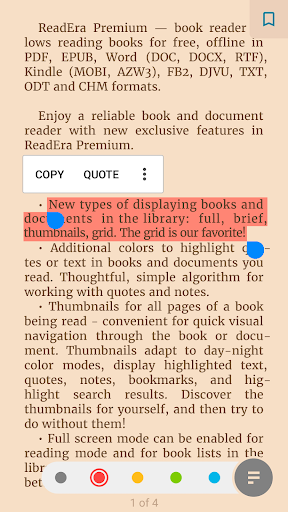
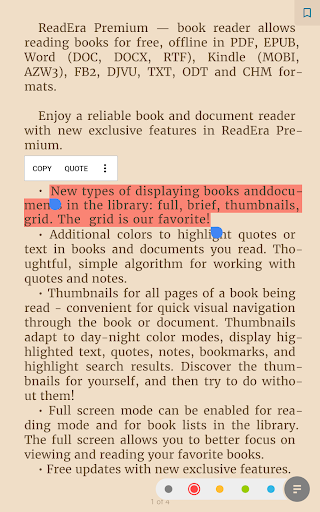
Colors for quotes. Additional colors to highlight quotes or text in books and documents you read.
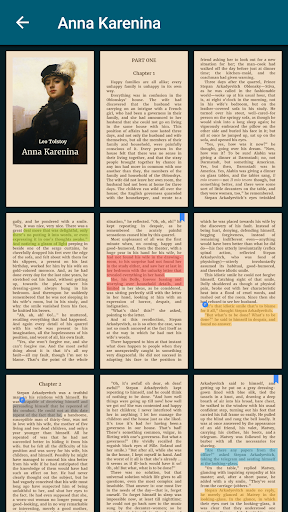
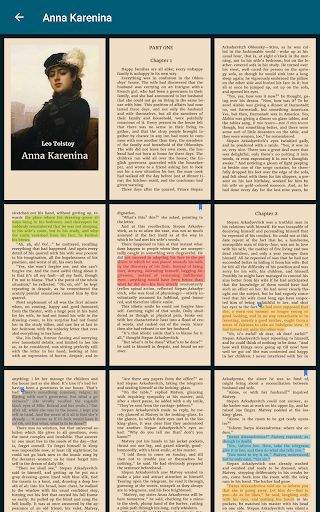
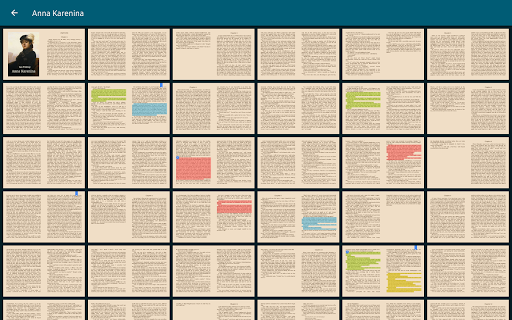
Page thumbnails. Thumbnails for all pages of a book being read - quick visual navigation through the book or document.
Basic, core features:
Search for books and documents
Automatic detection of all books and documents on your device. The search function allows you to quickly find the desired book or document by title, author, series, format, or language.
Quick navigation through book files found on the device
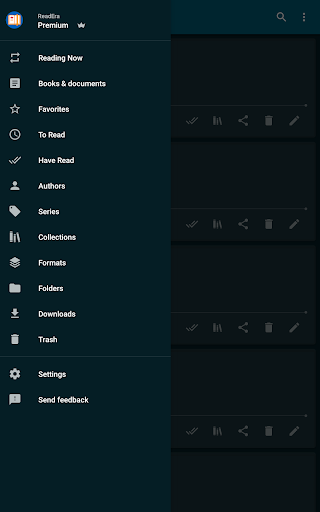
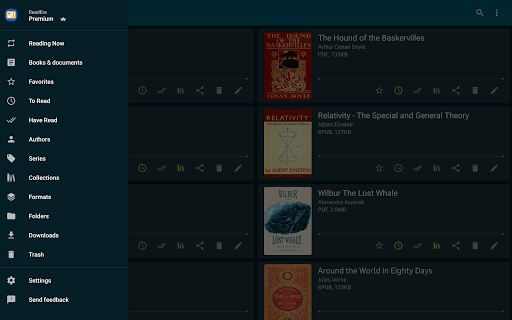
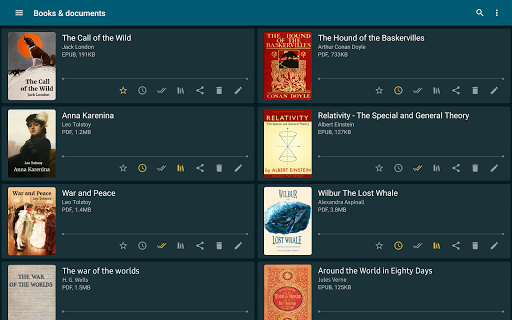
The Books & Documents section displays all supported books and documents found on the device, with options to sort them by title, filename, file format, file size, modification date, and reading date. The Authors section displays all authors of books found on the device. The Series section lists all book series detected on the device. The Collections section allows you to create your own personal collections and add bookmarks to the files of found books and documents. The Downloads section displays all books found in the downloads folder on the device.
Managing folders on the device
The "Folders" section allows you to navigate through external folders, displaying the number of supported books and documents in each folder. This section provides tools for managing folders on the device, including viewing, creating, copying, deleting, and moving folders.
Managing book and document files on the device
The "About Document" section provides tools for managing compatible books and documents. The section contains detailed information about the exact file location, enables quick access to the folder where the file is stored, helps identify duplicate files for a book or document. You can copy, rename, delete, move, and share the document file. Also, you can edit the title, author, and series of a document, view and edit the annotation of a book, open a document for reading, enable text-to-speech, create and edit bookmarks, quotes, and notes in a book or document.
Reading Settings
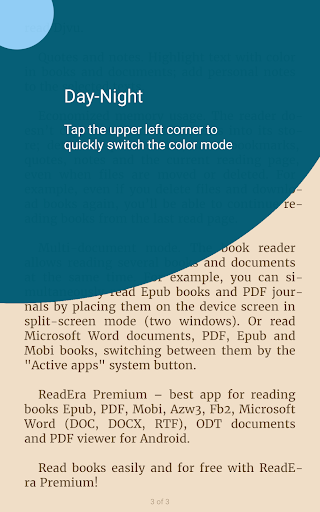
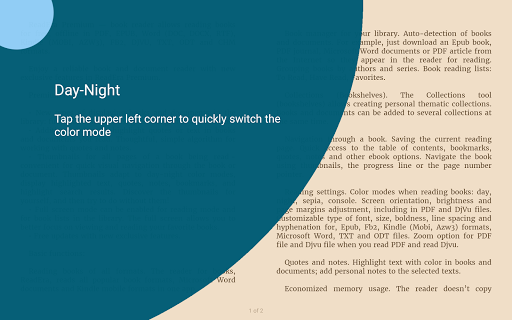
Color themes when reading books: day, night, sepia, console. Setting the orientation, screen brightness and page margins, adjusting the font size, type, boldness, line spacing and hyphenation. When reading PDF and Djvu files, zooming is supported.
Read and manage books easily and for free with ReadEra Premium!
Privacy
Given that ReadEra Premium requires no permissions, users can be confident that their data and device are not being accessed unnecessarily. However, users should still be cautious when downloading ebooks from unknown sources, as these files may contain malicious content. To ensure safety, users should only download ebooks from trusted sources and keep their device's operating system and security software up to date.
Tips
To get the most out of ReadEra Premium, users should first organize their ebook library by creating folders and tagging their books for easy access. Additionally, users can optimize the app's performance by regularly cleaning up unused ebooks and adjusting the app's settings to minimize battery consumption. For a more personalized reading experience, users can also explore the app's customization options, such as font sizes and night mode.
What's New
• Optimized cover extraction, display of quotes, footnotes, and table of contents in some rare books for an even more comfortable reading experience.
• Enhanced Japanese text support: line breaks when displaying ruby (furigana), alignment of inline images; display of enlarged characters and some dialogues.
• Improved display of Chinese text in TXT files.
• Improved TTS (text-to-speech) performance.
Version Information
- Version
- 25.12.16+2240
- Downloads
- 100K+
- Updated on
- Dec 16, 2025
- Released
- Dec 21, 2019
- Requires
- Android 4.1
Statistics
Google Play Rating History
Rating Distribution
Downloads Over Time
ReadEra Premium – ebook reader has been downloaded times. Over the past 30 days, it averaged downloads per day.
Shaded area shows 30-day prediction based on historical trends
Historical data collection started recently. More data points will be available over time.
ReadEra Premium – ebook reader - Google Play Rankings
Top Rankings
| Rank | Country | Category | List | Change |
|---|---|---|---|---|
| — |
Ranking History in
No ranking data available yet. Rankings are updated daily.
#2 in Top Paid Books And Reference in United States


#1 in Top Paid Books And Reference in Spain

#1 in Top Paid Books And Reference in India
#1 in Top Paid Books And Reference in Philippines
ReadEra Premium – ebook reader users say on Google Play
 Dixie sweet
been using this for seven years now (5 in premium). best investment hands down. the available of different voices, speed control and bookmark options are highly remarkable and noteworthy. however as a reader who uses this app every night to fall asleep, I would appreciate a timer option for automatic turn off. you guys could also consider a speed reader giant word thing swiftreader has going on. just some marketable ideas for the future.
 michelle
Small things that would improve it: Filter for read/opened titles (it'd be nice to easily find stuff I've never opened), sort titles by percentage read (ascending and descending), reset reading progress (mark books as unread/never opened)
 one Autumn Leaf
it's great when WiFi is off or when WiFi is strong but when it isn't it takes long for it to load by the time it does I forgot what I wanted to read already Nd started doing somthing elso
 Rafael
recently its getting forced to close while I'm listening text to speech
 jyoti khattar
I purchased it yesterday and saw there is no extra features that are not already offered in the free version. I want a refund.
ApkTrusted Ratings & Reviews
More from READERA LLC
See more apps
Similar Apps
eReader Prestigio: Book Reader
Free

FBReader: Favorite Book Reader
Free

eBoox: ePub PDF e-book Reader
Free

Kobo | eBooks & Audiobooks
Free
PocketBook reader - any books
Free
Cantook by Aldiko
Free
Bookshelf
Free
Moon+ Reader Pro
Paid
Goodreads: Book Reviews
Free

YesWriter - Writing, Notes
Free
Bookmory - reading tracker
Free
PDF Editor & Reader | Xodo
Free
Bookshelf-Your virtual library
Free
PDF viewer lite
Free

Scribd: 300M+ documents
Free

Libby, the Library App
Free
Scan this QR code to download

Forwarding you to the page at Google Play market in seconds...
Open Google Play market now