
FP sDraw Pro (Drawing App) v8.8
Fsoft Production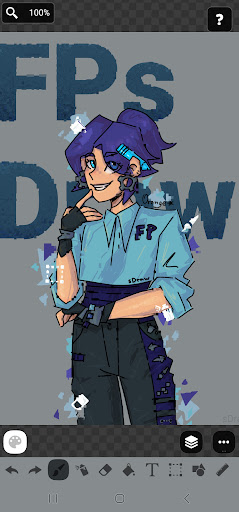







About this app
Developer Description
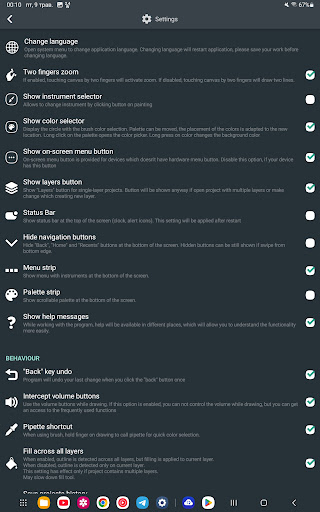
Draw on screen: FP sDraw is a simple and lightweight drawing app
✅ Designed for those who need a simple tool for simple tasks.
Perfect for quick moments when you need to:
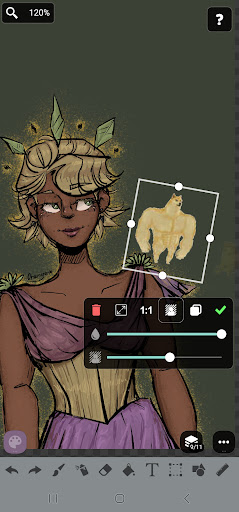
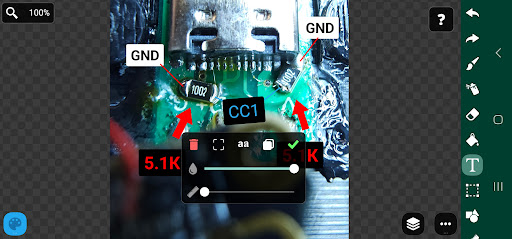
🎭 Create a meme or add text to a photo.
🧠 Sketch a diagram, note, or quick idea.
🖼️ Highlight or mark something directly on an image.
🎨 Experiment with different styles - lines, shapes, airbrush, text, and more.
Why FP sDraw is worth having:
📦 Doesn’t take up space or run in the background.
🛑 No ads - nothing distracts you from drawing.
📉 Less than 1 MB - installs in seconds.
⚙️ No setup needed - starts instantly.
📱 Works even on very old phones.
🧩 Flexible UI - even the button shapes can be customized.
✍️ Stylus support: sPen, Active Pen, etc.
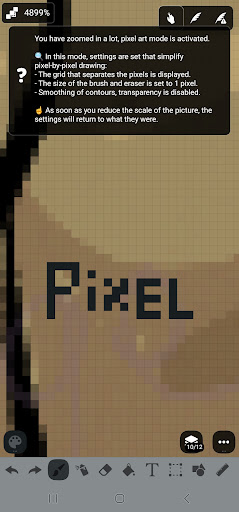
💡 Helpful tips appear only when needed.
🛟 Automatic backup keeps your sketches safe.
🔊 Volume buttons can trigger quick actions.
Drawing tools:
🪄 Layers - organize complex sketches.
🖼️ Insert from gallery.
🖍 Brush and eraser.
🌬 Airbrush.
🏺 Fill.
🅰️ Text.
✂️ Selection.
🔳 Shapes.
📏 Ruler.
🎨 Eyedropper.
🧩 Mosaic.
🖱 Precision brush.
The free version is fully functional - no essential features locked.
Pro version adds a few nice extras:
💛 Support the developer.
🖼️ Option to remove “sDraw” label from saved images.
🚫 Removes the message in the main menu.
🙅♂ No more “Buy Pro” reminders when saving.
⚡️ Projects from the free version are fully compatible with Pro.
🍞 Doesn’t eat resources or space - but always ready when needed 😊
What's New
Rounded rectangle
Save as copy
Fit to screen
Checkerboard brightness slider
Eyedropper delay slider
Export layer to gallery
"Paste from gallery" added to quick access menu
Improved design
Bug fixes
Version Information
- Version
- 8.8
- Downloads
- 1K+
- Updated on
- Nov 26, 2025
- Released
- Aug 19, 2014
- Requires
- Android 2.2
Statistics
Google Play Rating History
Rating Distribution
Downloads Over Time
FP sDraw Pro (Drawing App) has been downloaded times. Over the past 30 days, it averaged downloads per day.
Shaded area shows 30-day prediction based on historical trends
Historical data collection started recently. More data points will be available over time.
FP sDraw Pro (Drawing App) - Google Play Rankings
Top Rankings
| Rank | Country | Category | List | Change |
|---|---|---|---|---|
| — |
Ranking History in
No ranking data available yet. Rankings are updated daily.
#19 in Top Paid Art And Design in United States

#29 in Top Paid Art And Design in Pakistan


#30 in Top Paid Art And Design in Netherlands
#30 in Top Paid Art And Design in Egypt
FP sDraw Pro (Drawing App) users say on Google Play
 A Google user
Kudos to the developer. He is extremely intelligent and pragmatic. Mightily impressed. The app size is smaller than a photograph on mobile and there is marvellous functionality. Please provide zoom locking and then two finger navigation of zoom locked page. This will help in writing well. Maybe in next versions, a picture in picture view showing zoomed area to have a better idea where exactly we are when zoomed. Otherwise , fine job. Purchased the app straight away. Thanks.
 Rod Pugh
I like the app but had to uninstall because I need to be able to choose how dark (bold) the lines are of the background grid and when you zoom in the grid I need the zoom to keep same ratio with whats in the drawing. Add this and ill repurchase it. Thanx.
 Ldho K Shaji
Kindly please include " export to pdf " option
 Goodwill Learning Center
Picture are randomly erased when i change to other application, its sucks please fix it!!!
ApkTrusted Ratings & Reviews
More from Fsoft Production
See more apps


Similar Apps

ArtFlow: Paint Draw Sketchbook
Free
ibis Paint
Paid

Sketchar AR Drawing Sketchpad
Free

MediBang Paint:Draw Art, Comic
Free

AR Drawing – Trace & Sketch
Paid

HiPaint: Sketch & Draw art
Free

Artlette
Free

Sketch Pro: Draw & Create Art
Free

Bamboo Paper
Free

Fonty - Draw and Make Fonts
Free

Easy Draw Animals
Free

PaperColor
Free

Picsart Animator: GIF & Video
Free

AR Drawing - Paint and Sketch
Free
Handy Art Reference Tool
Paid
Photo Editor by BeFunky
Free
Scan this QR code to download

Forwarding you to the page at Google Play market in seconds...
Open Google Play market now