
FP sDraw (Drawing app) v8.8
Fsoft Production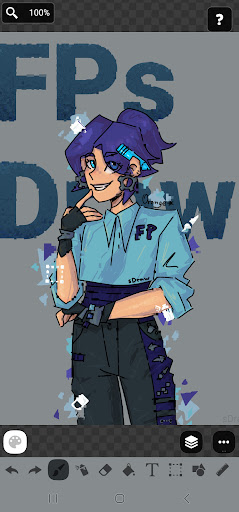









About this app
Developer Description
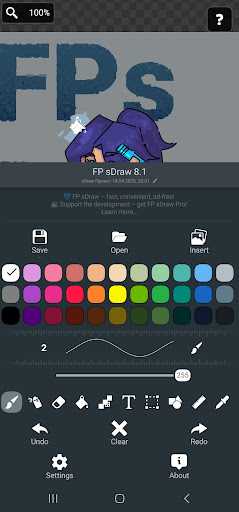
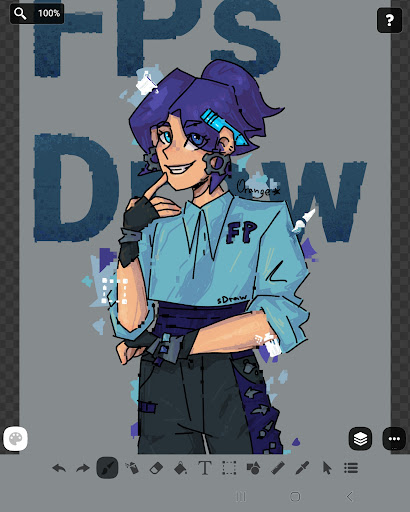
Draw on screen: FP sDraw - simple and lightweight drawing app.
✅ Designed for those who need a simple tool for simple tasks.
Perfect for quick moments when you need to:
🎭 Create a meme or add text to a photo.
🧠 Sketch a diagram, note, or quick idea.
🖼️ Highlight or mark something directly on an image.
🎨 Experiment with different styles - lines, shapes, airbrush, text, and more.
Why FP sDraw is worth having:
📦 Doesn’t take up space or run in the background.
🛑 No ads - nothing distracts you from drawing.
📉 Less than 1 MB - installs in seconds.
⚙️ No setup needed - starts instantly.
📱 Works even on very old phones.
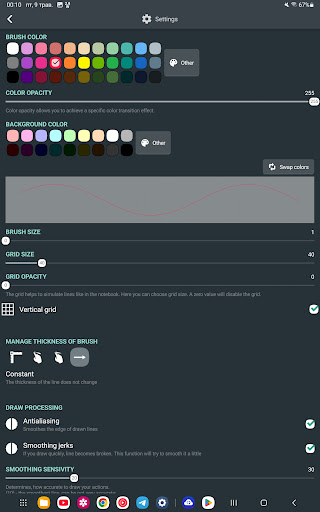
🧩 Flexible UI - even the button shapes can be customized.
✍️ Stylus support: sPen, Active Pen, etc.
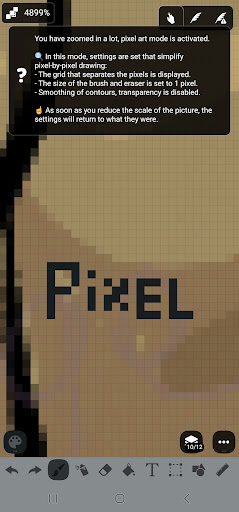
💡 Helpful tips appear only when needed.
🛟 Automatic backup keeps your sketches safe.
🔊 Volume buttons can trigger quick actions.
Drawing tools:
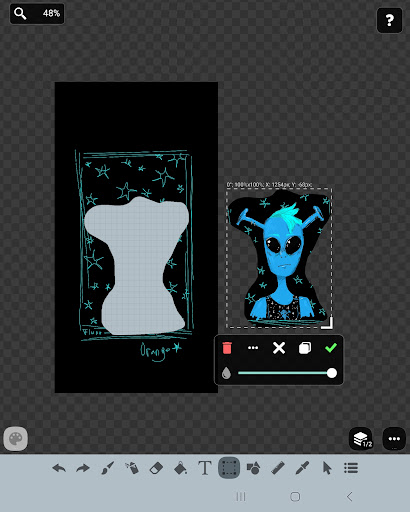
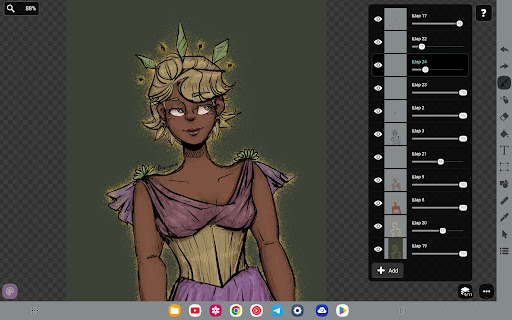
🪄 Layers - organize complex sketches.
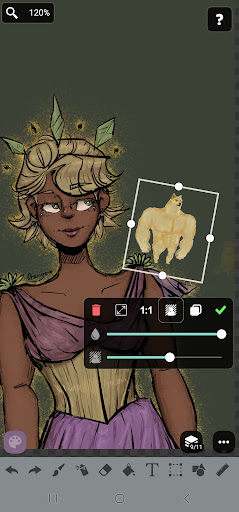
🖼️ Insert from gallery.
🖍 Brush and eraser.
🌬 Airbrush.
🏺 Fill.
🅰️ Text.
✂️ Selection.
🔳 Shapes.
📏 Ruler.
🎨 Eyedropper.
🧩 Mosaic.
🖱 Precision brush.
The free version is fully functional - no essential features locked.
Pro version adds a few nice extras:
💛 Support the developer.
🖼️ Option to remove “sDraw” label from saved images.
🚫 Removes the message in the main menu.
🙅♂ No more “Buy Pro” reminders when saving.
⚡️ Projects from the free version are fully compatible with Pro.
🍞 Doesn’t eat resources or space - but always ready when needed 😊
What's New
Rounded rectangle
Save as copy
Fit to screen
Checkerboard brightness slider
Eyedropper delay slider
Export layer to gallery
"Paste from gallery" added to quick access menu
Improved design
Bug fixes
Version Information
- Version
- 8.8
- Downloads
- 1M+
- Updated on
- Nov 26, 2025
- Released
- Aug 31, 2013
- Requires
- Android 2.2
Statistics
Google Play Rating History
Rating Distribution
Downloads Over Time
FP sDraw (Drawing app) has been downloaded times. Over the past 30 days, it averaged downloads per day.
Shaded area shows 30-day prediction based on historical trends
Historical data collection started recently. More data points will be available over time.
FP sDraw (Drawing app) users say on Google Play
 Dae
Dae
I dusted off my old tablet and installed this app for fun. Pleasantly surprised by how much it can actually do! The developer strikes me aaps someone who genuinely loves art and artists. I wish it had layers, but I'd probably eat up my memory that way. Will definitely purchase the pro version soon and rec this to others.
 S ?
S ?
Nice and simple but, unless I've missed these features, the app needs a few QOL improvements. Setting the canvas size by text input would be good. When inserting an image to work on, it would be nice if the app gave the option to automatically resize the canvas to focus on the image. Really nice to use though. Long overdue for an app like this to exist.
 Frank Chr.
1. It's either with pen or just fingers, no combination. E.g. You need to activate zoom instead of two fingers, when you have a pen. Before you can continue drawing, you have to deactivate zoom before. Unnecessary steps. 2. You can deactivate vertical grid lines, but not horizontal? At least in the menu, I only found "vertical". 3. Shapes, how to change them? Pointing to a missing tutorial.
 Jorge Melo
the app was good before your upgrade. i don't like it anymore. Is really complicated with the background moving to much and noise the razer is bad to other than that. i love it. i also wish you can draw lines with a ruler
 galaxy88 Ff
Wouldnt reccomend to my worst enemy
ApkTrusted Ratings & Reviews
More from Fsoft Production
See more apps


Similar Apps

ArtFlow: Paint Draw Sketchbook
Free

Sketch Pro: Draw & Create Art
Free

MediBang Paint:Draw Art, Comic
Free

HiPaint: Sketch & Draw art
Free

Sketchar AR Drawing Sketchpad
Free

Bamboo Paper
Free

PaperColor
Free

Picsart Color - Painting, Draw
Free

Tayasui Sketches
Free

PENUP – Drawing-sharing SNS
Free
ibis Paint
Paid

Squid: Take Notes, Markup PDFs
Free

AR Drawing – Trace & Sketch
Paid

Picsart Animator: GIF & Video
Free
Learn Drawing
Free
DrawNote: Drawing Notepad Memo
Free
Scan this QR code to download

Forwarding you to the page at Google Play market in seconds...
Open Google Play market now