
SoundWire - Audio Streaming vVARY
GeorgieLabs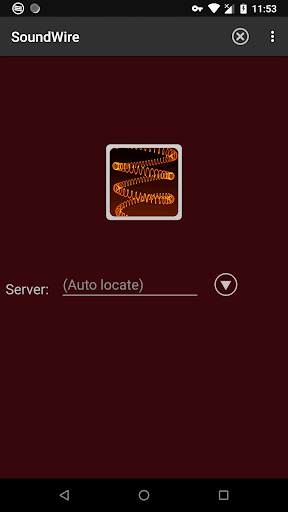

About this app
Developer Description
Turn your Android device into wireless headphones / wireless speaker
- A remote speaker or wireless headphones
- A way to listen to music and movies from your computer anywhere around your house, or further over cell networks
- A wireless extension of live audio from your PC-based music system
SoundWire does audio mirroring (audio cast). You can use any music player on your PC or laptop like Spotify, YouTube, or iTunes and stream the live sound over WiFi directly to your Android device.
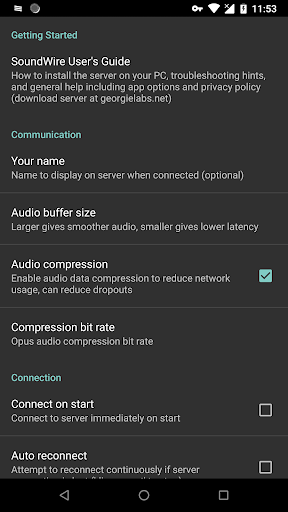
SoundWire has low latency (audio delay), which means it can even be used to listen to the soundtrack of a movie or YouTube video while you watch (**Note you must adjust the buffer size in app settings for low latency). There are other uses too... SoundWire can work as a baby monitor or listening device with a computer such as a netbook that has a built-in microphone. Hook up turntables to your computer's line input and stream a live DJ set to another part of the house over WiFi, or anywhere else over 3G/4G (additional network setup may be needed for 3G/4G).
Before using SoundWire on your Android device you must install and run the SoundWire Server application on the Windows/Linux PC or laptop which is your source of music, web audio streaming, or other sounds. Raspberry Pi is also supported. Download the server at https://georgielabs.net (do NOT obtain the server from any other web site).
Features
- Live audio capture and streaming
- Excellent sound quality (44.1 / 48 kHz stereo 16-bit, PCM or Opus compression)
- True low latency (unlike AirPlay, Airfoil)
- Easy to use
- Compression option greatly reduces network usage
- Stream audio from PC to PC running x86 virtualized app (Linux/Windows)
- Runs on all Android versions back to 1.5, put your old phone to good use
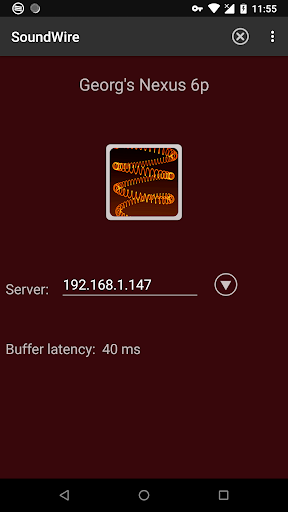
The free version of the app identifies itself by voice every 45 minutes and displays ads. There is a 10 minute compression trial in the free version. The full version enables unlimited Opus audio compression, can handle multiple clients, and has no ads or voice identification. It also has a special Pro Mode to set and display buffer latency precisely in milliseconds. Please consider purchasing the full version of SoundWire if you'd like to support the developer. Android TV: SoundWire will work on most Android TV devices but needs to be sideloaded. After that it will update normally through Google Play.
If you have trouble remember that most issues like dropouts and trouble connecting are related to your WiFi network. The most common reason for connection problems is incorrect firewall settings at the PC or router. For more information and troubleshooting guide see the SoundWire documentation at https://georgielabs.net/SoundWireHelp.html
Please contact support at soundwire@georgielabs.net before leaving a bad review.
SoundWire Google Play icon by Jet Markov courtesy of Jeremiah Strong.
What's New
Made app quit completely on "back" while not connected.
Updated launcher icon.
Various small UI and bug fixes.
Version Information
- Version
- -
- Downloads
- 1M+
- Updated on
- Sep 12, 2025
- Released
- Oct 31, 2011
- Requires
- Android Varies with device
Statistics
Google Play Rating History
Rating Distribution
Downloads Over Time
SoundWire - Audio Streaming has been downloaded times. Over the past 30 days, it averaged downloads per day.
Shaded area shows 30-day prediction based on historical trends
Historical data collection started recently. More data points will be available over time.
SoundWire - Audio Streaming users say on Google Play
 ̇
̇
This app has worked fantastically for me! If the audio gets delayed I go to the desktop app and change the input from my headphones to "default multimedia device" then change it back to my headphones and it fixes the delay. I personally haven't experienced audio cutting more than 2-3 times in the hours I've used the app, and the audio only cut out for 1-2 seconds. The app hasn't disconnected from the server or crashed either
 Himanshu
it's best
 Baibhab Prasad
0kOk
 SollyBunny
what this app is is essentially a low latency orientated audio stream. the server is just a few commands away from not requiring the software at all. most people though can't be asked or don't know how so it's fair this exists. this app uses udp which means adb forwarding doesn't work, it also says soundwire every so often which is negative advertising. this is so niche of a app that it isn't going to spread just by name recognition so having it beep at you every so often is just annoying.
 georgi jordanov
Very delayed sound AND at some point while using it a female voice (on FULL VOLUME) says: "SoundWire Free Version.". Interrupting and scaring your users is NOT how you offer someone a useless monthly scam plan. I do not recommend this app.
ApkTrusted Ratings & Reviews
More from GeorgieLabs
See more apps


Similar Apps

Jabra Sound+
Free

Pulsar Music Player
Free

Music Worx: EDM for DJs & Fans
Free

Epidemic Sound Music for Video
Free

Soundbooth
Free

FiiO Music
Free

Oto Music
Free

SoundID™ Headphone Equalizer
Free

Pioneer Smart Sync
Free

Marshall Bluetooth
Free

Sony | Sound Connect
Free

Retro Music Player
Free

Boom: Bass Booster & Equalizer
Free

AIMP
Free

Frolomuse: MP3 Music Player
Free

Music Player
Free
Scan this QR code to download

Forwarding you to the page at Google Play market in seconds...
Open Google Play market now