Right Files v8.0.0
Goodwy

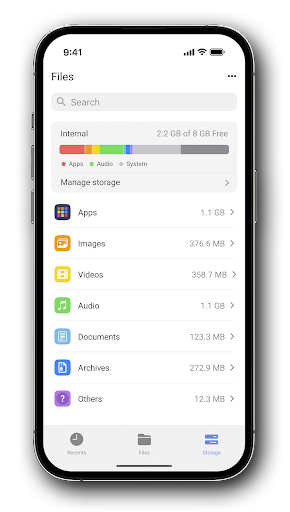

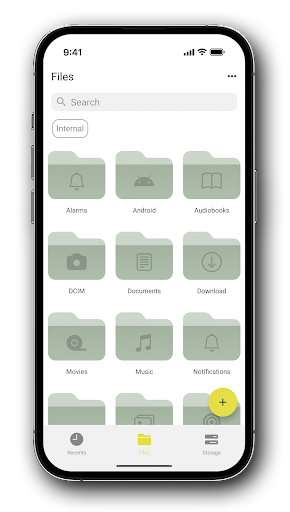
About this app
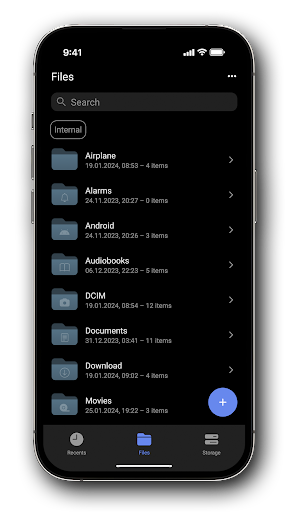
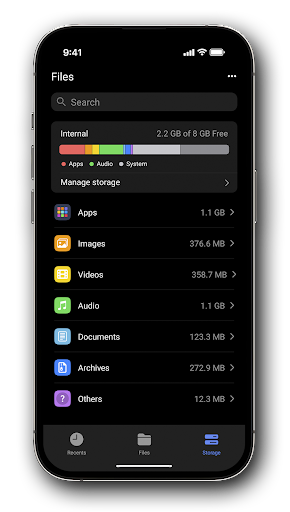
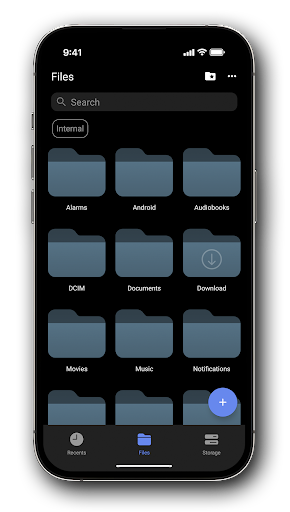
Right Files solves the problem of cluttered and disorganized file systems on Android devices, benefiting individuals who frequently manage files on their mobile devices. With an excellent user rating of 4.6/5, this app stands out in the Tools category for its simplicity and effectiveness. Compared to alternatives, Right Files is notable for its lack of permissions requests, which is a significant advantage for users concerned about data privacy. However, its limited feature set may not appeal to power users seeking more advanced file management capabilities.
Pros
- The app's high user rating of 4.6/5 indicates a well-designed and user-friendly interface, making it accessible to a wide range of users.
- With no permissions requested, Right Files is an attractive option for users prioritizing data privacy and security, as it minimizes potential risks associated with excessive permission requests.
- The absence of ads and in-app purchases ensures an uninterrupted user experience, allowing users to focus on managing their files without distractions.
- The developer's commitment to regular updates, as evidenced by the recent version 8.0.0 release, suggests a dedication to maintaining and improving the app over time.
- The app's small size and lack of permissions make it a lightweight solution for file management, suitable for devices with limited storage capacity.
Cons
- The limited feature set may not cater to the needs of advanced users who require more sophisticated file management capabilities, such as cloud storage integration or advanced file sorting options.
- The lack of information about the developer's website and data collection practices may raise concerns among users who prioritize transparency and accountability.
- The app's limited download numbers, with only 50,000+ downloads, may indicate a smaller user community and potentially less feedback for the developer to improve the app.
- The app's functionality may be too basic for users who require more advanced features, such as file encryption or password protection.
Best for: The ideal user for Right Files is an individual who values simplicity and ease of use in a file management app, likely someone who occasionally needs to access and manage files on their Android device, such as a student, freelancer, or casual mobile user, and is looking for a straightforward and secure solution to keep their files organized.
Developer Description
File manager - easy access to your files.
Privacy
Given that Right Files requests no permissions, users can be confident that their data is not being accessed or collected by the app. However, users should still exercise caution when managing sensitive files and consider using additional security measures, such as encryption or secure storage solutions. To further protect their data, users should also be mindful of the files they share or transfer using the app.
Tips
To get the most out of Right Files, users should start by organizing their files into clear categories and utilizing the app's sorting features to streamline their file system. Additionally, users can optimize the app's performance by regularly cleaning up unnecessary files and folders, and by taking advantage of the app's lightweight design to manage files on devices with limited storage capacity. Users can also explore the app's settings to customize their file management experience.
What's New
- Added an auto dark/light theme
- Changed color schemes and theme behavior
- Changed the logic of styles
- Changed colors of context action modes
- Added voice input for search
- Added the ability to disable one of the swipes
- Added ‘Maximum number of recent files’ option
- Added date format YYYY.MM.DD
- Persian calendar added
- Fixed bugs, improved stability
Version Information
- Version
- 8.0.0
- Downloads
- 50K+
- Updated on
- Dec 18, 2025
- Released
- Sep 14, 2023
- Requires
- Android 8.0
Statistics
Google Play Rating History
Rating Distribution
Downloads Over Time
Right Files has been downloaded times. Over the past 30 days, it averaged downloads per day.
Shaded area shows 30-day prediction based on historical trends
Historical data collection started recently. More data points will be available over time.
Right Files users say on Google Play
 Mohammed OM
I'm thoroughly enjoying this app and have made it my default file manager. It truly deserves a 5-star rating and more. I have a suggestion to enhance it further—adding a home section that consolidates external and internal storage. Additionally, when selecting a file for copying or renaming, it would be more convenient if the operation could be performed without navigating all the way up.
 diala Valentine
Nice app all perfect I didn't give 5⭐ cause it's still takes time loading to transfer or move files ... Update should focus on speed. Overall it's a pleasing app easy to locate docs n files
 Bill 47
Okay so I been a supporter of goodwy because there very good with privacy but this app needs a little modernization, also mine has crashed since update & sometimes I need to reboot it, but because its early days I will be generous, I mean you do have the choice to lock the app guys. So for now its a 3.3 stars as its early days. A manger should have options, I would advise Dev to make it more user friendly. Thanks 🙏🏻
 Ahmad Firdaus
Maybe a good alternative, idk.
 Asad Farraj
Looks nothing like the screenshots. Theming is locked behind a wall, and even buying it won't give you that look. Screenshots are edited.
ApkTrusted Ratings & Reviews
More from Goodwy
See more apps




Similar Apps

AppDash: App Manager & Backup
Free

Simple Gallery Pro
Paid
DAVx⁵ – CalDAV CardDAV WebDAV
Paid

ASTRO File Manager & Cleaner
Free
Material Files
Free

File Manager
Free

Ares Dark Icon Pack
Paid

Ares Light: Pastel Icon Pack
Paid

File Manager
Free

Swift Backup
Free
POCO Launcher 2.0 - Customize,
Free

ADW Launcher 2
Free

The Ivy Lodge
Free

Vera Icon Pack: shapeless icon
Paid
Pushbullet: SMS on PC and more
Free
MeisterTask - Task Management
Free
Scan this QR code to download

Forwarding you to the page at Google Play market in seconds...
Open Google Play market now