XBXPlay: Remote Play v1.8.3
Streaming Dev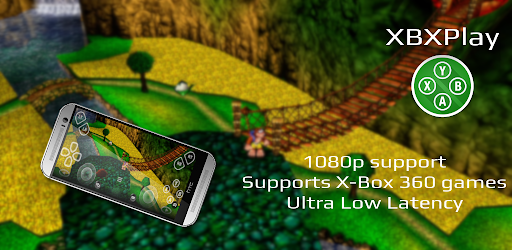


About this app
Developer Description
Play your X-Box games remotely in 1080p with any controller and zero latency
Introduction
XBXPlay offers you the possibility to remote control your X-Box Series X/ S or your X-Box One (X/ S) without limitations. You can play your favorite games in 1080p remotely while you are away (more information below*). XBXPlay has been optimized to provide streaming experiences with the lowest possible latency. Third-Party controllers and mobile data connections are supported and you can even play X-Box 360 games on your console with XBXPlay. You can even play without a gamepad connected by just using the touch optimized onscreen gamepad layout. Create customized onscreen gamepad layouts that perfectly match the needs of your games.
Differences to the official X-Box Remote Play app
• 1080p support
• Support for X-Box 360 games
• Manual Bitrate adjustments
• Onscreen gamepad layout (customizable)
• Fullscreen support (no black bars)
• Supports gamepad button mapping
• Native USB-OTG support
• You can use XBXPlay as virtual gamepad for your X-Box
• Picture-In-Picture mode (requires Android 8.0 or newer)
• Multi-Window support (requires Android 7.0 or newer)
• Optimized for low latency streaming
(Microphone input currently not supported)
Hardware recommendations
• Dual core CPU highly recommended
• 2 GB or more of RAM
• 1024 × 768 or higher display resolution
• A wired internet connection for your X-Box is strongly recommended
• Your device should be connected to a 5GHz WiFi for minimum delays
• A stable high-speed internet connection with upload and download speeds of at least 20 Mbps
XBXPlay allows you to remote control any X-Box game which supports Remote Play. Play X-Box games and even X-Box 360 backwards compatibility games. Or just use XBXPlay as virtual X-Box gamepad for your console.
Community
- https://www.reddit.com/r/XBXPlay
❗
Support and feedback
❗All information about XBXPlay can be found here:
https://streamingdv.github.io/xbxplay/index.html
Attention
XBXPlay works with the latest X-Box One/ Series firmware. Please do not upgrade to a newer X-Box firmware version if available until it is proven that XBXPlay is still working. However, if you have updated and XBXPlay has stopped working, it will take some time for me to fix the problems. So please keep that in mind.
*Please note: if you want to play over the internet, follow these instructions:
https://streamingdv.github.io/xbxplay/index#line5
Thanks to the OpenX-box team for their support and for making this project possible.
Disclaimer: all mentioned trademarks here are trademarks of Microsoft Corporation. XBXPlay is in no way endorsed by or affiliated with Microsoft, or any associated subsidiaries, logos or trademarks.
What's New
• 1080p support
• Support for X-Box 360 games
• Manual Bitrate adjustments
• Fullscreen support (no black bars)
• Supports gamepad button mapping
• Onscreen gamepad layout (customizable)
• Picture-In-Picture mode (requires Android 8.0 or newer)
• Multi-Window support (requires Android 7.0 or newer)
• Optimized for low latency streaming
What is new in this version
- Fixed connection issues
Version Information
- Version
- 1.8.3
- Downloads
- 10K+
- Updated on
- Dec 10, 2025
- Released
- Jan 28, 2023
- Requires
- Android 5.0
Statistics
Google Play Rating History
Rating Distribution
Downloads Over Time
XBXPlay: Remote Play has been downloaded times. Over the past 30 days, it averaged downloads per day.
Shaded area shows 30-day prediction based on historical trends
Historical data collection started recently. More data points will be available over time.
XBXPlay: Remote Play - Google Play Rankings
Top Rankings
| Rank | Country | Category | List | Change |
|---|---|---|---|---|
| — |
Ranking History in
No ranking data available yet. Rankings are updated daily.
#15 in Top Paid Tools in United States

#9 in Top Paid Tools in United Kingdom


#15 in Top Paid Tools in Australia

#20 in Top Paid Tools in South Korea

XBXPlay: Remote Play users say on Google Play
 Lonely
Works extremely well if you have a solid internet speed with ethernet cables connected to everything. It's pretty much like having a second xbox. The latency is perfectly fine. You may have to manually port forward a single port, but most routers do that automatically. Great for playing casual single-player games due to the latency from it being cloud gaming. Great app as long as you're confident with your internet connection. Can't expect high quality 4k cloud streaming with bad internet
 Sammy V
The official "Xbox" app doesn't compare. Quality (resolution AND fps) is better, the entire screen on my phone is used, BARELY any latency (I only notice because I'm a hardcore gamer) and I play on my mobile network while I'm away from my xbox. The ONLY downsides are: 1.) I had to learn how to forward ports. 2.) The audio lags when I use my Bluetooth earbuds (have to use wired headphones). 3.) Mic doesn't work in xbox parties (discord works). *USES ALOT OF MOBILE DATA FOR ELITE PERFORMANCE!*
 WooZi
WooZi
This app might change the way you have to sign in using your Microsoft account. My Microsoft account used to always ask for my password first than an authenticator approval request but after signing into Xbxplay, my Microsoft account only sends approval requests to my authenticator app now whenever anyone tries to sign in from anywhere even if it’s their first time using your email. It no longer asks for password first. So beware not to approve unauthorized in attempts if you use authenticator.
 RxG Godly
Don't get me wrong I like the app....I also bought the Playstation version of the app, which is FLAWLESS. Primarily for me, it enables me to connect to my ps5 WHILE ON A DIFFERENT WIFI OR NETWORK. I thought this app would be the same, so I purchased it, (Don't laugh) but I really REALLY wanted to play GTA 4 remotely, but can't because xbox's app doesn't support 360 games being played remotely. This app allows it, but doesn't allow you to connect if you aren't on the same wifi..I'm heartbroken 💔
 team 89er
Its in bad state from developers, currently wont work sometimes. Dev would probably already abandon the product since August 2024. Im out
ApkTrusted Ratings & Reviews
More from Streaming Dev
See more apps

Similar Apps

Playbook: Workout, Fitness App
Free

NoCarbsChallenge
Free

Calorie Counter・Planner・EatFit
Free

Mindbody: Fitness & Wellness
Free
Calorie Counter +
Free

Cal AI - Food Calorie Tracker
Free
Yuka - Food & Cosmetic Scanner
Free

Myprotein: Fitness & Nutrition
Free

Lazy exercise at home
Free

GO2TRain | Learn languages
Free
Fastic Weight Loss & Fasting
Free

Calorie Counter・Planner・DietAI
Free
Calorie Counter - MyNetDiary
Free

Waistline Calorie Counter
Free
Yoga for Weight Loss | Pilates
Free

Beyond Body
Free
Scan this QR code to download

Forwarding you to the page at Google Play market in seconds...
Open Google Play market now