Mirror Camera (Mirror + Selfi v1.6.0
JK.Fantasy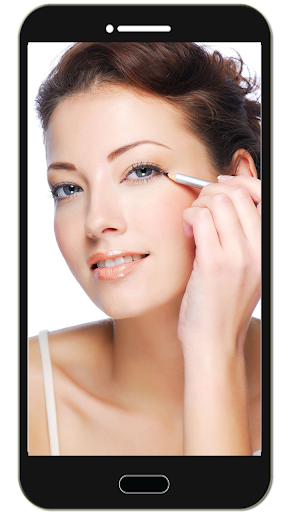
About this app
Developer Description
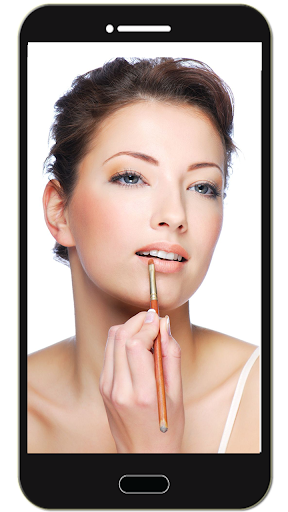
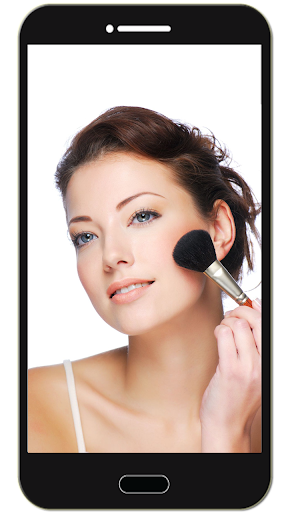
Let phone become a best mirror. Handy! Press mirror region to show/hide menu.
[ Tommorow, I will meet ... me ... yesterday. ]
Mirror + Selfie Camera (best mirror app for free)
Let your phone become a perfect smart mirror.
Handy!
Press mirror region to show/hide menu.
[Quick Mirror Camera Guideline]
When application start, it will hide all the menu. So it is really like a mirror.
You can use the following method to change other settings:
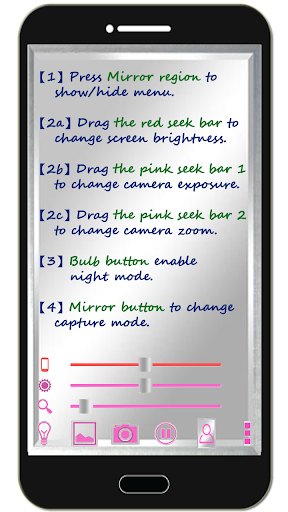
1. Press Mirror region to show/hide menu.
2. Drag the red seek bar to change screen brightness.
3. Drag the pink seek bar 1 to change camera exposure.
4. Drag the pink seek bar 2 to let mirror zoom in/out.
5. Press bulb button enable/disable night mode.
6. Press mirror button to change capture mode. (Capture with "Image on Mirror" or "Your real Image")
7. Press the pause/resume button to pause/resume preview. (freeze image) Then double click the freeze image to let mirror zoom in/out. (Or use two fingers to let mirror zoom in/out)
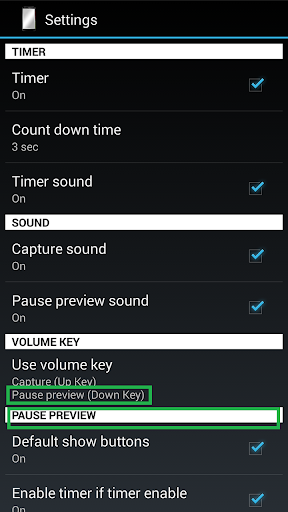
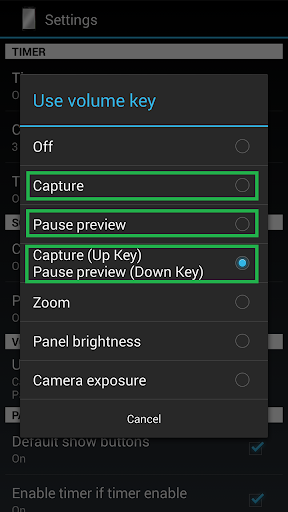
8. [Volume Key] : Use volume-down key to pause/resume preview. (freeze image) Use volume-up key to do camera capture. You can change other option in the camera settings page.
[Others]
1. You also can take a picture or edit mirror photo image if you wish.
2. Night mode : Press the bulb button, use panel light at the edge of panel.
3. This application will not turn off screen when you use Camera. If user not touch the screen for 10 minutes, this application will auto exit to prevent power loss.
【Recommended External Mirror Image Photo Editor】
( Line Camera )
https://play.google.com/store/apps/details?id=jp.naver.linecamera.android
This APP is now tested more compatible. They support external photo edit more user friendly.
Or you can use system photo editor, it also work. (Test on Samsung Phones.)
【PS】
Please like us on Facebook. Give us the power of love.
https://www.facebook.com/jkfantasy
What's New
1. Minor bugs fixed.
In-app purchases
$1.87 per item
Version Information
- Version
- 1.6.0
- Downloads
- 5M+
- Updated on
- May 26, 2020
- Released
- Dec 7, 2014
- Requires
- Android 4.0
Statistics
Google Play Rating History
Rating Distribution
Downloads Over Time
Mirror Camera (Mirror + Selfi has been downloaded times. Over the past 30 days, it averaged downloads per day.
Shaded area shows 30-day prediction based on historical trends
Historical data collection started recently. More data points will be available over time.
Mirror Camera (Mirror + Selfi users say on Google Play
 Teresa Henshaw
Very handy to have. Always to hand when you need a mirror .
 andrew egbert
No issues detected in brief use. Still seems ok after a while of use..
 Tinotenda Mugandani
I love it, very helpful but a little bit unclear
 Hasanali Fayziyev
💩💩💩💩
ApkTrusted Ratings & Reviews
More from JK.Fantasy
See more apps


Similar Apps
Camera360 Lite -Stylish Filter
Free
Cameringo Lite. Filters Camera
Free

Video Recorder
Paid

Printicular: Print Photos
Free

SelfieCity
Free

eZy Watermark Photos Pro
Paid

MiX Camera for Mi Camera
Free

PicMaster - AI Photo Editor
Paid

Candy Camera AI – Find myself
Free
Color Grab (color detection)
Free

Via Capitale Camera
Free

Camera360 :Photo Editor&Selfie
Free

Photobook: Photo Books & Gifts
Free

3D Photo: Imager
Paid

HQ Video Player & Casting
Paid
POV – Disposable Camera Events
Free
Scan this QR code to download

Forwarding you to the page at Google Play market in seconds...
Open Google Play market now