AudioTool v8.6.4
jjbunn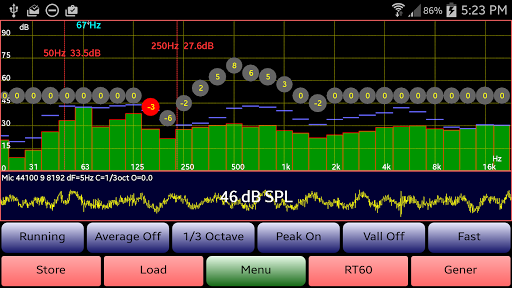

About this app
Developer Description
AudioTool: Fully Featured SPL, dB and Sone Meter, plus Audio Spectrum Analyzer
Recommended by "Sound and Vision" magazine. Loved by Audio Engineers worldwide: check out the Reviews!
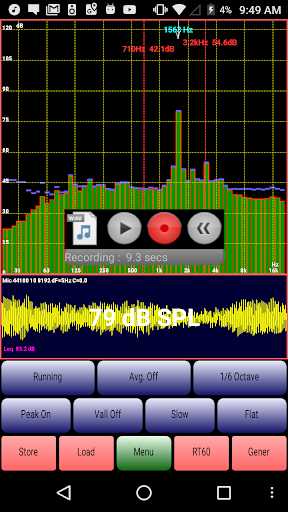
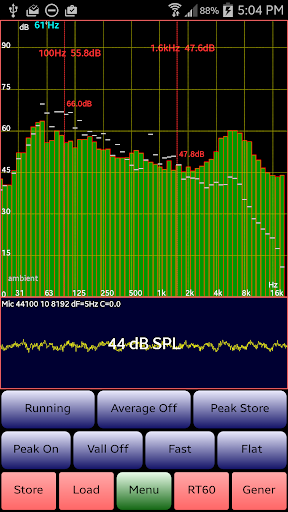
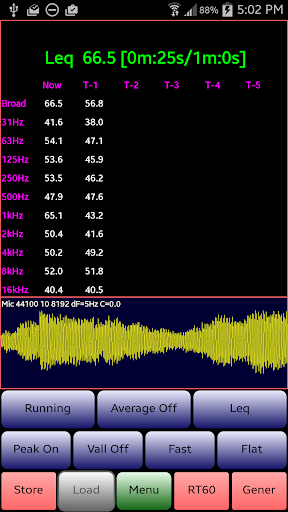
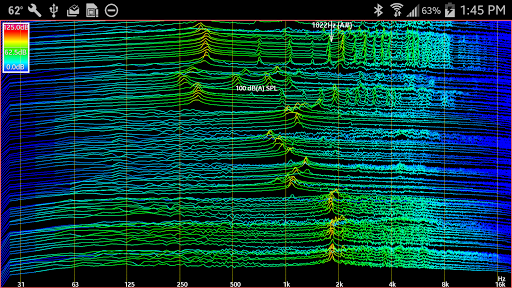
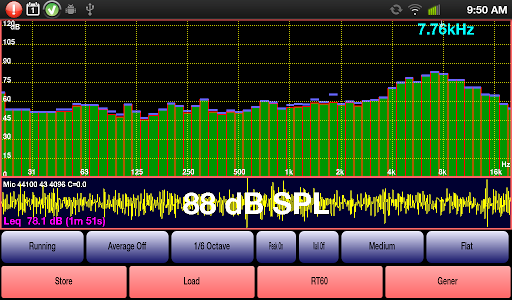
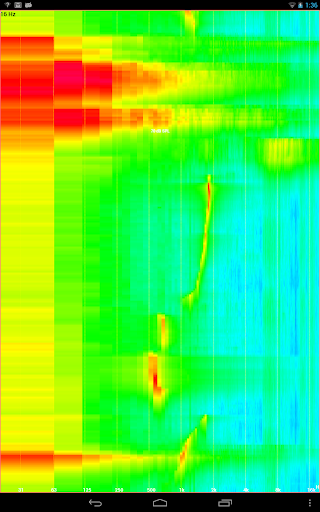
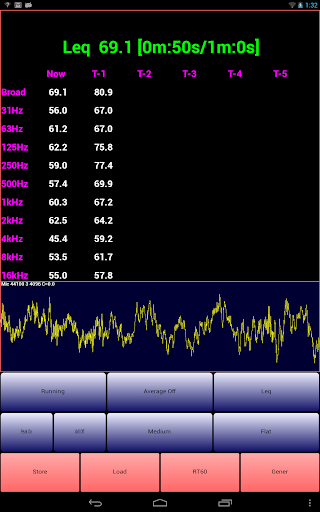
Features: 1/1, 1/3, 1/6 & 1/12 octave RTA modes, Leq (wideband, Octave, variable duration), Sones (Loudness), RT60 (wideband, Octave), Peak Store, Spectrogram, Waterfall, Peak frequency, Impulse, Fast, Medium & Slow filters, Flat & A/C Weighting and film industry X Curve, Averaging, SPL Chart Recorder, Noise Criteria (NC and NR), White/Pink Noise, Sine, Square, Triangle, Sweep, Log Sweep, Warble, Ramp and Impulse signals & loudspeaker polarity checker, L/R select. RTA Store & Load, Hann windows, pinch to zoom, scroll to center.
Examples of recent updates (April 2019):
v8.0 New Feature: Load one or two stored spectrum files and display both alongside the realtime data.
v8.1 New Generator option: swap phase of Right stereo signal
v8.2 New Menu option "Set Resolution" allowing to set 4096, 8192, or 16384 sample lengths
v8.3 New 1/12 Octave RTA mode
Exclusive ISO 1/3 Octave Calibration - can correct for your phone's microphone response. Octave calibration discs are moved up or down to obtain a flat response, and match the overall SPL to that of an external meter. Save/Restore of Cal files (popular Dayton Audio iMM-6, MicW i436, also supported).
Use: gig measurements, home theater, acoustics, car, etc.
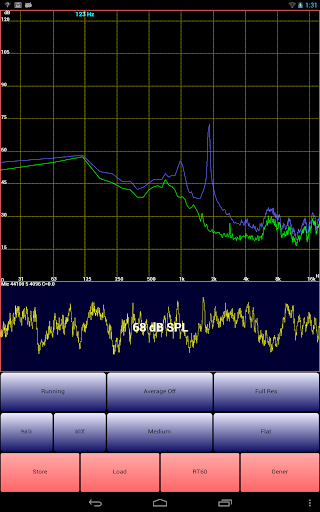
AudioTool FFTs sets of microphone samples. Aliasing reduced by Hann windowing. SPL calculated in realtime. Spectra may be saved, then loaded and displayed with the live spectrum. The "Store" button stores the current live spectrum - "Load" shows a list of stored spectra to select.
To hide the buttons, tap the screen. To restore them, tap again. To zoom the scale, pinch the screen. To move the scale, drag it up or down (left or right).
A pair of cursors can be shown: each can be moved to any position, and will display the SPL & time/frequency values there. The cursors can be turned on and off in the Menu.
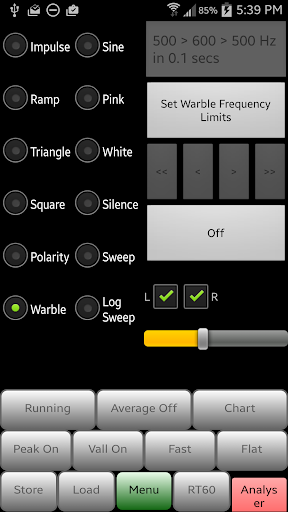
The loudspeaker polarity checker can be used to check whether a loudspeaker is wired in phase: connect the AudioTool output to the speaker under test, select "Polarity" from the signal generator screen, then return to the RTA screen. If the speaker is out of phase (polarity reversed) AudioTool will show "Pol ---", otherwise "Pol +++" if the speaker is in phase.
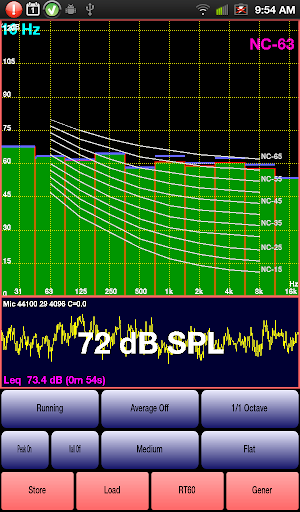
The Noise Criteria function shows a set of NC contours overlaid on the 1/1 Octave RTA display and the calculated real time current NC value is also shown.
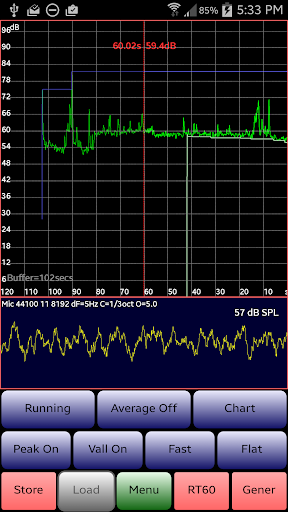
The Chart Recorder shows a moving trace of the SPL measurements over the last few minutes.
RT60 measurements (how much reverberation or echo there is in a room or hall) can be made using the "RT60" function, triggered using a loud clap (or similar) to or with Pink Noise from the AudioTool generator.
The Signal Generator generates White and Pink Noise, Sine, Square, Triangle and Ramp waves, Sine Linear and Log Sweeps, Warbles and Impulses. The generator uses multiple cycled buffers, refreshed randomly so ensuring truly random White and Pink noise.
The frequency accuracy of the Signal Generator is typically around 1%. Sine wave fidelity is good throughout most of the audio range. Other signals' leading and trailing edges will show ringing and decreasing frequency response artifacts in the upper ranges, depending on the cellphone being used.
The above description is a very terse version of the Online Manual, which may be accessed here:
https://sites.google.com/site/bofinit/audiotool
The friendly AudioTool Discussion Group can be used to request features, find/request Calibration files, or report problems. Feedback is always welcome:
http://groups.google.com/group/audiotool-discussion-group
Disclaimer: AudioTool's performance depends on your Android hardware, and is not guaranteed to meet any audio measurement or safety standards.
What's New
Version Information
- Version
- 8.6.4
- Downloads
- 50K+
- Updated on
- Oct 1, 2025
- Released
- Oct 24, 2010
- Requires
- Android 5.0
Statistics
Google Play Rating History
Rating Distribution
Downloads Over Time
AudioTool has been downloaded times. Over the past 30 days, it averaged downloads per day.
Shaded area shows 30-day prediction based on historical trends
Historical data collection started recently. More data points will be available over time.
AudioTool - Google Play Rankings
Top Rankings
| Rank | Country | Category | List | Change |
|---|---|---|---|---|
| — |
Ranking History in
No ranking data available yet. Rankings are updated daily.
#13 in Top Paid Music And Audio in United States

#10 in Top Paid Music And Audio in Canada

#13 in Top Paid Music And Audio in Australia
#26 in Top Paid Music And Audio in France
 Mini Piano Pro
AudioTool
Mini Piano Pro
AudioTool
AudioTool users say on Google Play
 Charlie Watts
I have been using this particular tool since inception. Light years ahead of any other. Highly and deadly accurate. It has everything you will need for Audio analyses. The ballistics. Far superior to any other audio analysis tool. to date, I use it frequently. It doesn't crash, is highly intuitive to use. 150 points on a scale of 1 to 100 points. Used for A Range World Class commercial studio control rooms, analysis of spaces. Room Tunings with Big Speakers
 Mark B
This is a great app with a deep toolbox for evaluating speakers & room acoustics. My only caveat is the accuracy of the app depends on the Sound Settings of your phone. I got a big "smile" response curve when I first measured a quality speaker. I later went into my phone settings and turned off all enhancers like Atmos, and chose "flat" for other eq options. NOW the signal generator outputs a flat signal. This needs to be mentioned in the app description.
 Geocentric
It's not accurate at all from 30 HZ to 70 HZ or so. Reads extremely low from 30 to 60hz range compared to Rew or spectroid with same mic and position. My 30hz is about 25 decibels less than peak bass. For speakers and earphones it is saying it has basically zero low end. High resolution set on "flat" and it's way off until around 70hz. Not my mic at all. Spectroid is more accurate in bass and free. What is going on with low end reading? No way to delete saved charts and profiles from the app.
 Cooper Allen
I cannot find where to upload a calibration file for my microphone. This used to be a feature but appears to no longer be present. Not being able to zoom in on the bands is an inconvenience too. Also, the noise generation functions seem broken On Google Pixel 6
 M W
M W
I have a Dayton Mic. A Motorola Stylus phone. I have no Audio Tool folder on my phone. I can only move my Calibration File to internal storage on my phone, I have no way of getting the Audio Tool Folder into my internal storage. I've saved files on the Audio Tool app but this does not help me find a way to move my calibration into Audio Tool. After Using 1/3 Octave Calibration I am unable to Load Cal. If I can't load my Cal File I'd like my money back please.
ApkTrusted Ratings & Reviews
More from jjbunn
See more apps
Similar Apps

Chaos Audio
Free
SoundHound ∞ - Music Discovery
Paid
n-Track Studio Pro | DAW
Paid
Thomann Official
Free
Music Equalizer - Bass Booster
Paid
Set List Maker
Paid
DRC - Polyphonic Synthesizer
Free

PodBot - podcast player
Free

Koala Sampler
Paid

Songstats: Music Analytics
Free
DJ Mixer - DJ Music Remix Pro
Paid

UE | BOOM by Ultimate Ears
Free
Boom: Bass Booster & Equalizer
Free

IMSLP
Free

Cubasis 3 - DAW & Music Studio
Paid

Napster - AI Music & Experts
Free
Scan this QR code to download

Forwarding you to the page at Google Play market in seconds...
Open Google Play market now