MediaMonkey Pro vVARY
Ventis Media, Inc.




About this app
Developer Description
Unlocks all the Pro features of MediaMonkey.
MediaMonkey Pro unlocks the following extras:
• Wi-Fi Sync: wirelessly sync your device's library (incl. ratings, play history, volume levels, etc.) with your Windows PC
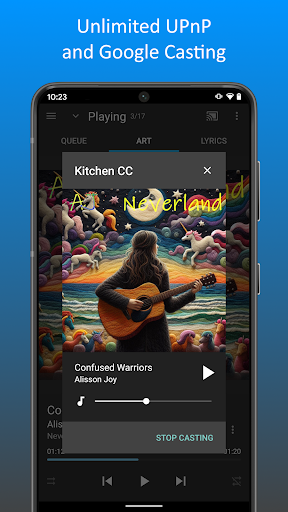
• UPnP/DLNA: play / download content from UPnP/DLNA servers
• Folder browsing: navigate your library using the device's physical file hierarchy
• Configurable home screen: customize what content appears on the home screen
And more...
MediaMonkey Pro acts as a license to unlock these features in the free MediaMonkey app. You will need to first install the free version of MediaMonkey.
Thanks for supporting the ongoing development of MediaMonkey!
What's New
Version Information
- Version
- -
- Downloads
- 100K+
- Updated on
- Aug 1, 2025
- Released
- Jan 6, 2014
- Requires
- Android Varies with device
Statistics
Google Play Rating History
Rating Distribution
Downloads Over Time
MediaMonkey Pro has been downloaded times. Over the past 30 days, it averaged downloads per day.
Shaded area shows 30-day prediction based on historical trends
Historical data collection started recently. More data points will be available over time.
MediaMonkey Pro - Google Play Rankings
Top Rankings
| Rank | Country | Category | List | Change |
|---|---|---|---|---|
| — |
Ranking History in
No ranking data available yet. Rankings are updated daily.
#13 in Top Paid Music And Audio in United States

#6 in Top Paid Music And Audio in Australia

#9 in Top Paid Music And Audio in United Kingdom
#11 in Top Paid Music And Audio in Germany

MediaMonkey Pro users say on Google Play
 Jason & Kandi Hanna
I've used Media Monkey on PC and Android for over 10 years, and I've never considered switching media apps. The ease of organizing a very large media library (almost 100,000 songs and over 5,000 films) and navigating and playing what I want when I want is unmatched by any other media program/app.
 Carol Capwell
This is more an app for experts than I just want to record and listen to music people. or the documentation isn't written on that level. I do use it daily however so it's pretty good.
 Ash H
Ash H
Really good for synchronising everything but the app itself does lag behind a lot of features that other music players on Android has (lack of sorting options, lack of better filters, doesn't show ratings for songs and albums, lacks a lot of playback settings for crossfade, EQs, volume normalisation, etc). Ordinarily I'd just use this to sync and an alternative (like PowerAmp) for playback but ratings aren't standardised (so they vary). I hope feature development brings it on par with others.
 cur ter
App works better. App had to get permissions to access directories then Metadata were accessible displaying album art. App seems to have problems reading music files from external USB drive source. it does not sync music files like is those files are on an internal drive or internal microSD card or if accessing music from network storage drive on local area network. Also the cast button does not work properly as one has to start playing a music file first to show the cast option
 Jeff
Jeff
Just bought pro version and so far it's a little disappointing. When it loses the connection to your home Wi-Fi. you can't go back to home without force quitting the app.
ApkTrusted Ratings & Reviews
More from Ventis Media, Inc.
See more apps
Similar Apps

IDAGIO Stream Classical Music
Free

Music Worx: EDM for DJs & Fans
Free

Chaos Audio
Free
Retro Music Player
Free
FiiO Music
Free
Neutron Music Player
Paid

Songstats: Music Analytics
Free

Rewind: Discover Music History
Free

Napster - AI Music & Experts
Free

Beatport: Music for DJs App
Free

Pulsar Music Player
Free

Symfonium: Music player & cast
Free
Sony | Music Center
Free
USB Audio Player PRO
Paid

WallStream
Free
LiveMixtapes - Hip-Hop Culture
Free
Scan this QR code to download

Forwarding you to the page at Google Play market in seconds...
Open Google Play market now