Sony | Music Center vVARY
Sony Corporation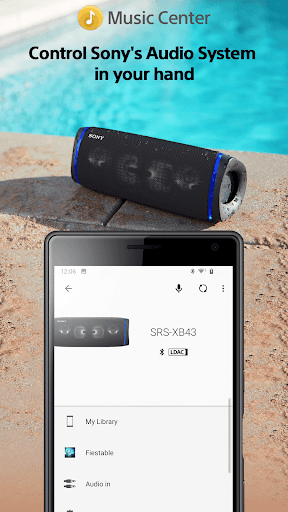
About this app
Developer Description
Control Sony's Audio System in your hand
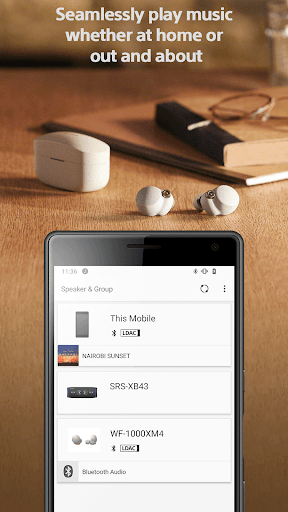
Do you want to fully enjoy music whether at home or out and about?
Then this Sony app is exactly what you've been waiting for.
The Sony l Music Center app will singlehandedly enable you
to listen to Hi-Res sound sources in the excellent audio quality.
You can also connect to other Sony audio devices to play music in the
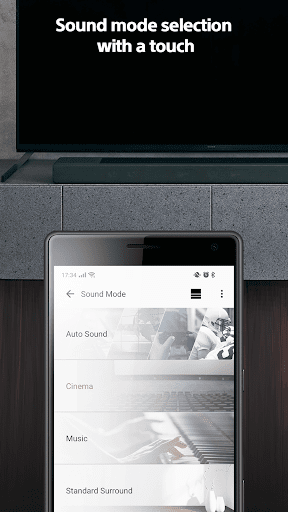
best possible sound field, with the settings optimized for each individual device.
To use the control function of audio devices, an audio device compatible with Sony | Music Center is required.
Please check if your audio products are compatible with Sony | Music Center from our support site.
Devices that were compatible with SongPal are compatible with Sony | Music Center as well.
Main Feature
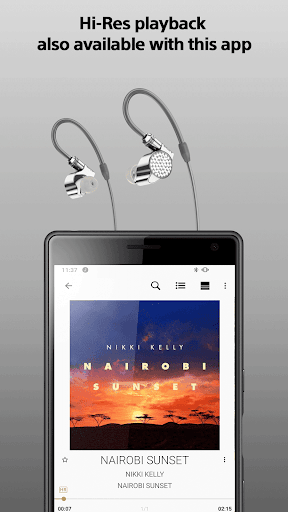
You can playback music including Hi-Res tracks on your smartphone.
Play the music contents from CD, USB, and Smartphone.
Access music by browsing or searching music folders stored on your computer or NAS drive thru network(DLNA)*.
You can set Multi-room, Surround, Stereo wirelessly with multiple speakers.*
Change the setting on the audio device, such as Equalizer, Sleep Timer, Network* and so on.
*Limited to compatible devices.
This application supports TalkBack.
Note
* Starting with version 7.4 of this app, it is only available on Android OS 9.0 or later.
This app does not support Atom™ processor-based mobile devices.
With the update to ver.5.2, Music Center will no longer be compatible with STR-DN850/STR-DN1050/ICF-CS20BT/XDR-DS21BT.
Some features may not be supported by certain devices.
Some functions and services may not be supported in certain regions/countries.
Please make sure to update Sony | Music Center to the latest version.
Sony | Music Center confirm the permission below.
【Device & app history】
●retrieve running apps
⇒Check if Sony | Music Center is running and launch Sony | Music Center automatically when connecting to the compatible devices or performing the initial setup.
【Photos/Media/Files】
●test access to protected storage
【Microphone】
●record audio
⇒Use the microphone when performing voice operation.
【Wi-Fi connection information】
●view Wi-Fi connections
【Device ID & call information】
●read device status and identity
⇒While Sony | Music Center is connecting to the car audio Sony | Music Center check the call status so as not to read text message during calling..
What's New
Version Information
- Version
- -
- Downloads
- 10M+
- Updated on
- Jun 4, 2025
- Released
- Feb 9, 2014
- Requires
- Android Varies with device
Statistics
Google Play Rating History
Rating Distribution
Downloads Over Time
Sony | Music Center has been downloaded times. Over the past 30 days, it averaged downloads per day.
Shaded area shows 30-day prediction based on historical trends
Historical data collection started recently. More data points will be available over time.
Sony | Music Center - Google Play Rankings
Top Rankings
| Rank | Country | Category | List | Change |
|---|---|---|---|---|
| — |
Ranking History in
No ranking data available yet. Rankings are updated daily.
#49 in Top Free Music And Audio in Japan


Sony | Music Center users say on Google Play
 Jack McMinn
Great speaker. Easy to set up! The music center app makes it easy to control!
 Xavier Howell
Overall it has a design of simplicity, its pretty well balanced. It could have more advanced features for people with the will and want to unlock full potential. in total this app provides the necessities for your device.
 Alan G
updated rating since it seems to be working normally again but still my receiver doesn't connect to Bluetooth right away it's always stuck on whatever input was used last so have to disconnect and reconnect Bluetooth, please update the receivers to go straight to the last input or whatever arc is connected to because it's annoying everytime the receiver turns on it goes to the home screen then you have to go through 2 selection screens just to get to the input you want.
 James Wilkins
Could be way better and more user friendly. Not intuitive at all..
 Shawn Woofter
CAN'T PARTY CONNECT WITH NEW SPEAKERS?? Why is it so hard to pair speakers? Why doesn't the app keep track of the pair for later? Why is the XB33's party button hidden behind the rubber door? How am I supposed to pair quickly? Mediocre, boring design, hard to navigate. Changing a basic setting like illumination for a speaker is buried within 3 different selections. Really needs redesigned.
ApkTrusted Ratings & Reviews
More from Sony Corporation
See more apps
Sony | Sound Connect
Free
REC Remote: Sony IC Recorder
Free
Music
Free

Fiestable
Free
Sony | Support for Xperia
Free
Advanced car audio setting
Free
HDD Audio Remote
Free

Content Browser Mobile
Free

Video & TV SideView : Remote
Free

Living Decor
Free

My BRAVIA
Free

mocopi
Free

Sony | Imaging Edge Mobile
Free

TV Control with Smart Speakers
Free

Sony | Creators' App for ENT
Free

mocopi link
Free
Similar Apps

FiiO Music
Free

AIMP
Free
Simple Music Player
Free

Retro Music Player
Free

Oto Music
Free

USB Audio Player PRO
Paid
DI.FM: Electronic Music Radio
Free

Pulsar Music Player
Free
PlayerPro Music Player
Free
Jabra Sound+
Free

Play Tube
Free

Music Player
Free

Musicolet Music Player
Free

Symfonium: Music player & cast
Free

Music Player & Podcast
Free

Pioneer Smart Sync
Free
Scan this QR code to download

Forwarding you to the page at Google Play market in seconds...
Open Google Play market now