HDD Audio Remote v4.3.1
Sony Corporation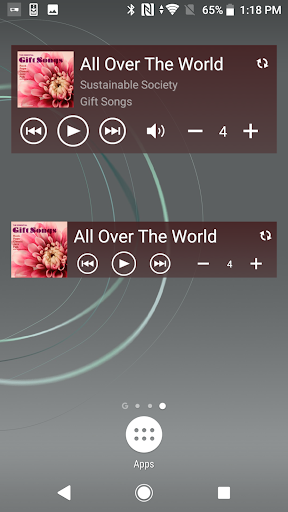



About this app
Developer Description
You can operate your Sony HDD Audio Player using this app.
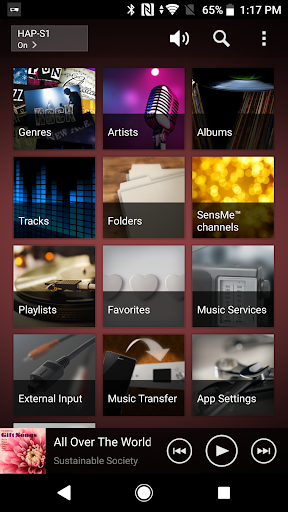
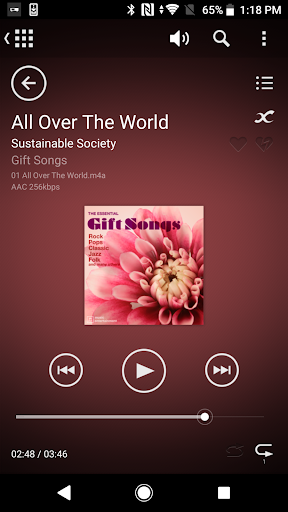
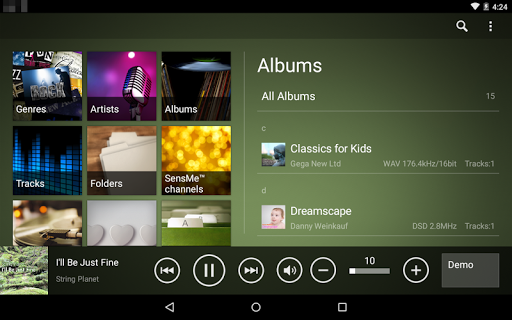
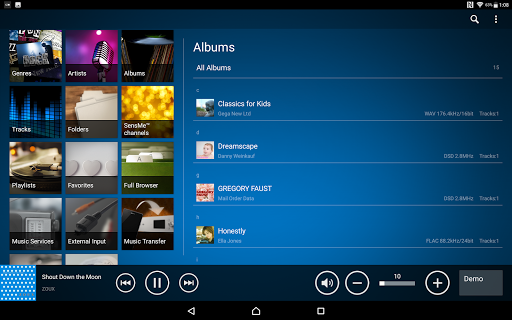
HDD Audio Remote is a mobile application that allows you to operate compatible HDD AUDIO PLAYER models using your smartphone or tablet.
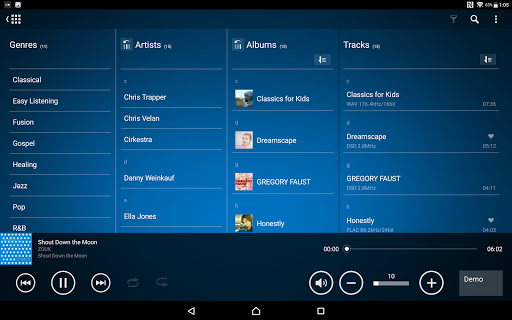
The application allows you to operate HDD AUDIO PLAYER easily using specialized functions that are only possible in a mobile application, such as the “Full Browser” function (tablets only).
This application has the following features:
- Easy operation of HDD AUDIO PLAYER using your mobile device
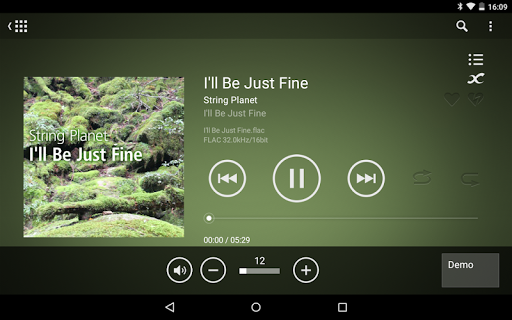
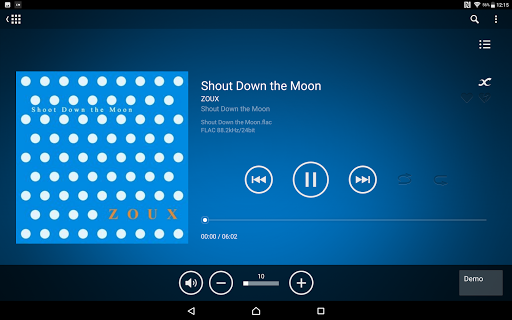
By installing HDD Audio Remote on your smartphone or tablet, you can remotely select and play tracks, change playback volume, stop playback and more, instead of operating the HDD AUDIO PLAYER directly. You can also select music services.
- Creating and editing playlists
You can create and edit playlists with your favorite tracks.
- Editing the music information of a track
You can edit the details of tracks.
Compatible models:
HDD Audio Remote supports the following HDD AUDIO PLAYER models. (as of Dec., 2022)
- HAP-Z1ES
- HAP-S1
Note:
The functions of HDD Audio Remote may vary depending on the HDD AUDIO PLAYER model.
Version 4.3.0
- Added support for specification changes in Spotify service.
- The player's volume can now be adjusted using the mobile device volume buttons.
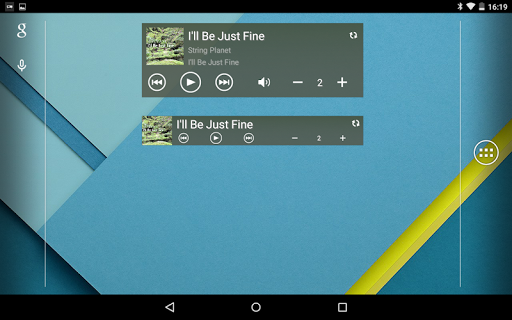
- The player's power can now be turned on by widgets.
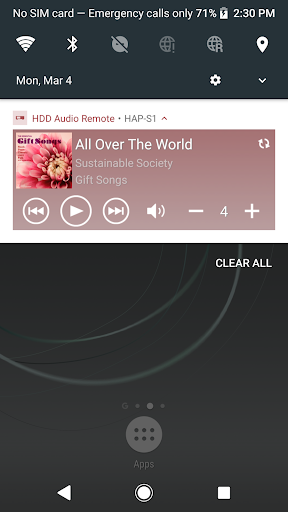
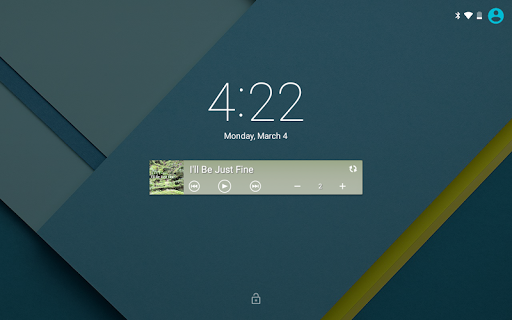
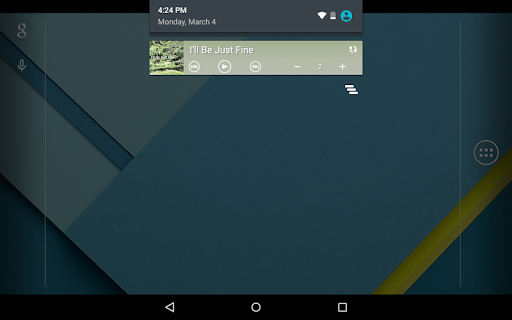
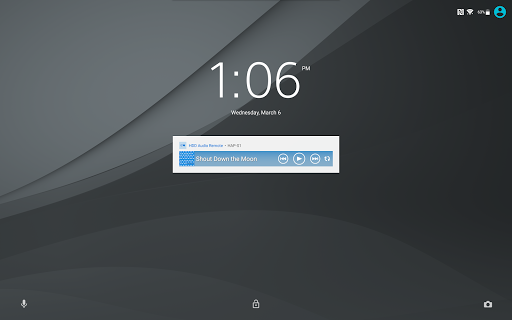
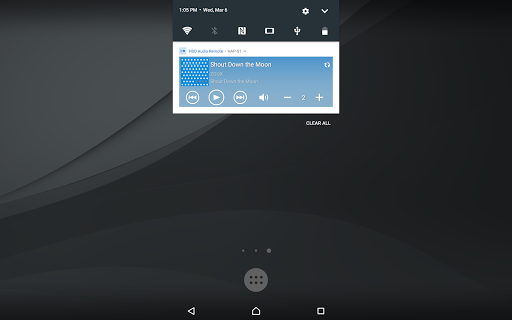
- Mini-player can now be displayed on the lock screen and in the notification area.
- Operability improved.
Version 4.2.0
- Added support for specification changes in Spotify service.
"Favorites" for Spotify is changed to "Presets".
- Operability improved.
Version 4.1.0
- Search from the search history is now available.
- Track list sorting by playback count (max./min.) is now available.
- The "Play same SensMe™ channels" option is now included in the track/file context menu and the option menu on the playback screen. (You can immediately play tracks in the SensMe™ channels to which the selected track/file belongs.)
- Operability improved.
Version 4.0.0
- Spotify Connect is now supported. Start the Spotify application and log in with the Premium account. (Only available in the service coverage areas.)
- Widgets are now supported.
- Playlists can now be created easier. You can add content to a playlist while browsing or add the entire play queue to a playlist.
- Playlists can now be sorted (by Name, by Creation Date, or by No. of Tracks).
- Detailed track information can now be displayed on the playback screen. You can tap an album name or an artist name to go to the relevant list.
- During playback of one of the SensMe™ channels, its channel name can now be displayed on the playback screen.
- Operability improved.
Version 3.3.0
- "DSEE HX" was added to the Options menu. (HAP-S1 only)
- "Recently played" was added to automatically generated playlists.
- Music info can now be re-acquired for DSD format content also.
- Descending order was added to sorting (by name, by album track, by year).
- Operability improved.
Version 3.2.0
- "Divide Album" is now supported.
- Format display was added to the Album list of the tablet (when all tracks on the album are the same format).
- "Go to album" (go directly from the track or file to the album to which the track or file belongs) is now supported.
- The track list can now be sorted in the screen used to add tracks to the playlist.
- Operability improved.
Version 3.1.0
- "TuneIn" Internet radio is now supported.
- "Help" was added to the Home menu.
- "Re-acquire database from the player" was added to the App Settings.
- Images saved on the mobile device can now be selected when editing album art. (OS 4.0.3 or later)
- Operability improved.
Version 3.0.1
- Operability improved.
What's New
- Operability improved.
Version Information
- Version
- 4.3.1
- Downloads
- 100K+
- Updated on
- Dec 12, 2022
- Released
- Oct 20, 2013
- Requires
- Android 7.0
Statistics
Google Play Rating History
Rating Distribution
Downloads Over Time
HDD Audio Remote has been downloaded times. Over the past 30 days, it averaged downloads per day.
Shaded area shows 30-day prediction based on historical trends
Historical data collection started recently. More data points will be available over time.
HDD Audio Remote users say on Google Play
 A Google user
Top app works very well could do with a windows version
A Google user
The new Notification Shade feature is excellent! This app is pretty handy but I wish this app offered a way of syncing missing album art for files on the player. Even though I have taken the time to embed hi-rez album art to all of my source files too often the accompanying art doesn't sync over to my HAP-Z1ES. There's no indication of what the limits of resolution at which the embedded art has to be.
A Google user
First, the quibble; the database is less than ideal for Classical music. The galling problem is that the app disconnects from the HAP Z1ES if left inactive for even a few minutes. That necessitates restarting the app, and, occasionally, resyncing the DB. I went so far as to get an Android tablet that's running nothing else, but no joy. The music transfer function will not run in the background. Ever. It is impossible for me to stand by for from 5 to 30 mins. while the transfer is effected.
 NJ Pham
What the odd! I downloaded it for my new Sony Xperia 1 II, it can only display in landscape mode. You know how skinny the phone is ( didn't happen to my note 10+ ) it's useless.
 Shane Justice
Sony needs to give the Android version of this app some love! Seriously, on my Android phone all the icons are in some sort of superzoom mode- one can select tunes, or change just about any state with this app. The ios version of this app is great, so I don't understand why Don't has snubbed Android. I spent $1000 for my Sony HDAudio amplifier, which requires the use of an app for all the features- the little remote that comes with the HFA amplifier can only turn on/off the amplifier- and next/b
ApkTrusted Ratings & Reviews
More from Sony Corporation
See more apps
Sony | Music Center
Free

Sony | Sound Connect
Free
REC Remote: Sony IC Recorder
Free

Music
Free

Fiestable
Free

Sony | Support for Xperia
Free
Advanced car audio setting
Free

Content Browser Mobile
Free

Video & TV SideView : Remote
Free
Living Decor
Free

My BRAVIA
Free

mocopi
Free

Sony | Imaging Edge Mobile
Free

TV Control with Smart Speakers
Free

Sony | Creators' App for ENT
Free

mocopi link
Free
Similar Apps

INTEGRA CONTROL
Free

UE | BOOM by Ultimate Ears
Free
Jabra Sound+
Free

Symfonik
Paid

Pioneer Smart Sync
Free
USB Audio Player PRO
Paid

ReSound Smart 3D
Free
SoundHound ∞ - Music Discovery
Paid

Bose Connect
Free
Thomann Official
Free

Chaos Audio
Free

Home V
Free

Boom: Bass Booster & Equalizer
Free

Sonos S1 Controller
Free
AmpMe - Speaker Booster
Free

HeadTrack
Paid
Scan this QR code to download

Forwarding you to the page at Google Play market in seconds...
Open Google Play market now