Harmony® vVARY
Logitech Europe S.A.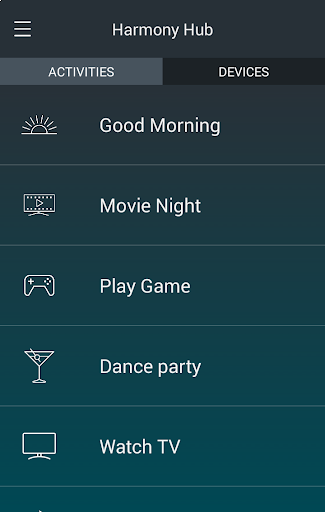




About this app
Developer Description
One touch control of all your entertainment and home control devices*.
Use of the Harmony app requires one of the following Harmony hub-based remote controls: Harmony Pro, Harmony Elite, Harmony Companion, Harmony Home Control, Harmony Hub, Harmony Ultimate Home, Harmony Home Hub, Harmony Ultimate, Harmony Smart Control, Harmony Smart Keyboard, or Harmony Ultimate Hub (each sold separately).
To learn about the full line of Logitech Harmony remotes, or to make a purchase, please visit http://www.logitech.com/harmony-remotes.
Every remote you’ll ever need
Control home entertainment devices with your Android smartphone or tablet when paired with a Harmony hub-based remote control.
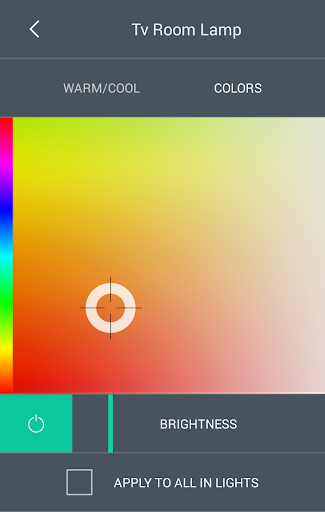
Control connected lights, locks, blinds, thermostats, and more from a single app, whether inside or outside your home. Check devices status and make adjustments remotely.
Set up custom schedules to turn devices on or off at specific times or on specific days.
With just one touch, start multiple devices together using Activities such as Good Morning, Good Night, Watch TV, Listen to Music or Play Games.
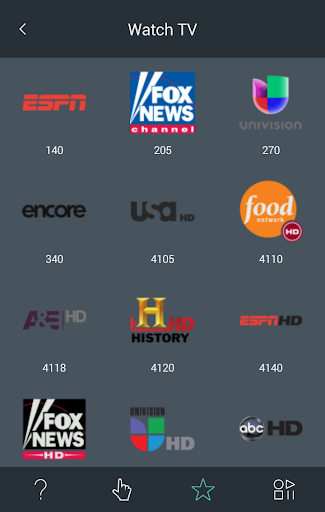
Create up to 50 favorite channels with custom icons for quick access to your entertainment.
Use swipe or tap gestures directly on the screen to adjust the volume, change channels, fast-forward, rewind, and more.
Install the app on each Android mobile device in the house and everyone can have their own personalized favorite channels and custom gestures.
Control devices inside closed media cabinets. Hide the clutter of your entertainment devices and never worry about pointing your phone at your TV.
Compatible with many IR and Bluetooth® game consoles.
Compatible with an ever-growing list of over 270,000 devices from more than 6,000 brands. See myharmony.com/compatibility for the latest compatibility information.
Note: Location permission is required to be enabled on Android v6.0 and above. Harmony will use this permission only for Bluetooth discovery of your Harmony hub(s).
Customer Support
We want to ensure you will enjoy your remote. If you run into issues or have any questions, we have help available.
You can find online support articles at https://support.myharmony.com
Join our online support community at community.myharmony.com
Contact our support team at https://support.myharmony.com/en-us/contact-us
Terms of Use: https://files.myharmony.com/Assets/legal/en/termsofuse.html
Version Information
- Version
- -
- Downloads
- 1M+
- Updated on
- -
- Released
- May 14, 2013
- Requires
- Android Varies with device
Statistics
Google Play Rating History
Rating Distribution
Downloads Over Time
Harmony® has been downloaded times. Over the past 30 days, it averaged downloads per day.
Shaded area shows 30-day prediction based on historical trends
Historical data collection started recently. More data points will be available over time.
Harmony® users say on Google Play
 BrandonF
Update:2025 & still served it's purpose for me. Not the most fluid experience but hey they discontinued Harmony Remotes quite a while ago & still keep the app updated so that it works with the Play Store & modern phones.* App works great for set up & settings adjustment. Props for continuing to support the app even though Logitech has ended Harmony Remotes. Still the best universal remote ever even with it's flaws.
 Daniele K.
You can customize various behaviours, but the system has some quirks and can be very slow as it has to connect to the servers for sync. Some important functions are hidden deep in the menus. It also has some annoying bugs, like the one where it loses all your steps if too many are added. Too bad Logitec decided Harmony products need to die, hence they don't improve the product. The gap they leave will be filled by others. They could have learned from Philips, with their hue products.
 Adam Higgins
Edit: After searching Reddit, I found the Roku setting that needed to be update for fluid IP control. I would have been fine keeping IR control. Most stars because the app works, but fewer stars for solving breaking changes. Some update forced my Roku from IR to IP control. The delay has made the remote unusable. There is no way to revert it, and app keeps "upgrading" any hacked IR set up back to IP based.
 Marc Franz
I've been using a Harmony Elite with hub for many years. The mobile app runs all of my activities, but it is impossible to edit anything without using the desktop app. The mobile app opens a login screen through some kind of web browser and then just stalls after I enter my credentials. I even created a new account, but the system won't complete my login. The support website makes it seem like the mobile app is easier to use for editing, but who knows since the app never loads the editing menu.
 Tom Gardiner
Can't connect to hub any more, stopped working with Google Home saying my device has a security issue. Googled the error and it goes back at least 6 years with no clear resolution. Logitech claimed they'd support this as long as we used it but they ended support in late May 2025. I've been a Logitech loyalist for decades, but no more. The sorry support and outright dropping of this product has caused me to no longer buy any Logitech products again.
ApkTrusted Ratings & Reviews
More from Logitech Europe S.A.
See more apps
UE | BOOM by Ultimate Ears
Free
Cross Clip: Edit, Post, Grow
Free

Logitech G
Free
Logitech Sync Installer
Free
Logitech Mevo
Free

BLAST & MEGABLAST by Ultimate
Free

Logitech Control
Free
Logitech Alert
Free

Logi Tune
Free

Logi Circle
Free

Jaybird
Free

Logi Web Connect
Free

UE DROPS
Free

UE FITS
Free

ROLL by Ultimate Ears
Free

Logitech G FITS
Free
Scan this QR code to download

Forwarding you to the page at Google Play market in seconds...
Open Google Play market now