
BLAST & MEGABLAST by Ultimate v2.2.121
Logitech Europe S.A.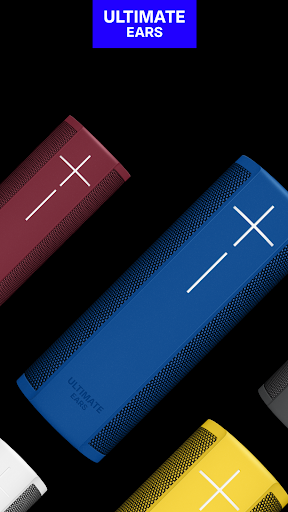

About this app
Developer Description
ULTIMATE SOUND. ULTIMATE VOICE CONTROL.
With the app you can:
- Pair up to 8 BLAST and MEGABLAST speakers for louder, more immersive sound or 2 speakers for stereo mode
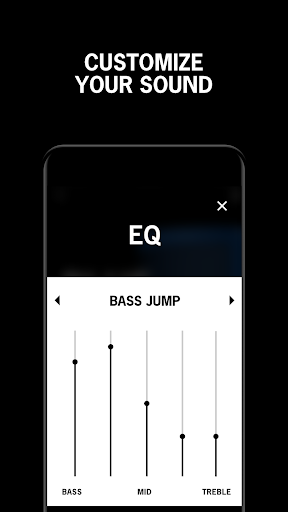
- Customize your sound with equalizer settings
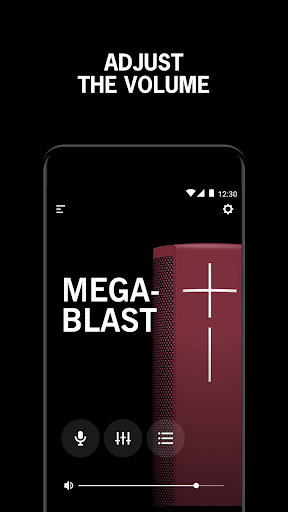
- Remotely control the volume
- Set standby time to optimize for battery life or performance
- Add and manage WiFi networks
- Check battery level
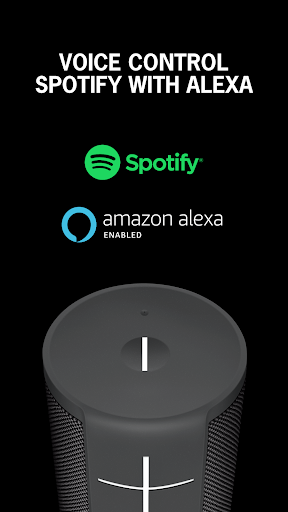
- Setup and activate Amazon Alexa
- Set the language for Alexa
Please note: BLAST and MEGABLAST utilize WiFi for pairing and cannot be paired with other Ultimate Ears speakers. BLAST and MEGABLAST will not pair with BOOM, MEGABOOM, ROLL or WONDERBOOM.
What's New
Version Information
- Version
- 2.2.121
- Downloads
- 500K+
- Updated on
- Oct 9, 2023
- Released
- Oct 23, 2017
- Requires
- Android 5.0
Statistics
Google Play Rating History
Rating Distribution
Downloads Over Time
BLAST & MEGABLAST by Ultimate has been downloaded times. Over the past 30 days, it averaged downloads per day.
Shaded area shows 30-day prediction based on historical trends
Historical data collection started recently. More data points will be available over time.
BLAST & MEGABLAST by Ultimate users say on Google Play
 Beauzouker
Unfortunately, pretty bad app. Nothing but problems with this app & UE Speakers. I have 2 Hyperboom speakers, one shows up as a completely different speaker (Boom3?) in PartyUp (which almost never works). Unintuitive, misleading & inconsistent. Auto-updating the speaker firmware without asking is a red flag. New speakers are being released (since 2021), but the app has no updates in over a year (Dec 2022). My advice is to stay clear of the Logitech/Ultimate Ears apps & speakers.
 Mark Lakhan
The Blast is great, but just needs a further update, if there is on.
 Milan Petkovic
I cant update firmware on my new megablast. Are you going to solve this problem? Thank you!
 Ian Larham
I figured out a method of connecting 2 Megablast speakers that worked. It only works using one of the speakers, the other way round won't find the 2nd speaker. Turn on one speaker, wait for it to connect to Bluetooth, turn on the second and likewise. Go to Bluetooth and completely disconnect the last speaker that connected, leaving the first but make sure it's not "active". Now open the blast app, go to the speaker still connected and join the two. Change the connected Bluetooth to active!
 Bobby Brown
Your app is a junk and so are your Megablast speakers! You charge an arm and a leg for these speakers and they will not even connect (group) to one another! Something as simple as that. I've been on several phone calls with your so called technicians for over 6 months and they have me do the same thing over and over again. If there was any way of getting my money back for these speakers, I would. I haven't been able to group my speakers in 9 mos. So disappointed!!! My advice look elsewhere...
ApkTrusted Ratings & Reviews
More from Logitech Europe S.A.
See more apps
UE | BOOM by Ultimate Ears
Free
Cross Clip: Edit, Post, Grow
Free

Logitech G
Free

Jaybird
Free

UE DROPS
Free
Logitech Sync Installer
Free
Logitech Mevo
Free

Logitech Control
Free
Logitech Alert
Free

Harmony®
Free
Logi Tune
Free

Logi Circle
Free

Logi Web Connect
Free

UE FITS
Free

ROLL by Ultimate Ears
Free

Logitech G FITS
Free
Similar Apps
SoundHound ∞ - Music Discovery
Paid

Sonos S1 Controller
Free

Bose Connect
Free

Chaos Audio
Free
Thomann Official
Free

INTEGRA CONTROL
Free

myPhonak
Free
ReSound Smart 3D
Free
GranPlayer
Free
myBuick
Free

XPENG
Free

Navimow
Free

BISSELL Connect
Free

Sonos
Free

Backbone — Next-Level Play
Free
Jabra Sound+
Free
Scan this QR code to download

Forwarding you to the page at Google Play market in seconds...
Open Google Play market now