
QR Code Reader & Scanner App v1.4.0
AZ Team Publisher


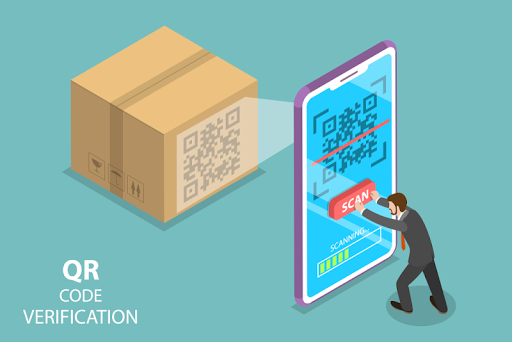
About this app
The QR Code Reader & Scanner App solves the problem of quickly and conveniently scanning QR codes for Android users, benefiting those who frequently need to access information from these codes, such as shoppers, travelers, and event attendees. Compared to alternatives in the Tools category, this app stands out with its high download numbers, indicating a level of trust and satisfaction among users. However, its mixed user rating suggests some concerns that need to be addressed. The app's simplicity and lack of permissions are notable, but the presence of ads and in-app purchases may detract from the user experience.
Pros
- With over 10 million downloads, the QR Code Reader & Scanner App has demonstrated significant social proof, indicating a reliable and widely accepted tool for scanning QR codes.
- The app's simplicity and lack of permissions required are major advantages, reducing the risk of privacy breaches and making it a lightweight addition to any Android device.
- The developer, AZ Team Publisher, provides a website and email for support, which is a positive sign of commitment to user concerns and updates.
- The app's offline capability is a significant advantage for users in areas with poor internet connectivity, allowing them to scan QR codes without interruption.
- The option for in-app purchases to potentially remove ads or add features could enhance the user experience for those willing to pay.
Cons
- The mixed user rating of 3.5/5 suggests that some users have experienced issues or frustrations with the app, which could be related to the ads, functionality, or support.
- The presence of ads in a tool as simple as a QR code scanner may be seen as intrusive or unnecessary, potentially detracting from the user experience.
- The lack of detailed information about what the in-app purchases offer is a concern, as users may be hesitant to spend money without clear benefits.
- The app's compatibility with older Android versions (starting from 5.0) might be a limitation for users with older devices.
Best for: The ideal user for the QR Code Reader & Scanner App is likely an individual who frequently encounters QR codes in their daily life, such as a shopper looking for product information, a traveler needing to access travel documents, or an event attendee wanting to engage with event materials, and who values simplicity and ease of use in a QR code scanning app.
Developer Description
Fast QR code reader and convenient QR code scanner & QR reader for android
✔ QR Code Reader is one of the fastest & safest QR Code & barcode scanner!
✔ Support All QR & Barcode Formats
✔ Very light size of the App
✔ QR Code Reader is able to scan all types of QR Codes and barcodes!
✔ Privacy Safe
✔ Your partner when you go shopping
✔ QR Code Reader is simple & easy to use!
The free application to scan barcodes or any QR code reader easily from your camera for free! The QR reader or the QR Scanner application is a fast and free QR scanner for scanning, capable of scanning a wide variety of QR codes. The QR scanner application can scan the barcode and QR code using the camera on your phone. Just point your camera at the barcode you want to scan and the application will automatically detect it.
Characteristics inside QR Code Reader: QR Scanner & Barcode Scanner
👍 The fastest and most accurate QR Scanner, QR reader, qr code scanner for android
👍 Supported codes: QR and barcode: EQS, Data Matrix, Quick Code, EAN8, Code39, Code128
📠 It is easy to use, since it automatically detects and scans codes by just points and scans.
🔦 Scan in a low light environment.
App The QR scanner application is capable of handling multiple types of results when scanning a code
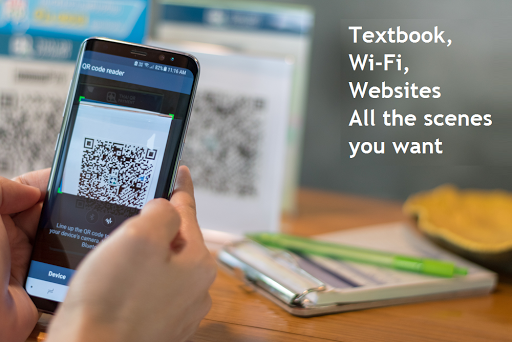
🌐 If the result is a URL, you can click to open the web page.
📶 If the result is a Wi-Fi network, you can connect to it
📞 If the result is a phone number, you can call or send a message to that number.
🛍 There are many more actions that the QR scanner application can enable you to perform once you scan the QR code
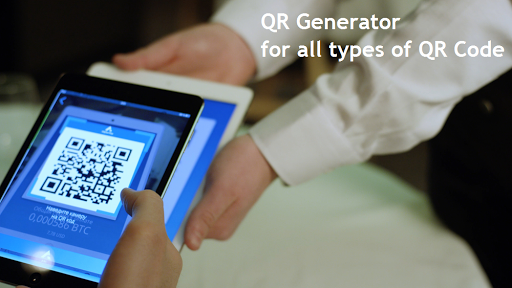
🆕 You can also create QR codes anytime and anywhere
🔗 Share the results of the QR code and the codes you create with your friends through SMS, email, social networks, etc.
📙 The application keeps track of all your scans and codes created in the history section for quick access and review.
📶 The scanner application does not require a working Internet connection and offline functions as well.
How to Use
Step 1: Scan and point camera to the QR code or barcode
Step 2: Wait the app recognize, scan and decode
Step 3: Get scan result and relevant options
The QR scanner application is available for free download on the Google Play Store! Download now and scan easily. An essential application for a simpler life.
If you want us to add some more features in the QR scanner application, let us know in the comments or send us an email.
Privacy
Given that the QR Code Reader & Scanner App requires no permissions, it poses a minimal risk to user privacy and security. However, users should still be cautious when scanning QR codes from unknown sources, as they can potentially lead to malicious websites or downloads. It's advisable to keep the app and the operating system up to date to ensure any security patches are applied.
Tips
For the best experience, users should ensure their camera is clean and properly focused before scanning a QR code, and they should consider purchasing the ad-free version if they find the ads intrusive. Additionally, users can optimize performance by closing unnecessary apps and ensuring their device has sufficient storage space.
What's New
🎁 Now you can create your own qr scanner easily
🎁 Create your own qr code scanner for android for your product, making it the fastest access to users with just a barcode scanner app
🎁 Higher stability scanner app
🎁 QR scanner History for manage QR & Barcode
💗 Fix issue follow Google Play Policy
In-app purchases
$0.49 per item
Version Information
- Version
- 1.4.0
- Downloads
- 10M+
- Updated on
- Jan 4, 2026
- Released
- May 30, 2019
- Requires
- Android 5.0
Statistics
Google Play Rating History
Rating Distribution
Downloads Over Time
QR Code Reader & Scanner App has been downloaded times. Over the past 30 days, it averaged downloads per day.
Shaded area shows 30-day prediction based on historical trends
Historical data collection started recently. More data points will be available over time.
QR Code Reader & Scanner App users say on Google Play
 kent malo
After uninstalling the app i cant open it.
 Andrew McLaren
Seems ok
 Andy Saunders
Quite clunky, but eventually works
 Rc7 Rko
ថាន
 dave korzan
not enough education from relus
ApkTrusted Ratings & Reviews
More from AZ Team Publisher
See more apps
PDF Viewer App - PDF Reader
Free

GPS Camera: Tracking Earth Map
Free

Learn Piano - Real Keyboard
Free
Change Color Phone Flash Theme
Free
Photo Video Maker Template
Free

Beat Master: Music Show Game
Free

Reverse video & Audio Reverse
Free

Pro Beat Maker - Drum Pad
Free

Beebug: Insect Prank Filters
Free

Speaker Cleaner: Dust Removal
Free
Number Locator: Phone Locator
Free

AR Trend - Funny Challenge
Free

LED Battery Charging Animation
Free

Volume Booster: Sound Booster
Free

Spin Wheel: Random Generator
Free

Fluid Screen Reverse Wallpaper
Free
Similar Apps

GenQR: QR Code Creator Scanner
Paid

PDF Scanner Plus - Doc Scanner
Free

QR & Barcode Scanner
Free

PDF Scanner - Document Scanner
Free

Tiny Scanner - PDF Scanner App
Free

QR Code & Barcode Scanner Plus
Free

PDF Reader Zone
Free
Super CodeReader
Free

ME-QR: QR Code Generator
Free

QR & Barcode Reader
Free
ODK Collect
Free
QR Code Scanner - Barcode Scan
Free

Falcon PDF Viewer Lite Editor
Free

Smallpdf: Scanner & PDF Editor
Free

Genius Scan - PDF Scanner
Free

Mobile Scanner App - Scan PDF
Free
Scan this QR code to download

Forwarding you to the page at Google Play market in seconds...
Open Google Play market now