Image to Text to Speech ML OCR v5.0.5
H Dev Apps Studio


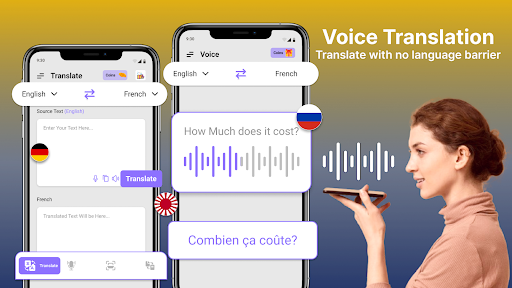


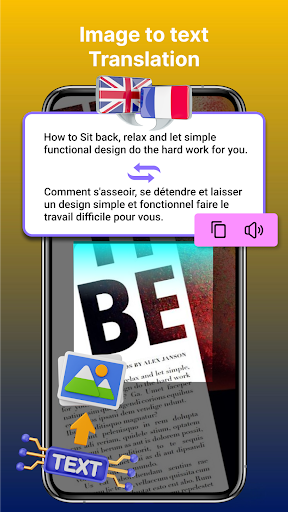


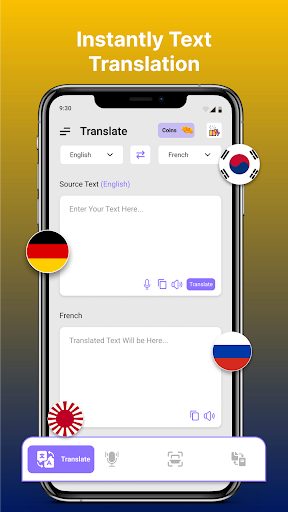

About this app
The Image to Text to Speech ML OCR app solves the problem of converting images and text into speech, benefiting individuals with visual impairments or those who prefer auditory learning. This app stands out in the Productivity category due to its machine learning capabilities, but falls short in terms of permissions transparency. Compared to alternatives, it has a moderate download count and a good user rating, indicating a generally positive user experience. However, its lack of transparency in permissions and data collection raises concerns.
Pros
- The app's machine learning capabilities enable fast and accurate text scanning, making it a valuable tool for users who need to convert images and text into speech.
- With over 100,000 downloads and a 3.8-star rating, the app has demonstrated social proof and a generally positive user experience, indicating that it is a reliable choice for users.
- The app's developer, H Dev Apps Studio, provides a website and email for support, showing a commitment to user feedback and assistance.
- The app's small size and lack of permissions requests suggest that it is a lightweight and secure option for users.
- The in-app purchases offer additional features at a reasonable price, providing users with flexibility and customization options.
Cons
- The app's lack of transparency in permissions and data collection raises concerns about user privacy and security, as it is unclear what data is being collected and how it is being used.
- The presence of ads may be intrusive and disrupt the user experience, potentially undermining the app's overall value and effectiveness.
- Some users may find the app's functionality limited, as it only provides text-to-speech conversion and does not offer additional features such as text editing or organization.
- The app's compatibility with certain devices or Android versions is unclear, which may result in performance issues or crashes for some users.
Best for: The ideal user for the Image to Text to Speech ML OCR app is an individual with visual impairments or a preference for auditory learning, who requires a reliable and efficient tool for converting images and text into speech, and values a simple and intuitive interface with minimal permissions requests and a moderate level of technical expertise.
Developer Description
Image to Text and Text to Speech is Fastest Machine Learning Text Scanner.
I2S Image to Word and Text to Speech - MlScanner provides service to our user to extract text from any image. You can only take picture from camera or Select image from gallery and then ML Scanner will do rest of the job and will deliver you a text. It will show you words in a picture. You can listen that text if you want to listen and can easily shareable. It will be your best Cam Scanner app.
In our daily life we face that problem to extract words from pdf file but it is not easy handle with that problem. Image to Text and Text to Speech TTS with best Machine learning Scanner is a Text Reader app for you to solve that daily life problem. You can take image from camera of select image from gallery to extract text from it. It is pdf Scanner application. You can take picture of document to get text of any document, PDF or any Business Card.
Picture to Text and Text to Speech also provide feature to mange what scan history so you can easily used that text in future. You can listen that text by text to speech feature of that application. You can easily share that text through any social media apps like Facebook, twitter and whatsapp and other applications like messages and messenger apps. You can easily delete the text if you don’t want to use it in future. You can Just have to take picture of long documents and I2S will provide you text.
Feature of Image to Text and Text to Speech - Ml Scanner:
- Image to Text Converter & Document Scanner
- Text Scanner ML Scanner & PDF Scanner
- Text to Speech (TTS) - Text Reader
- Scan for Text - BCR
- Image to Text Scanner (Cam Scanner)
- Machine Learning Scanner (Previously known as OCR)
- Share convertible text on any social media platform like Facebook, Twitter etc
- Picture to Text Doc Scanner - Business Card Reader
- Crop unwanted area easily - Picture Editor - Rotate Image
- Support images from Gallery to scan
- Copy to Clipboard to use in different apps
- Easy to Use with best user friendly interface
How to use Image to Text and Text to Speech - Text Scanner:
After installing Picture to Text and Text to Speech ML Scanner application, you will see three main functions of this application. You can take image from Camera or select image from Gallery to generate text of that image document. You can now Crop image to get text of specific part of document or image. History will have maintained to use that text in future and so you share that text with your friend and family. What ever you scan can be easily shareable on any social media platform or can be used in any other application after copy it to clipboard. Just tap the text on the list and you can easily listen Whatstext and use text to speech function of app. It is your text reader app.
Note: Text Scanner Application can not receive handwriting and blur images but only Recognizes Latin characters. The text will be recognized best in clear and cropped picture. We only used camera permission to access camera or gallery.
Privacy
Given the app's lack of permissions requests, it is likely that the app does not collect sensitive user data, but users should still be cautious when using the app and monitor their device's performance and data usage. To ensure security, users should only download the app from trusted sources and keep their device's operating system and apps up to date. Additionally, users should review the app's terms of service and privacy policy to understand how their data is being used.
Tips
To get the most out of the Image to Text to Speech ML OCR app, users should first familiarize themselves with the app's interface and features, and then experiment with different image and text inputs to optimize performance. Users can also improve the app's accuracy by ensuring that the images and text are clear and well-lit, and by adjusting the app's settings to suit their specific needs. Furthermore, users can integrate the app with other productivity tools, such as note-taking or organization apps, to enhance their overall workflow.
What's New
- Translator minor bugs fixed.
In-app purchases
$1.49 per item
Version Information
- Version
- 5.0.5
- Downloads
- 100K+
- Updated on
- Aug 7, 2025
- Released
- Dec 1, 2018
- Requires
- Android 7.0
Statistics
Google Play Rating History
Rating Distribution
Downloads Over Time
Image to Text to Speech ML OCR has been downloaded times. Over the past 30 days, it averaged downloads per day.
Shaded area shows 30-day prediction based on historical trends
Historical data collection started recently. More data points will be available over time.
Image to Text to Speech ML OCR users say on Google Play
 C Porter
This app works really well. You still get some pop-up AD, but if you look at the top of the page, just click on the. Immense text button in override the app. And not have to watch the ad. Was it really works for the whale? Reading computer screens and typed text in books and on maps. Also homework and worksheets.
 Kevin Abel
Better than others. It both scans text and reads it back. I paid for ad free and it still shows ads but less often. After pressing crop it shows a screen of where it sees text. However it reads more to the left than what is highlighted. I'd like to volunteer to assist the developer to work on the user experience. The technology is working well but the interface is not very clear to understand. Maybe I should rate it 3 stars until it is improved however it is reasonable for the price.
 Amar Modanwal
An advice for you reader dont try to read you own note books with this or ur mind will get 440 volt shock but its good for reading books though but atleast add one nore accent more like indian
 Matt Ortman
Character recognition sucks. AT THE ABSOLUTE LEAST it got 1 letter wrong per word. In some, EVERY letter was wrong. That's only after crashing it's way through loading the picture the 1st 3 times. The camera never took an actual picture or saved any. Snap the pic and it pops up a source option, camera or google drive. Camera makes you retake the pic, but never gets to any OCR that I can see and drive fails to load pics from here. It does load them in gallery, that's how I know the OCR sucks.
 Adam Gibson
Text to speech doesn't work. Filled with unskippable, loud adds.
ApkTrusted Ratings & Reviews
More from H Dev Apps Studio
See more apps
Similar Apps

Dolphin EasyReader
Free

Ava: Transcribe Voice to Text
Free
Listening: Text to Speech
Free

NaturalReader - Text to Speech
Free

Translate: Screen Translator
Paid

AR Drawing: Learn & Sketch Art
Paid

Voice Memos: Braindump
Free
AI Grammar Checker App
Free

Speechify – Voice AI Assistant
Free
RecCloud - AI Speech to Text
Free

Letterly: Write by Voice & AI
Free
Text reader - text and voice
Free

Pawline
Paid
AI Transcribe. Speech to Text
Free

TicNote: AI Recorder & Agent
Free

Talk & Translate AI Translator
Free
Scan this QR code to download

Forwarding you to the page at Google Play market in seconds...
Open Google Play market now