
Moto Camera Pro vVARY
Motorola Mobility LLC.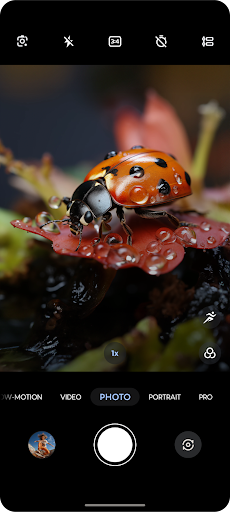

About this app
Developer Description
Fast, simple, stunning photo and video capture.
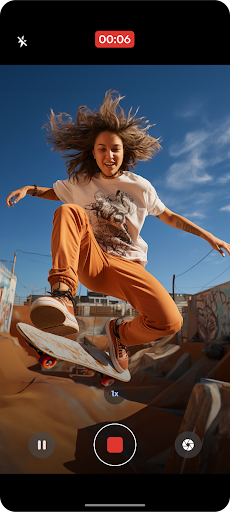
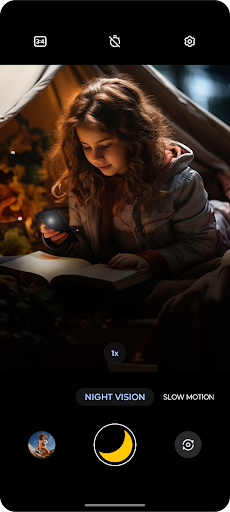
Redesigned with the latest Moto visual design language, Moto Camera Pro is packed with amazing features to capture the perfect moment, each and every time.
Features:
Quick Capture - Never miss a moment. Launch the camera with a simple twist of your wrist, then twist again to switch cameras.
Portrait - Add a nice background blur to your photos. Also, adjust your blur level or make more edits in Google Photos.
Pro mode - Put yourself in complete control of focus, white balance, shutter speed, ISO, and exposure.
Adobe Scan - instantly scan documents into PDFs.
Google Lens - Use Lens to search what you see, scan text and translate, and interact with the world.
Google Photos - Select the thumbnail for sharing, editing, and backup in Google Photos.
And much more!
What's New
• Bug fixes and stability improvements
Version Information
- Version
- -
- Downloads
- 10M+
- Updated on
- Sep 10, 2025
- Released
- Apr 23, 2025
- Requires
- Android Varies with device
Statistics
Google Play Rating History
Rating Distribution
Downloads Over Time
Moto Camera Pro has been downloaded times. Over the past 30 days, it averaged downloads per day.
Shaded area shows 30-day prediction based on historical trends
Historical data collection started recently. More data points will be available over time.
Moto Camera Pro users say on Google Play
 Mystic Stephens
it has some ads but it's got some cool features as long as you're not trying to take pictures of anything shiny
 Samraan Shah
i accidentally deleted the new update of my camra app of my moto edge 60 fusion how can i get that again ?
 Dipanjan
“I have noticed that when I open images in the default Photos app on my Motorola Razr 60, they automatically appear brighter than the original. However, when I share the same photos via messaging apps, the recipients see the original, unaltered brightness. This seems to indicate that the Photos/Gallery app is applying automatic enhancements only during display. I would like guidance on how to disable this automatic enhancement so that photos appear naturally both in the gallery and when shared.
 Erika Rodriguez
When I take a picture through the Google messages app with the moto cam, it becomes washed out and grey. However, when I take the photo separately, and then attach it, it doesn't process that way. Please fix! Thanks!
 Pretty Ninja Racing
Constantly freeze framing on videos. Edit:emailed as requested received automated responses. Currently no improvement on app stability. I downloaded another camera app from the play store, which seems to be working fine. So definitely app over hardware related issues. Update: I submitted data a long while ago as requested and examples and the app is still faulty as hell. It has put me off having another Motorola device in case I have the same issue. (12/12/25 - Moto Razr 40Ultra)
ApkTrusted Ratings & Reviews
More from Motorola Mobility LLC.
See more apps
Recorder
Free

Smart Connect
Free

Motorola Notifications
Free

Moto Gametime
Free

Moto Actions
Free

Device Help
Free

Notes
Free

Moto Feedback
Free

FM Radio
Free

Moto Device Manager
Free

Moto Interactive Wallpaper
Free

Motorola Indigenous Keyboard
Free

Moto Camera 3
Free

Mobile Assistant
Free

Moto Remote Control
Free

Cherokee: MountainsToSea Trail
Free
Similar Apps

eZy Watermark Photos Pro
Paid

AT&T Personal Cloud
Free

mcpro24fps manual video camera
Paid

Arenti
Free

CompanyCam
Free

IPC360 Home
Free

VicoHome: Smart Home Camera
Free

World Festival Guide
Paid

POV – Disposable Camera Events
Free

LockMyPix Photo Vault PREMIUM
Paid

SuperCam Plus
Free

PhotoSpot: For Travel Planning
Free

Cool S20 Camera Galaxy S20 cam
Free

Timestamp Camera Pro
Paid

Loom – Screen and Cam Recorder
Free

SPYPOINT
Free
Scan this QR code to download

Forwarding you to the page at Google Play market in seconds...
Open Google Play market now