
Panasonic Image App v1.10.25
Panasonic Holdings Corporation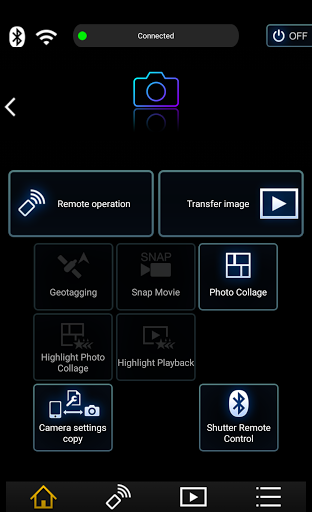
About this app
Developer Description
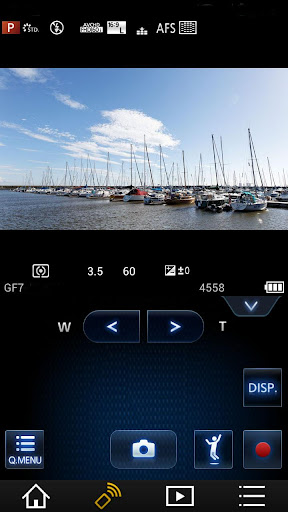
This app lets you control a Panasonic Wi-Fi camera/camcorder via a smartphone.
The following major functions are available with this application.
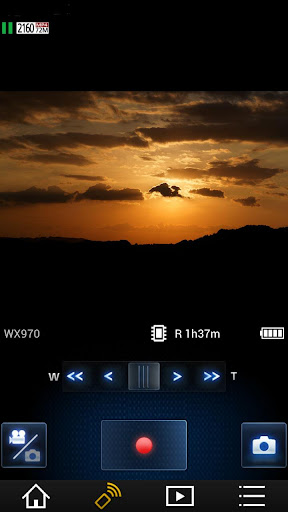
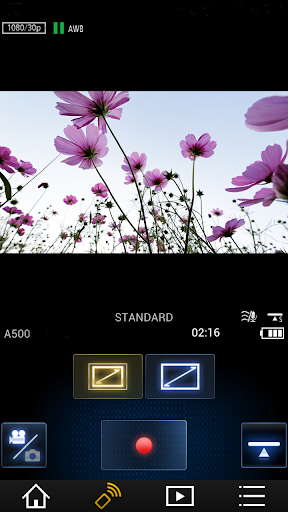
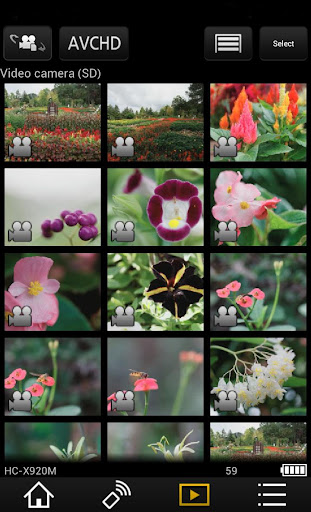
・You can watch the same image as on the Live View screen of your digital camera/digital video camera on your smartphone, and control shooting and other camera operations as with a wireless remote controller. (*1)
・You can play back still pictures and videos recorded using your digital camera/digital video camera on your smartphone. (*2) (*3) You can also copy them to your smartphone, and upload them to SNS sites. (*3)
Additional functions for digital cameras
・This app allows you to implement continuous connection with a digital camera that has Bluetooth function and make Wi-Fi connections and perform remote operation just with your smart phone. It also allows you to apply location information to recorded images and easily perform automatic transfer of images.(*4)
・You can make settings to automatically transfer still pictures recorded with your digital camera to your smartphone.
・You can add location information acquired with your smartphone to pictures recorded using your digital camera.
(*1) With DMC-SZ8 / SZ9 / SZ10 / TZ55 / TZ56 / TZ57 / TZ58 / ZS35 / ZS45, it is not possible to remotely record videos from a smartphone.
(*2) With DMC-FT5 / GF6 / LF1 / SZ8 / SZ9 / SZ10 / TS5 / TZ37 / TZ40 / TZ41 / TZ55 / TZ56 / TZ57 / TZ58 / ZS27 / ZS30 / ZS35 / ZS45, it is only possible to play back still pictures.
(*3) Not supported on HC-X1000.
(*4) This function can only be used with devices that support Bluetooth 4.0 or above (Bluetooth low energy technology).
[Compatible Operating Systems]
Android 10 - 15
[Notes]
・Bluetooth function can only be used with smart phones (Android 5.0 and above) equipped with Bluetooth 4.0 and above (Bluetooth low energy technology).
・Be aware that when using the location information recording function, continued use of the GPS function can lead to a dramatic decrease in battery capacity.
・In order to use the SNS upload functions or the Cloud Sync. Service, you must first obtain a service user ID for Panasonic’s LUMIX CLUB (free of charge).
・For information on using this app or compatible models, visit the following support page.
https://panasonic.jp/support/global/cs/soft/image_app/
・Please understand that we will not be able to contact you directly even if you use the “Email Developer” link.
・The function to transfer images to an AV device can no longer be used. (Version 1.10.7 and later)
・The function to delete images can no longer be used. (Version 1.10.15 and later)
・The function of ""Home Monitor"" can no longer be used. (Version 1.10.19 and later)
・The function of ""Baby Monitor"" can no longer be used. (Version 1.10.19 and later)
What's New
New LUMIX digital camera models DC-TZ99 / DC-ZS99 are now supported.
Version Information
- Version
- 1.10.25
- Downloads
- 5M+
- Updated on
- Jan 14, 2025
- Released
- Jan 15, 2013
- Requires
- Android 5.0
Statistics
Google Play Rating History
Rating Distribution
Downloads Over Time
Panasonic Image App has been downloaded times. Over the past 30 days, it averaged downloads per day.
Shaded area shows 30-day prediction based on historical trends
Historical data collection started recently. More data points will be available over time.
Panasonic Image App users say on Google Play
 brownwallet942
To make it work, turn on the wifi of your phone and for some reason, the location. I don't know why they made it this way and since this app doesn't have an instruction to turn on the location, I bet most people wouldn't be able to connect their lumix camera to their phone hence the bad rating
 Melvin Turner
It took a bit of getting used to but I'm not very good with technology. No problems with Wi-Fi I just select 30 photos and let it do it's thing it's good for my requirements.
 Domenico Somma
at least now works on Android 16, but it remains always open, you have to force the shut
 David Sokald
it's very disappointing to use. It just seems very dated. connection is hit and miss, when you are connected many of the functions don't work. The pictures have to be selected one by one and only 30 at a time. The transfer of images to the phone is again hit and miss. It works for a few transfers then stops, then I have to re install the app to make it work. please please update this app!
 Mandles. Dorset paddler.
Was great until android update today now it won't connect. Hopefully they'll fix it. Until then it's a 0 star as it doesn't work. got better for a while.... now completely useless for a samsung phone. works fine on an iPad so definitely an android issue. with no way to get the photos to one device im giving up on Panasonic. Will have no choice but to buy different brand. sell my compact and bridge.
ApkTrusted Ratings & Reviews
More from Panasonic Holdings Corporation
See more apps








Similar Apps

Sony | Creators' App
Free

Aqara Home
Free

Yubii Home
Free

Video Recorder
Paid

Arenti
Free

DREO
Free

SuperCam Plus
Free

Sony | Imaging Edge Mobile
Free

IPC360 Home
Free

Framelapse 2 Time Lapse Camera
Free

mcpro24fps manual video camera
Paid

POV – Disposable Camera Events
Free

Home + Control
Free

INTEGRA CONTROL
Free

Canon Camera Connect
Free

Lorex Classic
Free
Scan this QR code to download

Forwarding you to the page at Google Play market in seconds...
Open Google Play market now