
VivaVideo - Video Cut & Editor v9.32.3
QuVideo Inc. Video Editor & Video Maker App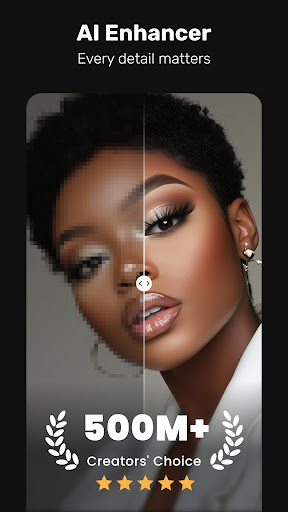

About this app
VivaVideo - Video Cut & Editor solves the problem of complex video editing by providing a user-friendly interface with powerful AI auto-edits and trendy filters, making it ideal for casual users who want to create engaging videos quickly. It stands out in the Video Players category due to its high download numbers and good user rating, indicating a well-received product. However, its lack of advanced features may make it less appealing to professional editors. Compared to alternatives, VivaVideo's simplicity and ease of use are its strongest selling points.
Pros
- With over 500 million downloads, VivaVideo has demonstrated its popularity and social proof, indicating a well-established and trusted brand in the video editing space.
- The app's high user rating of 4.3 out of 5 suggests that it is well-received by its users, who appreciate its ease of use and feature set.
- VivaVideo's developer, QuVideo Inc., has a dedicated website and support email, providing users with a clear channel for feedback and support, which is a positive indicator of the app's reliability.
- The app's small size and lack of permissions requests suggest that it is lightweight and respectful of user privacy, making it a good choice for those concerned about data security.
- VivaVideo's frequent updates, as indicated by its version history, suggest that the developer is actively maintaining and improving the app, which is a positive sign for users who value a polished and up-to-date experience.
Cons
- The app's monetization model, which includes ads and in-app purchases, may be a turn-off for some users who prefer an ad-free experience or are wary of aggressive monetization tactics.
- Some users may find the app's lack of advanced features, such as multi-track editing or color grading, to be a limitation, especially compared to more professional video editing software.
- The app's reliance on AI auto-edits may not always produce the desired results, and some users may find that they have limited control over the editing process.
- The presence of ads may impact the app's performance, potentially causing lag or slowing down the editing process, which could be frustrating for users.
Best for: The ideal user for VivaVideo is a casual video creator, likely in the 18-35 age range, who wants to create engaging and visually appealing videos for social media or personal use, but may not have extensive video editing experience or the need for advanced features, and is looking for a user-friendly and efficient editing solution that can produce high-quality results with minimal effort.
Developer Description
Sora 2 Compatible Video Editor: Powerful AI Auto-Edits & Trendy Filters in 60s
VivaVideo is a free, all-in-one AI video editor, photo editor, and video maker, featuring AI Video Generation, Text to Video, Image to Video, Reel Templates, Background Remover, AI Auto Cut, Auto Captions, AI Enhancer.
Let VivaVideo turn your ideas into viral‑ready Reels and Shorts—built for beginners and pros alike—and share across TikTok, YouTube, Instagram, WhatsApp, and Facebook to grow your audience.
FREE & No Ads!
Powerful AI Video Tools
- Smart Tracking:
Track moving objects to create dynamic, professional shots.
- AI Beat:
Sync video highlights with rhythmic beats for perfectly timed edits.
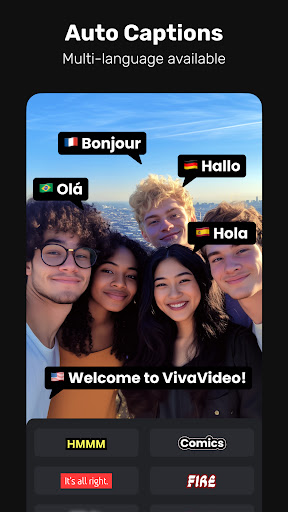
- AI Auto Captions:
Generates speech-to-text captions & caption translation.
- AI Avatar:
Quickly turn text into talking clips with powerful voice customization. No skills needed—perfect for creators and marketers. Powered by Veo 3 AI.
- AI Music Generator:
Create a custom song based on your ideas or lyrics.
- AI Voice Clone:
Easily copy your voice and generate any speech! With customized emotions & in any language!
- Image to Video:
Let AI magically bring life to your photos with AI hug, AI kiss, AI muscle video effects.
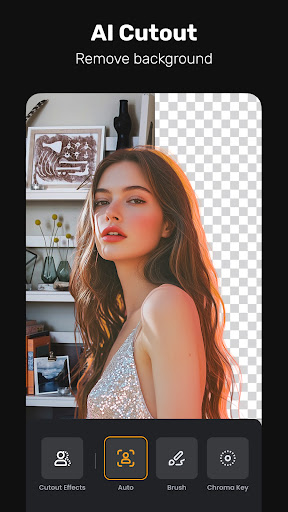
- AI Cutout:
Auto remove backgrounds or isolate objects with smart strokes.
- Slow-Motion:
Make videos smoother and more cinematic with advanced slow-mo effects.
User-friendly Video Editing for Beginners
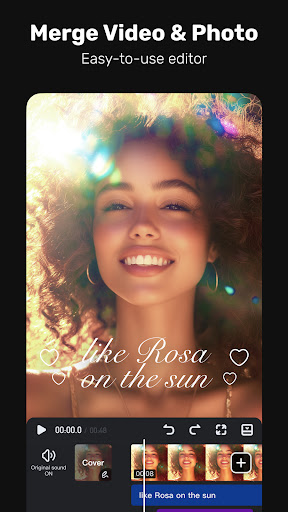
- Trim, cut, split, or merge video clips without losing quality.
- Speed curve: speed control with customizable & pre-set curves.
- Add smooth transitions and visual effects to enhance your video.
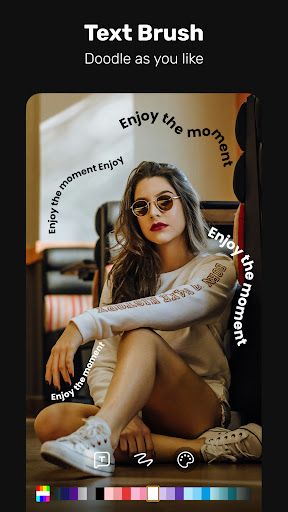
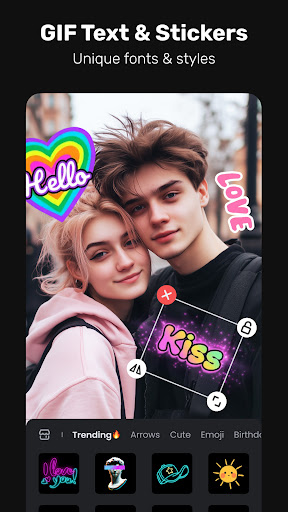
- Text styles & fonts: customize text for titles and captions.
- Add fun stickers & emojis to bring personality to video.
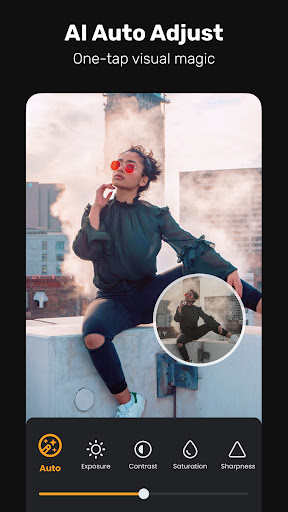
- Color adjustments: adjust brightness, contrast & saturation for better visuals.
Full-featured Video Editing for Professional
- Keyframe editing: create smooth animations for dynamic movement and effects.
- Apply slow-motion effects to specific parts of your video.
- Chromakey effects: use chroma key to eliminate video colors and create immersive scenes.
- Picture-in-picture (PIP): add multiple layers of video, images, stickers, special effects, text
- Masking: cover and mix video clips to get different video effects.
- Mosaic: blur or pixelate specific areas of your video, great for hiding sensitive details.
- Smart tracking: track moving objects in your video for precise effects, text, or animations to follow their motion.
Special Features
- Auto captions & caption translation: AI speech-to-text for talking videos and one-tap subtitle translation.
- Background removal: auto remove backgrounds and change video background.
Trending Effects & Filters
- Apply various effects to your videos, including Glitch, Fade, Weather, Retro DV, Blur, 3D
- Enhance your videos with cinematic filters & color adjustments
Music & Sound Effects
- Elevate videos with a vast library of music clips and sound effects
- Extract audio from video clips and recordings
With VivaVideo, your all-in-one video editor & video maker with music, you can easily craft eye-catching content. Whether you're a beginner or pro, VivaVideo's powerful tools like AI music, keyframes and green screen, can help you make high-quality videos in minutes!
Privacy
Given that VivaVideo requests no permissions, it appears to be a relatively safe and private app to use, with minimal risk of data collection or security breaches. However, users should still be cautious when using any app that includes in-app purchases, as they may be prompted to enter payment information. To stay safe, users should only use secure payment methods and be mindful of their in-app purchase activity.
Tips
To get the most out of VivaVideo, users should start by exploring the app's various editing features and filters, and experiment with different combinations to find the look and feel that works best for their videos. Additionally, users can optimize the app's performance by closing other resource-intensive apps and ensuring that their device has sufficient storage space. Finally, users can also take advantage of the app's AI auto-edits by providing clear and well-lit footage, which will help the app produce the best possible results.
What's New
In-app purchases
$0.99 - $99.99 per item
Version Information
- Version
- 9.32.3
- Downloads
- 500M+
- Updated on
- Dec 19, 2025
- Released
- Mar 21, 2013
- Requires
- Android 7.0
Statistics
Google Play Rating History
Rating Distribution
Downloads Over Time
VivaVideo - Video Cut & Editor has been downloaded times. Over the past 30 days, it averaged downloads per day.
Shaded area shows 30-day prediction based on historical trends
Historical data collection started recently. More data points will be available over time.
VivaVideo - Video Cut & Editor - Google Play Rankings
Top Rankings
| Rank | Country | Category | List | Change |
|---|---|---|---|---|
| — |
Ranking History in
No ranking data available yet. Rankings are updated daily.
#14 in Top Grossing Video Players in United States
 BIGVU Teleprompter & Captions
VivaVideo - Video Cut & Editor
BIGVU Teleprompter & Captions
VivaVideo - Video Cut & Editor
 AI Catch: AI Video Generator
#139 in Top Free Video Players in United States
 InSaver: All Video Downloader
VivaVideo - Video Cut & Editor
InSaver: All Video Downloader
VivaVideo - Video Cut & Editor
 Pixmora: AI Image to Video
#2 in Top Grossing Video Players in Egypt


#3 in Top Grossing Video Players in Turkey

VivaVideo - Video Cut & Editor users say on Google Play
 Noyesy Gaming
Amazing app woth lots of bits to add or change pictures or videos and very easy to use.
 Keiron White
i just started using this app and so far the experience is going smoothly but there are a few things i want the creators to change for 2026. Firstly, i want them remove the limit for videos because i dont like spending money on minor things. And finally, i want them to make more free text options. thank you
 Los Montes Aventureros
when I used your app I only added texts and fonts then cut some clips of the video then it said I need to pay the VIP and I was like what? I didn't use anything just simple text and cutting clips I mean I have money but I dont have a plan to purchase VIP you're convincing anyone to edit for free just by paying even the simple things? excuse me we're looking for a best app for editing videos do you think it's fair to everyone there it is paying to export the simple video? sorry not satisfied
 Kalu Chidinma
some how good 👍
 Raskhan Mohammed
I am experiencing an issue with the application where it continuously prompts me to initiate a free trial, despite my having already purchased a subscription. When I attempt to restore my purchase, the system does not recognize my paid subscription. Interestingly, if I remove my secondary Gmail account, the restoration process is successful. However, upon re-adding my primary account, the application again requests that I restore my purchase.
ApkTrusted Ratings & Reviews
More from QuVideo Inc. Video Editor & Video Maker App
See more apps
Similar Apps

AI Video Maker AI Video Editor
Free

AI Video Editor - VideoShow AI
Free

Video Maker
Free

Filmora: AI Video Editor&Maker
Free

YouCut - Video Editor & Maker
Free

KineMaster - Video Editor
Free

AI Video Editor - Vidma Cut AI
Free

Add Music To Video & AI Editor
Free

Photo Video Maker - InSlide
Free

PowerDirector - Video Editor
Free

LightCut -AI Auto Video Editor
Free

Reels Maker for Instagram BEAT
Free

YouCam Video: AI Video Editor
Free

Mojo: Reels and Video Captions
Free

Reels & Video Editor - inMelo
Free

VLLO - Video Editor Vlog Edits
Free
Scan this QR code to download

Forwarding you to the page at Google Play market in seconds...
Open Google Play market now