RICOH Device Manager NX vVARY
Ricoh Co., Ltd.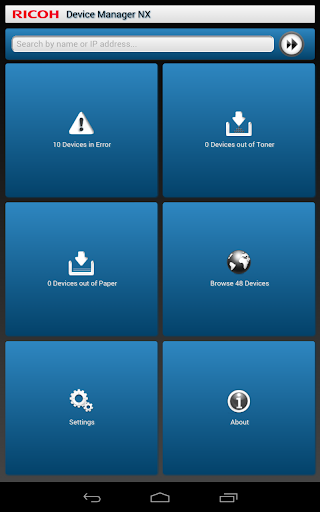
About this app
Developer Description
RICOH Device Manager NX allows for highly efficient device management.
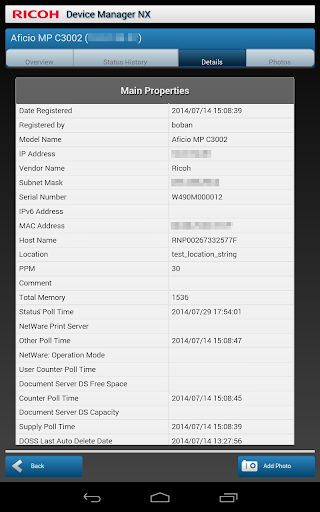
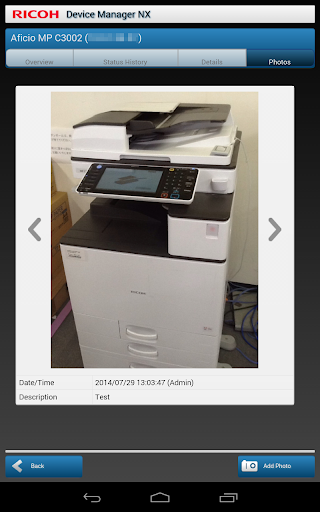
When connected to Device Manager NX Pro/Enterprise, RICOH Device Manager NX allows for highly efficient device management. In addition to displaying a list of managed devices and device overviews, it allows users to upload photos and register them to devices in Device Manager NX Pro/Enterprise.
Major features:
- Display a list of managed devices
- Display a list of devices encountering errors, out of toner, and out of paper statuses
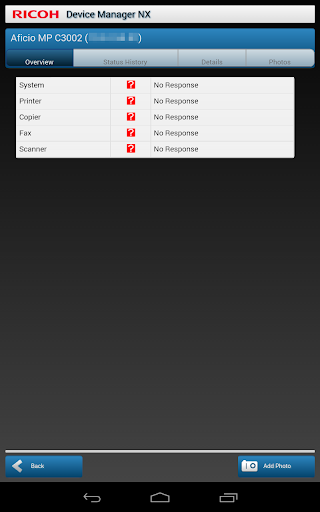
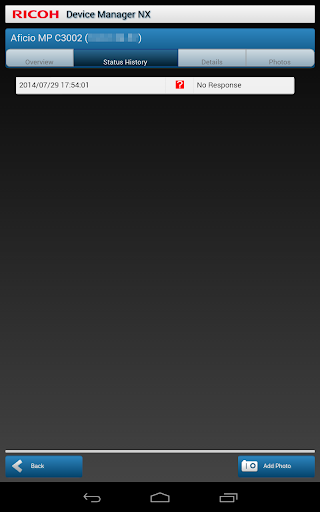
- Display device overviews, details, status histories, and photos
- Upload photos to Device Manager NX Pro/Enterprise
Usage preparation:
1. Turn on the Mobile Device Access function in Device Manager NX Pro/Enterprise.
2. Activate RICOH Device Manager NX on the smart devices and configure the connection to Device Manager NX Pro/Enterprise.
Version Information
- Version
- -
- Downloads
- 50K+
- Updated on
- -
- Released
- Aug 12, 2014
- Requires
- Android Varies with device
Statistics
Google Play Rating History
Rating Distribution
Downloads Over Time
RICOH Device Manager NX has been downloaded times. Over the past 30 days, it averaged downloads per day.
Shaded area shows 30-day prediction based on historical trends
Historical data collection started recently. More data points will be available over time.
RICOH Device Manager NX users say on Google Play
 A Google user
Nice
 mukesh & kumar n.1
Good
A Google user
Wast of time
ApkTrusted Ratings & Reviews
More from Ricoh Co., Ltd.
See more apps








Similar Apps





Scan this QR code to download

Forwarding you to the page at Google Play market in seconds...
Open Google Play market now