THETA+ v3.11.0
Ricoh Co., Ltd.




About this app
Developer Description
Let’s edit 360° images pleasantly and easily and share them.
Not only you can view these images easily but also present creative and new expressions conventional cameras cannot provide.
You can share edited images and videos easily on Instagram, Facebook, and other SNS.
Editing functions only available for 360° images!
・Simple view functions to change presentations dynamically
Adjusting viewpoint positions or zoom amounts, you can change presentations of a 360° image dynamically. Using a button alone, you can transform a 360° image into an earth-like shape called a Little Planet, an image on two screens, or a soratama, so that it is possible to make a 360° image attractive contents easier to present.
・Animation functions to share rotated images in a non-360° environment
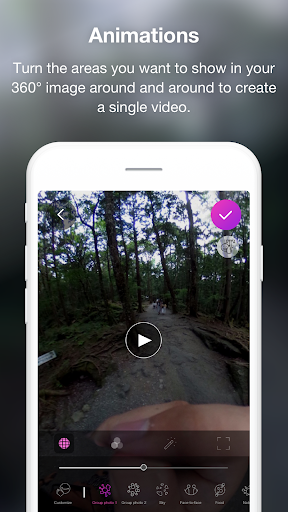
You can create an animation from a still image by drawing close or pulling in a 360° image and rotating it. Also, you can freely specify a section you want to present, its motion and speed. Since the image is saved as a video after being edited, you can share a 360°-rotated image in a non-360° environment.
Basic video editing functions also provided
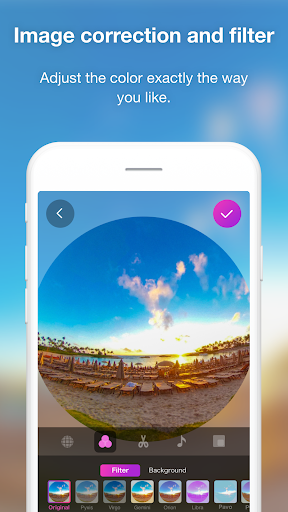
・While checking a 360° image by rotating it, you can adjust the overall colors using image correction or filter functions.
・You can present a more enjoyable 360° image by adding a stamp or text to it.
・Trimming, double speed editing, BGM, and other 360° video editing functions are also supported.
・You can create a time lapse video easily by combining multiple 360° images.
◇ Environments to support THETA+:
* Operations are not guaranteed for all terminals.
* For future updates, environments or terminals to support THETA+ may change.
What's New
・Bug fix
Version Information
- Version
- 3.11.0
- Downloads
- 500K+
- Updated on
- Sep 26, 2022
- Released
- Sep 1, 2015
- Requires
- Android 9
Statistics
Google Play Rating History
Rating Distribution
Downloads Over Time
THETA+ has been downloaded times. Over the past 30 days, it averaged downloads per day.
Shaded area shows 30-day prediction based on historical trends
Historical data collection started recently. More data points will be available over time.
THETA+ users say on Google Play
 Julian Toler
Great once you get used to it.Many of the features are quite difficult to understand but with practice this an produce great results. I use it for 360 image processing from my Insta360 X2 as well as my MadV Mini. It is fairly good for the video produced by the MadV but lacks some important features such as angle of view control.
 Irfan Mulla
The app doesn't save after edit anymore. Used to be great. Please look into and fix it. Thanks.
 Antonio de las Traviesas
This is a great application but generated videos are not of good quality, even when the export is 1080p and it crashes almost all the time.
 Lee Bateman
Cool functionality but terrible interface. No way to sort chronologically by date taken. Crashes if loading a picture that has been edited with Google photos(pop). Edit: the more I use this software the more I loathe it. The forced tutorial videos, the inability to sort by date taken are extremely frustrating.
 Senaka Aravinda
Save button not working properly .. Need an option like select the photos from gallery.. not in the app.. and share photos to the app and edit feature.. It may usefull a lot.. please consider about it in the next update.. good luck
ApkTrusted Ratings & Reviews
More from Ricoh Co., Ltd.
See more apps
RICOH Device Manager NX
Free

RICOH THETA
Free

RICOH Smart Device Connector
Free

RICOH360 Tours
Free
RICOH360 Tours
Free

RICOH360:THETA Capture App
Free
RICOH Remote Field Settings
Free

RICOH CloudStream
Free

RICOH M 2310 Mobile Print&Scan
Free
RICOH Support Station
Free

RICOH360 Projects
Free

RICOH IWB Client
Free
Scan this QR code to download

Forwarding you to the page at Google Play market in seconds...
Open Google Play market now