
EasyCap Recorder v9.6.6
沈垚 / ShenYao China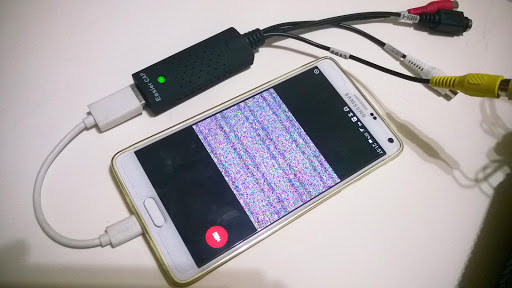





About this app
Developer Description
Connect STK1160, UTV007, EM2860, SMI2021 EasyCap to view and record
Tip:
Supports following devices:
1) EasyCap including audio with UTV007 / HTV600 / HTV800 chipsets (VID_1B71&PID_3002)
2) EasyCap including audio with STK1160 + SAA7113/GM7113 + AC97 chipsets (Audio 48kHz stereo version VID_05E1&PID_0408)
3) EasyCap including audio with STK1160 + SAA7113/GM7113 (Audio 8kHz mono version VID_05E1&PID_0408)
4) EasyCap including audio with EM2860 + SAA7113/GM7113 + AC97 chipsets (VID_EB1A&PID_2861)
5) EasyCap including audio with SMI2021 + SAA7113/GM7113 + ES7240/CS5340 chipsets (VID_1C88&PID_0007, PID_003C, PID_003D, PID_003E, PID_003F, PID_1001)
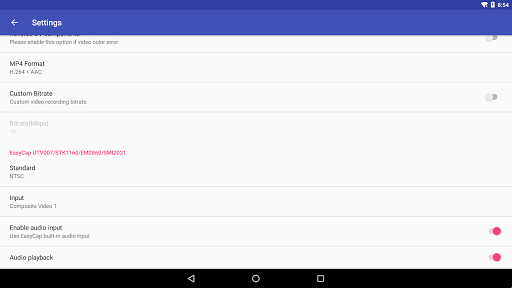
Please switch the video Standard(PAL/NTSC/SECAM) if video freeze when using EasyCap.
Please use a good quality OTG cable and ensure power supply. Some devices may need to bridge HUB to enhanced USB signals to work properly, e.g. ezcap Video Grabber.
Using HEVC for video recording requires Android 5.0 or above, and the device must supports HEVC codec.
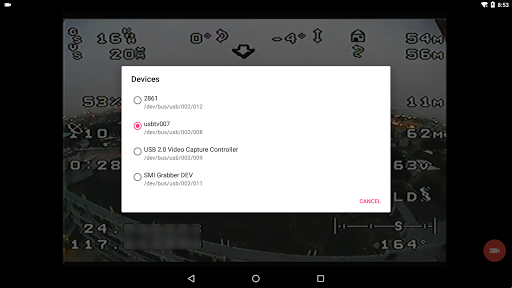
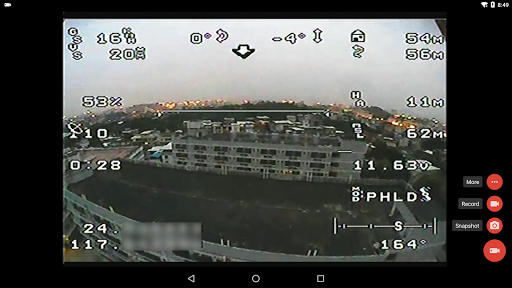
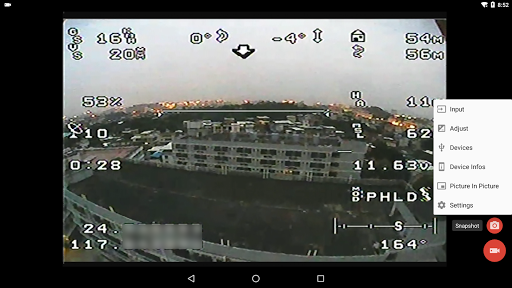
"EasyCap Recorder" can let your android device connect to EasyCap video capture card via USB-OTG. You can capture snapshot or record video WITH audio support.
"EasyCap Recorder" supports Side by Side(SBS) view and it can work with FPV goggle.
"EasyCap Recorder" can seamless switching between foreground and background. The recording will not interrupted during switching!
This is userspace driver so it used for the app only. Android does not allow to install kernel driver so it unable to use for third-party apps.
What's New
* Can use AV1+AAC format for video recording
* The audio will continue playing after entering the background
* Optimize the full screen mode under the notch screen
Version Information
- Version
- 9.6.6
- Downloads
- 100K+
- Updated on
- Oct 16, 2025
- Released
- Dec 26, 2016
- Requires
- Android 5.0
Statistics
Google Play Rating History
Rating Distribution
Downloads Over Time
EasyCap Recorder has been downloaded times. Over the past 30 days, it averaged downloads per day.
Shaded area shows 30-day prediction based on historical trends
Historical data collection started recently. More data points will be available over time.
EasyCap Recorder users say on Google Play
 Yana Risnawan
What its use for? What the different with easy cap usb camera apps?
 Ondrej D
Runs perfectly on my asus rog phone 6. I would give 5 stars if there would be no ads. I would pay for version without ads
 A Google user
Works fine, but video sometimes freezes for a second.. is there a chance for driver update ?
A Google user
Not support on my noughat, Utv007
A Google user
no way this could work. didn't even ask for the required usb access rights.
ApkTrusted Ratings & Reviews
More from 沈垚 / ShenYao China
See more apps




Scan this QR code to download

Forwarding you to the page at Google Play market in seconds...
Open Google Play market now