
SafeSurf VPN v2.3.6
CloudEx Inc.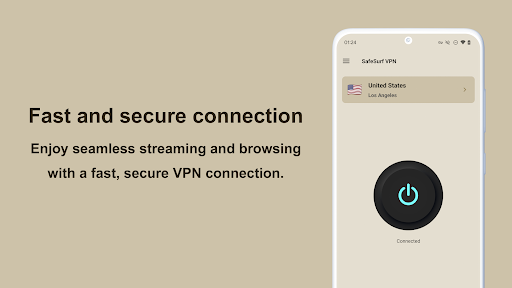






About this app
Developer Description
Secure and fast VPN with powerful ad blocking features
It also has an advanced ad blocking feature that significantly speeds up website loading times.
By removing ads, you can save up to 70% on your data usage and avoid unnecessary data consumption.
Start using SafeSurf VPN today for a smooth and secure Internet experience!
▼ Protect Your Data Online
When you use SafeSurf VPN, your IP address and virtual location are changed, ensuring your online traffic is protected from third parties. This keeps your data private at all times while you surf the internet.
▼ Stay Secure Even on Public Wi-Fi
SafeSurf VPN employs the latest encryption technology to keep your connection secure at all times. You can confidently log into accounts, perform online banking, and shop online even on public Wi-Fi hotspots.
▼ No-Log Policy
Protecting your data and privacy is our top priority. SafeSurf VPN does not collect, store or share any user's online activity or traffic data. Your online activities remain private and secure at all times.
▼ Protection from Malware
SafeSurf VPN comes with robust protection features that automatically block annoying ads, tracking, and malware. This ensures a safer and more pleasant internet experience.
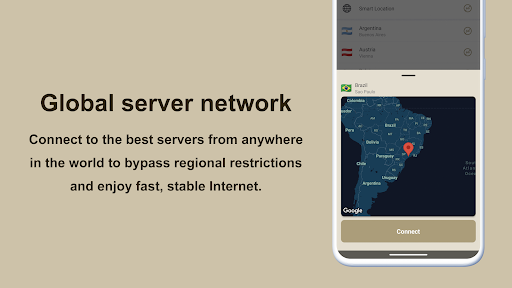
▼ Global server network
Connect to the best servers from anywhere in the world to bypass regional restrictions and enjoy fast, stable Internet.
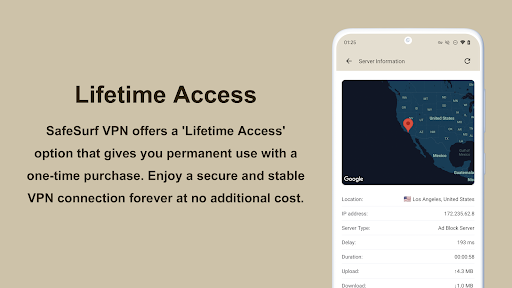
▼ Lifetime Access
SafeSurf VPN offers a 'Lifetime Access' option that gives you permanent use with a one-time purchase. Enjoy a secure and stable VPN connection forever at no additional cost.
Frequently Asked Questions
► Why I need a VPN?
VPN is virtual private network. It is a secure tunnel between your device and the internet, allowing you to stay private, remain secure, and access any online content you want-no matter where you are.
► Is VPN safe?
Using a VPN is not only safe, it adds an important layer of security to your online activities, especially on public Wi-Fi networks. We use SSL to encrypt Internet data, ensuring that third parties cannot decipher your information. When you connect to a secure VPN server, your Internet traffic passes through an encrypted tunnel, making it invisible to hackers, governments, and Internet service providers. In addition, SafeSurf VPN does not collect, store or share any user's online activity or traffic data. Your online activities remain private and secure at all times.
► Can't connect, auto-disconnect or speed is slow?
Connection problem is due to many factors, please restart your device, update the app to the latest version, refresh the server list.
► Some ads are not blocked.
Our VPN service operates in compliance with Google’s policies. As a result, some ads are intentionally not blocked. This is to balance policy compliance while maintaining user convenience. We are continuously improving our technology to provide the best browsing experience possible.
► I cannot access some streaming services.
Some streaming services may restrict access from VPNs. These services often provide content that is limited to specific regions and block access from VPN servers to prevent attempts to bypass these regional restrictions. While we strive to ensure maximum convenience for our users by continually adding new servers and improving the performance of existing ones, it can be challenging to completely bypass these restrictions.
► How to cancel the subscription in Google play?
Subscriptions on Google Play renew automatically unless you unsubscribe, if you want to unsubscribe, please open Google Play Store, tap Menu-Subscriptions-Tap the subscription you want to cancel-TapCancel subscription.
For more details: https://support.google.com/googleplay/answer/2476088
Install SafeSurf VPN and start enjoying the internet without worry today. Experience online freedom and safety!
What's New
In-app purchases
$1.99 - $13.99 per item
Version Information
- Version
- 2.3.6
- Downloads
- 100K+
- Updated on
- Nov 2, 2025
- Released
- Jul 10, 2024
- Requires
- Android 8.0
Statistics
Google Play Rating History
Rating Distribution
Downloads Over Time
SafeSurf VPN has been downloaded times. Over the past 30 days, it averaged downloads per day.
Shaded area shows 30-day prediction based on historical trends
Historical data collection started recently. More data points will be available over time.
SafeSurf VPN users say on Google Play
 Louis Wan
There are problems when you want to purchase a plan. It either shows that no Internet connection or you're not in your own country. If use the browser to watch YouTube, you have to sign in to confirm that you're not a bot. With the latest version, auto disconnection still exists after 3 hours ( device type : Samsung Galaxy A series 5G ). TQ! Now can stream. Even though there is still room for improvement in the latency, the download speed is pretty awesome although using long-distance servers.
 Keith White
SafeSurf VPN is a very good app but everything is stuck in premium mode if you made the servers permanent instead of a 1 day trial per connection and made premium servers free along with the whole app it would be a lot better. The Play store description says everything is unlimited but it isn't yet.
 janish john
adblock is good 👍. Cons- Can't select protocol! Not connecting to some wifi networks and some websites, but other vpns can connect . Sent an email, dev not responded yet!!
 Mr. Zak
I have the add block app and today I paid for the VPN and installed it on my Android phone, but it doesn't work and will not start the VPN. I have installed and uninstalled it over 10 times. Can you help
ApkTrusted Ratings & Reviews
More from CloudEx Inc.
See more apps









Similar Apps
OpenVPN Connect
Free
Private Internet Access VPN
Free

VeePN - Secure VPN & Antivirus
Free
AdGuard: Content Blocker
Free
Seed4.Me VPN Proxy
Free

Avira Security Antivirus & VPN
Free

IVPN
Free
Ultra VPN — Super Secure Proxy
Free

Ad Blocker VPN & DNS – Blokada
Free

AVG Secure VPN Proxy & Privacy
Free

PureVPN: VPN Fast & Secure VPN
Free
Hotspot Shield: Fast VPN Proxy
Free

Avast SecureLine VPN & Privacy
Free
PrivadoVPN - VPN App & Proxy
Free
Adblock Browser: Fast & Secure
Free

Speedify Fast Bonding VPN
Free
Scan this QR code to download

Forwarding you to the page at Google Play market in seconds...
Open Google Play market now